SDXL Prompt Styler (customized version by wolfden)
These custom nodes provide a variety of customized prompt stylers based on a/twri/SDXL Prompt Styler.
Nodes (35)
Knotwork, myth and Celtic scenes
Scandinavian minimalism & design
Canned fashion-shoot vibes
Cathedrals, manors and spires
Cottages, myth and trad-session scenes
Epic 19th-century national art
Dynamic sports-scene presets
Graffiti, murals and urban scenes
One-click Norse styling for SDXL prompts
Instant nature-doc scenes
Every prompt style in one giant dropdown
Style your prompt by named painter
Prompt by naming a real camera body
Rule-of-thirds and framing without the essay
50 neon-dreamscape presets
Depth-of-field presets for your prompt
Drop your subject into a setting
Drop your subject into Narnia or Mordor
Sepia, HDR, vintage looks as prompt text
Depth of field and bokeh presets for SDXL
Painterly Impressionist scenes
Set the light with one dropdown
The huge art-style grab-bag node
Calm, mysterious, chaotic — atmosphere on a dropdown
Kraken, Phoenix, Griffin presets
The classic Stability SDXL styles
Abstract physics-dream presets
Brass, cogs and airships on a dropdown
A quick subject-type modifier
Painterly impressionist scene presets
Portrait, macro, wildlife and other photo genres
Golden hour, blue hour, midnight lighting
20 named dragon presets for SDXL
Canned horror scenes for your prompt
The 1,400-style community grab bag
SDXL Prompt Styler
All credits to twri/sdxl_prompt_styler https://github.com/twri/sdxl_prompt_styler
Custom node for ComfyUI that I organized and customized to my needs.
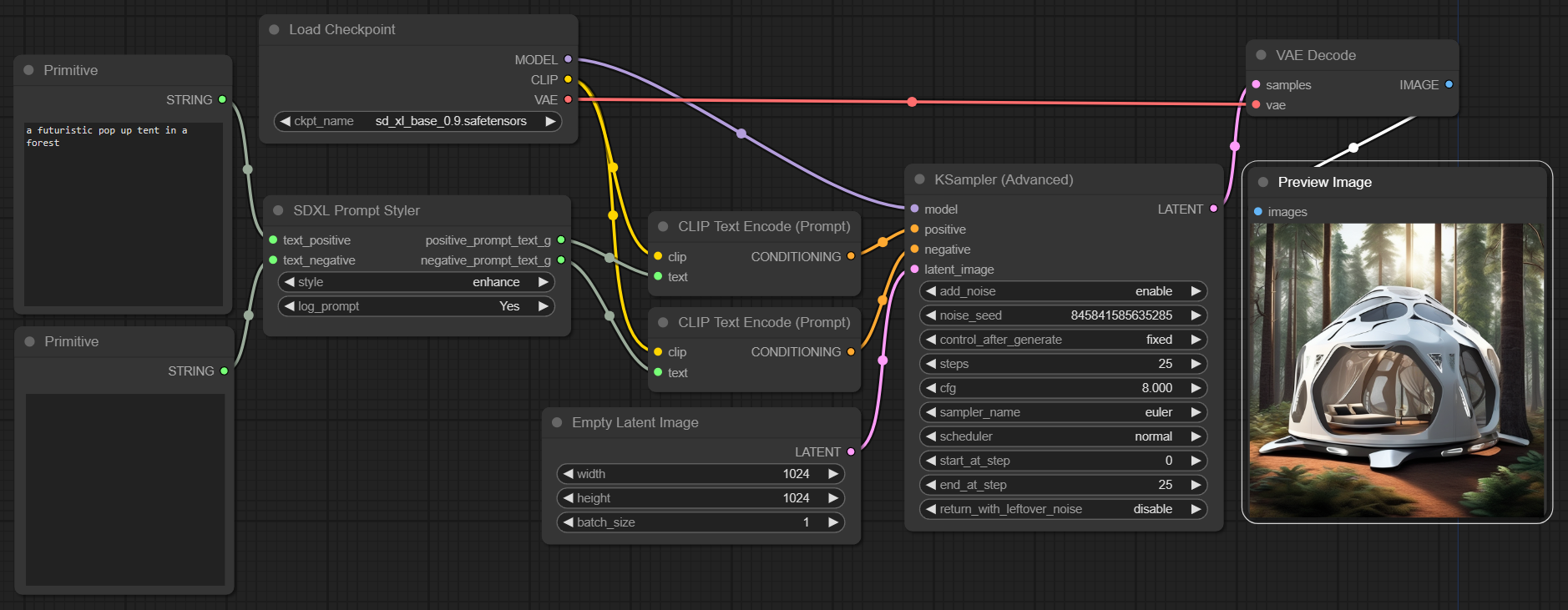
SDXL Prompt Styler is a node that enables you to style prompts based on predefined templates stored in a JSON file. The node specifically replaces a {prompt} placeholder in the 'prompt' field of each template with provided positive text.
The node also effectively manages negative prompts. If negative text is provided, the node combines this with the 'negative_prompt' field from the template. If no negative text is supplied, the system defaults to using the 'negative_prompt' from the JSON template. This flexibility enables the creation of a diverse and specific range of negative prompts.
Usage Example with SDXL Prompt Styler
Template example from a JSON file:
[
    {
        "name": "base",
        "prompt": "{prompt}",
        "negative_prompt": ""
    },
    {
        "name": "enhance",
        "prompt": "breathtaking {prompt} . award-winning, professional, highly detailed",
        "negative_prompt": "ugly, deformed, noisy, blurry, distorted, grainy"
    }
]
style = "enhance"
positive_prompt = "a futuristic pop up tent in a forest"
negative_prompt = "dark"
This will generate the following styled prompts as outputs:
breathtaking a futuristic pop up tent in a forest . award-winning, professional, highly detailed
ugly, deformed, noisy, blurry, distorted, grainy, dark
Installation of the Original SDXL Prompt Styler by twri/sdxl_prompt_styler (Optional)
(Optional) For the Original SDXL Prompt Styler
To install and use the SDXL Prompt Styler nodes, follow these steps:
- Open a terminal or command line interface.
- Navigate to the
ComfyUI/custom_nodes/directory. - Run the following command:
git clone https://github.com/twri/sdxl_prompt_styler.git - Restart ComfyUI.
This command clones the SDXL Prompt Styler repository into your ComfyUI/custom_nodes/ directory. You should now be able to access and use the nodes from this repository.
Installation of my customized version
- Open a terminal or command line interface.
- Navigate to the
ComfyUI/custom_nodes/directory. - Run the following command:
git clone https://github.com/wolfden/ComfyUi_PromptStylers.git - Restart ComfyUI.
This command clones the repository into your ComfyUI/custom_nodes/ directory. You should now be able to access and use the nodes from this repository.
After restart you should see a new submenu Style Prompts - click on the desired style and the node will appear in your workflow
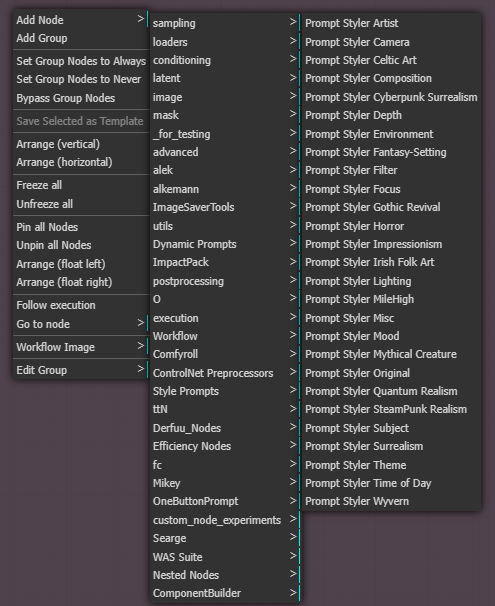
Thanks to Three Headed Monkey in Discord of AI Revolution (discord.gg/rXFmn3gaAc) for the hard work with producing most of the various styles
Inputs
- text_positive - text for the positive base prompt G
- text_negative - text for the negative base prompt G
- log_prompt - print inputs and outputs to stdout
Outputs
- positive_prompt_text_g - combined prompt with style for positive promt G
- negative_prompt_text_g - combined prompt with style for negative promt G
Example - More in Example Folder with Workflow
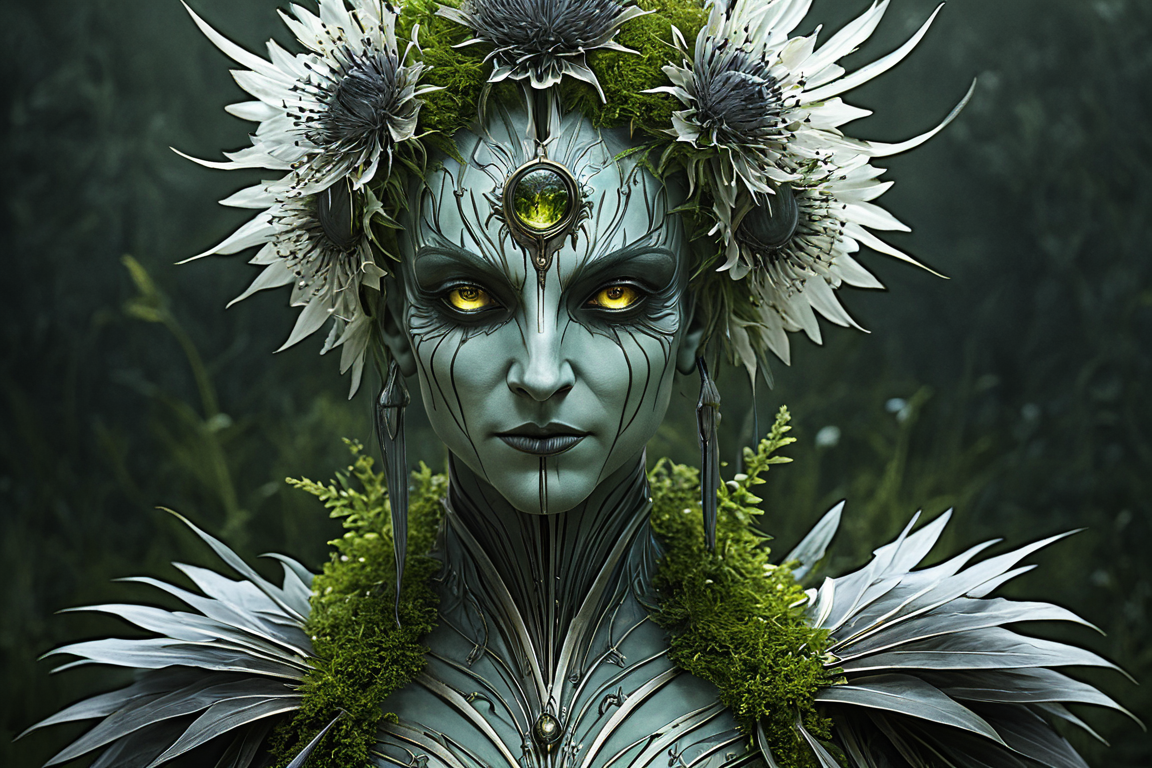
Mythical Creature - The Kraken, Terror of the Deep
 Fantasy Setting - Neverland
 Mythical Creature - - The Banshee, Wailer of Fate
Workflow
My workflow is a bit complex with lots of nodes, custome models for base and refiner. It has the face detail, hand, body, upscale, blend. Most of my prompts are just random with a selected style, and with wildcards, feelin lucky, magic prompt, and one button prompt. Use a very simple sentence and see what crazyness pops up. Find a workflow that works best for you.