
comfyui-colorfix-v3
ComfyUI custom node implementing the tile_colorfix color correction algorithm from A1111's ControlNet extension, supporting both SD/SDXL and Flux models. (Description by CC)
Nodes (9)
A1111's control modes, native in ComfyUI
The ControlNet mode dropdown Flux actually needed
Three ControlNets on Flux without the spaghetti
Fix Flux's color drift without touching its detail
ColorFix plus an unsharp mask, tuned for Flux
Stack several ControlNets with per-unit strength
The A1111 ColorFix toggle, as a ComfyUI node
ColorFix with the A1111 sharp variant's CFG trick
Three ControlNets in one node, each with its own mode
comfyui-colorfix-v3
ComfyUI custom node extension implementing the tile_colorfix algorithm from A1111's ControlNet extension. Supports both SD/SDXL and Flux models.
Examples
| Reference | SDXL + ColorFix + ControlNet Tile | Flux + ColorFix + ControlNet + LoRA |
|:---------:|:---------------------------------:|:-----------------------------------:|
|  |
|  |
|  |
| Input reference image | txt2img XL + ColorFix + ControlNet + Tile | txt2img Flux + ColorFix + ControlNet + LoRA |
|
| Input reference image | txt2img XL + ColorFix + ControlNet + Tile | txt2img Flux + ColorFix + ControlNet + LoRA |
ColorFix Effect Comparison
| SDXL: With vs Without ColorFix | Flux: With vs Without ColorFix |
|:------------------------------:|:------------------------------:|
| 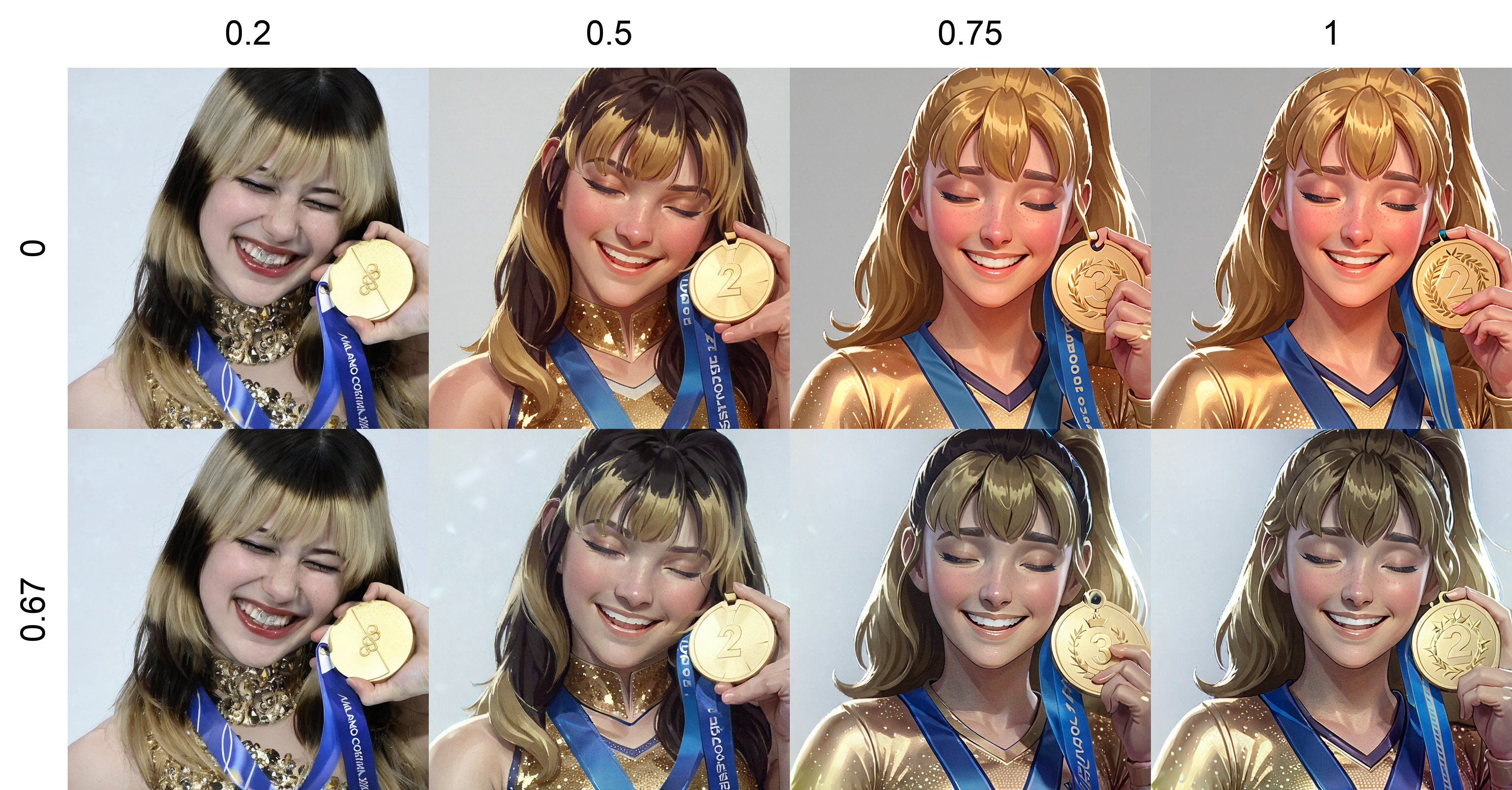 |
| 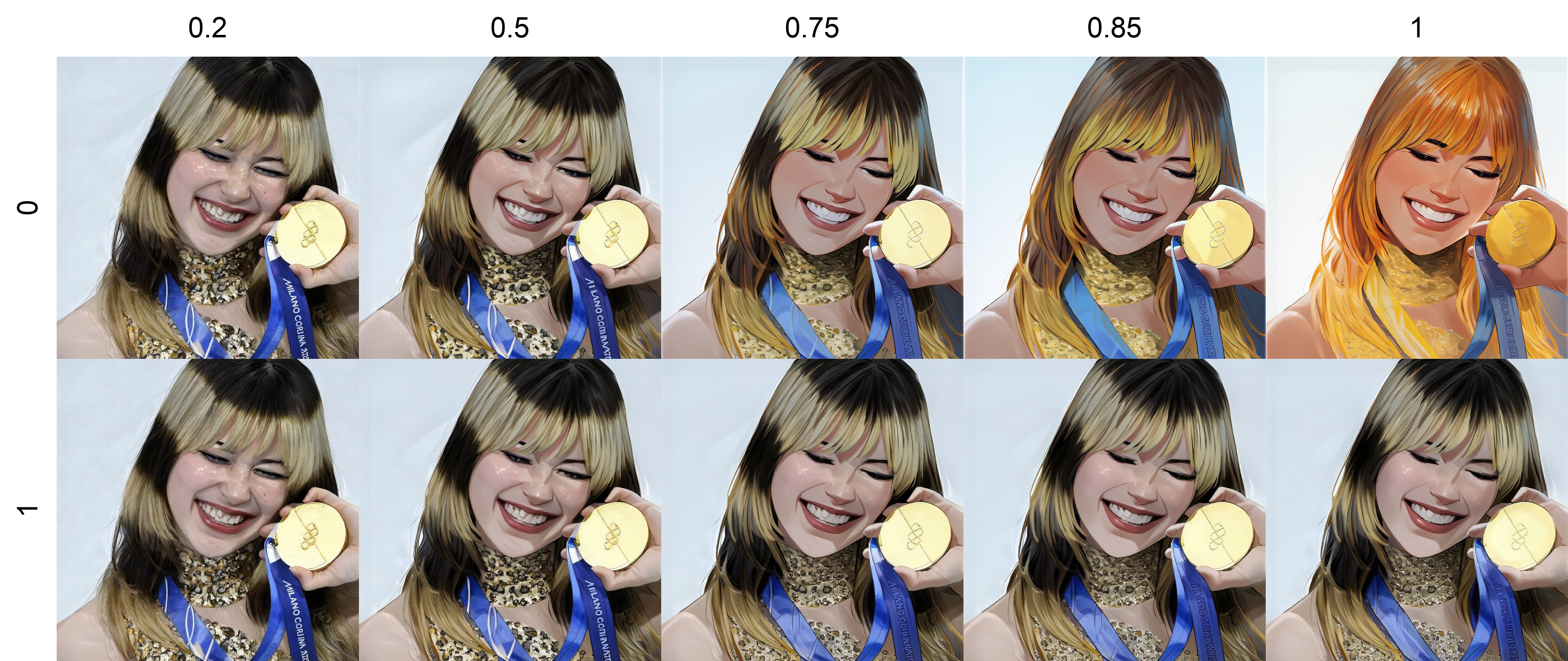 |
|
ControlNet Mode Comparison
| SDXL ControlNet Modes | Flux ControlNet Modes |
|:---------------------:|:---------------------:|
| 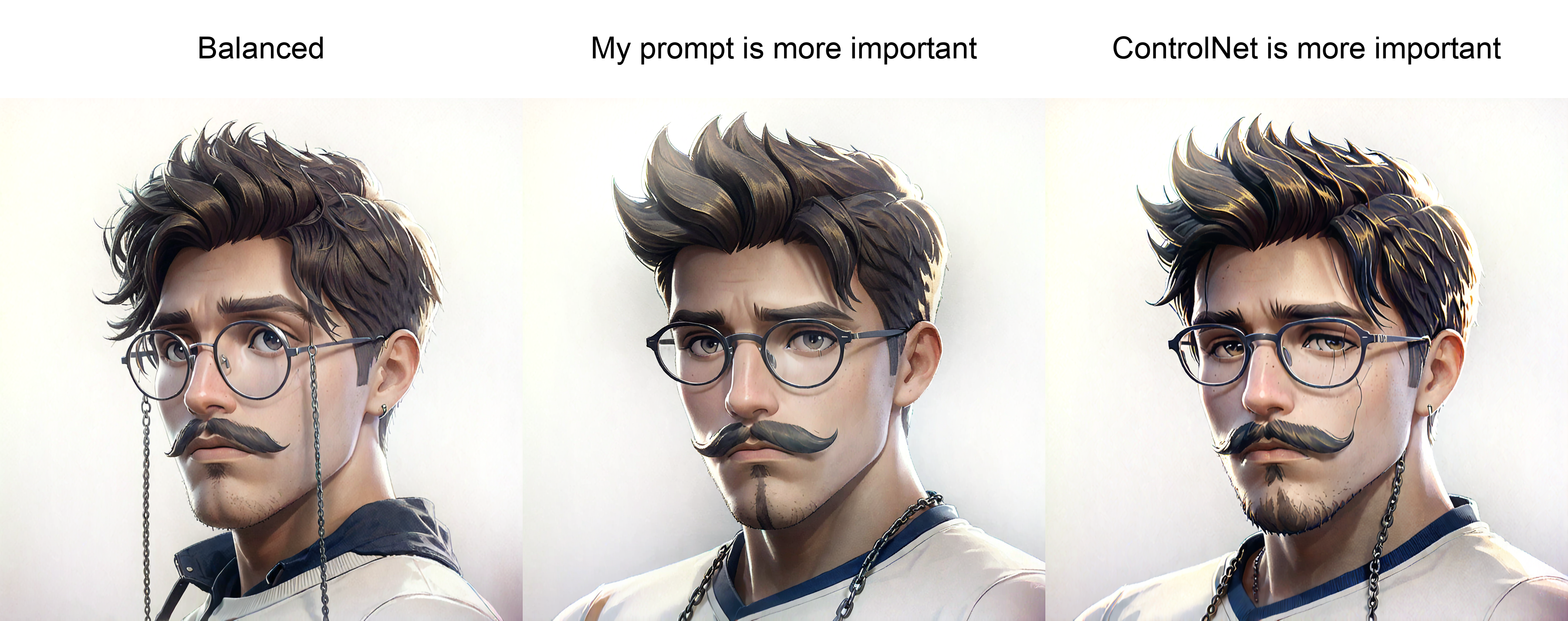 |
| 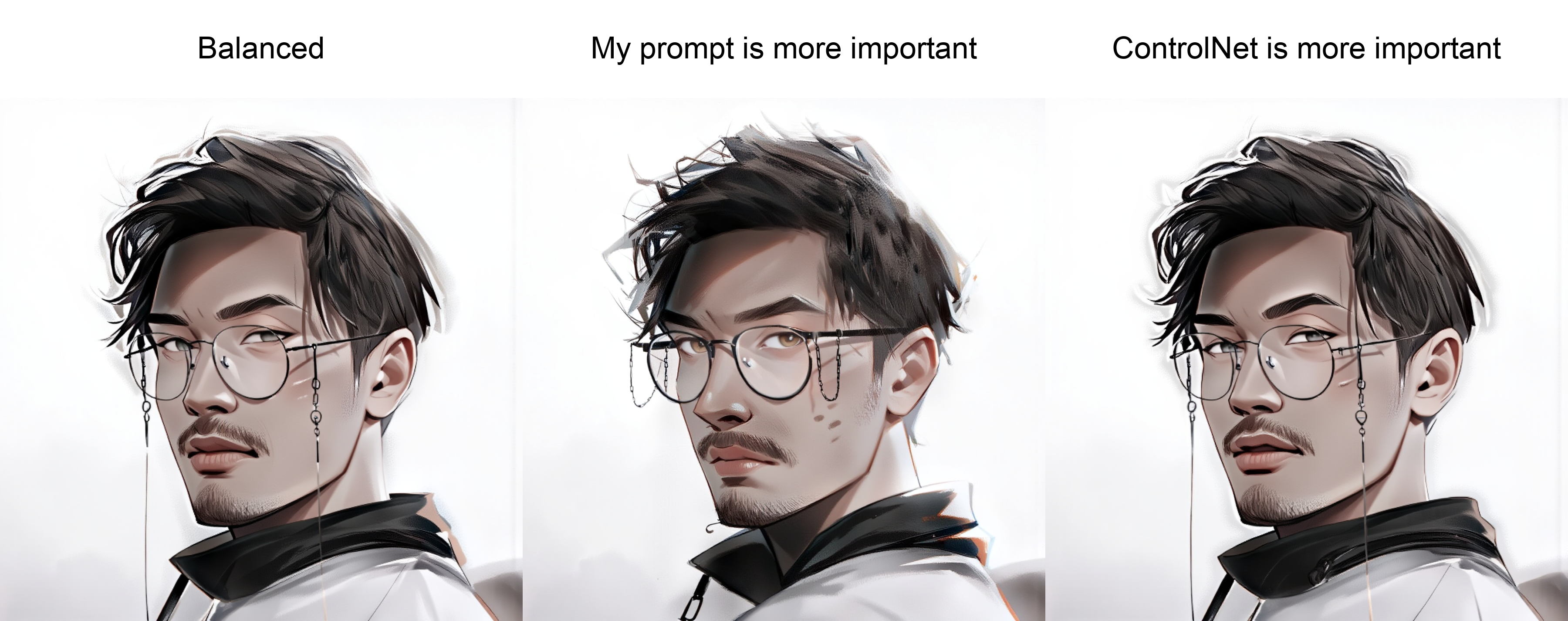 |
|
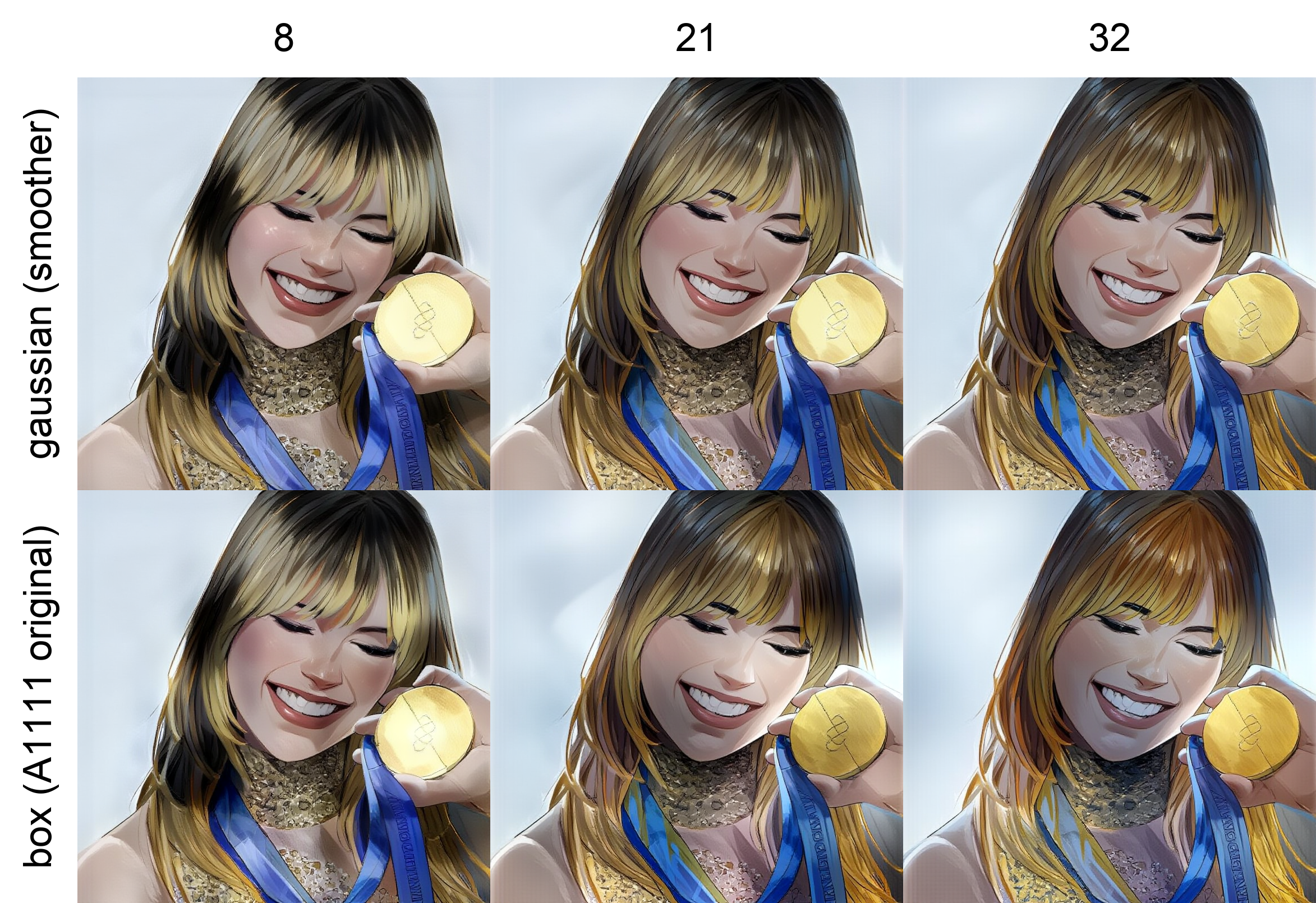
Flux Blur Mode & Weight Test
Nodes
SD / SDXL
| Node | Description |
|------|-------------|
| Tile ColorFix Patcher | Patches the model to apply color correction at every denoising step. Transfers low-frequency color from a reference image while preserving AI-generated detail. |
| Tile ColorFix+Sharp Patcher | Same as above with additional detail enhancement via CFG sharpening. |
| Apply Ultimate ControlNet | Apply ControlNet with A1111-compatible control modes (balanced / prompt / control). |
| Ultimate Multi-ControlNet Stack | Build a stack of up to 3 ControlNets with per-slot on/off, strength, start/end percent, and control mode. |
| Apply Ultimate Multi-ControlNet | Apply a multi-ControlNet stack to conditioning (SD/SDXL). |
Flux
| Node | Description |
|------|-------------|
| Flux Tile ColorFix Patcher | Base tile_colorfix for Flux models (16-channel latents). |
| Flux Tile ColorFix+Sharp Patcher | Color correction + direct sharpening for Flux models. |
| Apply Ultimate ControlNet (FLUX) | Apply single ControlNet with Flux-adapted control modes. |
| Apply Ultimate Multi-ControlNet (FLUX) | Apply a multi-ControlNet stack to conditioning (Flux). |
Workflow 1 — SDXL + ColorFix + ControlNet + Tile
Load Image ──► VAE Encode ──► TileColorFixPatcher ──► KSampler
Load Checkpoint (SDXL) ───────────────────────────────────────► KSampler
                         ControlNetTileApply ──────────────────► KSampler
Nodes used:
Load Image→VAE Encode→ connect toref_latenton Tile ColorFix PatcherLoad Checkpoint→ connectMODELto Tile ColorFix Patcher- Tile ColorFix Patcher → patched
MODEL→ KSampler Load ControlNet+Load Image→ Apply Ultimate ControlNet →CONDITIONING→ KSampler
Key parameters:
blur_k— controls the color transfer radius (default8, range3–32)weight— color fix strength (0.0= none,1.0= full)blur_mode—box (A1111 original)for exact A1111 match,gaussianfor smoother blending
Workflow 2 — Flux + ColorFix + ControlNet + LoRA
Load Image ──► VAE Encode (Flux) ──► FluxTileColorFixPatcher ──► KSampler
Load Checkpoint (Flux) ─────────────────────────────────────────► KSampler
Load LoRA ──────────────────────────────────────────────────────► KSampler
Nodes used:
Load Image→VAE Encode(Flux VAE) → connect toref_latenton Flux Tile ColorFix PatcherLoad Checkpoint→Load LoRA→ connectMODELto Flux Tile ColorFix Patcher- Flux Tile ColorFix Patcher → patched
MODEL→ KSampler
Key parameters:
- Flux uses 16-channel latents — use the Flux VAE encoder
blur_kandweightwork the same as the SD/SDXL version
Installation
Clone into your ComfyUI custom_nodes folder:
cd ComfyUI/custom_nodes
git clone https://github.com/ihorpankin/comfyui-colorfix-v3.git
Restart ComfyUI. The nodes will appear under the colorfix-v3 category.
How It Works
The tile_colorfix algorithm splits an image into low-frequency (color/tone) and high-frequency (detail/texture) components using a blur kernel. At each denoising step, the low-frequency component of the generation is replaced with the low-frequency component of the reference image. This forces the model to match the color palette of the reference while still generating its own detail.
- Low frequency — extracted via box/gaussian blur
- Color swap — reference low-freq replaces generated low-freq
- High frequency preserved — AI-generated texture and detail remain untouched
This is a port of the original A1111 implementation to native ComfyUI model patching via set_model_sampler_post_cfg_function.
Architecture
comfyui-colorfix-v3/
├── __init__.py           # Node registration
├── layer1_nodes/         # ComfyUI-visible nodes (model patchers)
│   ├── colorfix_patcher.py
│   ├── colorfix_sharp_patcher.py
│   ├── controlnet_apply.py
│   ├── controlnet_stack.py
│   ├── controlnet_multi_apply.py
│   ├── flux_colorfix_patcher.py
│   ├── flux_colorfix_sharp_patcher.py
│   ├── flux_controlnet_apply.py
│   └── flux_controlnet_multi_apply.py
└── layer2_core/          # Internal algorithm
    ├── blur.py           # Box / Gaussian blur kernels
    ├── color_swap.py     # Low-frequency color transfer
    └── sampler_callback.py  # Post-CFG callback factory