
2D Character pose transfer
ComfyUI nodes for identity-preserving 2D character pose transfer (sprite A → sprite B).
Nodes (22)
Turn a POSE Object Into the Stick Figure ControlNet Actually Wants
The Cheapest Pose Guidance You'll Ever Use
Where the Anti-Bones Wording Actually Lives
Florence-2 Plus a Color Lock That Actually Sticks
Pack a Sprite Into an Identity Object
The All-in-One SDXL Pose Generator (and Why It's Now the Legacy Path)
The Cleanup Pass That Keeps the Face Yours
Grab the Reference Back Out
From Poses to a Game-Ready PNG
Turn a Reference Drawing Into Keypoints
A Full Pose Library in One Drop
Press Queue once, get your sprite in thirty poses
Pick Up Where You Left Off
One FBX clip in, 240 reusable pose guides out
Many Skeletons, Zero Fuss
A Kinematic Skeleton With Actual Camera Angles
The Pack's Built-In Sprite Poses
The One Node That Runs the Whole Fast Pipeline
Freeze Your Hero for Next Session
Keep the Good Poses
Peek Before You Commit
The Node the README Tells You Not to Turn On
ComfyUI CharacterPose v2
One sprite in. A full pose library out — same face, same tunic, same art style.
Turn a single 2D character into RPG-ready animation frames with Flux.2 Klein and a Mixamo-powered OpenPose library. No re-drawing. No style drift.



One character. Many poses. Same look.
<p align="center"> <img src="demo/Example_Comfy.png" alt="Source character" width="280"/> <br/> <em>Source sprite — the identity lock for every generation below</em> </p>Head Hit — left profile
| Pose guide | Guide on sprite | Final frames |
|:---:|:---:|:---:|
| 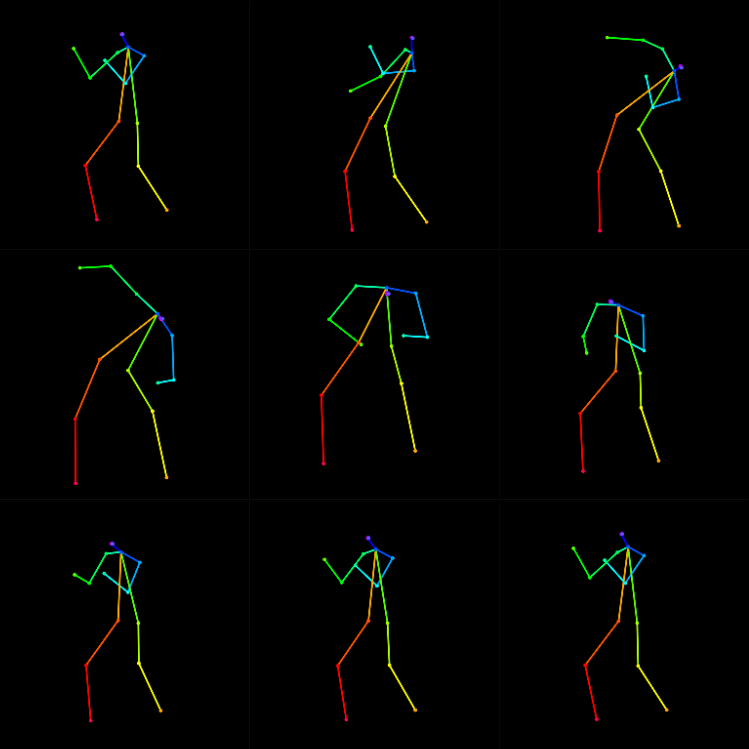 |
| 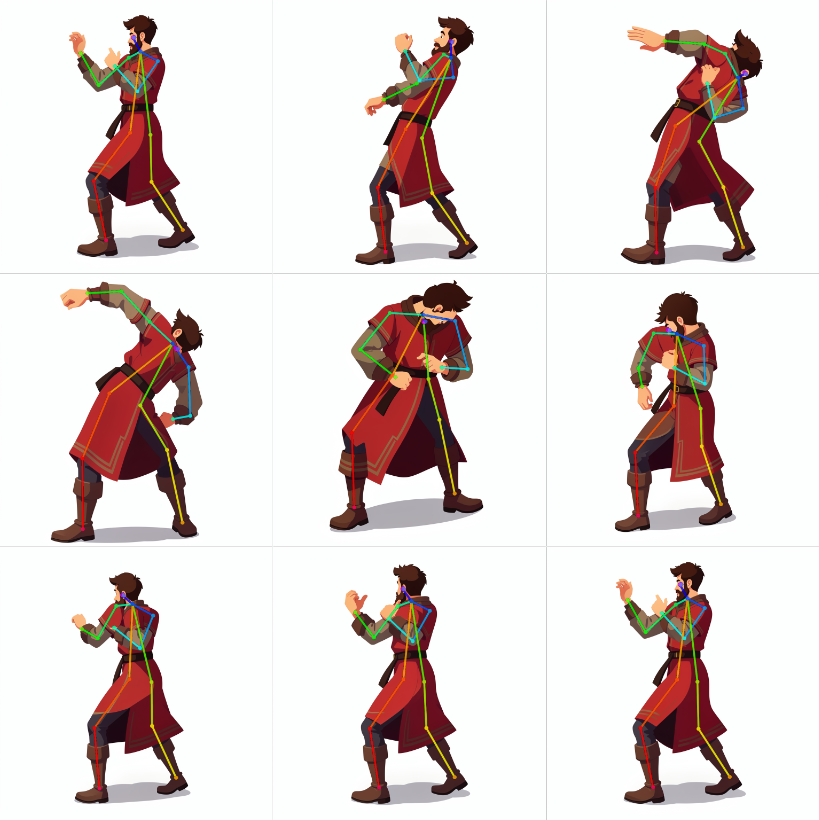 |
| 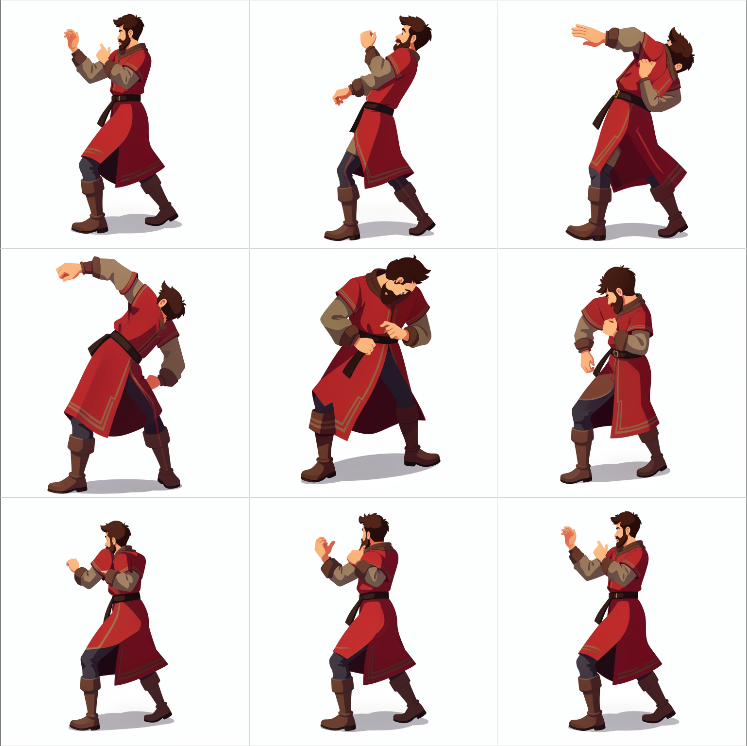 |
|
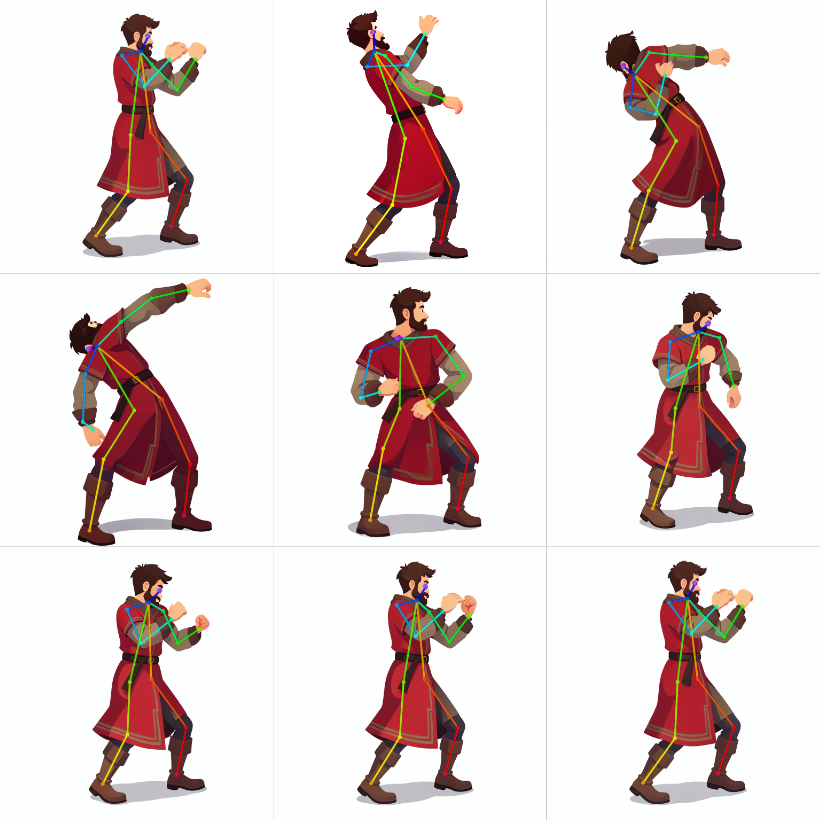
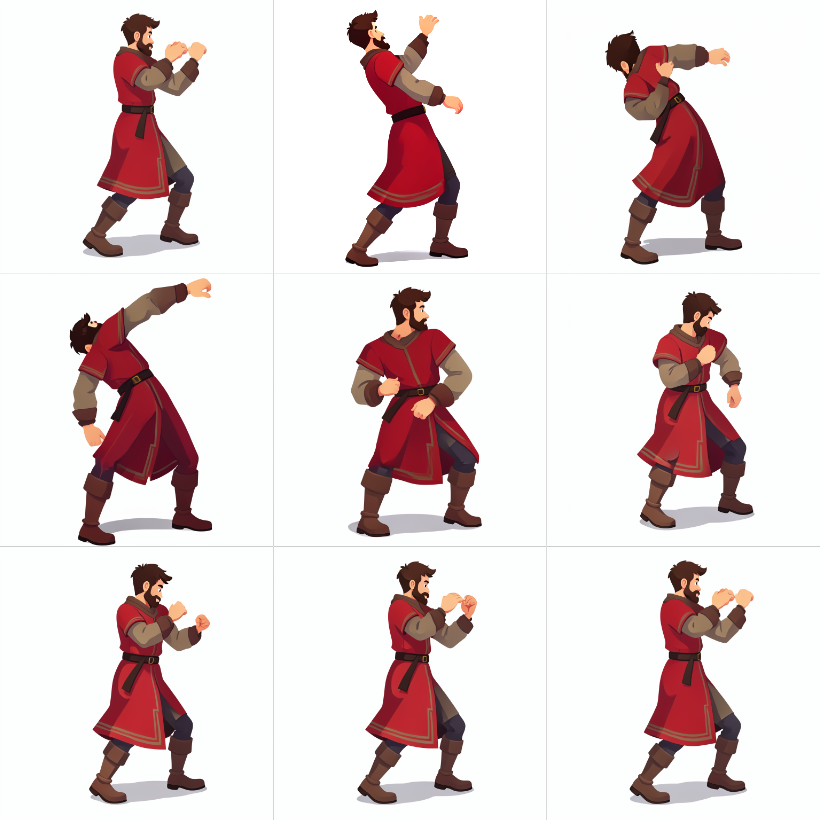
Head Hit — right profile
| Pose guide | Guide on sprite | Final frames |
|:---:|:---:|:---:|
| 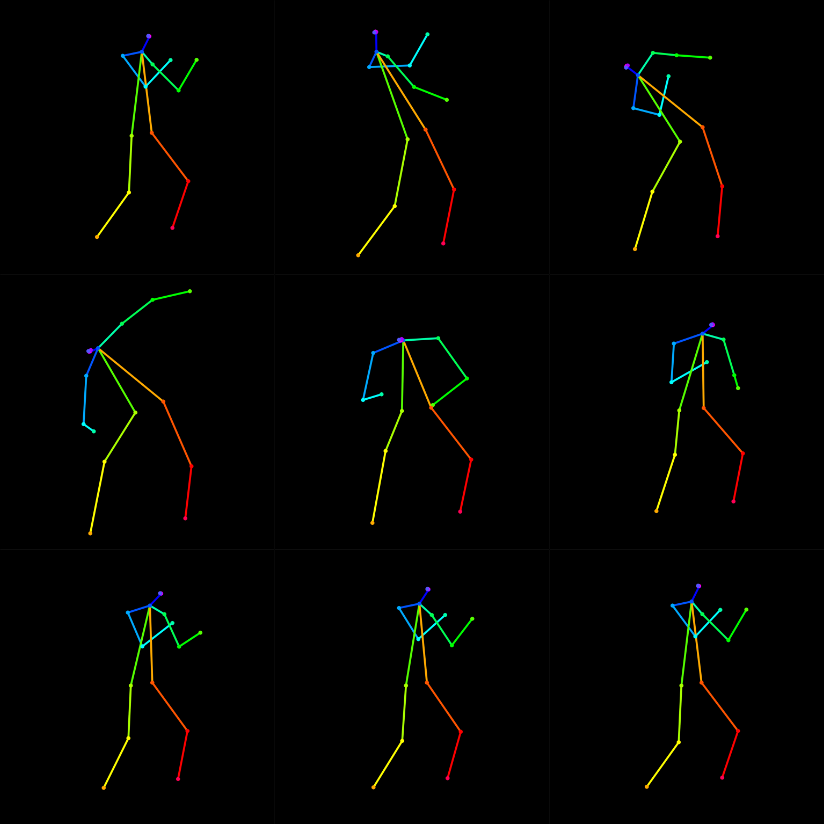 |
|  |
|  |
|
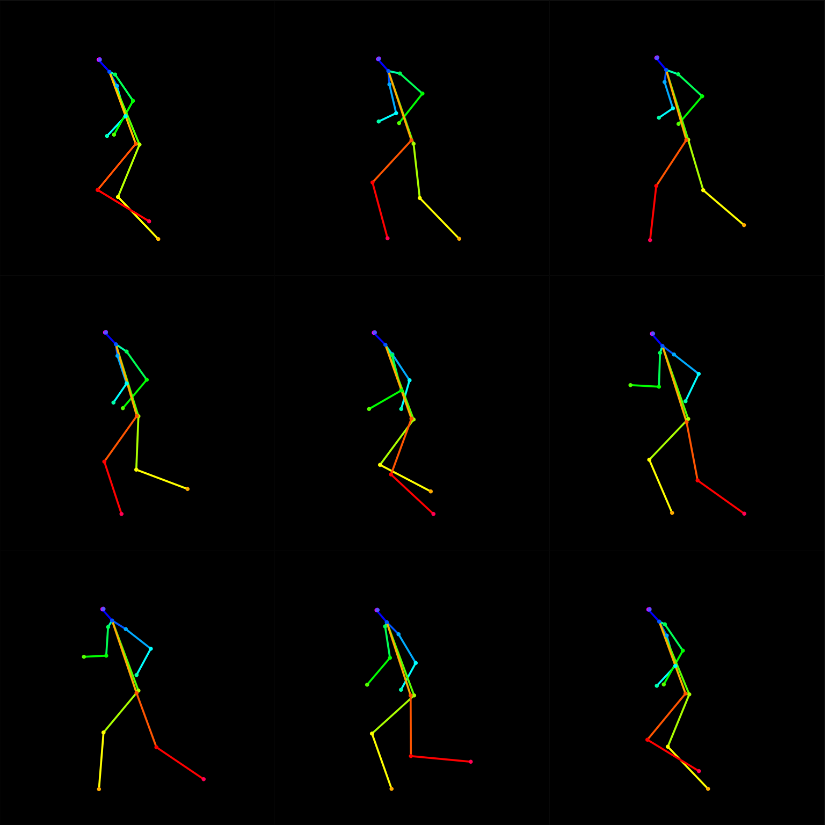
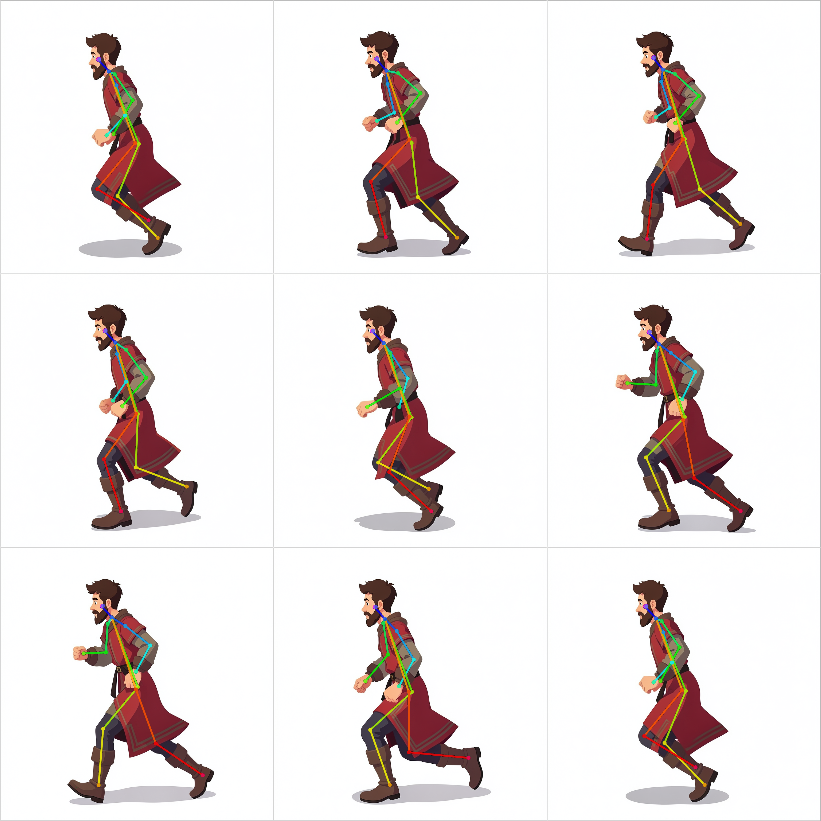
Slow Run — left profile
| Pose guide | Guide on sprite | Final frames |
|:---:|:---:|:---:|
|  |
|  |
| 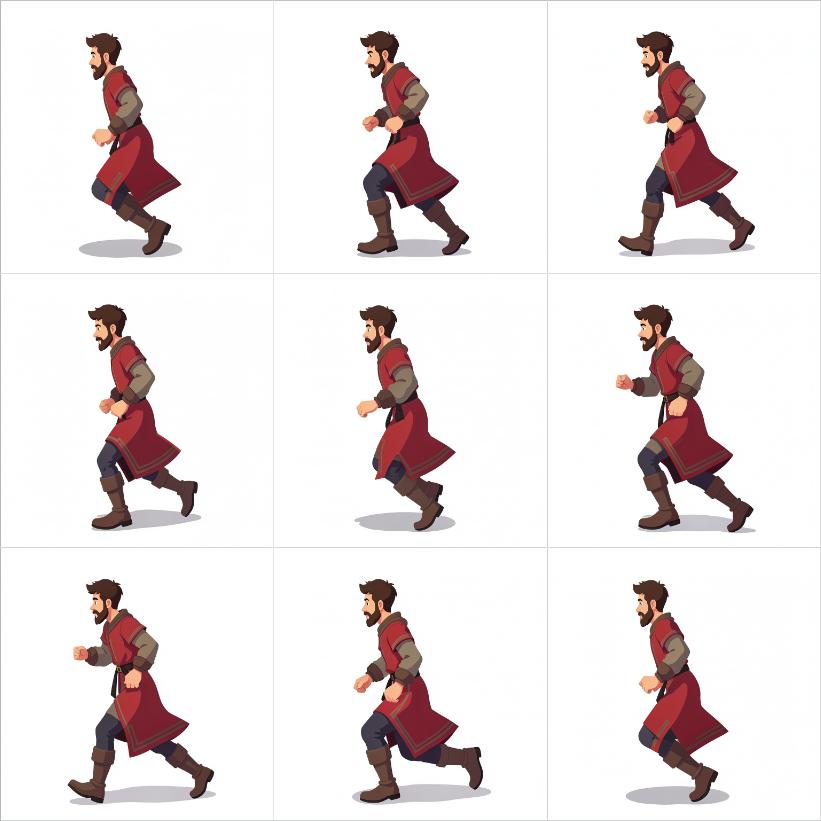 |
|
Why CharacterPose?
Style that sticks
Prep auto-captions the sprite (Florence-2 when available), injects a COLOR LOCK palette, and builds per-pose edit prompts. Klein then regenerates each frame from that identity — red tunic, gold trim, beard, line weight — not a random reinterpretation.
Mixamo & FBX → 2D skeleton library
<p> <a href="https://www.mixamo.com/"><img src="demo/assets/mixamo-badge.svg" alt="Mixamo" height="28"/></a> <img src="demo/assets/fbx-icon.svg" alt="FBX" height="36"/> </p>Import animations from Mixamo (or any Mixamo-compatible .fbx rig) and project them into OpenPose COCO-18 .pose files. One download → a reusable 2D pose library for every character you own.
Camera packs: 4 iso · 4 cardinal · 6 · 8 views
| Mode | Views | Best for |
|------|--------|----------|
| 4_iso | SE · SO · NE · NO | Classic isometric / RTS sheets |
| 4_cardinal | LEFT · RIGHT · TOP · BOT | Orthographic side / front / back profiles |
| 6 | 4 ISO + TOP + BOT | ISO + front / back |
| 8 | 4 ISO + 4 cardinal (LEFT · RIGHT · TOP · BOT) | Full isometric + cardinal set |
Animation density: 10 / 30 / 60 frames per view
frames_per_view (Comfy node) / --positions (CLI) samples N evenly spaced frames along each Mixamo clip:
| N | Feel | |---|------| | 10 | Quick preview / sparse key poses | | 30 | Solid sheet / game-ready loops | | 60 | Dense playback, smoother motion |
Example: 8 views × 30 frames → 240 .pose files from a single FBX.
Install
1. Clone into ComfyUI
cd ComfyUI/custom_nodes
git clone https://github.com/Spit8/_ComfyUI_CharacterPose.git
Folder name can stay as cloned (_ComfyUI_CharacterPose).
2. Python dependencies
Install into the same Python that runs ComfyUI.
A — Global / current interpreter
# From the ComfyUI root (or any shell where `python` is Comfy's Python)
python -m pip install -r custom_nodes/_ComfyUI_CharacterPose/requirements.txt

# Recommended — richer Prep captions (Florence-2 downloads on first run)
python -m pip install "transformers>=4.41.0"

# Required for Mixamo FBX → .pose
python -m pip install -r custom_nodes/_ComfyUI_CharacterPose/mixamo_tools/requirements.txt
B — ComfyUI virtualenv (recommended)
Windows (PowerShell) — adjust the path to your install:
cd C:\path\to\ComfyUI
.\venv\Scripts\Activate.ps1
# If you use the portable embed: .\python_embeded\python.exe -m pip ...

python -m pip install -r custom_nodes\_ComfyUI_CharacterPose\requirements.txt
python -m pip install "transformers>=4.41.0"
python -m pip install -r custom_nodes\_ComfyUI_CharacterPose\mixamo_tools\requirements.txt
Linux / macOS:
cd /path/to/ComfyUI
source venv/bin/activate   # or: .venv/bin/activate

python -m pip install -r custom_nodes/_ComfyUI_CharacterPose/requirements.txt
python -m pip install "transformers>=4.41.0"
python -m pip install -r custom_nodes/_ComfyUI_CharacterPose/mixamo_tools/requirements.txt
requirements.txt pulls numpy, opencv-python-headless, Pillow, scikit-learn.
mixamo_tools/requirements.txt adds pufbx (FBX reader).
3. Soft dependencies (ComfyUI Manager)
| Pack / model | Role |
|--------------|------|
| comfyui_controlnet_aux | DWPose extract / align (optional but useful) |
| ComfyUI Flux.2 / Klein nodes | Main transfer workflow |
| transformers + Florence-2 | Detailed auto-captions |
| pufbx | Mixamo FBX import |
4. Models for the Flux Klein path
| File | Folder |
|------|--------|
| flux-2-klein-4b-fp8.safetensors | models/diffusion_models/ |
| qwen_3_4b.safetensors | models/text_encoders/ |
| flux2-vae.safetensors | models/vae/ |
5. DWPose ONNX (optional)
If you use DWPreprocessor, place weights where comfyui_controlnet_aux expects them:
custom_nodes/comfyui_controlnet_aux/ckpts/yzd-v/DWPose/
  yolox_l.onnx
  dw-ll_ucoco_384.onnx
6. Restart ComfyUI
Nodes appear under CharacterPose.
Use — pose transfer (main path)
Open the example graph:
workflows/pose_transfer_flux_klein.json
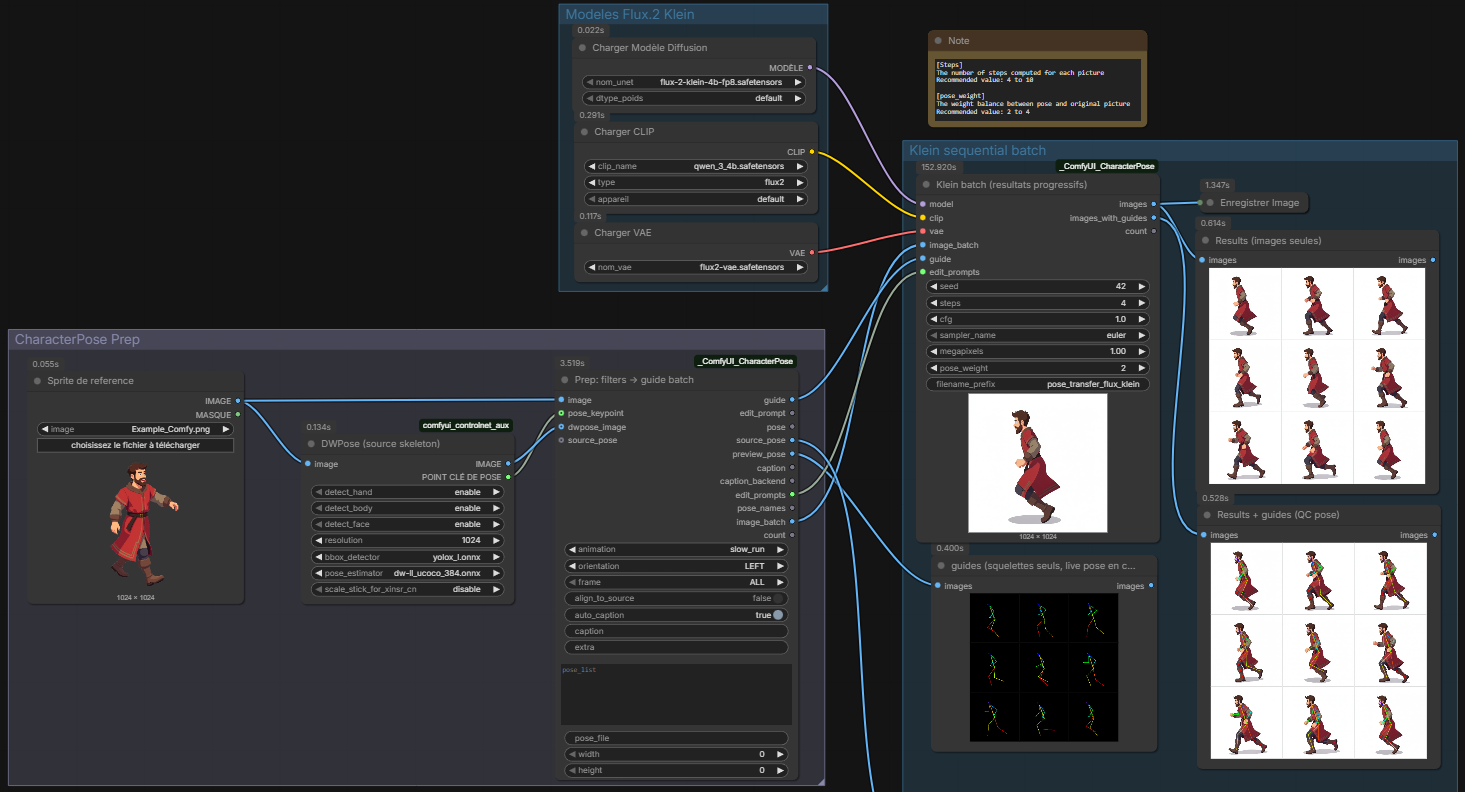
Flow
- LoadImage — your character sprite.
- DWPreprocessor (optional) → wire
pose_keypoint+dwpose_imageinto Prep for a live source stick. CP_PoseTransferPrep— filter theposes/library (animation/orientation/frame, eachALLor one value), auto-caption, align sticks to the sprite, emit guide batch + edit prompts.CP_KleinPoseBatch— one Klein sample per pose (progressive previews as frames finish).- SaveImage — full batch at the end.
Tips
- Distilled Klein: ~4 steps, CFG
1. - Prep
align_to_source(default on) scales library sticks to the sprite and keeps them inside the canvas. - Use Prep
extrafor free-form prompt hints (e.g.holding a sword). - Klein has no OpenPose ControlNet on this path — pose guidance is soft (reference latent + prompt).
Use — Mixamo utilities
Open:
workflows/workflow_mixamo.json
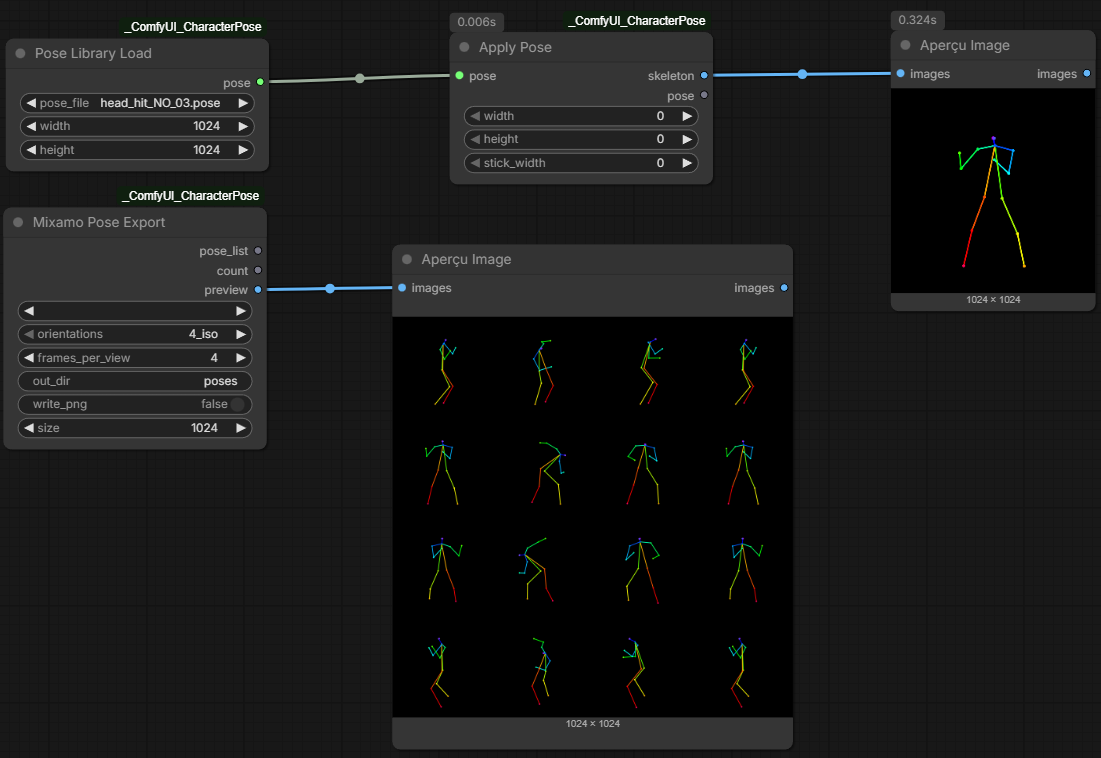
Flow
- Drop Mixamo
.fbxfiles intoComfyUI/input/orComfyUI/input/mixamo/. CP_MixamoPoseExport— pick the FBX, setorientations(4_iso/4_cardinal/6/8) andframes_per_view(e.g. 10 / 30 / 60).- Export writes
{anim}_{VIEW}_{ii}.poseinto the packageposes/folder and returns apose_list. CP_PoseLibraryLoad+CP_ApplyPose— preview any.poseas an OpenPose guide image.
Build the .pose library (two ways)
Same exporter under the hood — pick Comfy or CLI.
Way 1 — ComfyUI node (CP_MixamoPoseExport)
- Install pufbx (see Install).
- Put Mixamo FBX under
ComfyUI/input/(orinput/mixamo/). - Add Mixamo Pose Export, choose:
orientations:4_iso·4_cardinal·6·8frames_per_view: e.g.10/30/60out_dir:poses(default — package library)write_png: optional debug stick PNGs
- Queue the prompt →
.posefiles land inposes/; wirepose_listinto Prep if you want.
Way 2 — Python CLI (mixamo_tools)
Global Python
cd ComfyUI/custom_nodes/_ComfyUI_CharacterPose
python -m pip install -r mixamo_tools/requirements.txt

# Export every FBX in mixamo/ → poses/ (8 views × 30 samples)
python -m mixamo_tools.export_views --positions 30 --view 8 --out-dir poses
Dedicated .venv (recommended for Windows)
Windows (PowerShell)
cd ComfyUI\custom_nodes\_ComfyUI_CharacterPose\mixamo_tools
.\setup_env.ps1
# Creates .\venv and installs numpy, Pillow, pufbx

.\venv\Scripts\python.exe -m export_views --positions 30 --view 8 --out-dir ..\poses
Linux / macOS
cd ComfyUI/custom_nodes/_ComfyUI_CharacterPose/mixamo_tools
python -m venv venv
source venv/bin/activate
pip install -r requirements.txt

python -m export_views --positions 30 --view 8 --out-dir ../poses
Useful commands
# All FBX in the default mixamo/ folder, 4 isometric views, 10 samples
python -m mixamo_tools.export_views --positions 10 --view 4_iso --out-dir poses

# One file only
python -m mixamo_tools.export_views --fbx mixamo/"Slow Run.fbx" --positions 60 --view 8 --out-dir poses

# .pose only (no debug PNG)
python -m mixamo_tools.export_views --positions 30 --view 8 --no-png --out-dir poses
CLI flags
| Flag | Default | Meaning |
|------|---------|---------|
| --fbx | mixamo/ | One .fbx or a directory of FBX |
| --positions N | 4 | Evenly spaced samples over the clip (frames_per_view in the node) |
| --view | ALL | SE…BOT, or 4_iso / 4_cardinal / 6 / 8 / ALL |
| --frame | — | Single frame index (overrides --positions) |
| --out-dir | mixamo_tools/out | Use poses for the Comfy library |
| --size | 1024 | Square canvas |
| --no-png | off | Skip debug PNG |
| --no-pose | off | Skip .pose JSON |
More detail: mixamo_tools/README.md.
Nodes
| Node | Role |
|------|------|
| CP_MixamoPoseExport | Mixamo / FBX → .pose library + pose_list |
| CP_PoseTransferPrep | Filters + caption + align → guide batch + prompts |
| CP_KleinPoseBatch | Sequential Klein sample per Prep item |
| CP_PoseLibraryLoad | Load one .pose file |
| CP_ApplyPose | Draw OpenPose skeleton image |
Example workflows
| File | What it shows |
|------|----------------|
| workflows/pose_transfer_flux_klein.json | Prep → Klein batch (main path) |
| workflows/workflow_mixamo.json | FBX export + library preview |
Regenerate both from source:
python workflows/_build_workflows.py
Limitations
- Same-view bias: a side / ¾ sprite does not become a true front or back for free — pick matching orientations when you can.
- Without
transformers, Prep still runs with a K-means COLOR LOCK palette (Florence-2 is recommended). - Klein pose lock is soft (no OpenPose ControlNet on this path).
Dev / tests
python tests/smoke_test.py
License
MIT — see LICENSE.
Credits
- Pose detection via comfyui_controlnet_aux / DWPose
- Generative edit via Black Forest Labs FLUX.2 Klein in ComfyUI
- Captioning via Microsoft Florence-2 (optional)
- Animation source: Mixamo (Adobe) — Mixamo is a trademark of Adobe Inc.