
ComfyUI-NynxzNodes
Custom ComfyUI nodes providing video comparison utilities, including wipe and fade compare video generation in multiple directions. (Description by CC)
Nodes (54)
One item out of any batch, without a node per type
Making before/after shots that actually show the difference
The quiet little settings node that controls every Nynxz compare video
Show the difference by sweeping a divider across it, not by blinking
Make a prompt matter for part of the denoise only — gate your conditioning by sigma
Reroll the prompt without touching the sampler seed
Draw the layout as boxes, then give each box its own prompt, references and LoRAs
Where your drawn boxes become model patches, a positive and a latent
One wire for the text encoder, the photo, the VAE and SAM3
Did the render actually follow your boxes?
Text Encode (Fusion) — the node that actually mixes your reference images
Wire Load Image straight into a fusion blend — no grid, no chaining
Drop your reference images onto a grid and hand the pile to a fusion encode
See which reference image won every cell of your fusion blend
Give every subject the whole reference, not its slice
The before/after slider your A/B test was missing
From AI cutout to a die-cut line you can actually print
A picker with thumbnails, and a mask that lives in its own file
Set the folder and format once, for every save in the graph
Skip-layer guidance for the models core's version can't touch
MOSS-Image's negative-pass trick, with an actual dial on it
Draw boxes on a canvas and write the prompt Ideogram 4 actually understands
Turn your boxes into a prompt string, core elements and an overlay
Give the Layout editor a photo to trace and a model that draws boxes
A whole LoRA stack on one node, with a search bar instead of a wall of loaders
The node that tells you whether your LoRA actually patched anything
One model's composition, another model's textures
A {{ placeholder }} replacer for prompts, filenames, and API payloads
Background Maker doesn't make a background — and that's the good part
One contact sheet out of a whole batch, no stitching nodes
The whole look of your contact sheet in one wire
One ring per cell, and the auto colour is the good one
The geometry half of a grid, with real sockets on it
Drop shadow or glow, and setting it to off is a feature
A batch pager and a lightbox instead of a bottom strip
Regional LoRAs on Krea 2 — the node that keeps character A's delta off character B
Everything the other regions don't cover
How much of it Region Latent may rewrite
Turn a mask batch into numbered regions a LoRA can be gated to
Rectangle regions with no masks to draw, and cells that can group
Tap the regions wire anywhere and see every mask, one colour each
Encode the source, grade the denoise per region, and keep the background alive
Bind one LoRA to one region, so it fires only where that region owns the canvas
The whole region-to-LoRA assignment in one table — stop chaining single bindings
See where your regions land before you blame the sampler
Can't tell a bad mask from a moving subject? This node can
Give the sampler a blocking pass so four characters stay four
Edit through a soft mask without Differential Diffusion
Turn a detector's masks into regions you can actually use
SAM3 Detect grows a minus sign
A short name, a shared config, and the workflow still in the file
Watch a sampler think, one frame per step, as video
Keep every prediction the sampler made, without changing the run
One line of rules to swap words in a prompt, all at once
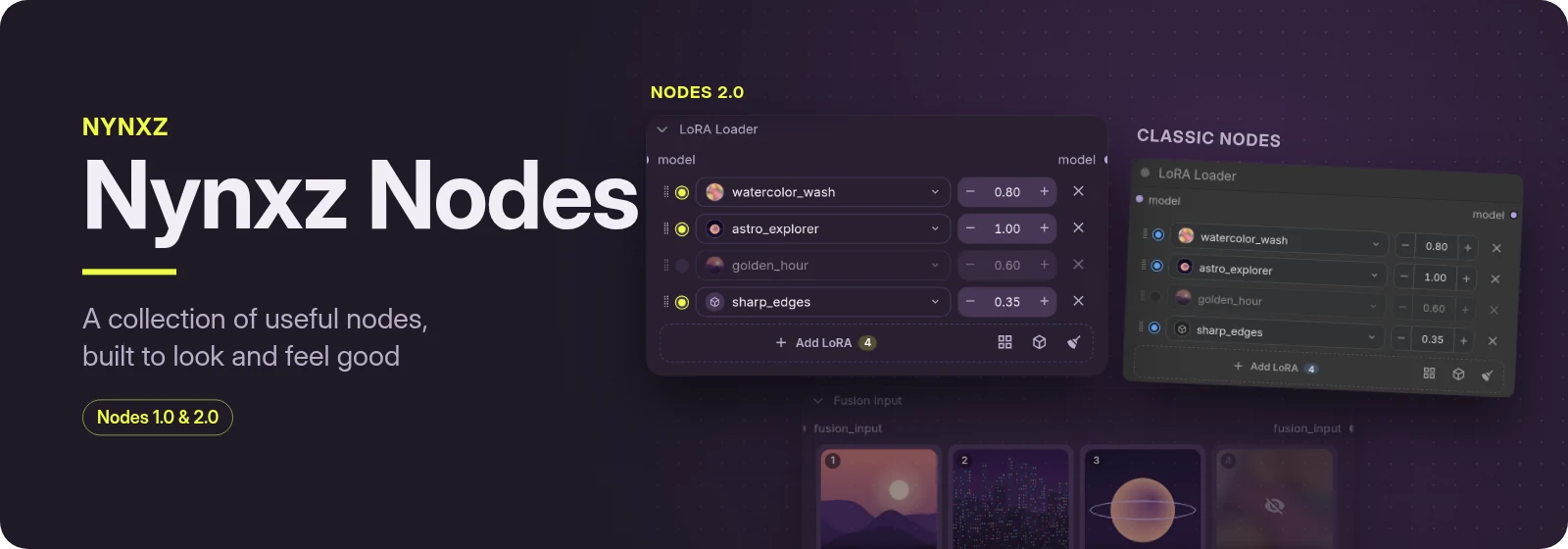

A collection of useful ComfyUI nodes, built to look and feel good: widgets you can see and drag instead of text boxes, previews wherever there's a picture, and less wiring for the things you do every day.
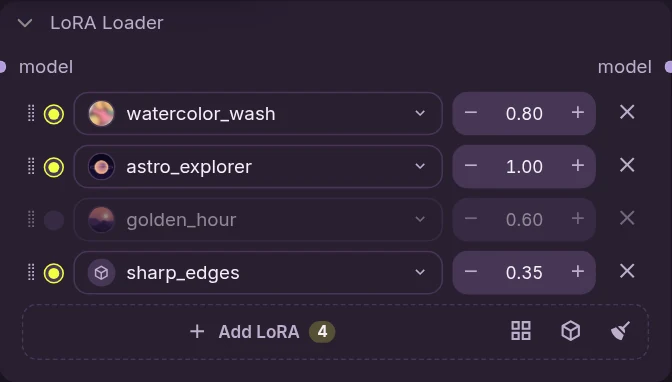
LoRA Loader
A whole LoRA stack on one node: turn each one on or off, set its strength, drag to reorder. The picker searches every LoRA you have, with previews and bookmarks; hold Shift over a thumbnail for a larger look. Set it to patch the model, the text encoder (CLIP) or both.
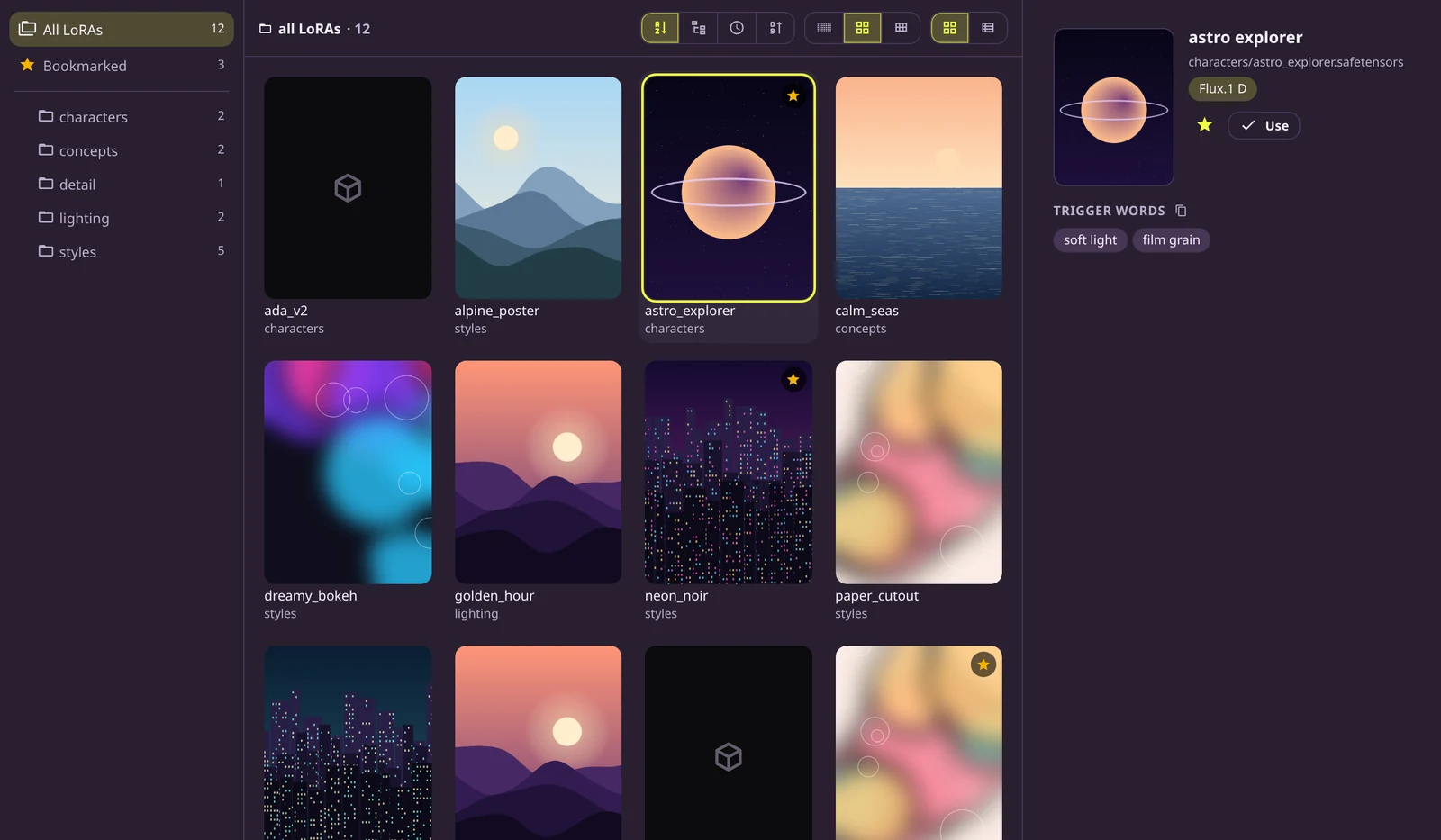
The browser shows the whole library by folder, as cards or a list, with each LoRA's trigger words and examples beside it. Bookmark LoRAs, and pin the folders you use most to the top.
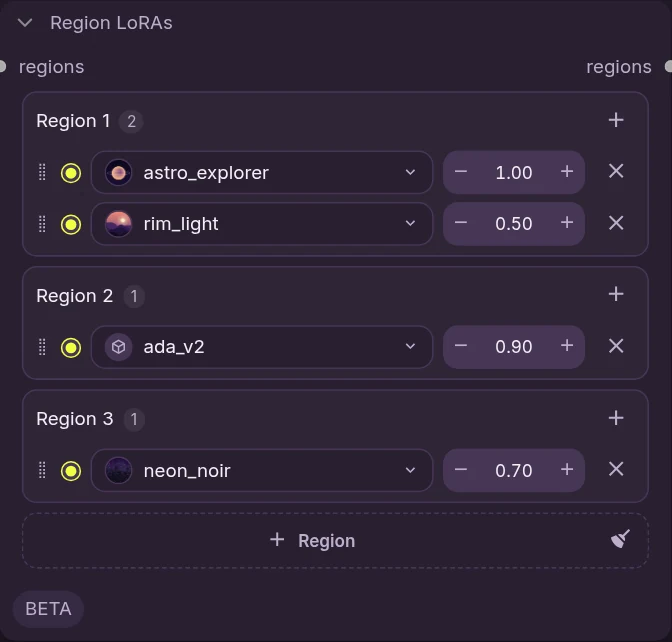
Region LoRAs
Two character LoRAs on one picture usually blend into one face. Region LoRAs keeps each LoRA to its own part of the picture: give every region its LoRAs, take the regions from masks (SAM3 can find them for you), and character B's LoRA never touches character A. Each region can have its own prompt too. Drag a row onto another region to move it, or a region onto another to swap them. Experimental, and for Krea 2.
Fusion
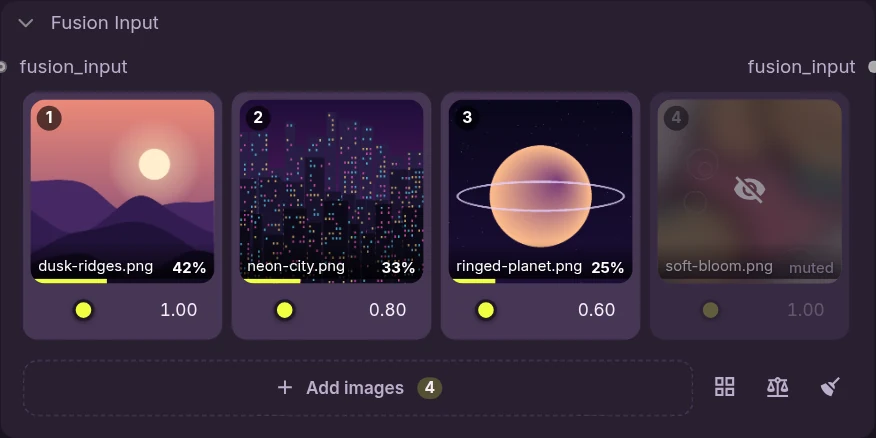
Blend several reference images into one edit, each with its own weight, instead of letting the model average them. Drop pictures onto the grid, set how much each one counts, and mute one to see what it was adding. Needs a Qwen3-VL text encoder (Krea 2, Qwen Image 2.1, Ideogram 4 and others).
Images
<table><tr> <td width="44%"><img src="docs/images/load-image.webp" alt="Load Image"></td> <td><b>Load Image</b> picks from your input folder with thumbnails and search, and keeps a mask beside the picture instead of inside it.<br><br> <b>Image Compare</b> puts two results side by side with a slider, so you can see what a change did. <br><br><img src="docs/images/image-compare.webp" alt="Image Compare"></td> </tr></table>And more
- SAM3 Detect (Signed): segmentation with a minus sign, like
person:2, -head:2 - Get from Index: one item out of a batch of any type
- Conditioning Sigma Gate and Conditioning Variation: shape a prompt over the denoise, or get neighbours of the same prompt
- Save Image with projects and subfolders, Grid from Images, backgrounds and sticker outlines
- Compare videos (fade and wipe) and a String Template parser
Example workflows
Drag a picture onto ComfyUI to open its workflow, or find it in ComfyUI's Templates under this pack. Each one has a note listing the models it needs and where to get them.
Krea 2 Regions: two people in a photo, each rewritten from its own region prompt, with a LoRA per region if you have one.
<img src="example_workflows/Krea%202%20Regions.webp" alt="The Krea 2 Regions workflow">Install
Search for Nynxz in ComfyUI Manager, or:
comfy node install comfyui-nynxz-nodes
From source:
cd ComfyUI/custom_nodes
git clone https://github.com/Nynxz/ComfyUI-NynxzNodes
cd ComfyUI-NynxzNodes
pnpm install && pnpm build
Then restart ComfyUI. ZenKit is optional and adds pop-out panels. The H3 nodes moved to ComfyUI-NynxzH3Studio; workflows that use them open unchanged once it's installed.
Issues and pull requests are welcome. MIT licensed.