
ComfyUI Extension
ComfyUI MetalFX
High-quality image and video upscaling using Apple MetalFX. Requires macOS 13+ and an Apple device with Metal support.
zjkhurry/comfyui_MetalFX
Nodes—
On cloudLocal install
Stars2
Updated21 days ago
Readme
ComfyUI MetalFX
A custom node for ComfyUI that enables high-quality image and video upscaling using Apple MetalFX technology.
Features
- High-quality image and video upscaling
- Hardware-accelerated using Apple MetalFX
- Support for both image and mask processing
Requirements
- macOS >= 13.0
- Apple device with Metal support
- Python 3.x
- ComfyUI
Installation
cd custom_nodes
git clone https://github.com/zjkhurry/comfyui_MetalFX.git
cd comfyui_MetalFX
pip install -r requirements.txt
Usage
- Add "MetalFX Upscale" node in ComfyUI
- Connect input image/video
- Set target output resolution
- Run the workflow
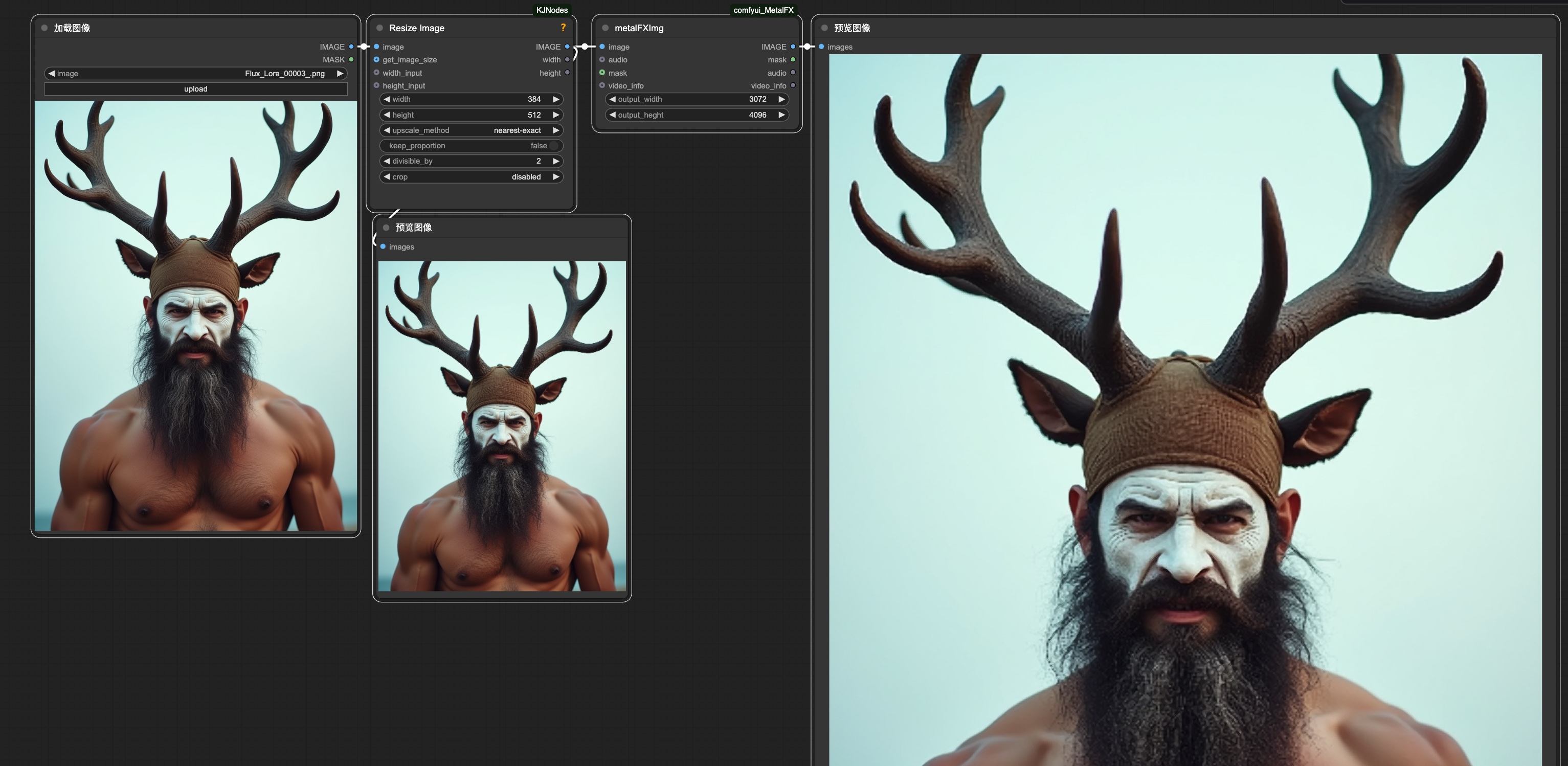
Upscale image:
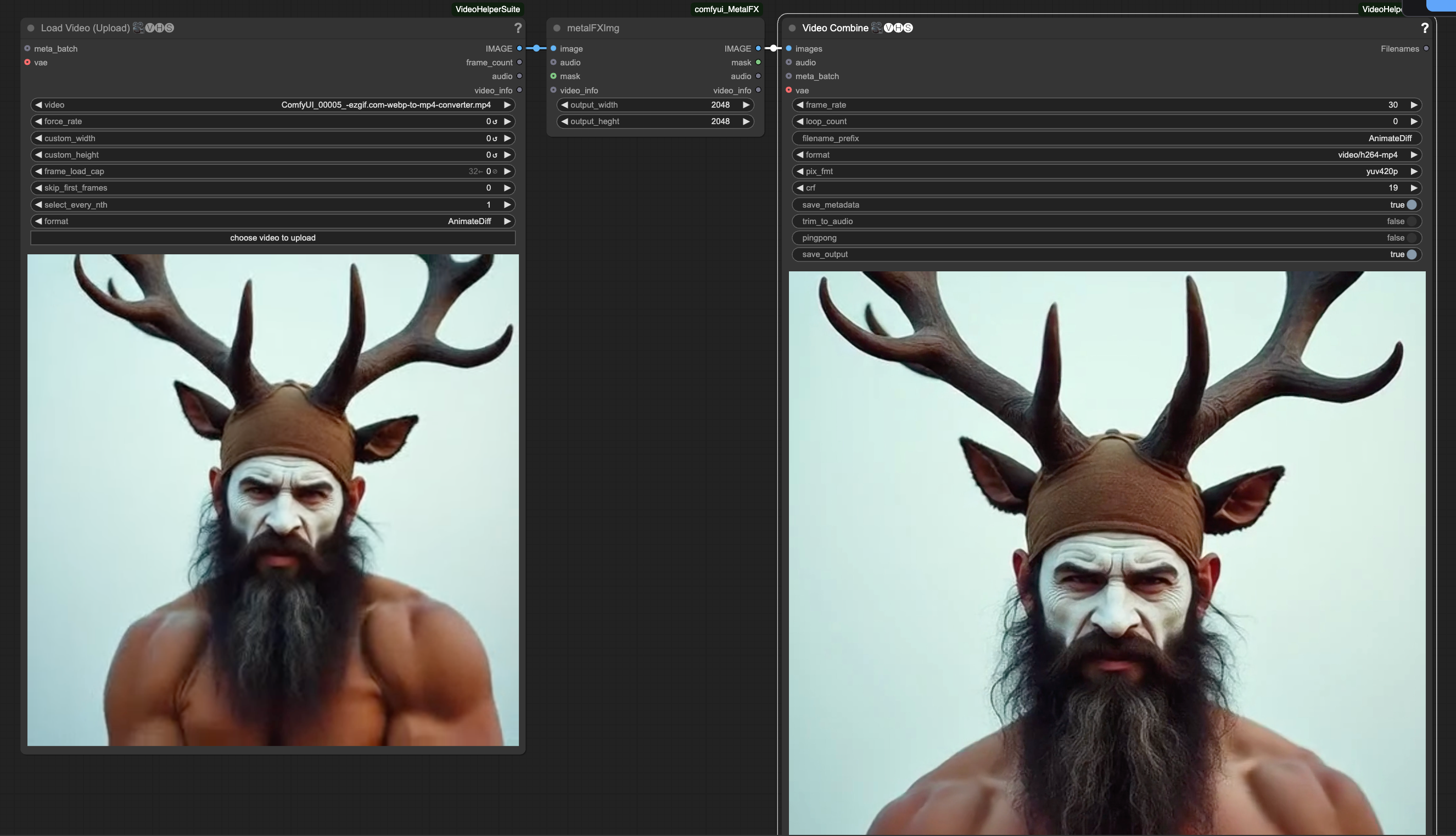
 Upscale video:
Input Parameters
image: Input image or video framesoutput_width: Output width (1-8192)output_height: Output height (1-8192)mask: (Optional) Input maskaudio: (Optional) Input audiovideo_info: (Optional) Video information
License
MIT License