
Comfyui_image2prompt
image to prompt by vikhyatk/moondream1
Nodes (17)
CLIP Advanced Text Encode 🐼 — ComfyUI Node Guide
CLIP Prompt Conditioning 🐼 — ComfyUI Node Guide
Image to Text 🐼 — ComfyUI Node Guide
Image to Text with Tags 🐼 — ComfyUI Node Guide
Image Batch to List 🐼 — ComfyUI Node Guide
Image Reward Score 🐼 — ComfyUI Node Guide
Loader Image to Text Model 🐼 — ComfyUI Node Guide
Load Image Reward Score Model 🐼 — ComfyUI Node Guide
Load T5 Model 🐼 — ComfyUI Node Guide
Loader Text to Prompt Model 🐼 — ComfyUI Node Guide
Show Text 🐼 — ComfyUI Node Guide
T5 Quantization Config 🐼 — ComfyUI Node Guide
T5 Text to Prompt 🐼 — ComfyUI Node Guide
Multi Text to GPTPrompt 🐼 — ComfyUI Node Guide
Text to Prompt 🐼 — ComfyUI Node Guide
Text Box 🐼 — ComfyUI Node Guide
Translate Text to Chinese 🐼 — ComfyUI Node Guide
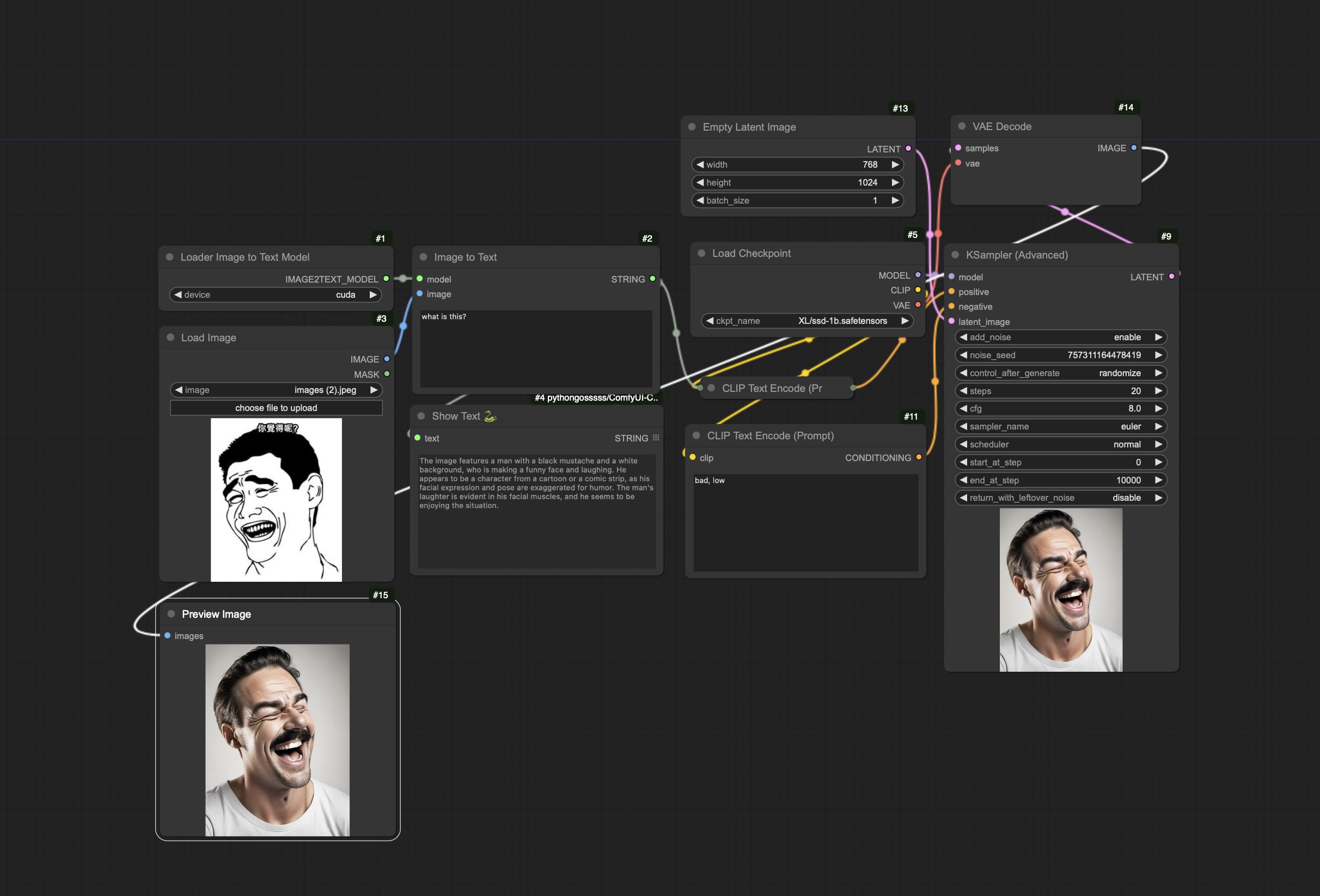
Base(基础流程)
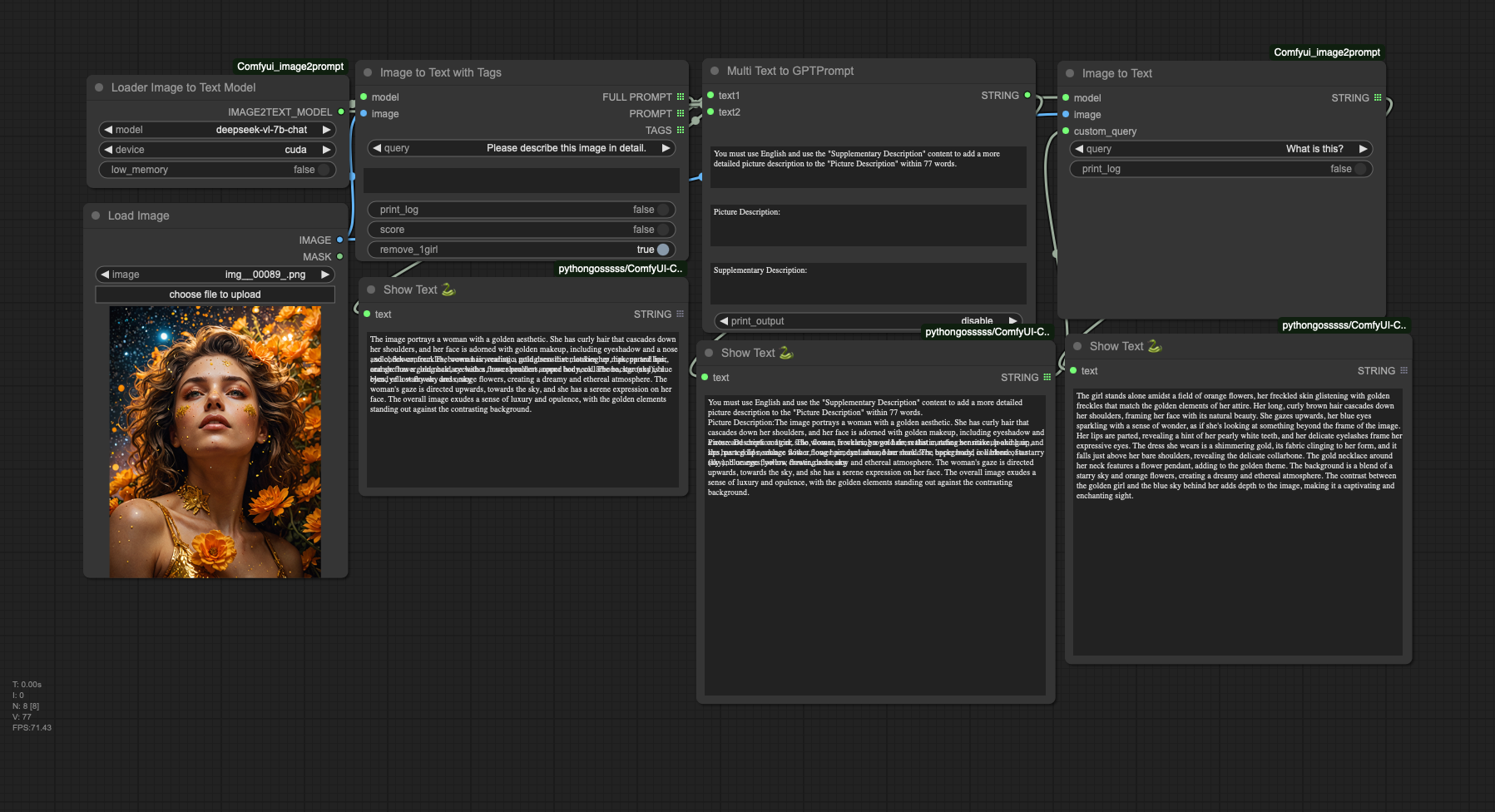
7B model (7B模型流程)
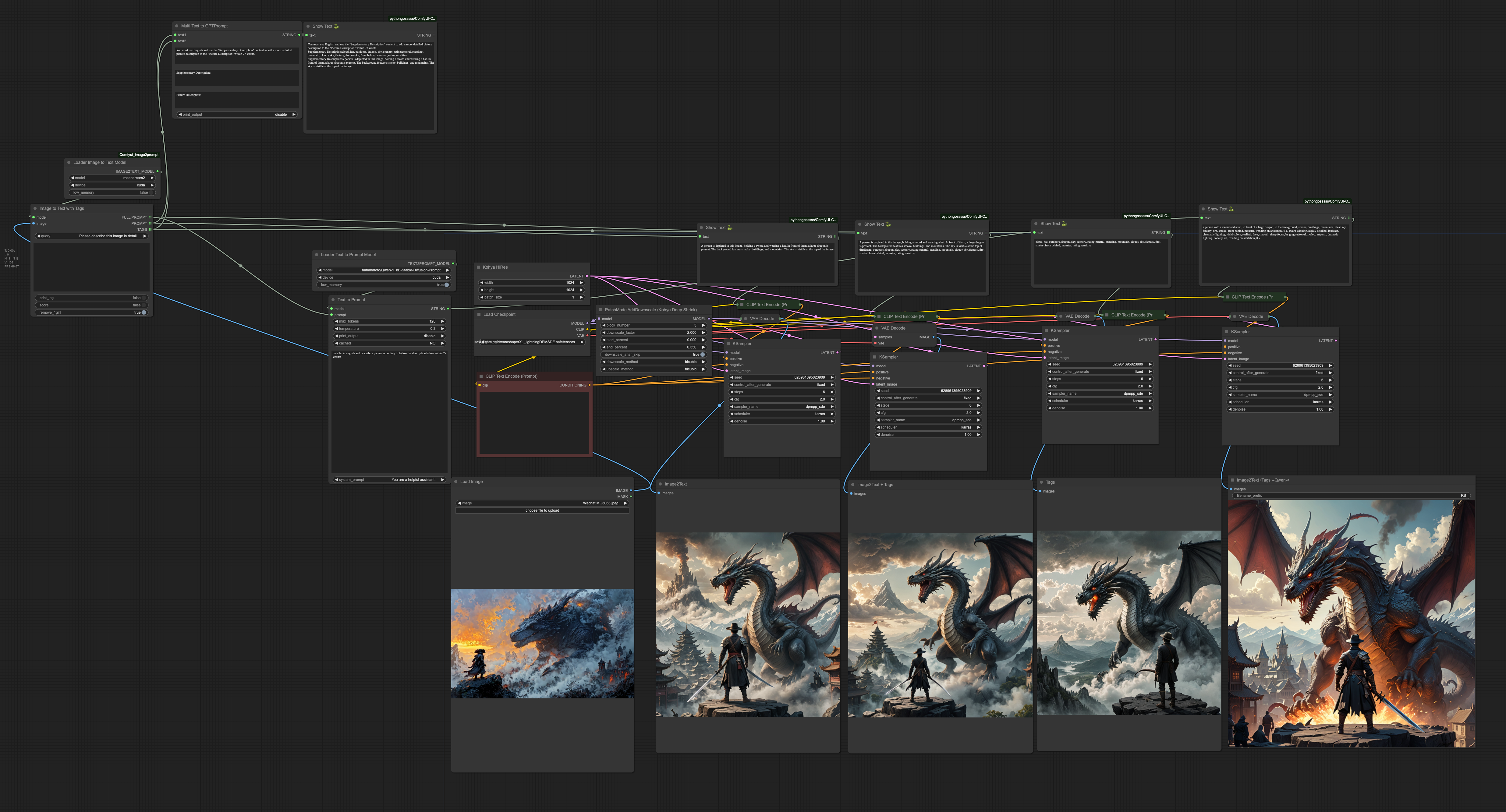
Compare model (几种文生图模型比较)
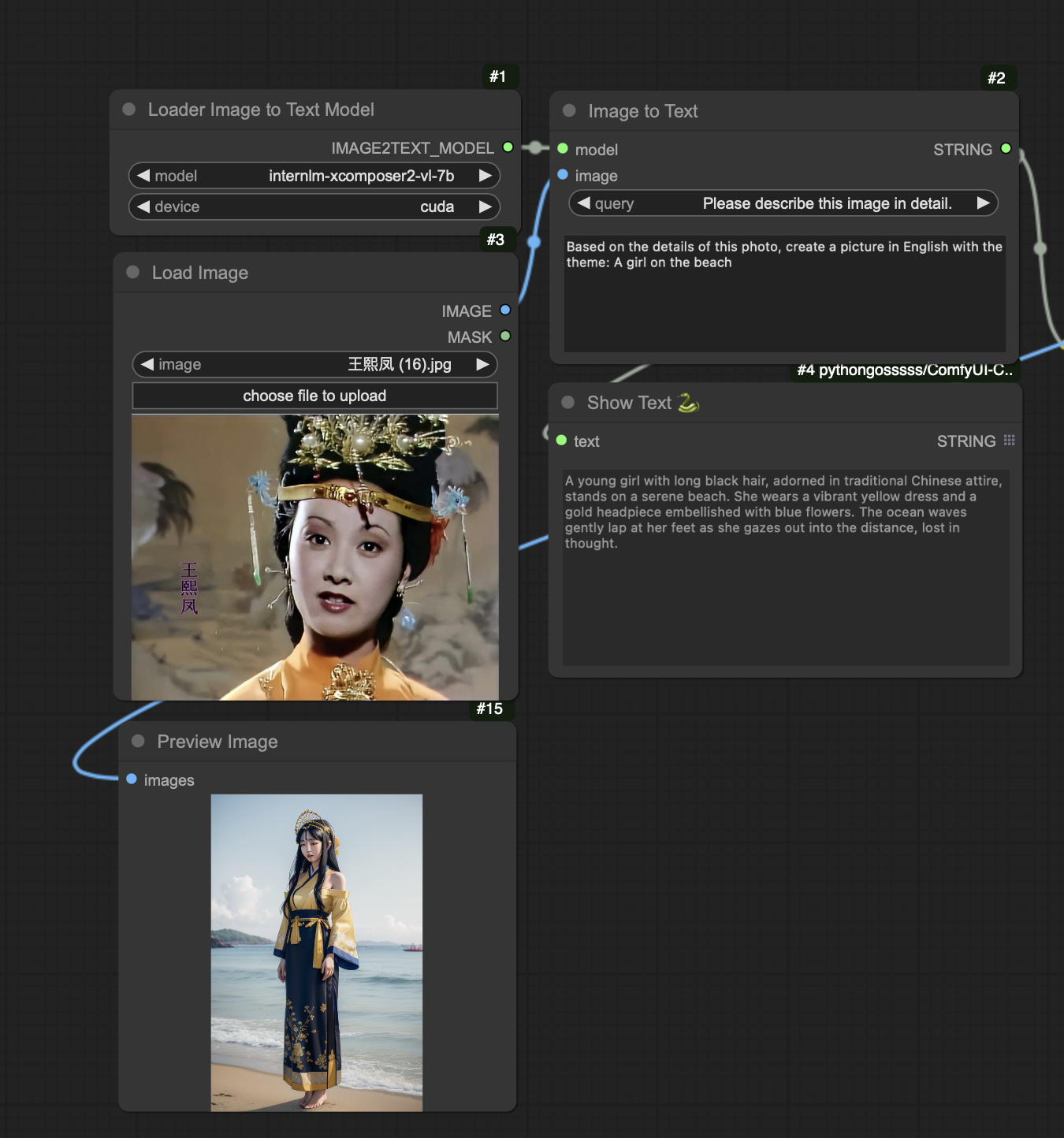
Mix Prompt and Image2prompt (使用图片和文字组合方式)
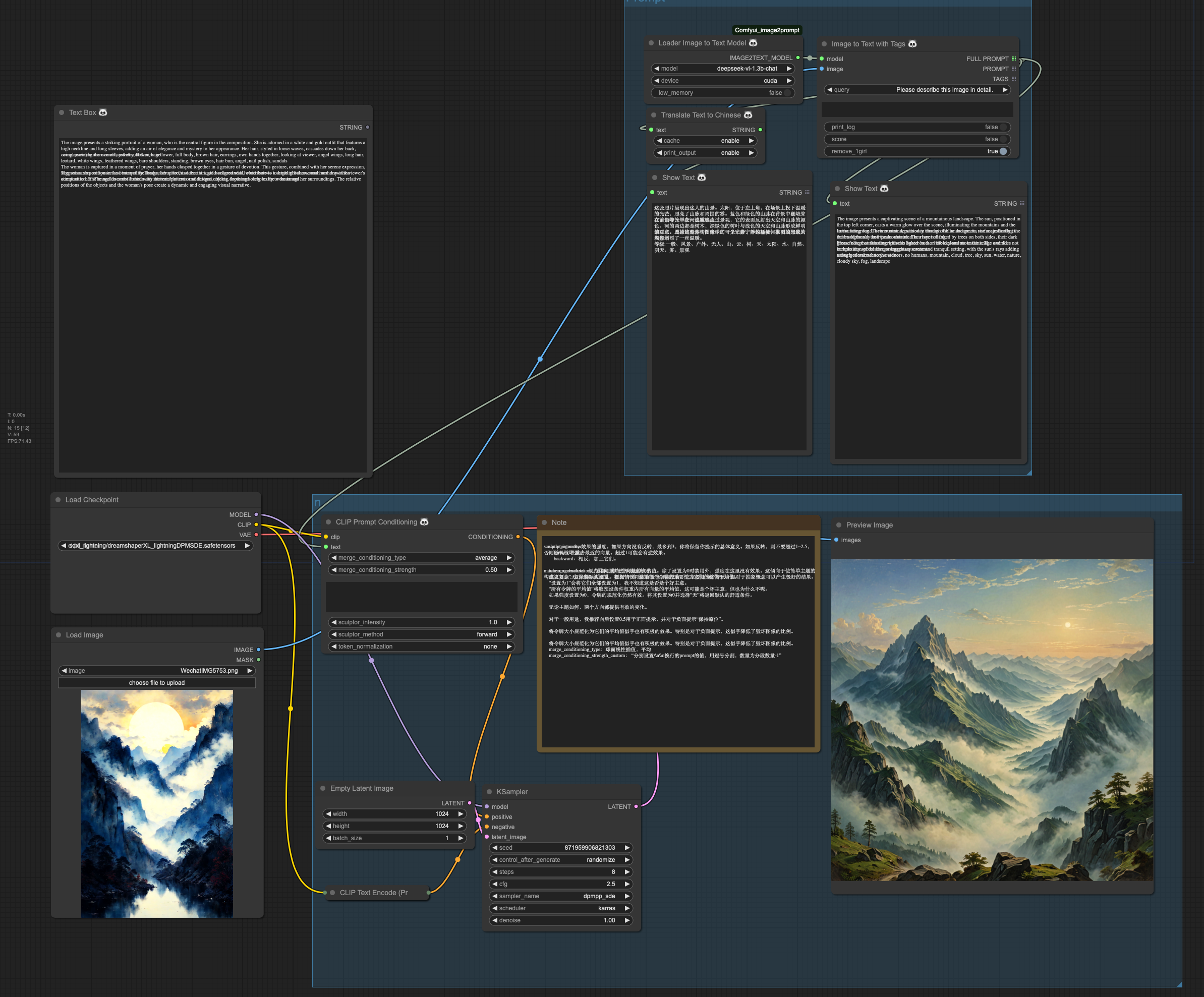
Prompt Conditioning (Prompt组合)
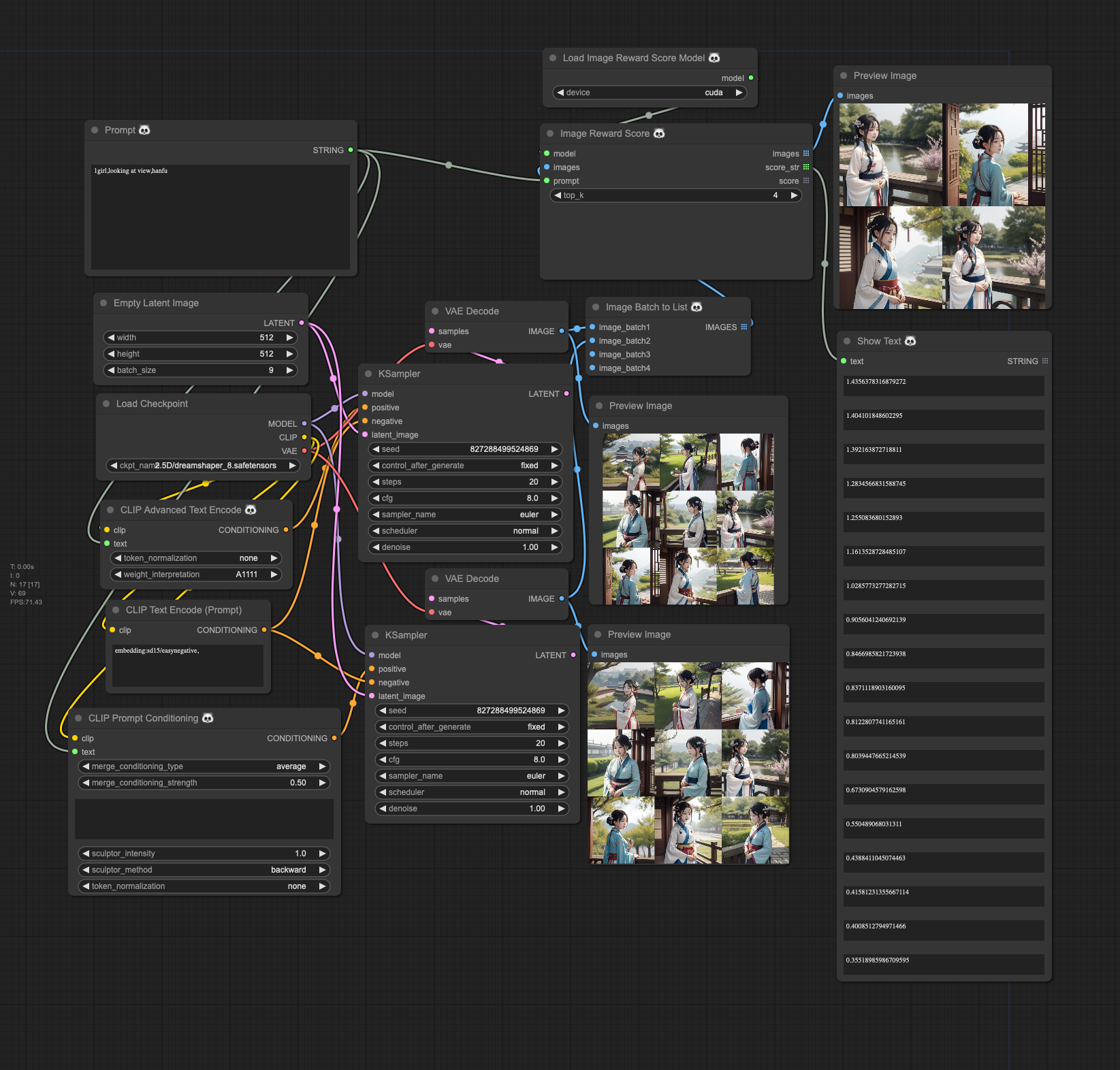
Reward Images (美学评估)
介绍
- 我们采用了
wd-swinv2-tagger-v3模型,显著提升了人物特征的描述准确度,特别适用于需要细腻描绘人物的场景。 - 对于场景描写,
moondream1模型提供了丰富的细节,但有时候可能显得冗长并缺乏准确性。相比之下,moondream2模型以其简洁而精确的场景描述脱颖而出。因此,在使用Image2TextWithTags节点时,对于以场景为主的文本生成,推荐moondream1与wd-swinv2-tagger-v3的组合;而对于注重人物描述的内容,wd-swinv2-tagger-v3与moondream2的搭配将是理想选择。 Text2GPTPrompt节点旨在创造高效的Prompt,该Prompt能够融合moondream系列模型和wd-swinv2-tagger-v3产生的关键词,为7b级别的模型定制,内含qwen1.5-7b和deepseek-ai/deepseek-vl-7b-chat。- 利用
hahahafofo/Qwen-1_8B-Stable-Diffusion-Prompt模型,我们能够充分发挥Qwen的潜力,特别是在生成包括古诗词在内的各式提示语时展现卓越性能。此模型经过35000条数据的特定任务微调(SFT),不仅性价比高,而且在CPU上运行的速度也相当可观。 - Prompt组合方式生成Conditioning (code modify from https://github.com/Extraltodeus/Vector_Sculptor_ComfyUI)
- Reward Images (美学评估)(https://github.com/THUDM/ImageReward)
- 支持 roborovski/superprompt-v1 等T5模型
第1步:安装插件
为了在ComfyUI中使用图片转换为提示(prompt)的功能,首先需要将插件的仓库克隆到您的ComfyUI custom_nodes 目录中。使用下面的命令来克隆仓库:
git clone https://github.com/zhongpei/Comfyui-image2prompt
完成这一步骤,您就可以在ComfyUI环境中启用此插件,从而高效地将图片转换为描述性提示。
第2步:下载模型
模型在第一次运行时候会自动下载,如果没有正常下载,为了使插件正常工作,您需要下载必要的模型。该插件使用来自Hugging Face的 vikhyatk/moondream1 vikhyatk/moondream2 BAAI/Bunny-Llama-3-8B-V unum-cloud/uform-gen2-qwen-500m 和 internlm/internlm-xcomposer2-vl-7b 模型。
确保您已将这些模型下载到插件的 ComfyUI/models/image2text 目录中。使用以下链接进行下载:
- 下载moondream1模型
- 下载moondream2模型
- 下载internlm-xcomposer2-vl-7b模型
- 下载uform-gen2-qwen-500m模型
- 下载Qwen-1_8B-Stable-Diffusion-Prompt
- 下载deepseek-ai/deepseek-vl-1.3b-chat
- 下载deepseek-ai/deepseek-vl-7b-chat 此外,如果您更喜欢使用镜像站点下载,可以将Hugging Face端点设置为镜像URL。在终端中执行以下命令以使用镜像:
export HF_ENDPOINT=https://hf-mirror.com
huggingface-cli download --resume-download vikhyatk/moondream1 --local-dir ComfyUI/models/image2text/moondream1
huggingface-cli download --resume-download internlm/internlm-xcomposer2-vl-7b --local-dir ComfyUI/models/image2text/internlm-xcomposer2-vl-7b
huggingface-cli download --resume-download unum-cloud/uform-gen2-qwen-500m --local-dir ComfyUI/models/image2text/uform-gen2-qwen-500m
按照这些步骤操作,您将确保插件能够访问所需的模型,从而准确地将图片转换为提示,增强您的ComfyUI体验。
English
- We adopted the
wd-swinv2-tagger-v3model, which significantly enhanced the accuracy of character trait descriptions, making it particularly suitable for scenarios requiring detailed depiction of characters. - For scene description, the
moondream1model offers rich details but might sometimes appear verbose and lack precision. In contrast, themoondream2model stands out for its concise and accurate scene descriptions. Therefore, when using theImage2TextWithTagsnode, for text generation centered on scenes, a combination ofmoondream1andwd-swinv2-tagger-v3is recommended; for content focusing on character descriptions, pairingwd-swinv2-tagger-v3withmoondream2is the ideal choice. - The
Text2GPTPromptnode is designed to create efficient prompts that can integrate keywords generated by themoondreamseries models andwd-swinv2-tagger-v3, customized for models at the 7b level, includingqwen1.5-7b. - Utilizing the
hahahafofo/Qwen-1_8B-Stable-Diffusion-Promptmodel, we can fully leverage the potential of Qwen, especially in generating various forms of prompts, including classical poetry. This model, fine-tuned with 35,000 pieces of data for specific tasks (SFT), not only offers a high cost-performance ratio but also runs at a considerable speed on CPUs. - Generating Conditioning through Prompt Combination (code modify from https://github.com/Extraltodeus/Vector_Sculptor_ComfyUI)
- Reward Images (https://github.com/THUDM/ImageReward)
- Support T5 models such as roborovski/superprompt-v1
Step 1: Install the Plugin
To integrate the Image-to-Prompt feature with ComfyUI, start by cloning the repository of the plugin into your ComfyUI custom_nodes directory. Use the following command to clone the repository:
git clone https://github.com/zhongpei/Comfyui-image2prompt
This step is crucial for enabling the plugin within the ComfyUI environment, facilitating the efficient transformation of images into descriptive prompts.
Step 2: Download the Model
The model will be automatically downloaded the first time it is run. If it does not download normally, for the plugin to function properly, you need to download the necessary models. This plugin utilizes the vikhyatk/moondream1 vikhyatk/moondream2 unum-cloud/uform-gen2-qwen-500m and internlm/internlm-xcomposer2-vl-7b models from Hugging Face. Make sure to download these models into the plugin's ComfyUI/models/image2text directories, respectively. Use the following links for downloading:
- Download moondream1 Model
- Download moondream2 Model
- Download internlm-xcomposer2-vl-7b Model
- Download uform-gen2-qwen-500m Model
- Download Qwen-1_8B-Stable-Diffusion-Prompt
- Download deepseek-vl-1.3b-chat
- Download deepseek-ai/deepseek-vl-7b-chat Additionally, if you prefer using a chinese mirror site for downloading, you can set the Hugging Face endpoint to a mirror URL. Execute the following commands in your terminal to utilize the mirror:
huggingface-cli download --resume-download vikhyatk/moondream1 --local-dir ComfyUI/models/image2text/moondream1
huggingface-cli download --resume-download vikhyatk/moondream2 --local-dir ComfyUI/models/image2text/moondream2
huggingface-cli download --resume-download internlm/internlm-xcomposer2-vl-7b --local-dir ComfyUI/models/image2text/model/internlm-xcomposer2-vl-7b
huggingface-cli download --resume-download unum-cloud/uform-gen2-qwen-500m --local-dir ComfyUI/models/image2text/model/uform-gen2-qwen-500m
By completing these steps, you'll ensure that the plugin has access to the necessary models, enabling it to accurately convert images into prompts, thereby enhancing your ComfyUI experience.