
FastMask
Simple, fast canvas-based mask editor for ComfyUI: dirty-rect rendering, preview-resolution painting with full-res export, tile-based undo/redo.
ComfyUI-FastMask
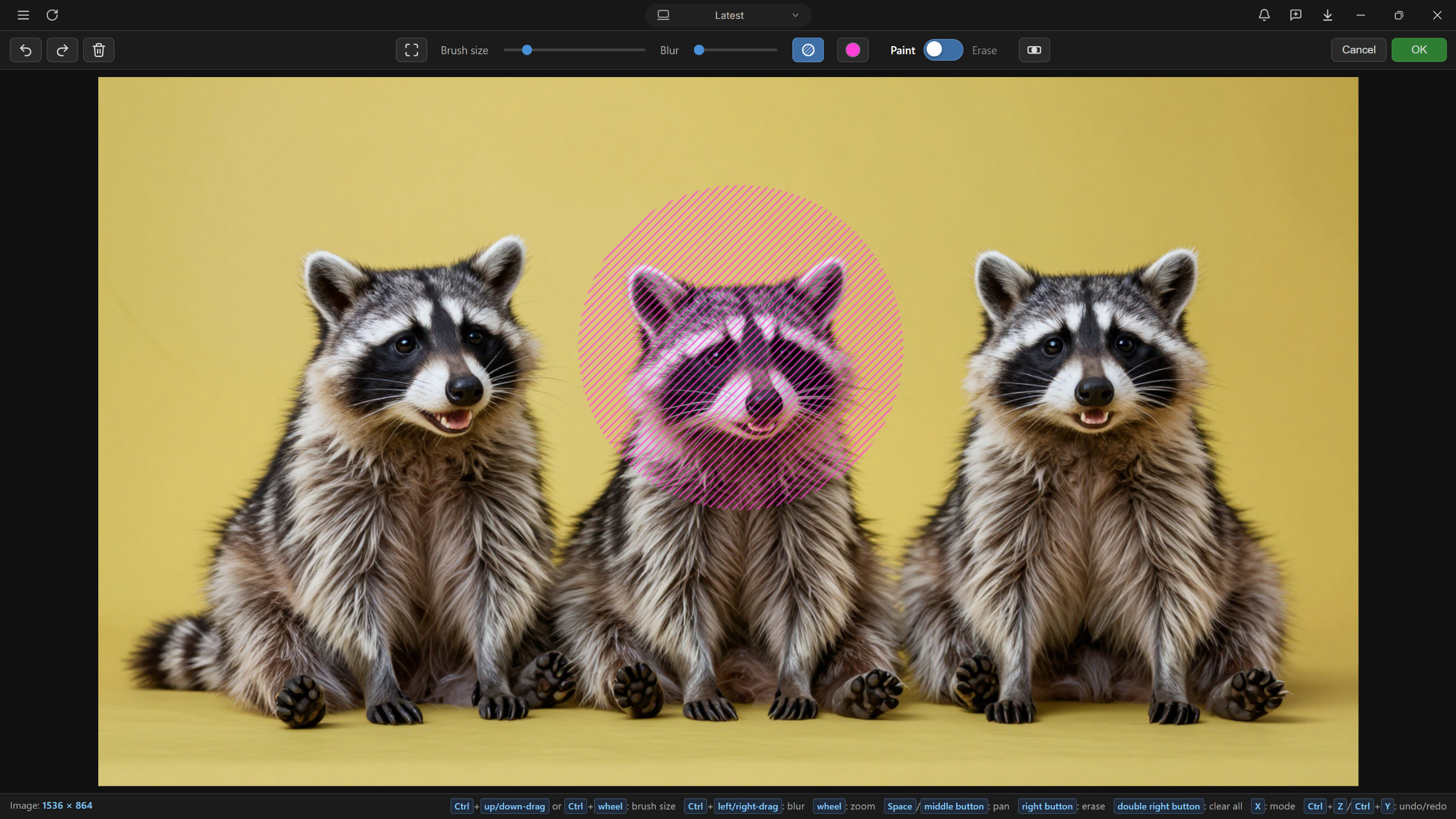
A simple, fast, custom-built mask editor for ComfyUI – an alternative to the built-in MaskEditor.
Installation
Method 1 – ComfyUI Manager (recommended)
- Open ComfyUI Manager in ComfyUI (Manager menu → Custom Nodes Manager).
- Search for fastmask
- Click Install, then restart ComfyUI.
Method 2 – Git clone
cd ComfyUI/custom_nodes
git clone https://github.com/zaum/ComfyUI-FastMask
After restarting ComfyUI, look for the FastMask Editor node in the mask category.
Usage
- Select an image in the node's
imagedropdown, upload one onto the node, or connect it toimage_opt(a connected image overrides the dropdown). - Open the full-screen editor with Edit Mask, paint, then press OK.
- The mask is saved at full resolution into
ComfyUI/input/fastmask/and restored on the next open. A composite preview (image + mask, max. 1024 px JPEG) is uploaded and shown permanently on the node. - Outputs:
IMAGE(the loaded image) andMASK(1.0 = masked area).
Controls
| Action | Command |
| ---------------------- | ------------------------------------------------------------------------------------- |
| Paint / Erase | Holdleft / right mouse button |
| Brush size | Ctrl + drag up/down, Ctrl + wheel, [ / ], or slider |
| Mask blur | Ctrl + drag left/right or the Blur slider (real-time preview in the B/W view) |
| Paint/Erase switch | X or the toggle |
| Zoom / Pan | Mouse wheel (cursor-anchored) / middle drag or hold Space |
| Closed-shape auto-fill | On by default – toggle:F |
| Undo / Redo | Ctrl+Z / Ctrl+Y or Ctrl+Shift+Z |
| Clear all | Ctrl+Delete or button |
| Show mask (B/W) | Hover the button for a preview, click to pin |
| Hatch color | C or the button |
| Fit image | Ctrl+0 |
| OK / Cancel | Enter / Esc |
Every button shows its shortcut on hover (mac: ⌘ instead of Ctrl).
Why is it fast?
- Dirty-rectangle rendering – each frame redraws only the touched areas, on a single
requestAnimationFrameloop that sleeps when nothing changes. - Native GPU canvas strokes – no per-stroke JS pixel copying; zoom/pan is a pure CSS transform (zero cost).
- Preview-resolution painting, full-res export – editing happens on a max. 2048 px preview; OK produces the mask at the full original resolution.
- Tile-based undo/redo – lazy 256×256 tile snapshots of only the touched tiles (max. 40 steps).
- Real-time mask blur (0–100%) and closed-shape
evenoddfill; the node preview is a small pre-generated JPEG the frontend only displays.
Planned: in-browser SAM segmentation (MobileSAM/FastSAM via onnxruntime-web). Not implemented yet.
Compatibility
ComfyUI (latest frontend), Windows / Linux / macOS. Saving uses the standard /upload/image API – no extra server component.
License
MIT