
ComfyUI-IterSwitch
Dynamic switch nodes for ComfyUI providing flexible iterative input selection with intelligent fallback logic.
Nodes (6)
The niche but honest way to make your text encoder a variable
Swap positive/negative prompts mid-run with Iter_ConditioningSwitch
Sweep CFG and denoise across a queue run with Iter_FloatSwitch
Step through a stack of images with Iter_ImageSwitch
Iter_ModelSwitch makes the model a variable
Iter_TextSwitch turns prompt choice into a number
Acknowledgments / AI Disclosure
This project was built with the assistance of Gemini for code generation. All AI-generated outputs have been verified and reviewed by the author to ensure technical accuracy and functionality.
ComfyUI-IterSwitch
A set of dynamic switch nodes for ComfyUI, designed to simplify complex workflows by allowing flexible, iterative input selection. These nodes provide dynamic connection management and intelligent fallback logic.
Key Features
Dynamic Inputs: Automatically resizes the number of input connections based on the input_count widget.
Smart Fallback:
With the use_last_input option enabled, the node can search backwards from the current index to find the nearest valid (connected) input, ensuring a result is always returned.
Type Support:
Includes switches for Text, Conditioning, CLIP, Image, Model, and Float types.
Example Usage: Iter_TextSwitch
The Iter_TextSwitch node allows you to combine a base string with one of many dynamically connected inputs.
- Basic Connection
The node takes an add_text input (base string) and allows you to dynamically define multiple text inputs. You can select the specific input using output_index.
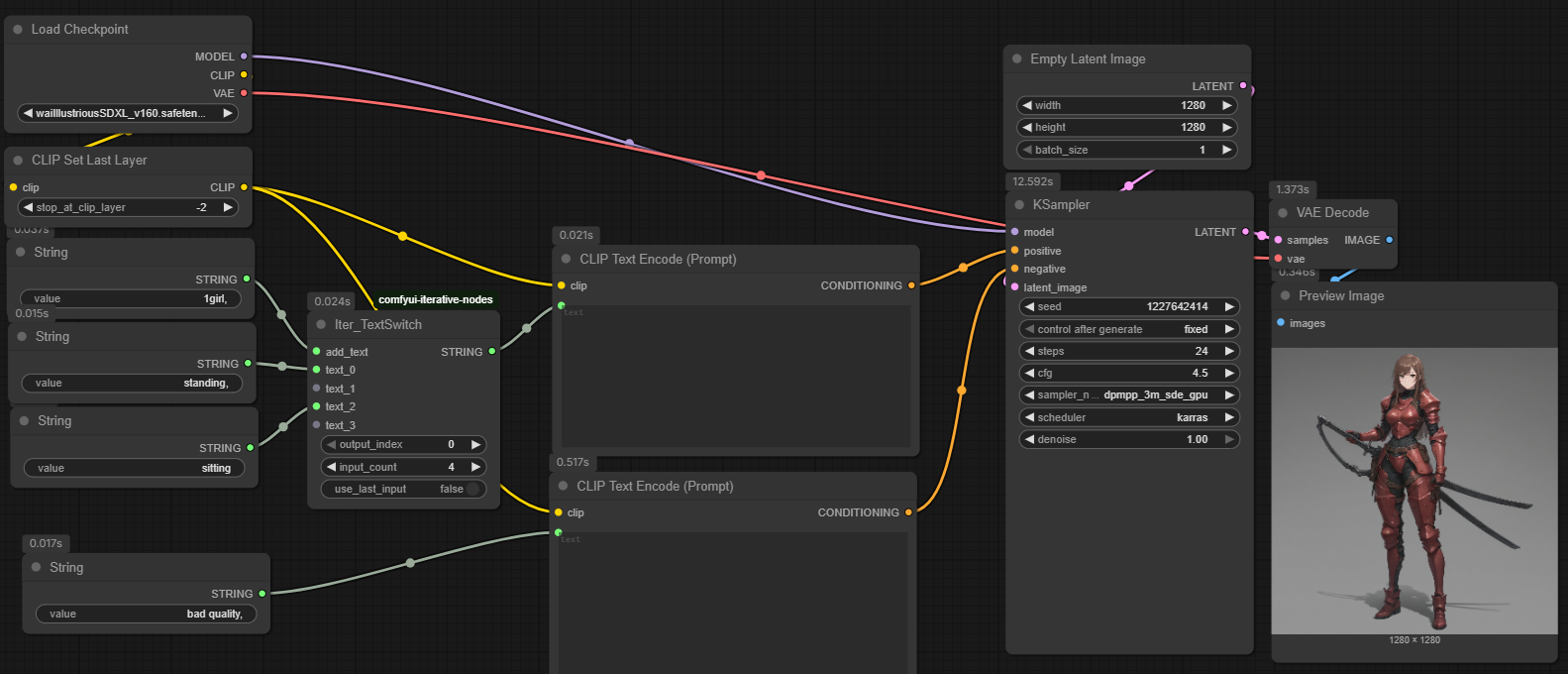 Example using waiIllustrious v16
 - Fallback Logic
When use_last_input is enabled, the node becomes more robust. If your current output_index points to a disconnected or empty input, the node will automatically search backwards through your inputs until it finds the most recent valid (connected) string.
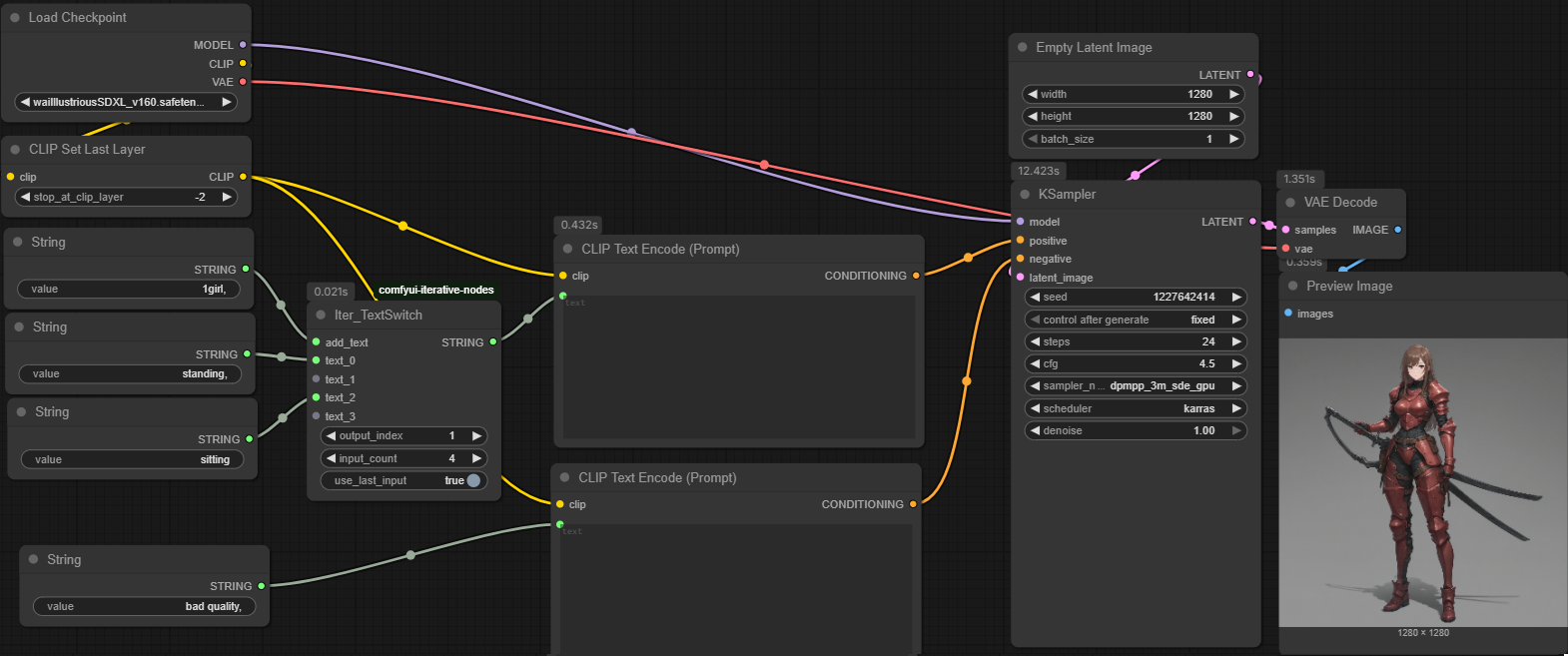 Example using waiIllustrious v16
 - Iterative Workflow
By using the output_index, you can easily integrate this node into iterative loops, ensuring that your text prompts are dynamically selected or concatenated based on your workflow state.
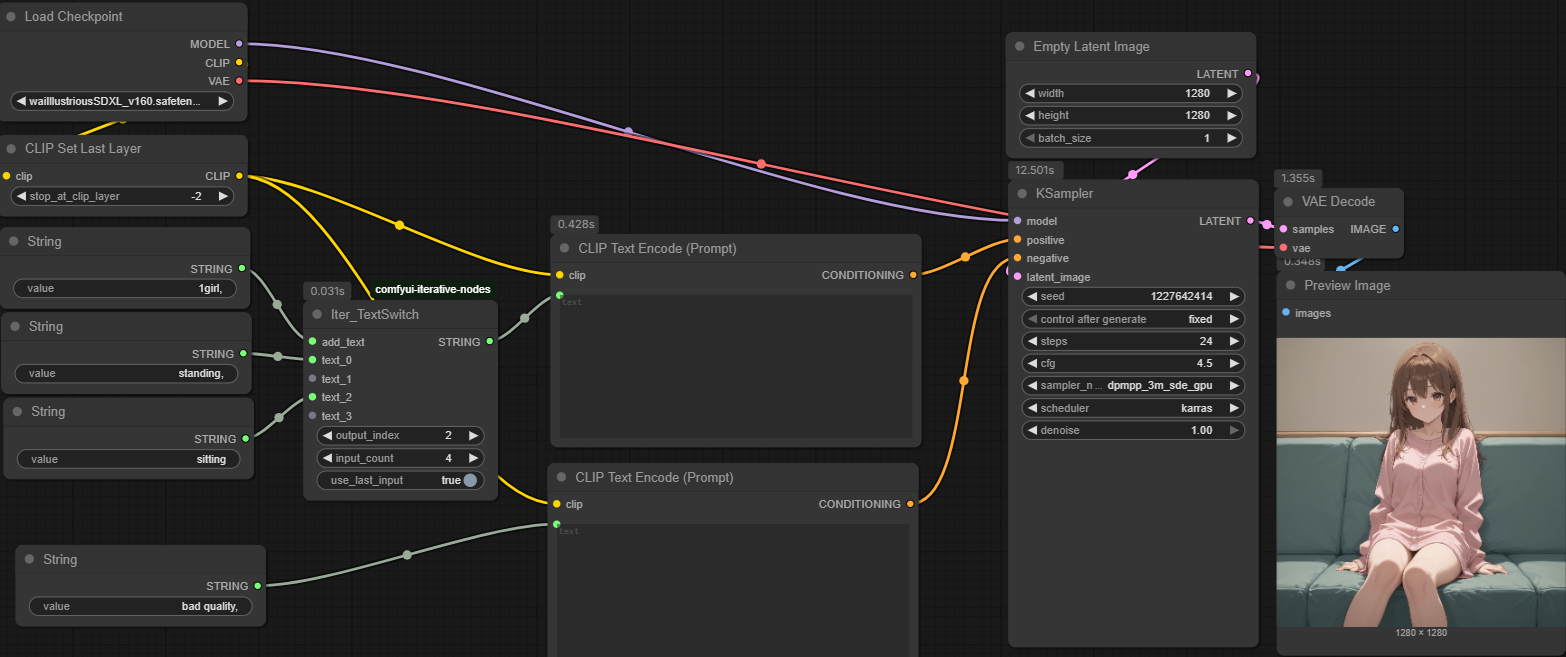 Example using waiIllustrious v16
Installation
Navigate to your ComfyUI custom_nodes directory.
Run:
Bash
git clone https://github.com/younger15/ComfyUI-IterSwitch.git
Restart ComfyUI.