
Elvax Nodes
Convenience nodes for ComfyUI! - LLM TURBO : Faster Local LLM all within Comfy - Faster Image Load/Crop in one node - Faster Upscale + Interpolate+ Film Grain in one node - Dynamic Pipes to tidy WFs (supports get/set nodes and reroutes) And more...
Elvax Nodes
Convenience nodes for ComfyUI!
- LLM TURBO: Run local LLMs faster, directly in ComfyUI
- Load and crop images faster in one node
- Upscale, interpolate, and add film grain in one node
- Tidy workflows with Dynamic Pipes, supporting Set/Get nodes and reroutes
- Extend Minimax H3 Videos
And more...
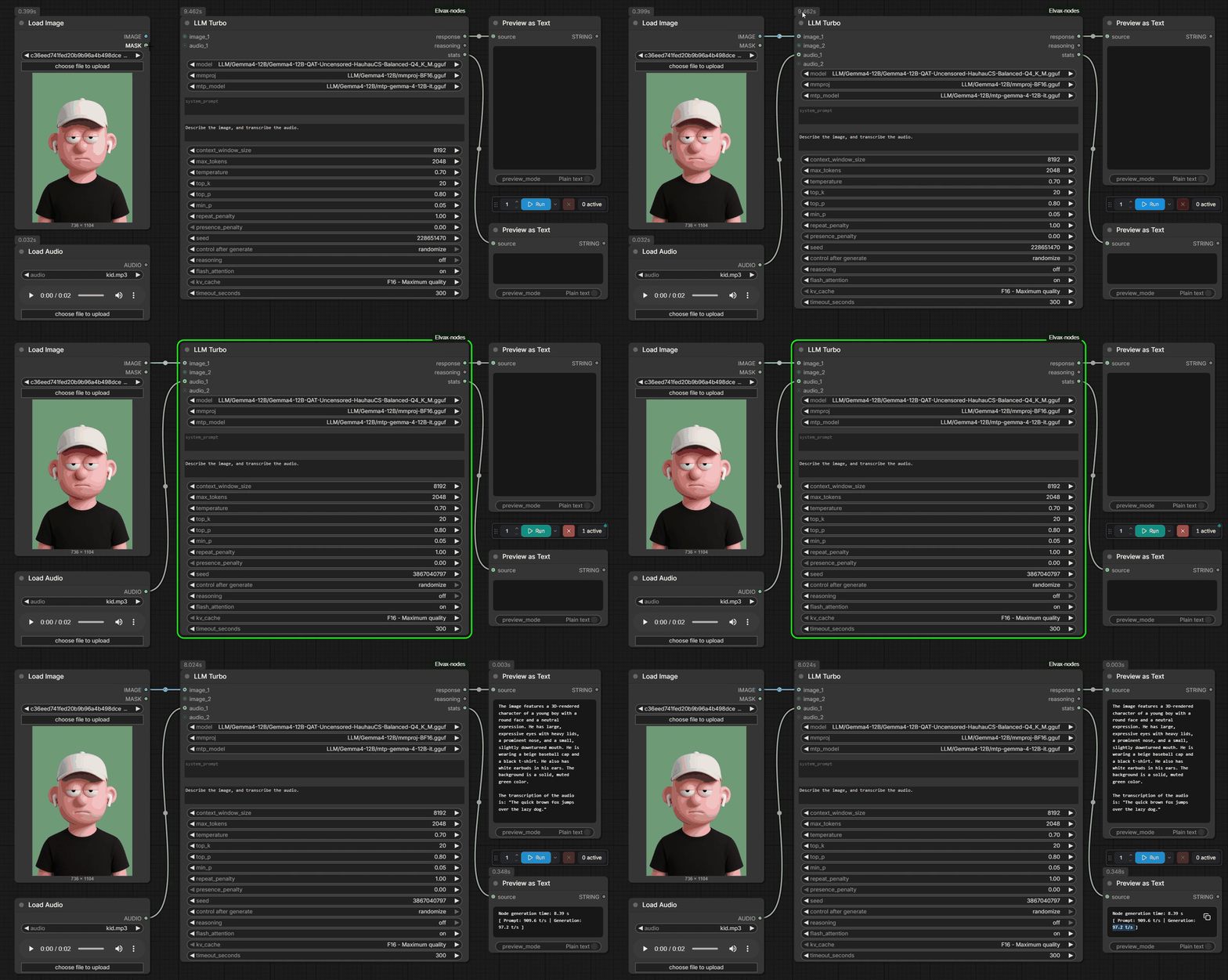
LLM Turbo
Run local GGUF models directly inside ComfyUI at blazing speed through the llama.cpp backend, with no external LLM app, setup, or headache!
Use dynamically growing image or audio inputs, including image batches, and use MTP (speculative decoding) where supported to speed things even more.
Track your generation speed through stats.
Put your GGUF models in models/LLM or models/text_encoders
Image and audio inputs require a compatible model and projector (mmproj).
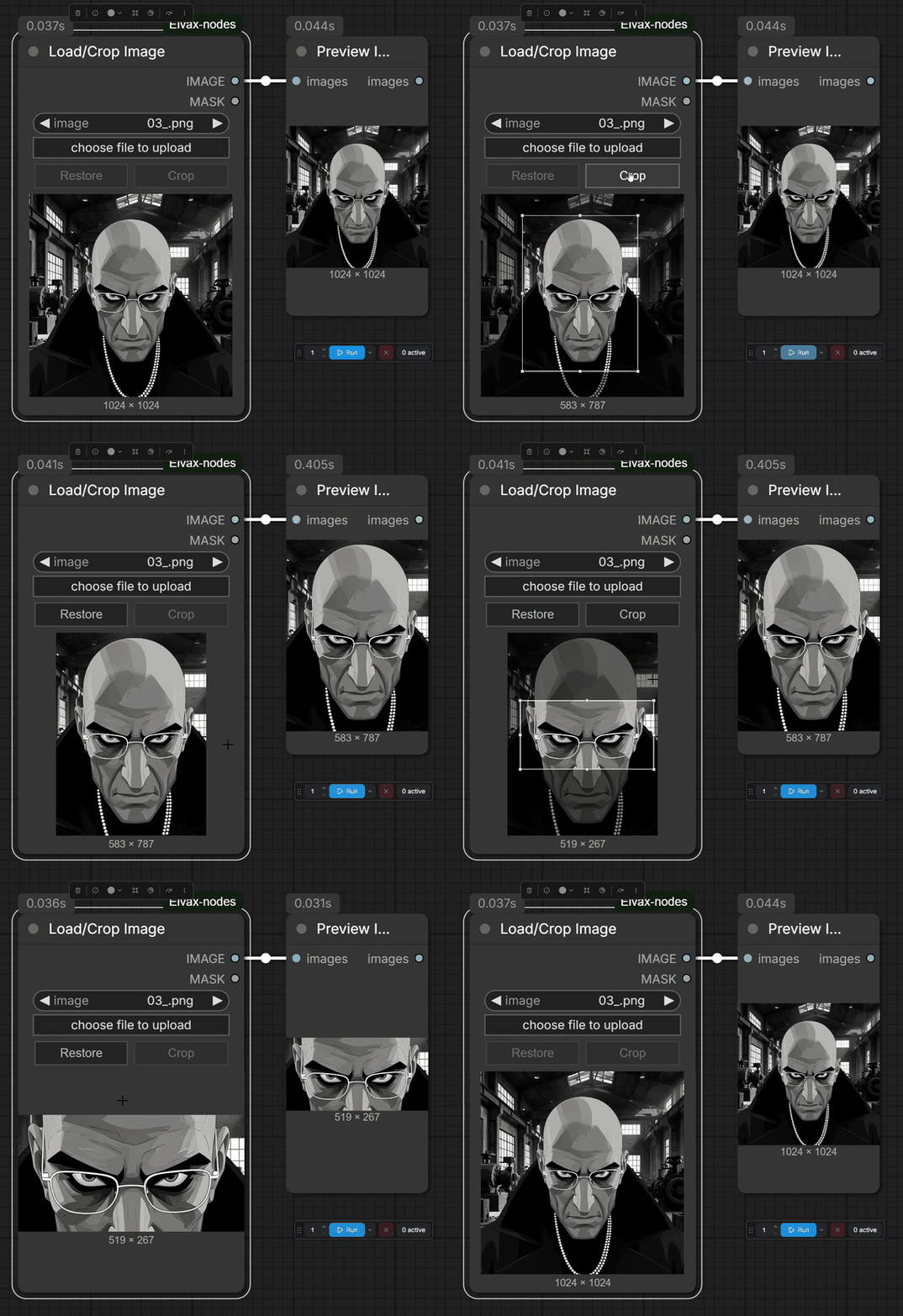
Load/Crop Image
Load and crop an image quickly in one node. Refine the crop interactively, send
the current image and its matching mask downstream, or restore the original.
Enable scale_image to resize the cropped result to the selected megapixels using
Lanczos. The resolution below the preview shows the output dimensions.
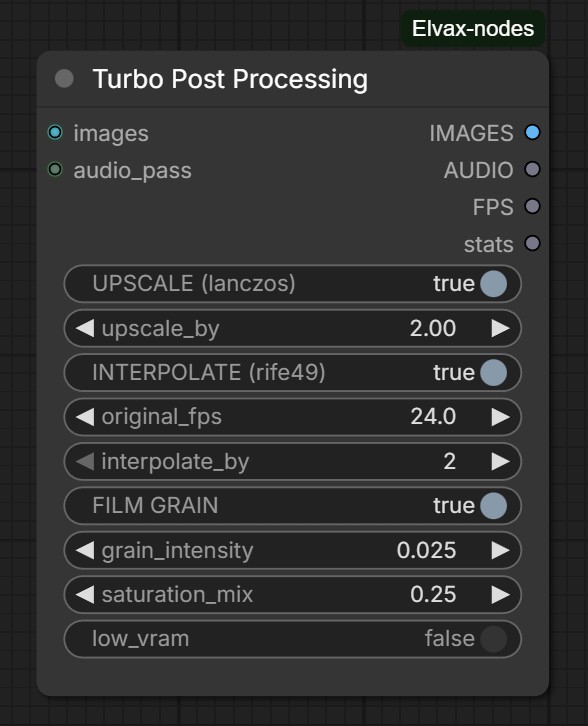
Turbo Post Processing
Upscale with Lanczos to improve quality, interpolate with RIFE 4.9 to smooth motion, and add film grain to reduce the digital AI look, all in one fast node, with extra VRAM Optimizations to prevent OOM.
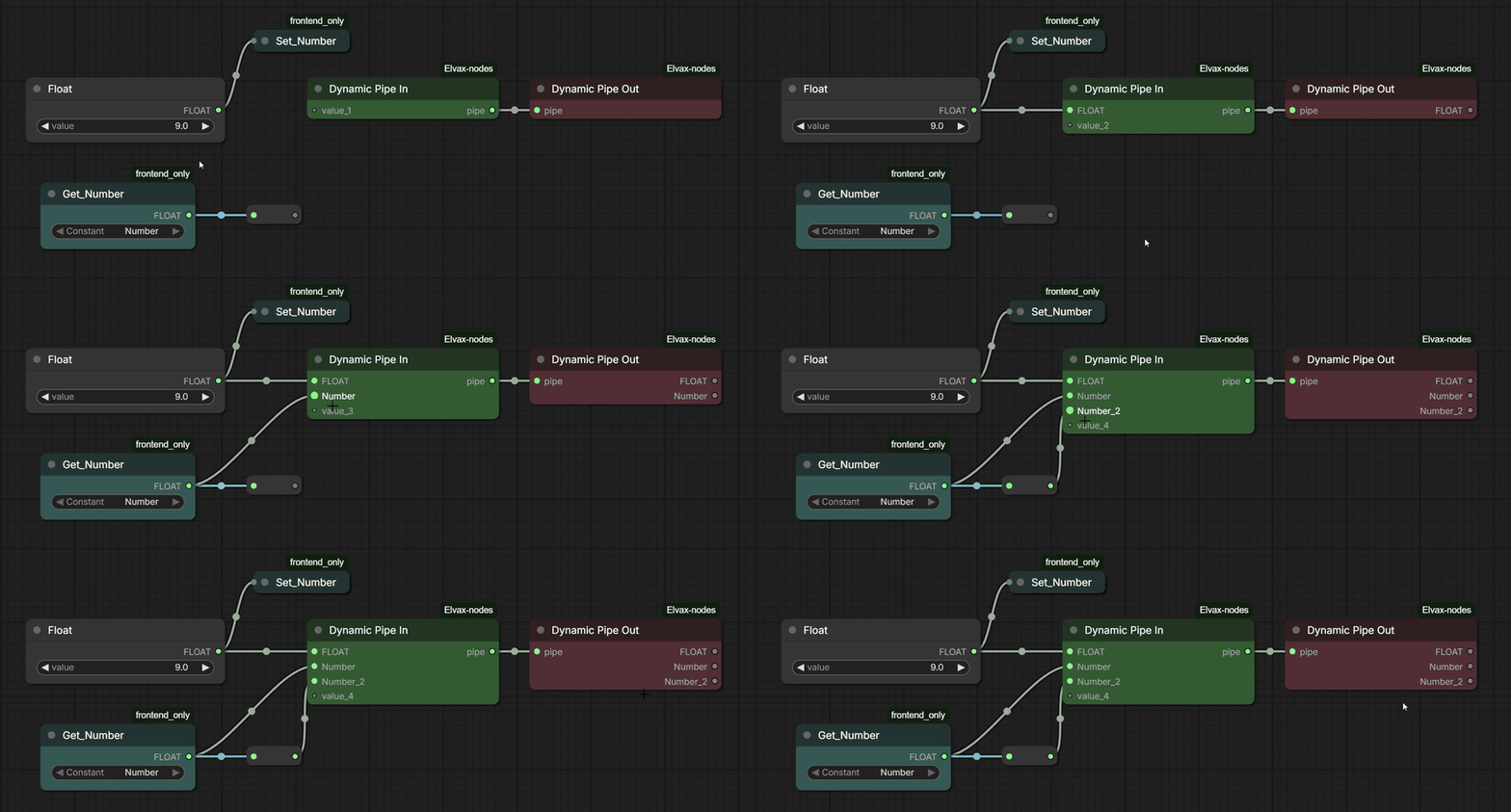
Dynamic Pipe In / Dynamic Pipe Out
Tidy your complex workflows with Dynamic Pipes : Dynamic Pipe In grows as you connect values; Dynamic Pipe Out unpacks them into separate outputs in their original order, Supports Set/Get nodes and Reroutes!
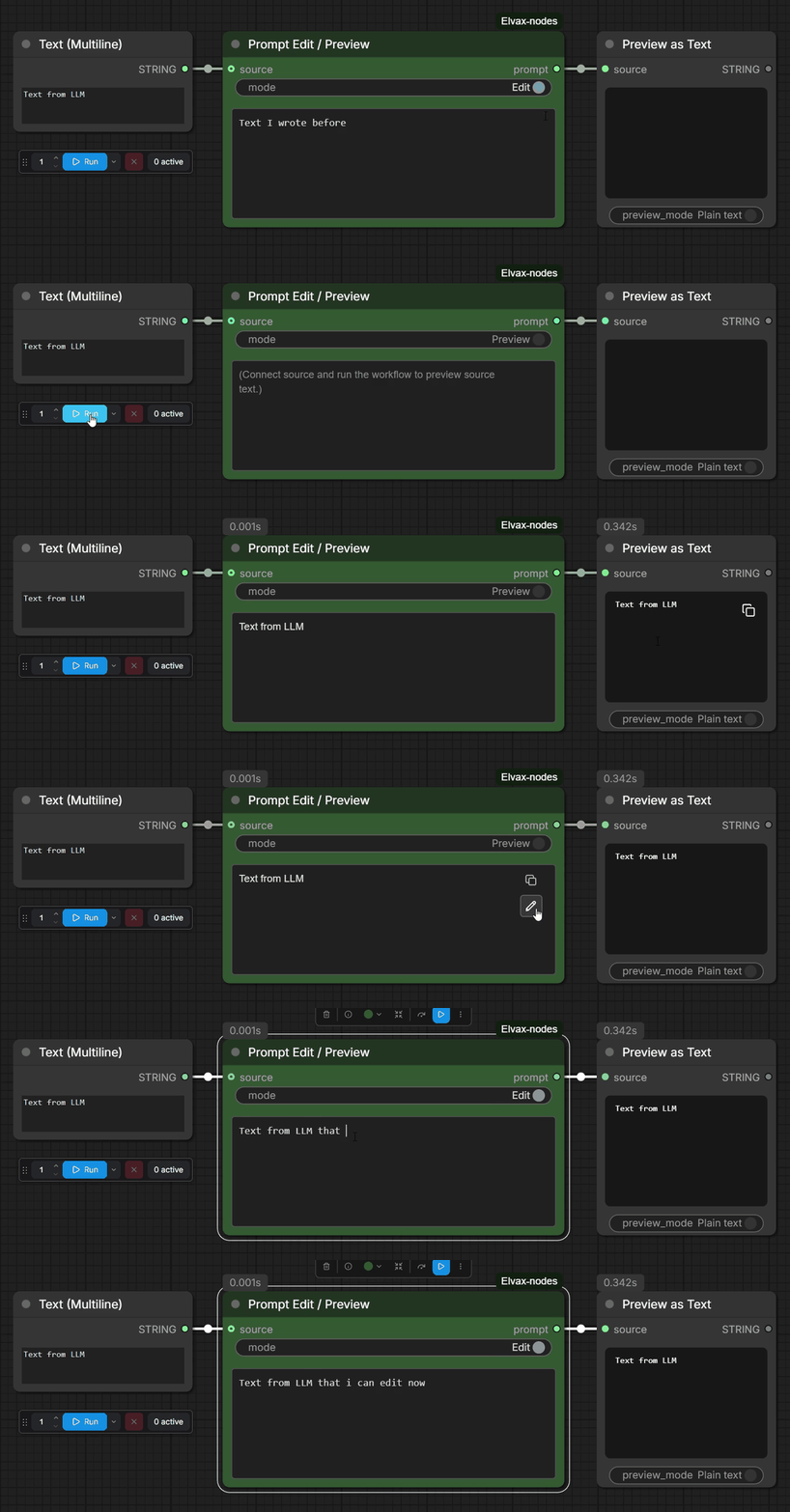
Prompt Edit / Preview
Preview and edit text in one node. Edit the preview text with one click, Supports the browser’s built-in spell checker to detect and correct spelling and grammar errors.
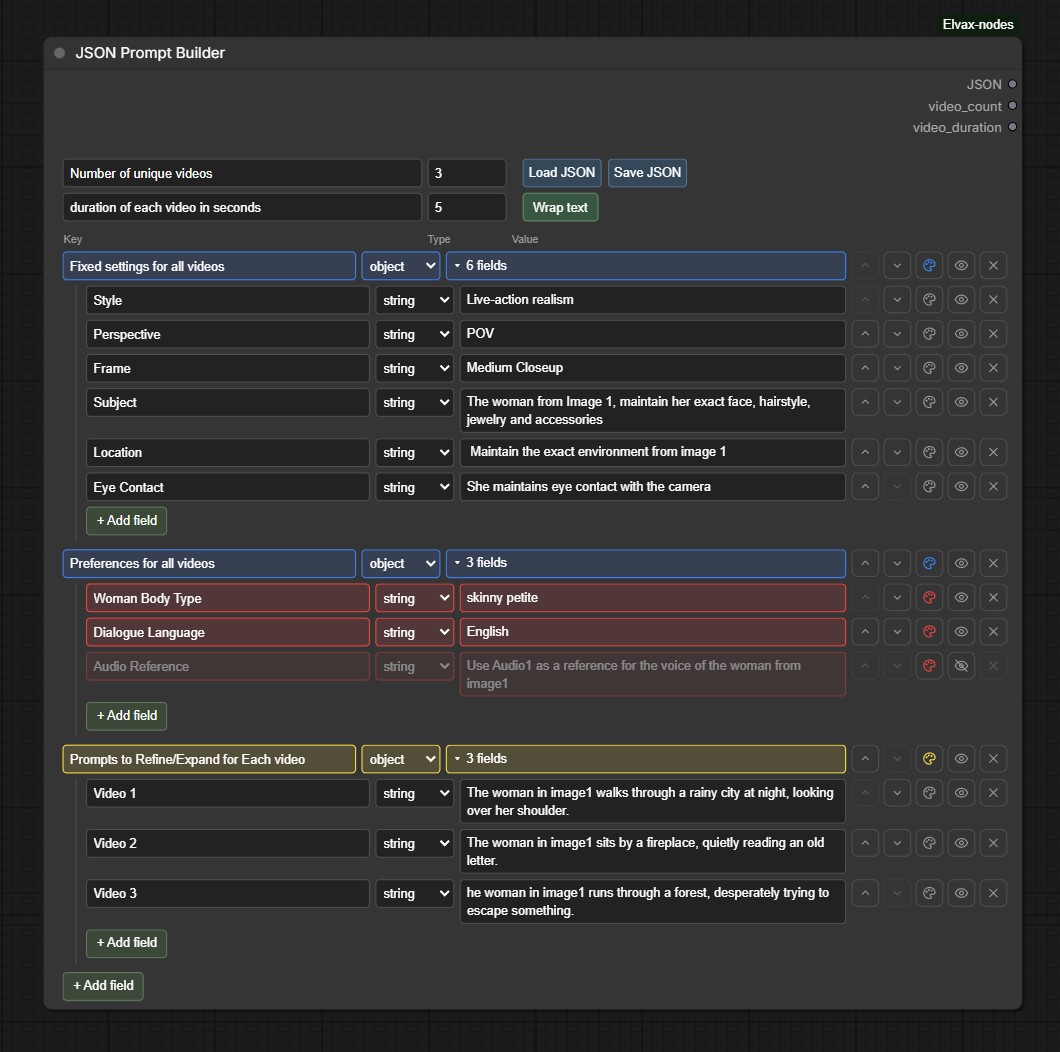
Prompt Template Builder / JSON Prompt Splitter
Build a structured JSON prompt that you can feed to your favourite LLM with editable/nested fields, customizable field colours. Save/load preserves everything in the JSON including hidden fields and colours.
JSON Prompt Splitter automatically detects and splits a big JSON, to the chosen number of videos specified in the Prompt Template Builder.
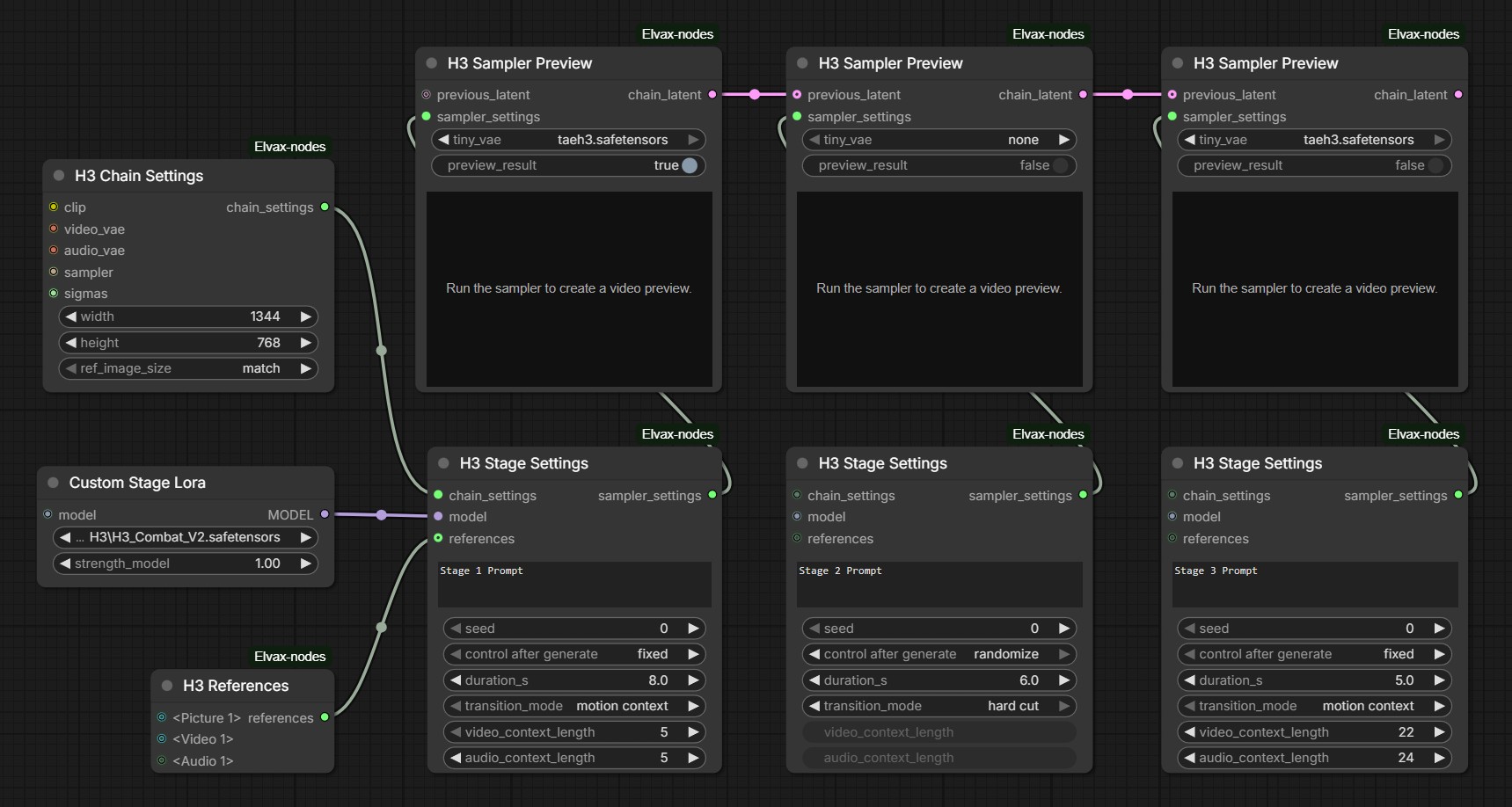
H3 Staged Samplers
Build a MiniMax H3 generation as a configurable stage-by-stage chain. Set shared
generation parameters once in H3 Chain Settings, then tailor each stage with
H3 Stage Settings. Use H3 Sampler Preview to sample the stage, optionally
show a live tiny-VAE preview or decode the full video, and pass the accumulated
latent into the next stage. Motion Context continues from prior latent context;
Hard Cut starts a fresh joined segment.
H3 Chain Settings: Configure the shared settings for a MiniMax H3 extension
chain.
H3 Stage Settings: Configure each stage of a MiniMax H3 extension chain
independently (supports custom Loras for each stage)
H3 Sampler Preview: Sample a stage, optionally show a live tiny-VAE preview
during sampling or decode a full video preview, and pass the accumulated latent
to the next stage. The preview_result toggle controls full video decoding;
live previews are available when a tiny VAE is selected.
With preview_result enabled, select this node as an output in App Builder to
play its finished video in App Mode. Live tiny-VAE previews use the graph player.
H3 References: Bundle picture, video, and audio references with MiniMax H3
token labels for use in H3 Stage Settings. Audio slots 1–3 pair with their
matching connected video slots; remaining audio slots are standalone.
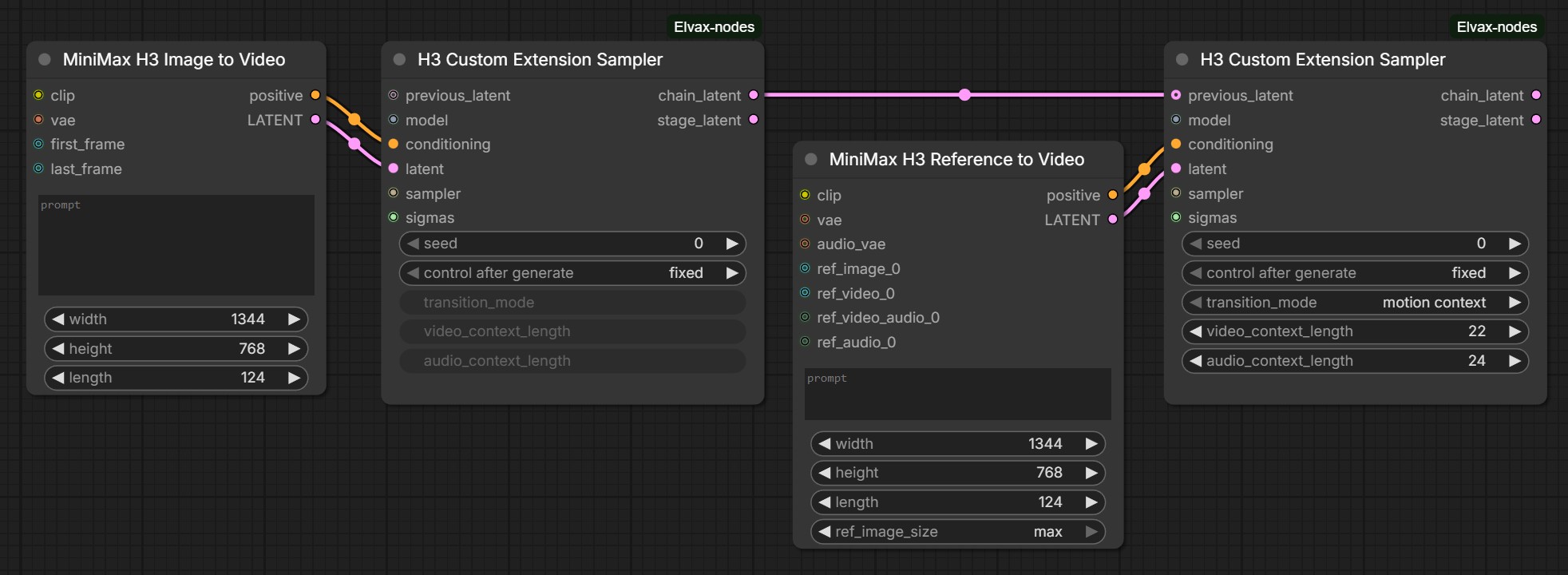
H3 Custom Extension Sampler
Seamlessly extend a MiniMax H3 generation from one sampler stage to the next,
with controls to customize exactly how you want it built. Sampling stays
lightweight: the node returns the accumulated chain_latent and this stage's
stage_latent without decoding, so you can connect your preferred preview or
decode workflow.
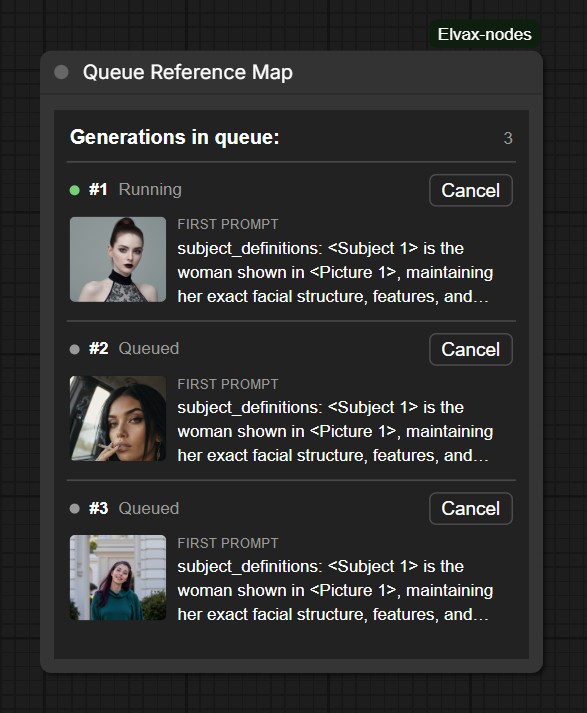
Queue Reference Map
Keep track of queued generations with their first reference image and prompt. See the current queue order and cancel an individual item directly from the node.
Video Compare Pro
Connect the source videos to the before_video and after_video sockets, then use
Load the Before Video and Load the After Video to store each version.
Compare using the hover Slider, Side by Side, or Overlay with a blend slider between the Before/After labels.
All modes share playback controls; the B/A switch selects Before or After audio.
Captures use ComfyUI's temp folder. Dropped videos reuse identical files already in ComfyUI's input or output folders when available.
Reroute Switch
Connect any value and use the A/B toggle to choose which output receives it. The inactive output blocks its branch; its links stay connected and appear gray. An inactive route into an optional socket is treated as disconnected during execution. Video Compare Pro can load through the active route while keeping both captured videos. The selected output is saved with the workflow.
Circuit Switch
Connect a value through the switch and click the circuit contact to open or close it. Closed passes the value by default; open blocks execution while keeping the wire connected.
Group toggles
Groups show an always-visible ON/OFF switch to enable or bypass their nodes. Right-click the switch to hide it, or the group header to show it again. Visibility is saved per group; rgthree's header buttons return when the switch is hidden.
Installation
ComfyUI Manager
Open Manager → Custom Nodes Manager, search for Elvax Nodes, and select Install. Restart ComfyUI.
Manual installation
Clone this repository into ComfyUI/custom_nodes:
git clone https://github.com/younestft/Elvax-nodes.git
Install the Python dependency with the Python environment used by ComfyUI:
python -m pip install -r ComfyUI/custom_nodes/Elvax-nodes/requirements.txt
Restart ComfyUI. The nodes appear under the Elvax category.
License and credits
This repository is licensed under GNU GPL v3 or later; see LICENSE.
Many nodes in this pack are based on or inspired by ComfyUI's native nodes. Credit to the Comfy Org team for ComfyUI and its native node implementations. The H3 tiny-VAE preview is credited to Kijai and KJNodes.
LLM Turbo is adapted from the GPL-3.0-licensed ComfyUI-LLM-text-processor by KingManiya. with added Audio and MTP support + further UI and quality of life improvements.
The H3 Extension Sampler is a modified derivative of ComfyUI-H3-Motion-Context by NikoDemon80.
The bundled H3 References node is adapted from the GPL-3.0-licensed ComfyUI-H3-Prompt-IDE by Ethan Fel.
Turbo Post Processing brings together ComfyUI's native Lanczos image scaling, RIFE 4.9 interpolation from Fill-Nodes by filliptm, and Fast Film Grain from VRGameDevGirl's nodes and adds further performance and VRAM optimizations.