
BetterRef
Generate multiple characters from separate reference images in native MiniMax H3 Image, with editable role masks and same-seed comparisons.
BetterRef
BetterRef is a standalone ComfyUI custom node pack built from FreeFuse for native MiniMax H3 Image. Each character gets its own reference image and role mask—no per-character training, and no face embedding fed into generation.
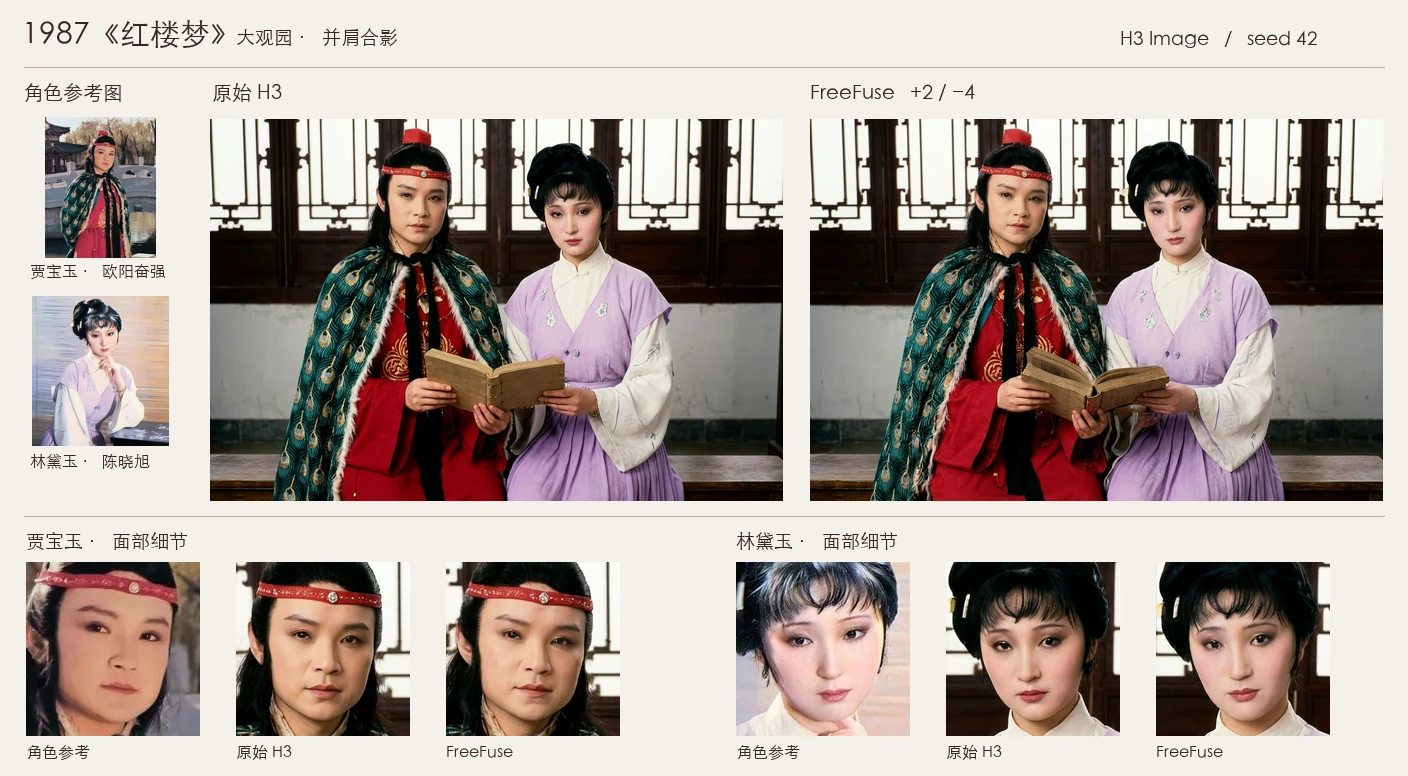
TV still references, H3 baseline, BetterRef enhanced output (FreeFuse in the figure is the original experiment label), and face crops.
One-Minute Quick Start
- Install the node pack through ComfyUI Manager by searching BetterRef (registry ID
betterref), or clone the repository insideComfyUI/custom_nodes:cd ComfyUI/custom_nodes git clone https://github.com/yaoliliu/BetterRef.git - Place the model files (provided separately) under your ComfyUI models directory:
ComfyUI/models/diffusion_models/minimax_h3_image_pruned_bf16.safetensorsComfyUI/models/text_encoders/qwen3vl_32b_minimax_h3_bf16.safetensorsComfyUI/models/vae/minimax_h3_image_vae_fp16.safetensors
- Restart ComfyUI, then drag
workflows/betterref-h3.jsononto the canvas.
BetterRef requires native MiniMax H3 Image support in ComfyUI (tested at commit e19f5e957964737da3e80fc54cd21f190a9c7ef3). Example references and the readout weights are already included; to swap in your own cast, feed a photo from Load Image into each Role node.
How It Works
During the first three sampling steps, a bundled small learned attention readout inspects blocks 10, 20, 30, and 40 to separate each character's foreground from the scene. By default, BetterRef adds +2 to same-role reference foreground attention logits and subtracts 4 from other-role reference foreground logits, keeping identities separated without touching face embeddings.
Role phrases and mask editing
- Chaining multiple characters: Connect the previous role's output into the next role's
previousinput to add more characters. Keep every role name unique. - Role phrases & background:
target_phrasemust appear verbatim in your scene prompt, andbackground_phrasemust also appear in the prompt whenever roles are bound.reference_phraseis optional and inherits the target phrase if left blank—useful when a character's outfit changes between the reference and the scene, for example target"身穿绛红长袍的贾宝玉"versus reference"戴红色抹额、披孔雀纹斗篷的贾宝玉". - Independent reference and target masks: Both reference and target generate automatic masks that you can refine independently. Click the direct bilingual Edit reference mask or Edit target mask button to open the editor, inspect previews, and save and run your changes.

- Same-seed compare switch: Toggle the compare switch to generate a matching baseline alongside the enhanced result. Disabling it skips the full baseline pass; when no baseline is present, target mask editing works directly on a blank layout.
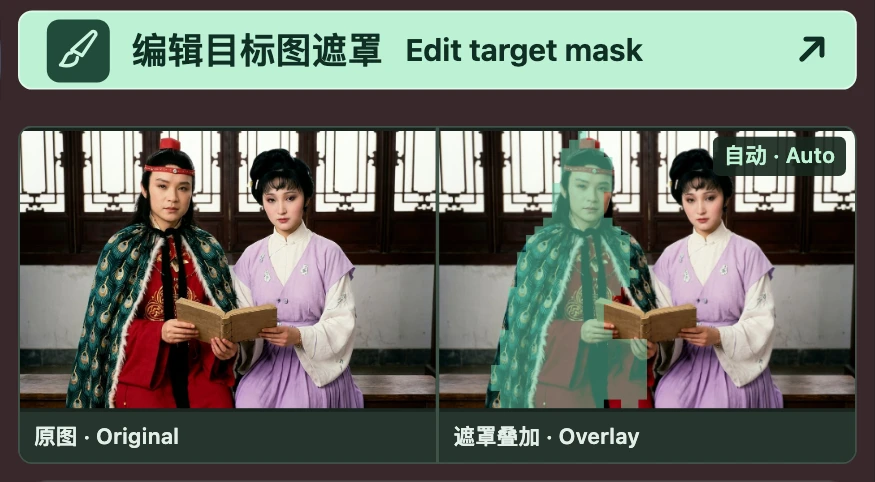
Jia Baoyu and Lin Daiyu, seed 42
Single-scene, fixed same-seed comparison at 1536×1024 (seed 42) using 1987 Dream of the Red Chamber TV stills, reported as cosine similarities to the supplied references:
| Character | Metric | H3 Baseline | BetterRef | | --- | --- | --- | --- | | Jia Baoyu | ArcFace | 0.552 | 0.646 | | Jia Baoyu | LVFace-T | 0.404 | 0.554 | | Lin Daiyu | ArcFace | 0.531 | 0.709 | | Lin Daiyu | LVFace-T | 0.507 | 0.642 |
Credits & License
- Built from FreeFuse
- Example reference credits:
workflows/h3_ref_examples/CREDITS.md - Repository: github.com/yaoliliu/BetterRef · ComfyUI Registry: registry.comfy.org/nodes/betterref
- License: Apache-2.0