
Oracle Noise (Anima/MOSS)
Prompt-aware initial noise optimization for Anima and MOSS
Oracle Noise for ComfyUI (Anima / MOSS)
ComfyUI implementation of Oracle Noise: Faster Semantic Spherical Alignment for Interpretable Latent Optimization. Currently only supports MOSS and Anima. Works best with Anima, limited effectiveness for MOSS.
Long-Context CLIP Encoders
These CLIP-L encoders are used in the example and comparison workflows. Normal CLIP-L and CLIP-G can be used:
VAE
The Anima workflows use Anzhc Qwen2D-Anime VAE, which requires Anzhc Qwen2D ComfyUI node pack for better quality.
Workflows
The workflow directory includes four workflows:
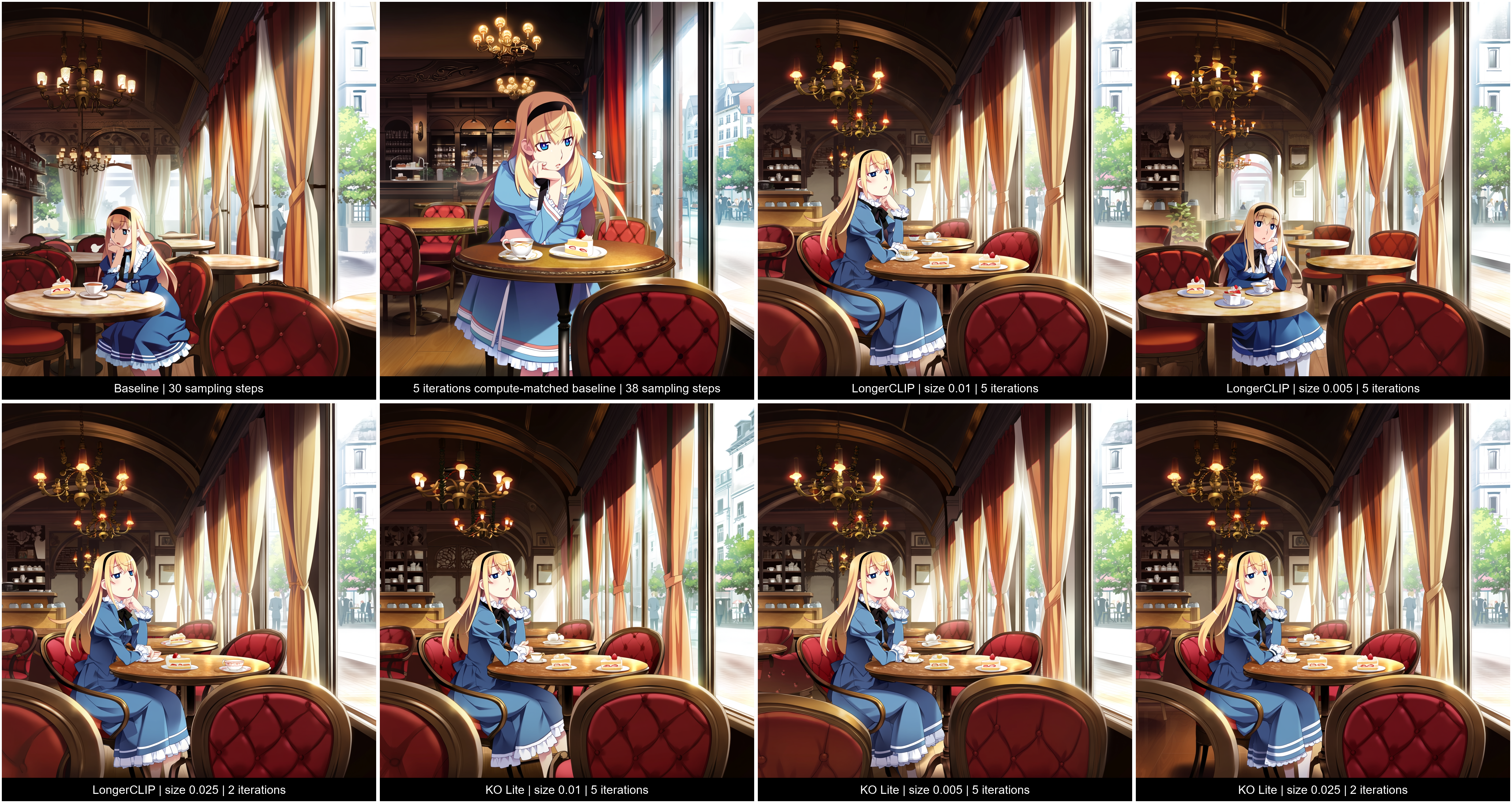
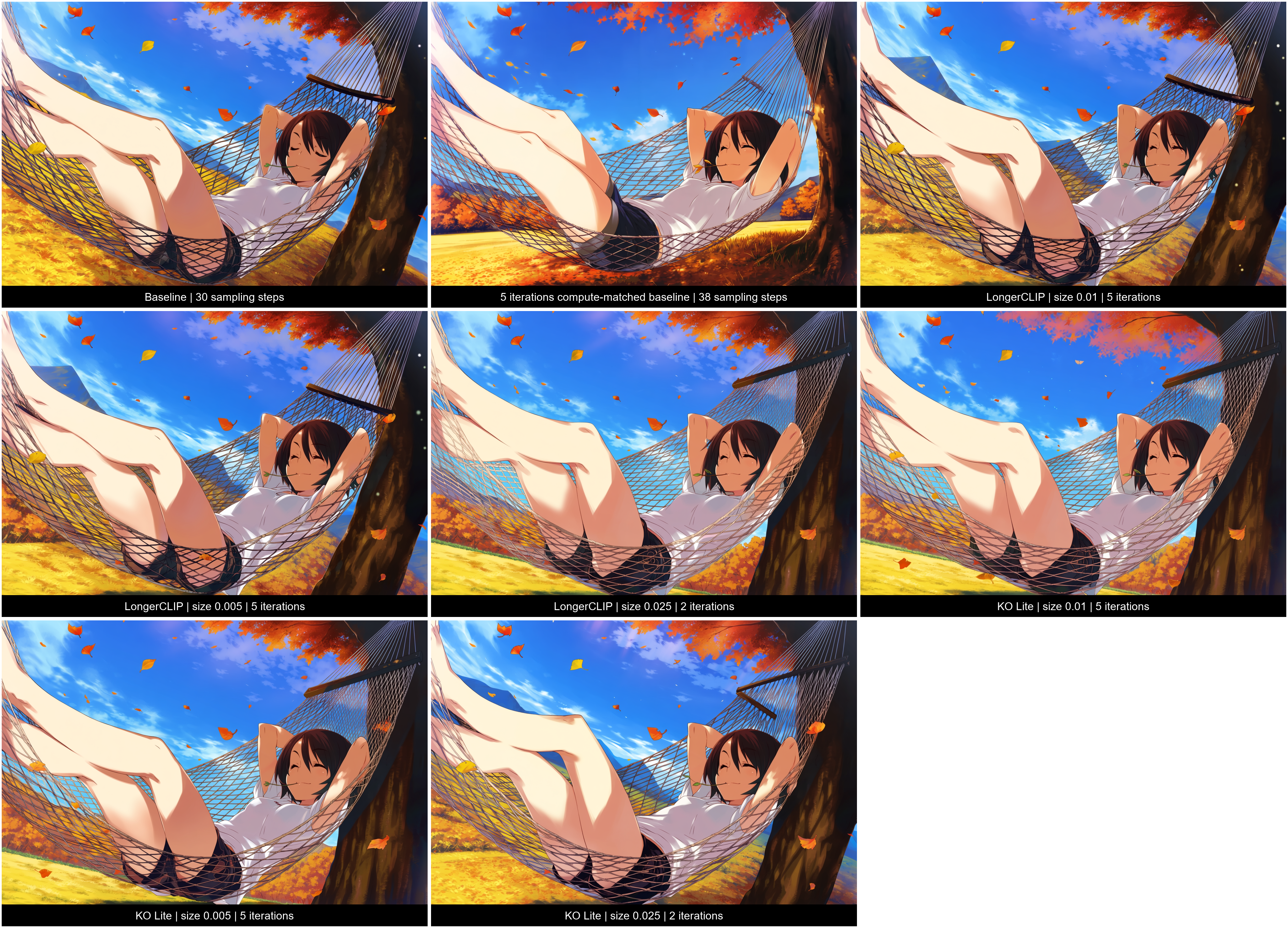
anima-example.jsonandmoss-example.jsonare single-image examples, set to 2 iterations and 0.025 step size. MOSS uses Oracle Prompt Preprocess & Encode.anima-compare.jsonandmoss-compare.jsoncompare the baseline, 38-step compute-matched baseline, and variants at step sizes 0.01, 0.005, and 0.05 at 5, 5 and 1 iteration respectively.
Examples
<details> <summary>Expand to view example comparison images (Anima). Drop the images into ComfyUI for full prompts + workflow.</summary>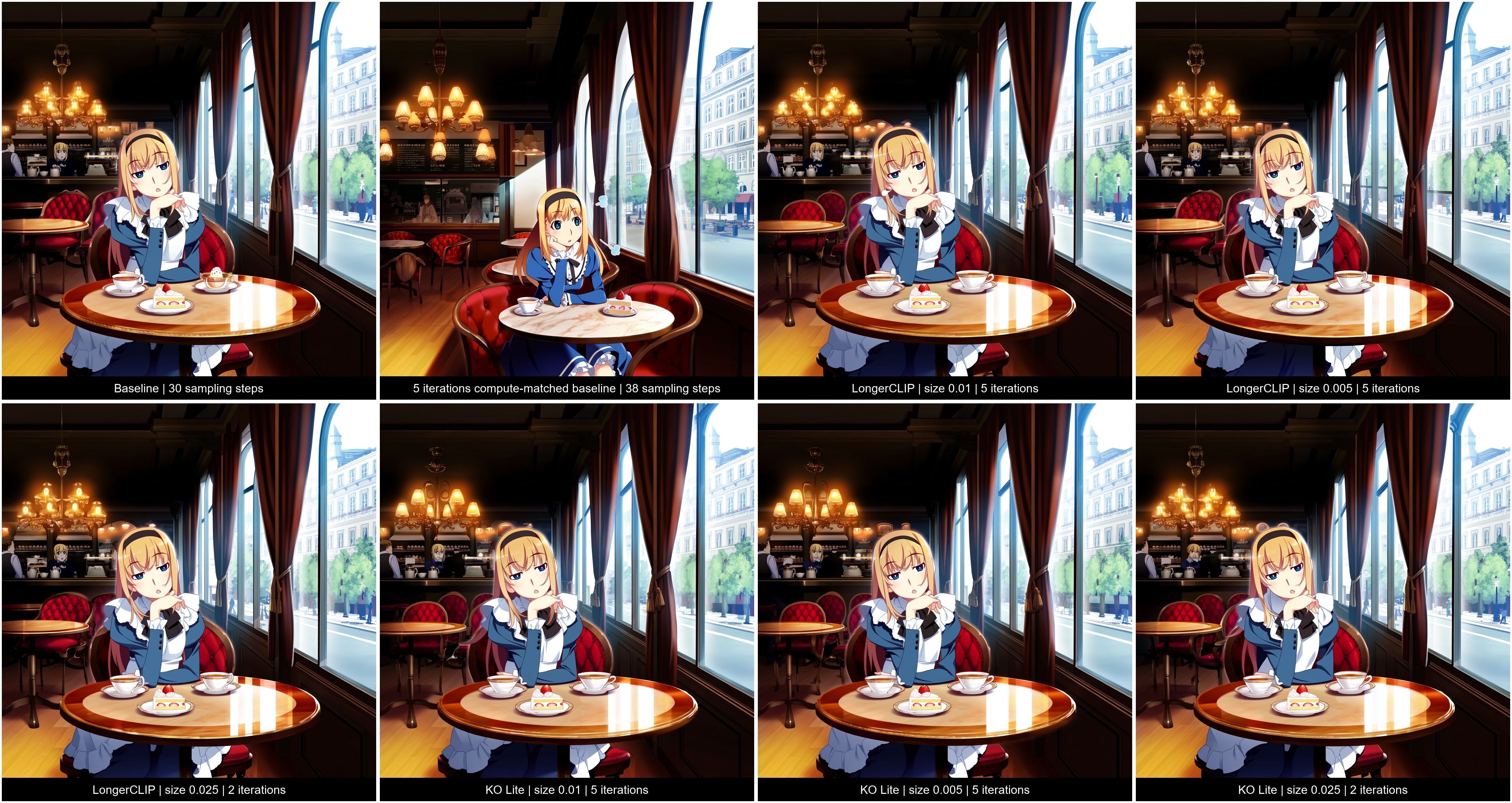

Oracle Noise inputs
The node produces starting noise for the sampler. Its main controls are:
| Input | Purpose |
|---|---|
| model, native_encoder | The diffusion model and its usual text encoder. |
| importance_encoder | A separate CLIP encoder used to estimate which prompt words matter. |
| positive, negative, prompt | Your conditioning and the original positive prompt text. Keep the prompt consistent with the positive conditioning. |
| sigmas | The sampling schedule shared with the sampler. |
| seed | Controls the starting random noise. Reuse it to compare settings. |
| iterations | Number of optimization passes; 0 skips optimization. This is separate from sampling steps. |
| step_size | How much each pass changes the noise. Smaller values make gentler changes; 0 skips optimization. |
| auto_step_size_scaling | Adjusts step size for the working resolution. Leave it on as a starting point. |
| variant | Uses the positive prompt alone, or positive and negative conditioning together. The latter takes longer. |
| optimization_guidance | Guidance for the positive-and-negative variant. Start with the sampler's CFG value or lower. |
| importance_encoder_type | Selects CLIP-L, CLIP-G, both, or automatic detection. |
| resolution, relative_resolution | Set the working size for optimization. Lower sizes are generally faster; relative resolution overrides the fixed setting. |
| resize_algorithm | Chooses how the working image is resized. Bicubic is the default. |
| layer_preset, layer_indices, layer_weights | Choose which model layers guide optimization and their relative influence. Use an Anima or MOSS preset for a starting point, or Custom for manual choices. |
| precision | Controls calculation precision. FP32 is the default; BF16 and FP16 are lower-precision options. |
| speed_preset | With the positive-and-negative variant, Fast uses that guidance for fewer iterations. |
| noise_color, color_strength, color_slope | Optionally change the noise pattern. Color is off by default; slope applies to Custom color. |
| oracle_prompt_data, conditioning_prompt | Optional connections from the prompt preprocessing node. |
Recommended Defaults
| Input | Value |
|---|---|
| iterations| 5 or 2 with step size 0.025 |
| step_size | 0.01 or 0.025 with 2 iterations |
| optimization_guidance | Same value as CFG. |
| resolution, relative_resolution | 512 offers balanced quality x speed |
Oracle Prompt Preprocess & Encode
Prepares a prompt and encodes it for the model. It can handle plain text and supported MOSS layouts, including prompt emphasis.
clip: Connect the model's native text encoder.text: Enter the positive prompt or supported MOSS layout.format: Choose Auto, Plain text, or MOSS layout.
Connect its conditioning output to both Oracle's positive input and the sampler's positive conditioning. Connect oracle_prompt_data to Oracle's matching input, especially for MOSS layouts. The node also provides prompt text outputs for plain-text workflows.