
Cable Management for ComfyUI
ComfyUI has spaghetti issues. Cable management for the node graph: daisy-chained links, PCB-style routing, ribbon cables, and proper right-to-left wrapping support.
Cable Management for ComfyUI
ComfyUI has spaghetti issues. This frontend extension offers daisy-chaining, PCB routing, ribbon cables, and proper right-to-left wrapping support.
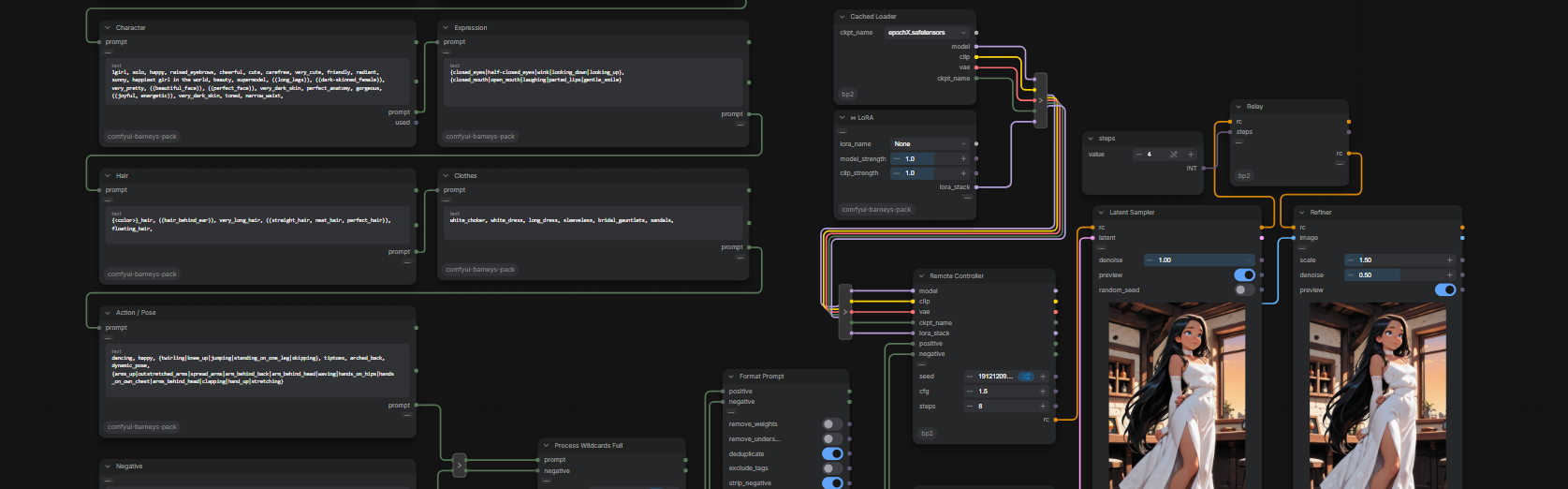
"WTF IS THAT?????" -- "a bunch of reroutes in a trenchcoat"
Built entirely from core ComfyUI primitives -- remove the extension and every workflow made with it still loads and runs.
Early release. Expect bugs; criticism and praise equally welcome. Requires a recent ComfyUI (tested on 0.28-0.30, frontend 1.47-1.48) with Nodes 2.0.
Install Extension
- ComfyUI Manager: search
Cable Management, install, restart ComfyUI. - Manual:
git clone https://github.com/vtokic/comfyui-cable-managementintoComfyUI/custom_nodes/, restart ComfyUI.
Cable Management Settings
PCB Routing and Ribbons
Settings > Lite Graph > Graph > Link Render Mode"PCB"
Input/Widget Passthroughs and drawers
Settings > Comfy > Nodes 2.0 > Modern Node Design (Nodes 2.0)ONSettings > Lite Graph > Graph > Cable ManagementON (Modifies nodes' UI, enables passthrough and daisy-chaining)
Recommended ComfyUI Settings
Settings > Lite Graph > Link > Link midpoint markers"Arrow"Settings > Lite Graph > Link Release > Action on link release (No modifier)"context menu" (Makes reroutes easier to create)
Functionality
- PCB Link Render Mode -- links do their best to path around nodes and avoid each other
- Cable Management -- node pin changes:
- connected inputs get a pass-through pin on the opposite side of the node, for daisy-chaining
- widgets get an output pin so their value can be pulled out as a primitive
- outputs move to the bottom-right of the node (contract shape)
- inputs and outputs collapse into drawers, hiding unconnected optional inputs and unused outputs
- Ribbons: stack reroutes on top of each other and they bundle into one ribbon cable