
ComfyUI Extension
Allergic Audio
Audio analysis nodes for ComfyUI. Detects BPM and musical key from audio files.
usrname0/ComfyUI-AllergicAudio
Nodes2
On cloudLocal install
CategoryAllergic Audio
Stars1
Updated7 months ago
Nodes (2)
Readme
ComfyUI-AllergicAudio
Audio analysis nodes for ComfyUI.
Audio Analyzer
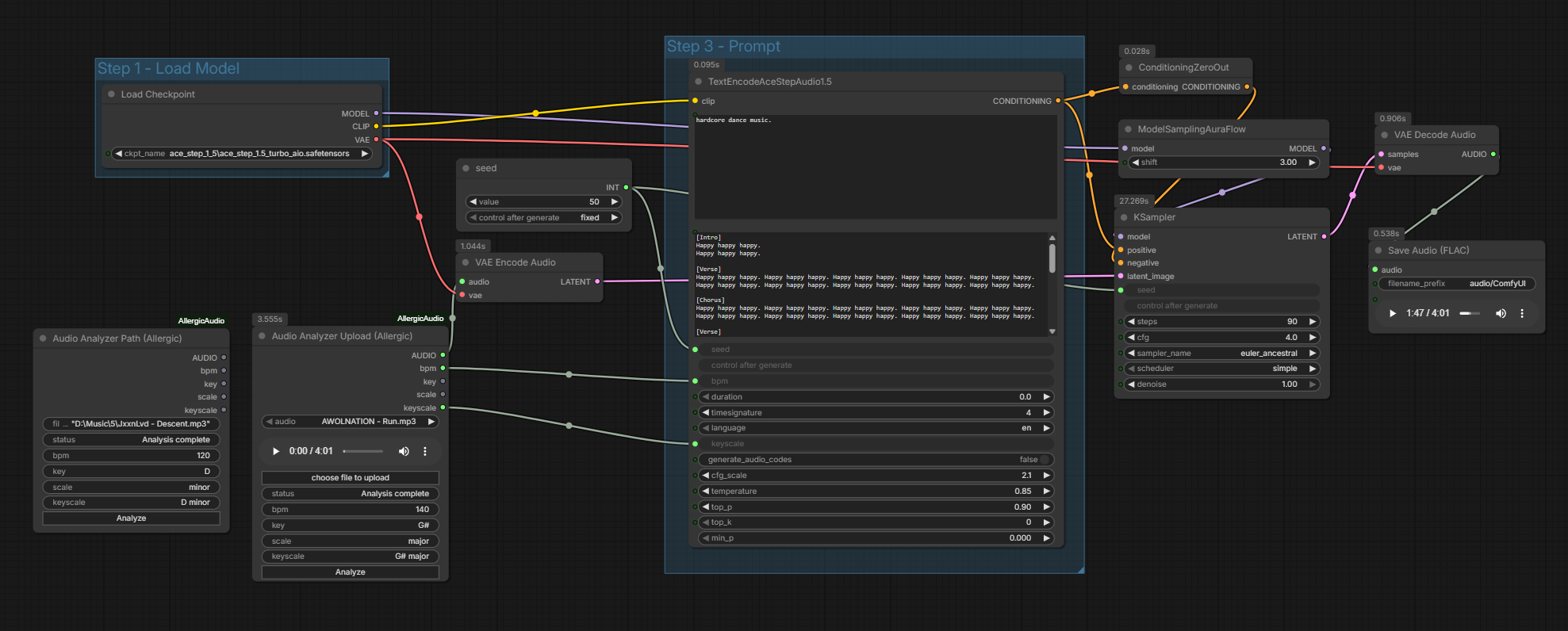
Detects BPM and musical key from an audio file using the Krumhansl-Schmuckler algorithm. Outputs BPM (INT), key, scale, and keyscale (e.g. "G minor") as well as an AUDIO output. Comes in two variants:
- Audio Analyzer Path - accepts a raw file path string (for minimalists)
- Audio Analyzer Upload - uses ComfyUI's built-in file picker with audio preview
Installation
Via ComfyUI Manager (Recommended)
Search for "Allergic Audio" in ComfyUI Manager and install the most recent version. Dependencies will be installed automatically.
Via Comfy Registry
comfy node install AllergicAudio
Manual Installation
Clone to "custom_nodes" and install dependencies:
Windows (Portable Version):
cd ComfyUI_windows_portable\ComfyUI\custom_nodes
git clone https://github.com/usrname0/ComfyUI-AllergicAudio.git
cd ComfyUI-AllergicAudio
..\..\..\python_embeded\python.exe -m pip install .
Linux/Mac or Standard Python Installation:
cd ComfyUI/custom_nodes
git clone https://github.com/usrname0/ComfyUI-AllergicAudio.git
cd ComfyUI-AllergicAudio
pip install .