
FFRAMES
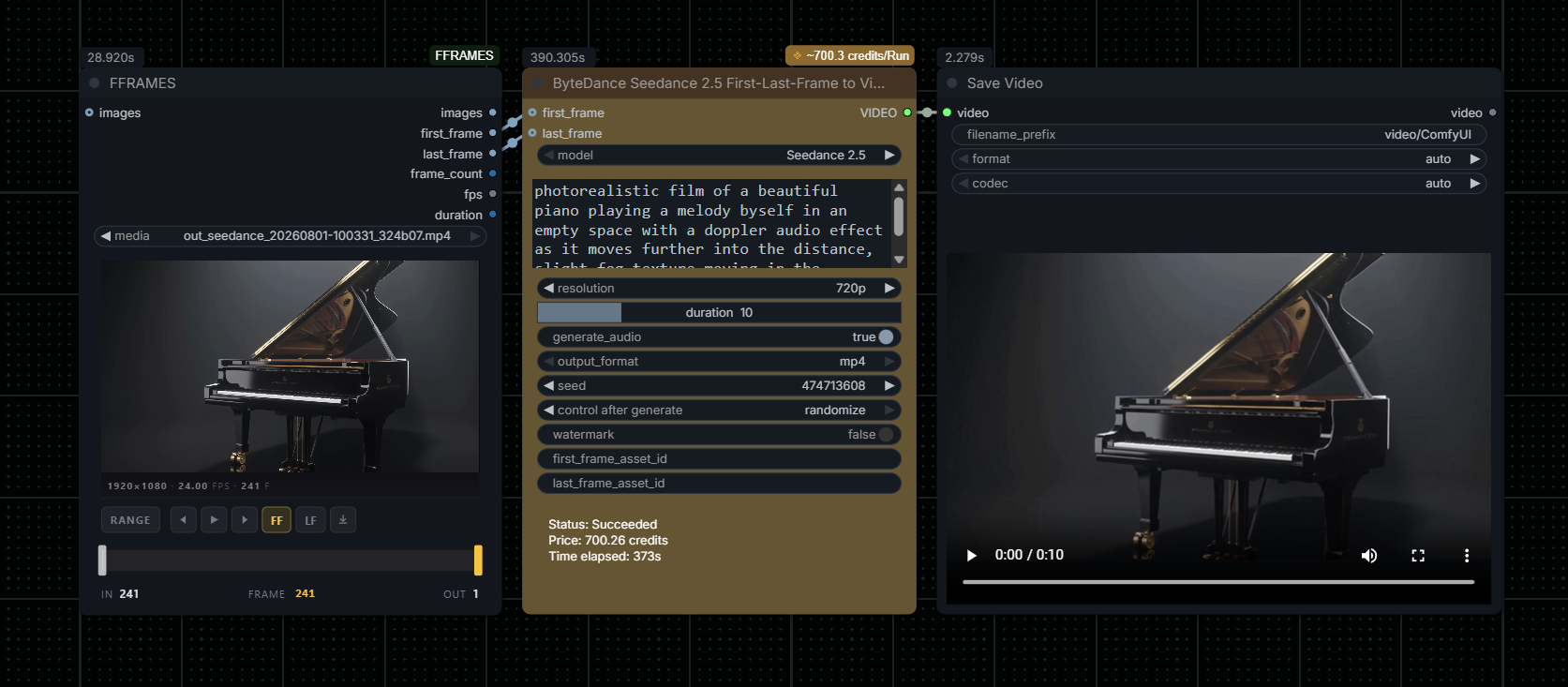
Video frame picker + trimmer for ComfyUI. Scrub, pick FF/LF, pipe into first-frame/last-frame video models.
FFRAMES
Hybrid video frame picker + trimmer for ComfyUI. Scrub a video, pick a first / last frame (or a whole range), and pipe the result into the rest of your graph — pairs cleanly with any first-frame-last-frame video model (Seedance, Wan, etc.).
Install
cd ComfyUI/custom_nodes
git clone https://github.com/spiritform/FFRAMES
Requires opencv-python, pillow, numpy (already present in most Comfy installs).
Use
Add FFRAMES (category image/animation) and either double-click the preview to upload a video, or connect an IMAGE batch to the images input (e.g. from VHS_LoadVideo).
FF / LF — the two markers on the timeline
The two draggable handles on the strip are your FF (first frame) and LF (last frame) markers. They can sit anywhere on the timeline — even on the same frame, and FF can sit past LF (the batch output flips so the sequence runs FF → LF regardless).
The FF and LF buttons in the transport are preview-only — they jump the playhead onto that marker so you can eyeball exactly which frame it's sitting on. They light up yellow when the playhead is currently parked on that marker.
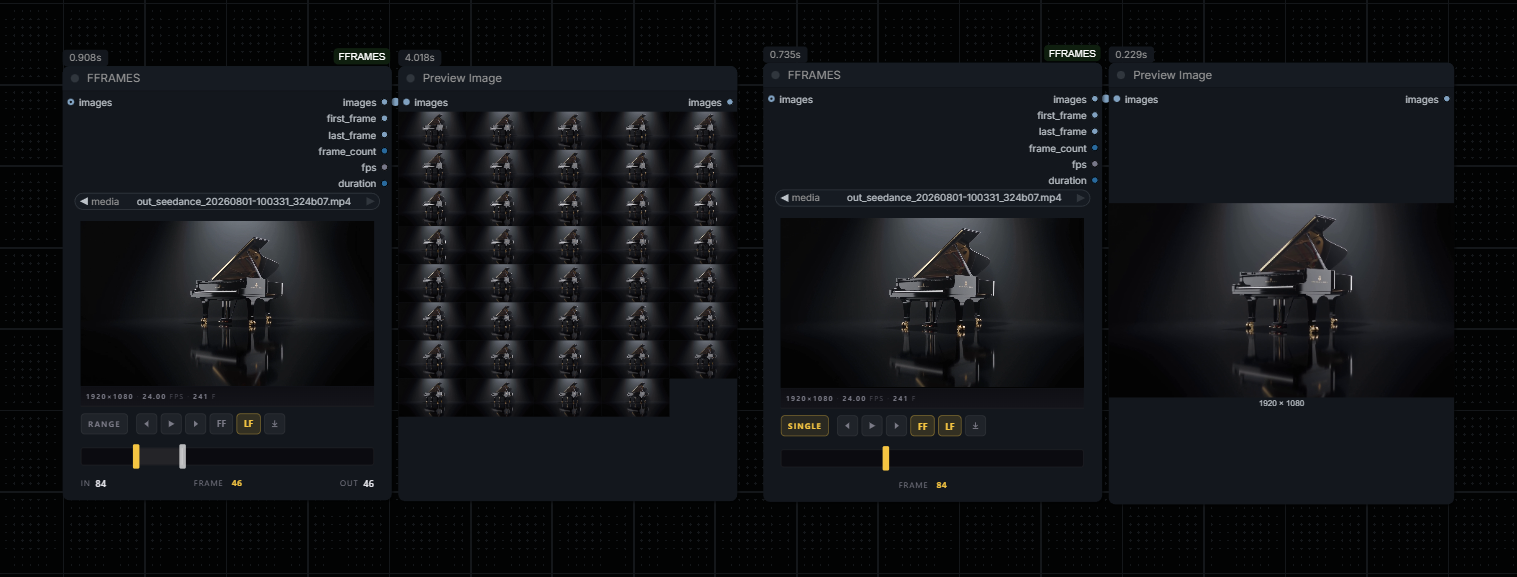
Left: RANGE mode with FF at frame 84 and LF at frame 46 — the images output is a reversed sequence (frames run 84 → 46). Right: SINGLE mode with both markers on frame 84 — one frame out.
Outputs
| pin | type | what it is |
| --- | --- | --- |
| images | IMAGE | the batch of frames from FF to LF (flipped if FF > LF) |
| first_frame | IMAGE | single frame at the FF marker |
| last_frame | IMAGE | single frame at the LF marker |
| frame_count | INT | number of frames in images |
| fps | FLOAT | source frame rate |
| duration | INT | length of images in whole seconds (rounded) — plugs straight into duration fields on video models |
Extras
- Scrub the timeline directly — click anywhere on the bar to move the playhead.
- Export PNG — the download icon saves the current frame with a zero-padded filename (
clip_f001.png, width matches the total frame count). - Drag out — drag the preview onto the canvas to spawn a
LoadImagenode containing the current frame. - Keyboard —
←/→step one frame,Shift+ arrow steps 10,Spacetoggles play.