
TetriNode
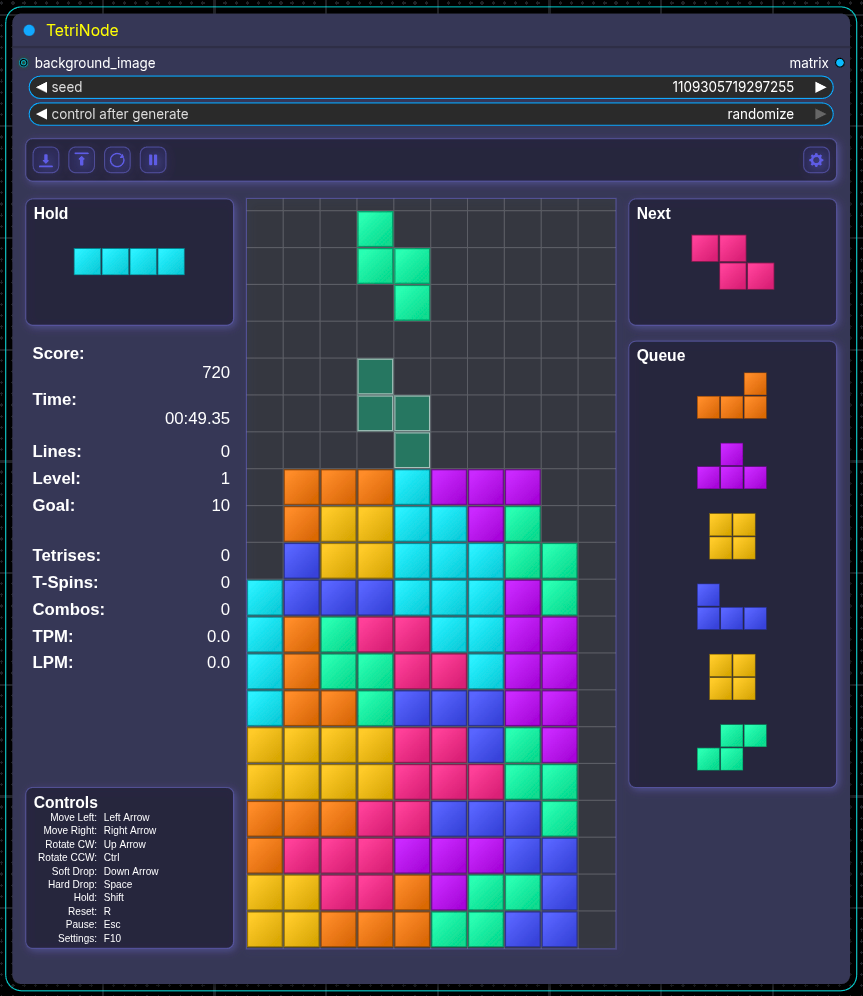
A ComfyUI custom node pack that embeds a playable Tetris game inside a node UI, with image outputs for the live board and next-piece preview.
TetriNode
<p> <img src="docs/images/banner.png" width="50%"> </p>A ComfyUI custom node pack that embeds a playable Tetris game inside a node UI, with an image output for the live board.
Features
- Live, playable Tetris inside the node UI
- Matrix image output for the live board
- Hold, next piece, and queue panels inside the node UI
- Optional background image (scaled to cover, center-cropped)
- Optional ghost piece and playfield grid
- Official Tetris Guideline-based scoring (lines, T-Spins, drops, and back-to-back bonuses)
- Level progression with official fall speeds
- Pause/Play, Reset, Load State, and Save State controls
- Seeded piece generation with a standard seed widget available
- In-node toolbar with a single Settings screen (tabs: Settings, Controls, Block Style, Colors, UI Themes, Animation, Music)
- Built-in music player with 6 loopable tracks, custom MP3 support, volume/mute, and level-based speed increase
- Block Style presets with extensive style sliders and per-slider reset
- Optional block textures (Pixel Art, Brushed Metal, Wooden Block, Concrete, Toxic Slime)
- Randomized texture sampling per block for supported textures
- Animation effects (lock flash sweep, line clear, hard drop trail, score toasts)
Nodes
TetriNode
Main gameplay node.
Inputs
seed(INT): Seed used for piece sequencebackground_image(IMAGE, optional): Background image for the game board (scaled to cover, then center-cropped)
Outputs
matrix(IMAGE): current board
UI controls
- Top toolbar: Load State, Save State, Reset, Pause/Play, Music volume/mute, and a Settings screen.
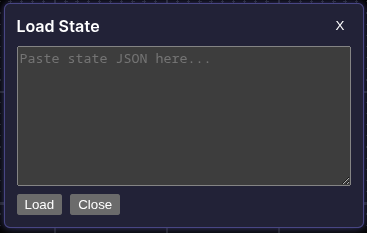
- Load State: Opens a screen to paste a serialized state.
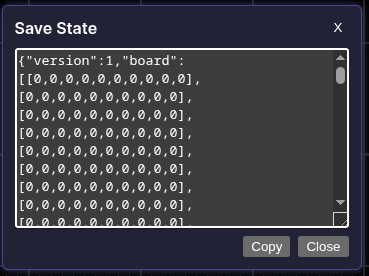
- Save State: Opens a screen with the current state JSON for copy/paste.
Settings screen
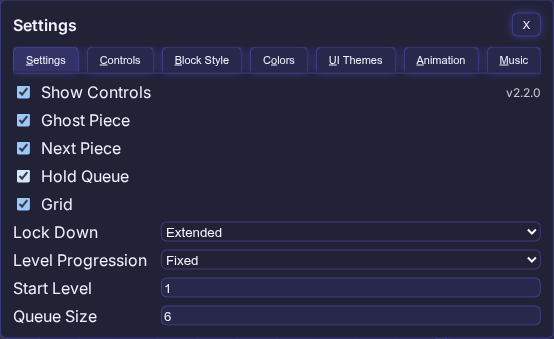
All configuration now lives inside TetriNode (no external options node). The Settings screen is tabbed.
- Settings: Toggles (controls/ghost/next/hold/grid), lock-down mode, level progression, start level, and queue size.
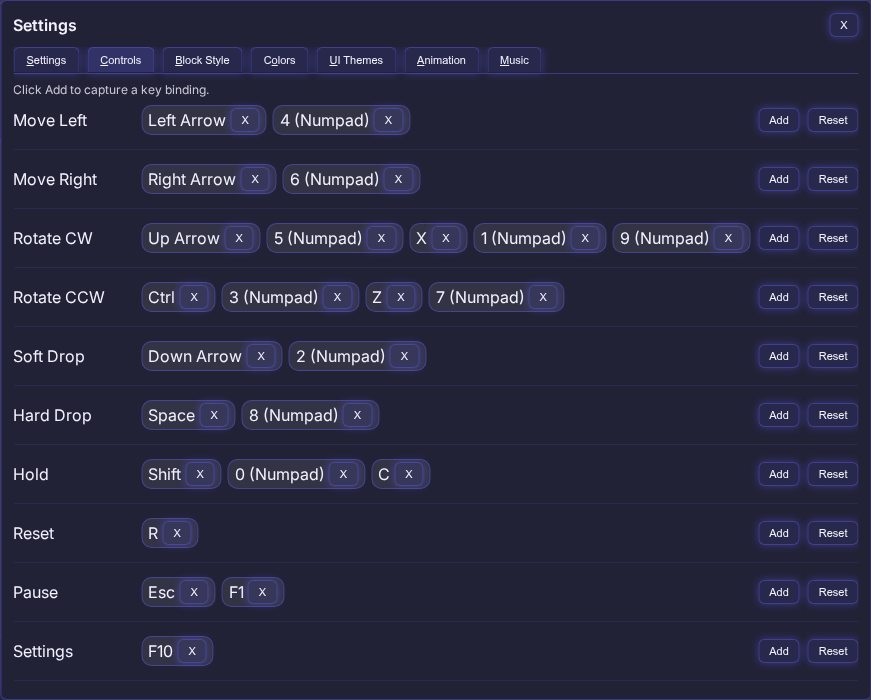
- Controls: Click Add to capture a key (up to 5 per action). Remove any binding with the
X, or reset per action. Capture supports the same allowed keys as before and shows human-friendly labels.
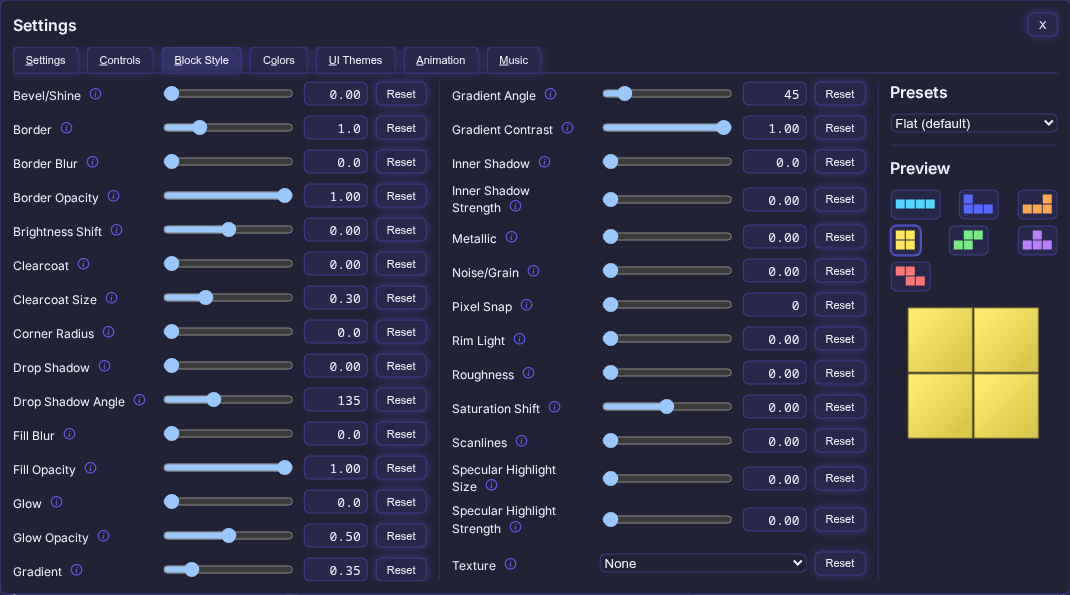
- Block Style: Presets plus detailed style sliders (border, bevel, gradients, glow, shadows, etc.) with per-slider reset.
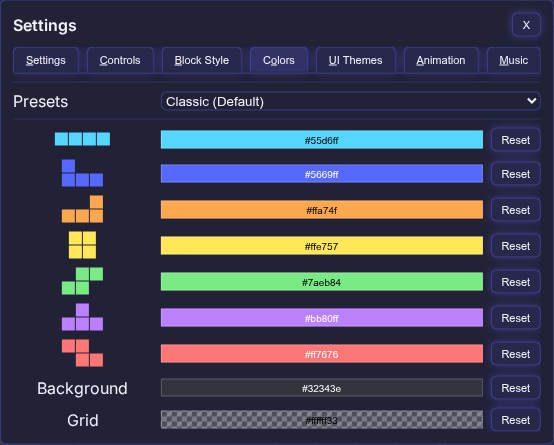
- Colors: Per-piece colors plus background and grid colors. Presets dropdown includes multiple palettes; tetromino colors use 6‑digit hex; grid supports alpha.
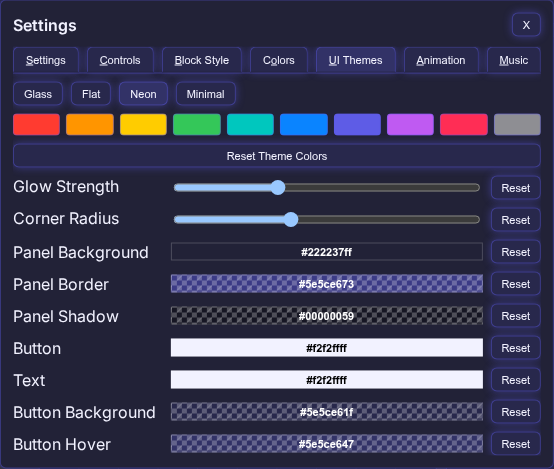
- UI Themes: Glass/Flat/Neon/Minimal presets with editable colors and a “Reset Theme Colors” button.
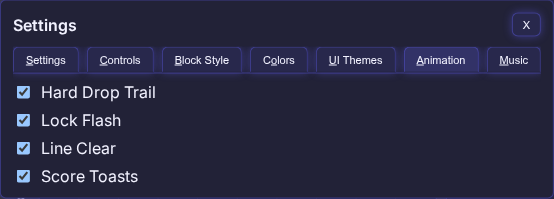
- Animation: Toggles for Hard Drop Trail, Lock Flash, Line Clear, and Score Toasts. Disabling Line Clear or Lock Flash removes their timing delays.
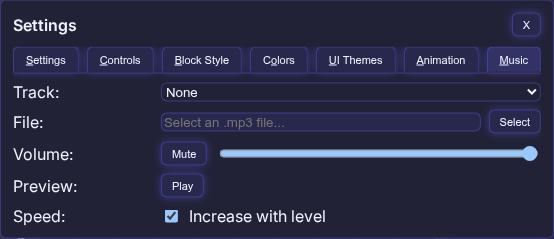
- Music: Built-in Game Boy and NES tracks, custom MP3 selector, volume/mute, preview button, and a toggle for progressive speed increase.
Controls (Default)
Displayed inside the node UI and reflected in the game input handler.
- Move Left:
ArrowLeft/Numpad4 - Move Right:
ArrowRight/Numpad6 - Rotate CW:
ArrowUp/Numpad5/X/Numpad1/Numpad9 - Rotate CCW:
Ctrl/Numpad3/Z/Numpad7 - Soft Drop:
ArrowDown/Numpad2 - Hard Drop:
Space/Numpad8 - Hold:
Shift/Numpad0/C - Reset:
R - Pause:
Esc/F1
Scoring
Scoring follows the Official 2009 Tetris Design Guideline.
Line clears (× Level)
- Single: 100
- Double: 300
- Triple: 500
- Tetris: 800
T-Spins (× Level)
- T-Spin: 400
- T-Spin Single: 800
- T-Spin Double: 1200
- T-Spin Triple: 1600
Mini T-Spins (× Level)
- Mini T-Spin: 100
- Mini T-Spin Single: 200
Drops
- Soft Drop: +1 per row
- Hard Drop: +2 per row
Back-to-Back
- 0.5× bonus for consecutive Tetrises, T-Spin line clears, and Mini T-Spin line clears
- Non-line T-Spins/Mini T-Spins do not start a B2B chain and do not break an existing chain
- Singles/Doubles/Triples break a B2B chain
Variable goal line awards
- When
level_progressionisvariable, the Lines Cleared counter uses awarded line clears per action. - Awarded lines: Single/Mini T-Spin = 1, Mini T-Spin Single = 2, Double = 3, Triple = 5, T-Spin = 4, Tetris/T-Spin Single = 8, T-Spin Double = 12, T-Spin Triple = 16
- Back-to-Back adds +0.5× awarded line clears
Leveling
Levels are capped at 15 and drive normal fall speed.
Fixed goal system (default)
- Level increases every 10 lines cleared
Variable goal system
- Level 1: 5 lines
- Level 2: 10 lines
- Level 3: 15 lines
- …adding 5 more lines per level up to 15
Fall speed formula
(0.8 - ((level - 1) * 0.007))^(level - 1)seconds per line- Soft Drop is 20× faster than the current fall speed
Fall speed (approx., seconds per line)
- Level 1: 1.000
- Level 2: 0.793
- Level 3: 0.618
- Level 4: 0.473
- Level 5: 0.355
- Level 6: 0.262
- Level 7: 0.190
- Level 8: 0.135
- Level 9: 0.094
- Level 10: 0.064
- Level 11: 0.043
- Level 12: 0.028
- Level 13: 0.018
- Level 14: 0.011
- Level 15: 0.007
Developer Structure
The runtime behavior is unchanged, but the codebase has been split for easier navigation:
tetris_node.pynow acts as a compatibility export wrapper.- Python internals are organized under
tetrinode/by concern (assets,state,game,render,node_api). - JS gameplay entry remains
js/tetris_live.js, with extracted modules underjs/live/(constants,data,core,render,ui,config,input,bridge). - Refactor architecture and module map are documented in
docs/refactor_architecture.md. - Behavior and interface parity checks live in
qa/parity/.
Installation
Installation (preferred)
Install via ComfyUI Manager. Search for "TetriNode" and click install. The node pack is also available on the Comfy Registry site by clicking here.
Installation (alternative)
- Copy this repository into
ComfyUI/custom_nodes/TetriNode/. - Restart ComfyUI.
- Add
TetriNodefrom the node list.
License
MIT