
ComfyUI Extension
lorainfo-sidebar
A ComfyUI extension.
somesomebody/comfyui-lorainfo-sidebar
Nodes—
On cloudLocal install
Stars5
Updatedabout a year ago
Readme
lorainfo-sidebar
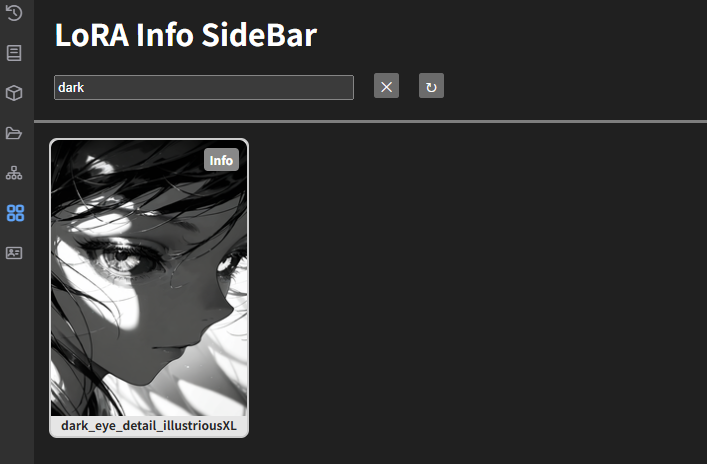
Description
LoRA Info Sidebar allows you to preview images of LoRA files and edit their associated JSON files
<br>Installation
- Open a terminal and navigate to
ComfyUI/custom_nodesin terminal - Run
git clone https://github.com/somesomebody/lorainfo-sidebar.git - Restart the ComfyUI
OR
If ComfyUI Manager is already installed
- search
comfyui-lorainfo-sidebarand install - Restart the ComfyUI
Usage
- This extension scans the
models/lorasfolder for.safetensorsfiles. - The JSON and preview image filenames must match the LoRA file's name.
- You can place the preview image and JSON file in the same directory as the LoRA file.
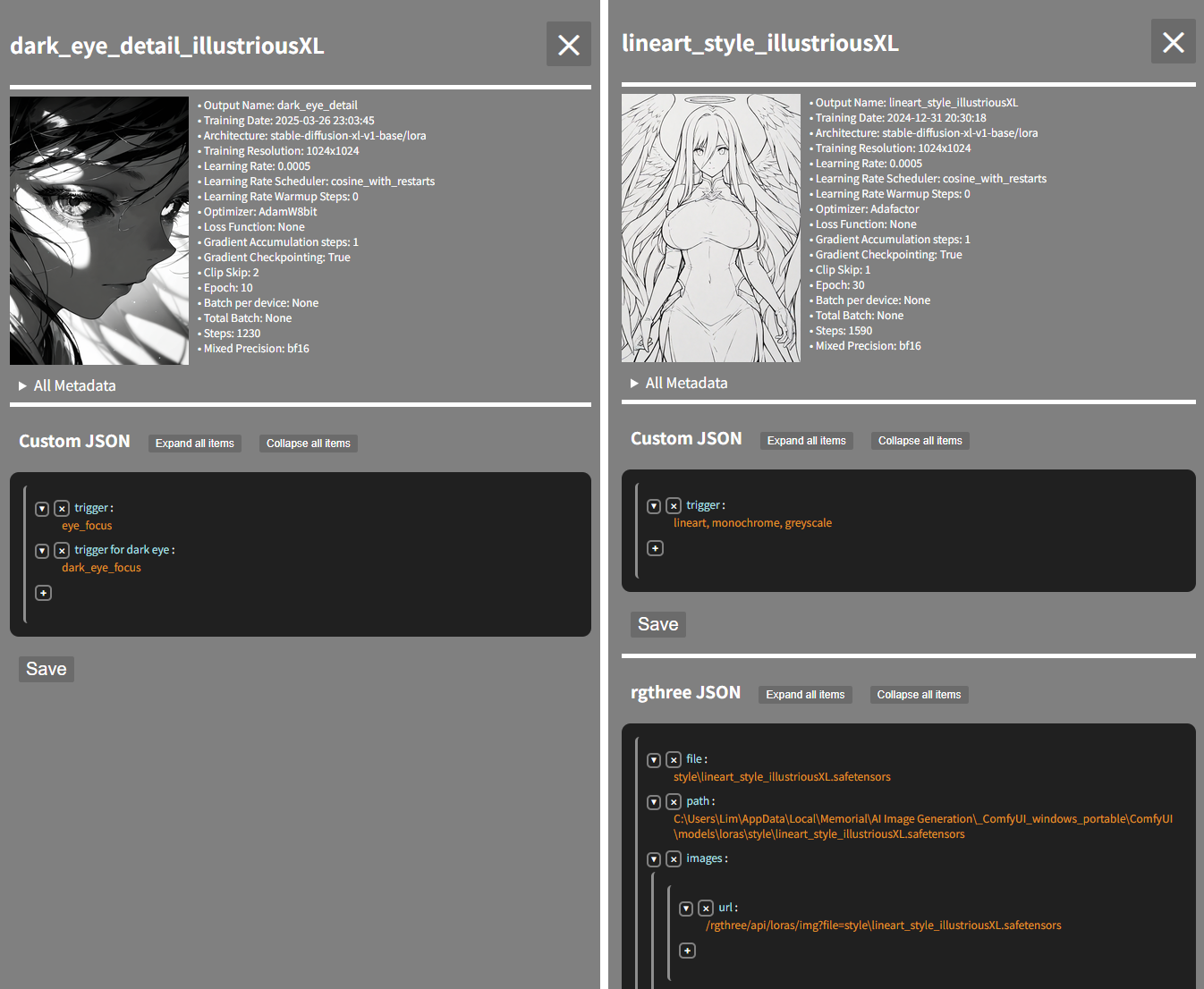
- If rgthree's JSON file exists, you can edit it
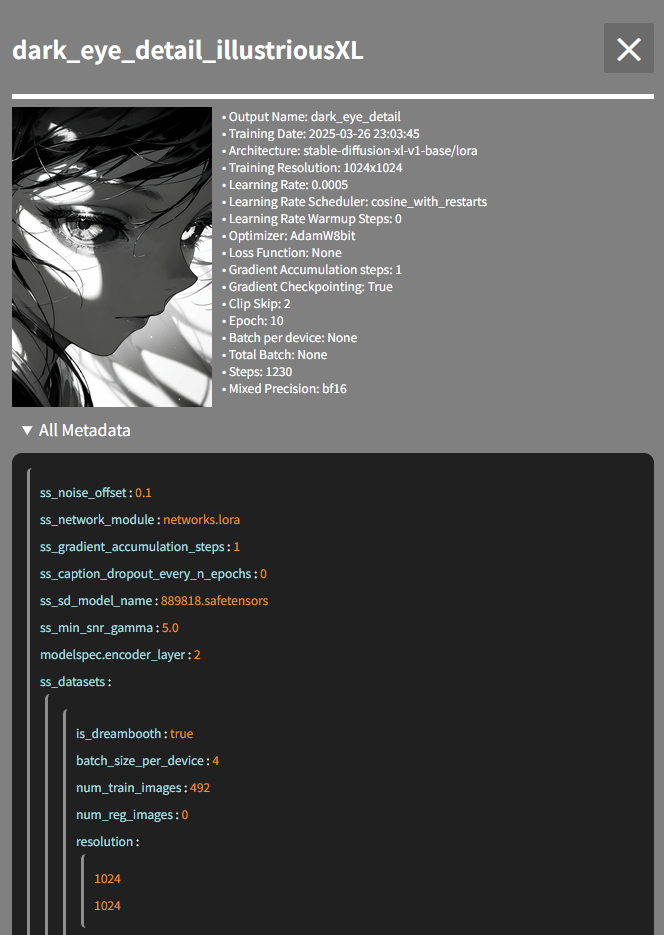
- You can check LoRA's metadata like this :
- You can edit the JSON file like this :
Change Log
- 1.2.2
- Fix the JPG preview loading issue
- Add settings to allow changing the font size of metadata and JSON
- Select all text when you focus on a key or value
- Add placeholders for the key and value fields
- Files that start with . or ._ are now ignored
- 1.2.1
- Support for rgthree's JSON file
- Add a toggle button to show/hide items
- Enhance the visibility of all metadata
- 1.2.0
- Modified the JSON editor to support nested JSON structures
- Reduced the server load caused by loading previews
- Add a white overlay while loading the sidebar
- Fix the CSS loading issue
- 1.1.6
- Adjustments to the LoRA file preview styling
- Improved the loading stability of the info button and filename text in the LoRA file preview across different environments
- Pinned the title and search bar to the top