
TaoMate-HD Progressive Sampler
ComfyUI sampler adapter for TaoMate-HD three-stage progressive MiniMax H3 audio-video generation
ComfyUI-TaoMateHD
Unofficial ComfyUI adapter for the TaoMate-HD three-stage progressive sampler with native MiniMax H3 audio-video models.


Updates
- 2026-11-07 — Digital human workflow: replaced earlier digital-human drafts with the canonical example
examples/TaoMateHD_digital_human.json. - AV latent masks:
TaoMateHDProgressiveSamplernow accepts MiniMax H3 video/audio noise masks;0preserves and1generates. - Resolution alignment: H3 generation sizes must be 32-pixel aligned. The digital-human example uses
ResolutionSelector.multiple=32so the VAE latent axes remain even for 2x2 patchification. - SOL-accelerated digital human: added
examples/TaoMateHD_digital_human_SOL.jsonwith SOL block-sparse attention, local prompt enhancement and preview nodes. - Demo video: added the SOL digital-human showcase to
demo/and previewed it near the top of this README.
Demo
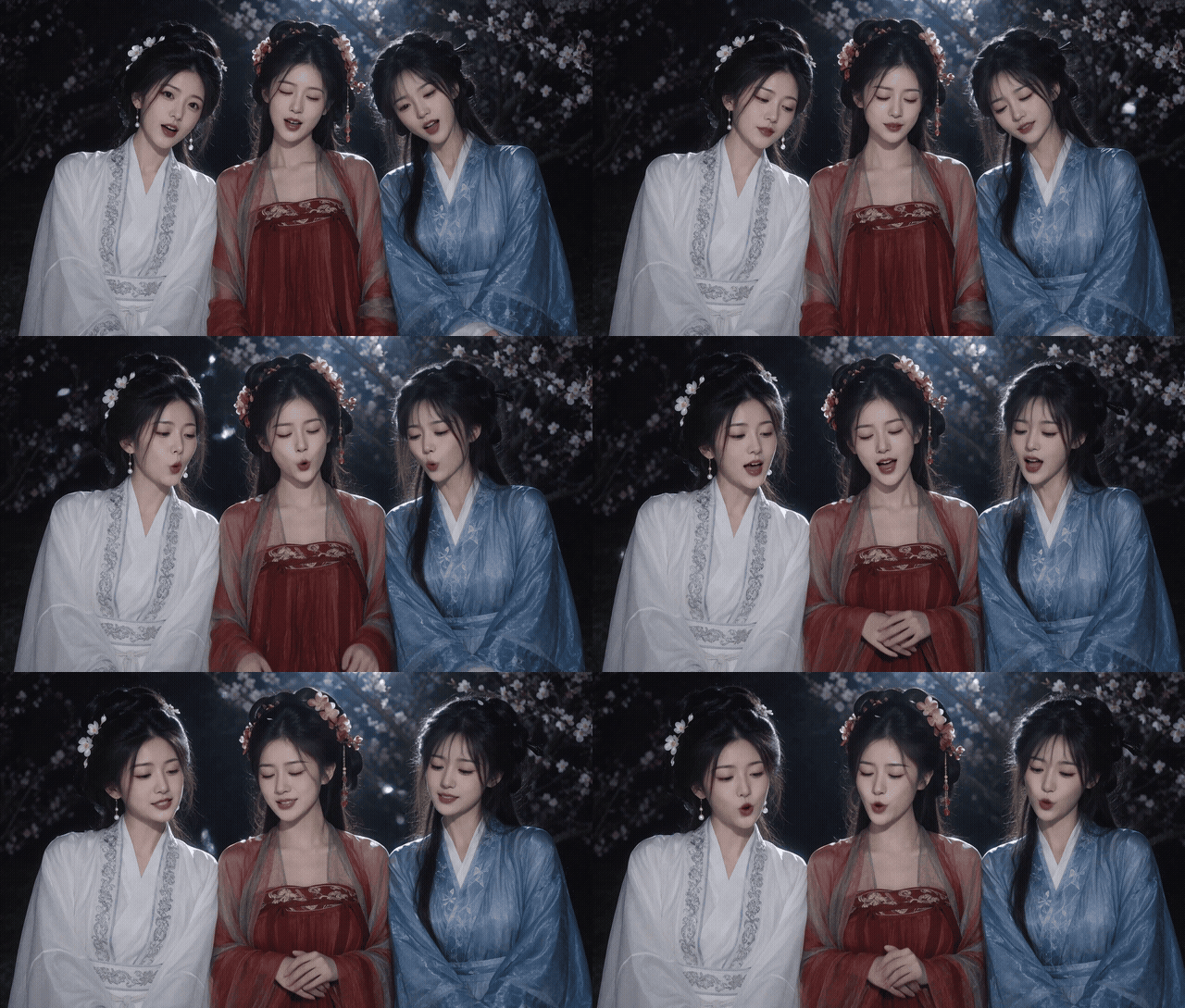
TaoMate HD + SOL digital-human demo — 1920x1088, 24 FPS, 5.17 seconds. Click the preview to open the MP4 with audio.
What it does
TaoMate HD Progressive Sampler executes TaoMate-HD's three model forwards inside one ComfyUI node:
low resolution:  sigma 1.0  -> sigma(state 16)
low resolution:  sigma 16   -> sigma(state 33)
coupled lift:    low-resolution latent -> high-resolution latent
high resolution: sigma 33   -> sigma 0
The four teacher states are:
0, 16, 33, 49
The default steps=3 therefore means:
2 low-resolution model forwards + 1 high-resolution model forward
Features
- Three-stage progressive-resolution sampling for native MiniMax H3 AV latent
- T2VA support
- Ref2VA support through native H3
minimax_refsconditioning - Coupled low/high video noise and audio noise
- Native ComfyUI audio-video latent handling
- AV latent-mask support for source-audio preservation and digital-human workflows
- Optional SOL block-sparse accelerated digital-human example
- Optional experimental 4/6/8-step splits
Ref2VA support in this ComfyUI adapter is experimental. It uses the native MiniMax H3 reference-conditioning path rather than the T2VA-only public TaoMate-HD inference script.
Requirements
- ComfyUI with native MiniMax H3 support
- A MiniMax H3 model with FL2VA or Ref2VA capabilities
- MiniMax H3 video VAE, audio VAE, and text encoder
- The converted ComfyUI-compatible TaoMate-HD LoRA: slmonker/TaoMate-HD-preview-comfy
Installation
ComfyUI Manager
Search for TaoMate-HD Progressive Sampler in ComfyUI Manager, or install Registry ID taomate-hd.
cd ComfyUI/custom_nodes
git clone https://github.com/slmonker/ComfyUI-TaoMateHD.git
Restart ComfyUI after installation.
Download the converted LoRA
hf download slmonker/TaoMate-HD-preview-comfy \
  TaoMate-HD-preview-comfy.safetensors \
  --local-dir ComfyUI/models/loras
Load it with:
LoraLoaderModelOnly
  lora_name = TaoMate-HD-preview-comfy.safetensors
  strength_model = 1.0
The uploaded file is the converted ComfyUI key format and includes TaoMate's per-module alpha. Do not load the original upstream adapter_model.safetensors directly in ComfyUI.
Convert the upstream LoRA yourself
python tools/convert_taomate_lora.py \
  --source /path/to/TaoMate-HD \
  --output /path/to/ComfyUI/models/loras/TaoMate-HD-preview-comfy.safetensors \
  --model /path/to/minimax_h3_hybrid_fl2va_ref2va.safetensors
The default conversion produces FP32 weights at roughly 2.48 GB. --dtype bf16 produces a smaller experimental file.
Workflow
UNETLoader
  -> LoraLoaderModelOnly
  -> MiniMaxH3SigmaShift (shift_video=12, shift_audio=3)
  -> TaoMate HD Progressive Sampler
  -> Separate AV Latent
       -> VAEDecode (video VAE)
       -> VAEDecodeAudio (audio VAE)
T2VA
MiniMax H3 Image to Video (no first/last frames)
  positive -> TaoMateHDProgressiveSampler.positive
  latent   -> TaoMateHDProgressiveSampler.latent
Ref2VA
MiniMax H3 Reference to Video
  positive -> TaoMateHDProgressiveSampler.positive
  latent   -> TaoMateHDProgressiveSampler.latent
Use a Ref2VA-capable or hybrid H3 checkpoint for this path. Reference conditioning is carried through all three sampling stages using the same native positive input.
Digital human / source-audio preservation
Standard workflow: examples/TaoMateHD_digital_human.json.
SOL-accelerated workflow: examples/TaoMateHD_digital_human_SOL.json.
LoadImage / LoadAudio
  -> MiniMaxH3ReferenceToVideo
  -> LTXVAudioVAEEncode -> SolidMask(0) -> SetLatentNoiseMask
  -> LTXVConcatAVLatent
  -> TaoMateHDProgressiveSampler
- mask
1generates; mask0preserves. - Use
SolidMask=0on the audio latent to preserve the source voice and drive lip sync. - Leave the video latent unmasked so H3 generates the picture.
- The example uses
ResolutionSelectorwith 16:9, 1 MP andmultiple=32, producing a 1376x768 canvas / 86x48 H3 latent. Keep generation dimensions 32-pixel aligned for 2x2 patchification. PrimitiveFloatcontrols the 5-second source-audio duration; the same value feeds the 124-frame length calculation. Change it only after checking that the resulting audio and frame lengths remain aligned.- The SOL variant uses
BlockSparseAttention(sol-attn),QwenH3PromptLocal,ModelPreviewOverrideKJandPreviewAny. Install the corresponding custom-node packs before loading that workflow.
Node inputs
| Input | Description |
|---|---|
| model | MiniMax H3 model patched with the converted TaoMate LoRA |
| positive | MiniMax H3 T2VA or Ref2VA conditioning |
| negative | Optional negative conditioning; required only when cfg > 1.0 |
| latent | Empty MiniMax H3 AV latent, or the latent output of the H3 conditioning node |
| seed | Coupled video and audio noise seed |
| steps | Total model forwards; official default is 3 |
| cfg | CFG scale; TaoMate is distilled for 1.0 |
| low_scale | Low-stage spatial scale; default 0.625 (480/768) |
| debug | Log stage shapes, sigmas, allocations, and lift details |
Step allocation
steps=3:1/1/1(official TaoMate schedule)steps=4:2/1/1steps=5:2/2/1steps=6:2/2/2steps=8:3/3/2
Values above 3 only subdivide TaoMate's stages. They are experimental and are not the official distilled schedule.
Example workflows
See examples/:
taomateHD_t2va.json- native T2VA conditioningtaomateHD_ref2va.json- native Ref2VA conditioning with a reference-image inputTaoMateHD_digital_human.json- digital-human source-audio workflow with AV latent-mask preservationTaoMateHD_digital_human_SOL.json- SOL block-sparse accelerated digital-human workflow with prompt enhancement and previews
In taomateHD_ref2va.json and both digital-human workflows, choose your own reference image in LoadImage before running. In the digital-human workflows, also choose your source audio in LoadAudio.
Model names in the workflows are unqualified ComfyUI model names. Select the corresponding files installed in your own ComfyUI model directories.
Current limitations
This release is a single-window proof of concept and does not include the upstream streaming implementation:
- One 5-second window, approximately 124 frames at 24 FPS
- Batch size 1
- T2VA supported
- Ref2VA supported experimentally through native H3 conditioning
- FL2VA first/last-frame keyframes are not implemented
- AV latent masks are supported, including digital-human audio preservation (
0preserves,1generates) - No 5-second window loop
- No cross-window stage-local KV cache
- No 8-GPU 1/1/4/2 pipeline
Hardware notes
The upstream reference implementation reports validation on eight H20 96 GB GPUs. This ComfyUI adapter reuses native H3 loaders and quantized models to make single-GPU single-window experiments possible, but does not guarantee upstream speed or VRAM behavior.
For a 32 GB GPU, start with an int8/fp8 H3 model, keep the text encoder offloadable, and test at 480p before moving to 768p.
Implementation notes
- Four teacher states are fixed at
0, 16, 33, 49 - Low-stage state is lifted to the high grid using coupled noise
- Audio latent geometry is retained across stages
- The sampler expects the native MiniMax H3 nested AV latent
- Ref2VA references are passed through the native
minimax_refsconditioning metadata
Credits and license
This is an unofficial ComfyUI adaptation and is not affiliated with Alibaba TaoLive AIGC or MiniMax.
- TaoMate-HD: https://github.com/TaoLiveAIGC/TaoMate-HD
- MiniMax H3: https://huggingface.co/MiniMaxAI/MiniMax-H3
The adapted implementation follows the MiniMax H3 Community License Agreement. See LICENSE and NOTICE. The base model and upstream adapter remain subject to their original licenses.