
Workflow Models Downloader
Scan workflows for required models and download them automatically from HuggingFace, CivitAI, and other sources. Features include filter dropdowns, Tavily AI-powered advanced search, metadata caching, and automatic URL restoration.
ComfyUI Workflow Models Downloader



A powerful ComfyUI extension that automatically detects models in your workflow and helps download missing ones from HuggingFace, CivitAI, and other sources.
Screenshots
Menu Button
Click the "Workflow Models" button in the ComfyUI menu bar to open the manager.

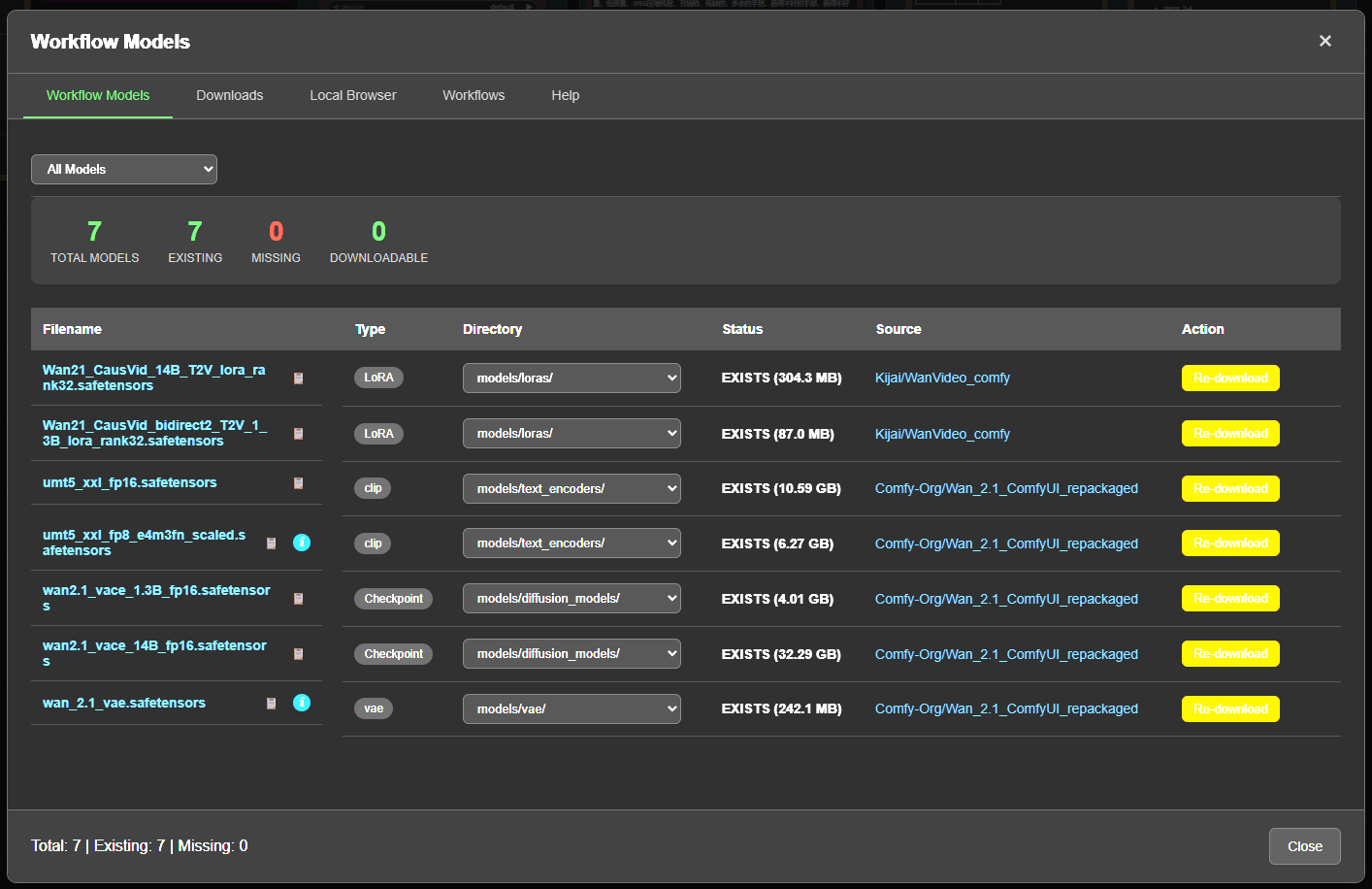
Workflow Models Tab
Scans your active workflow and displays all required models with their status, source, and download options. Features include filter dropdown, Auto-Resolve for bulk downloads, and one-click downloading.
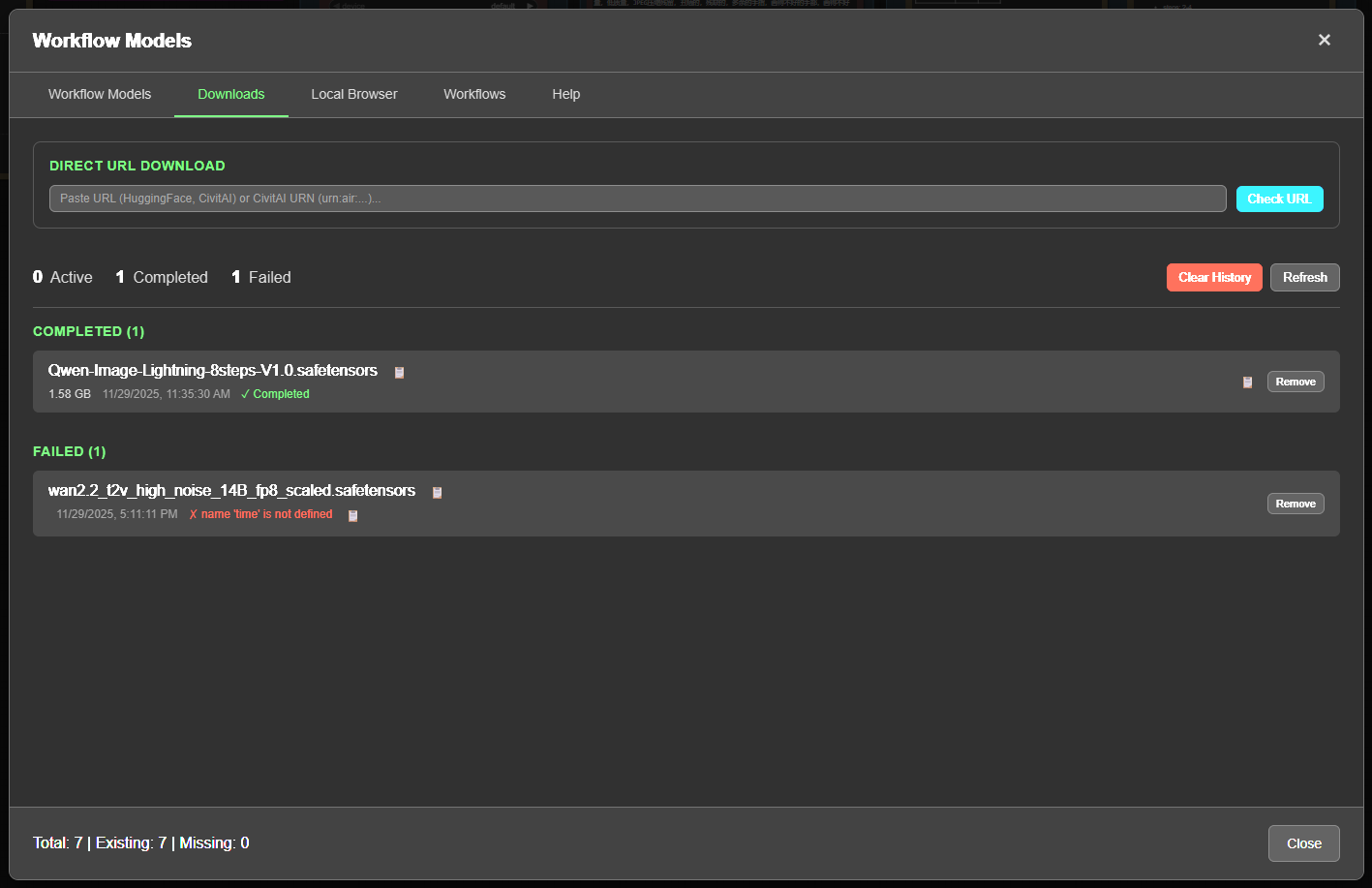
Downloads Tab
Manage all your downloads in one place. Features Direct URL Download - paste any model URL, auto-detect type and target folder, then download with one click.
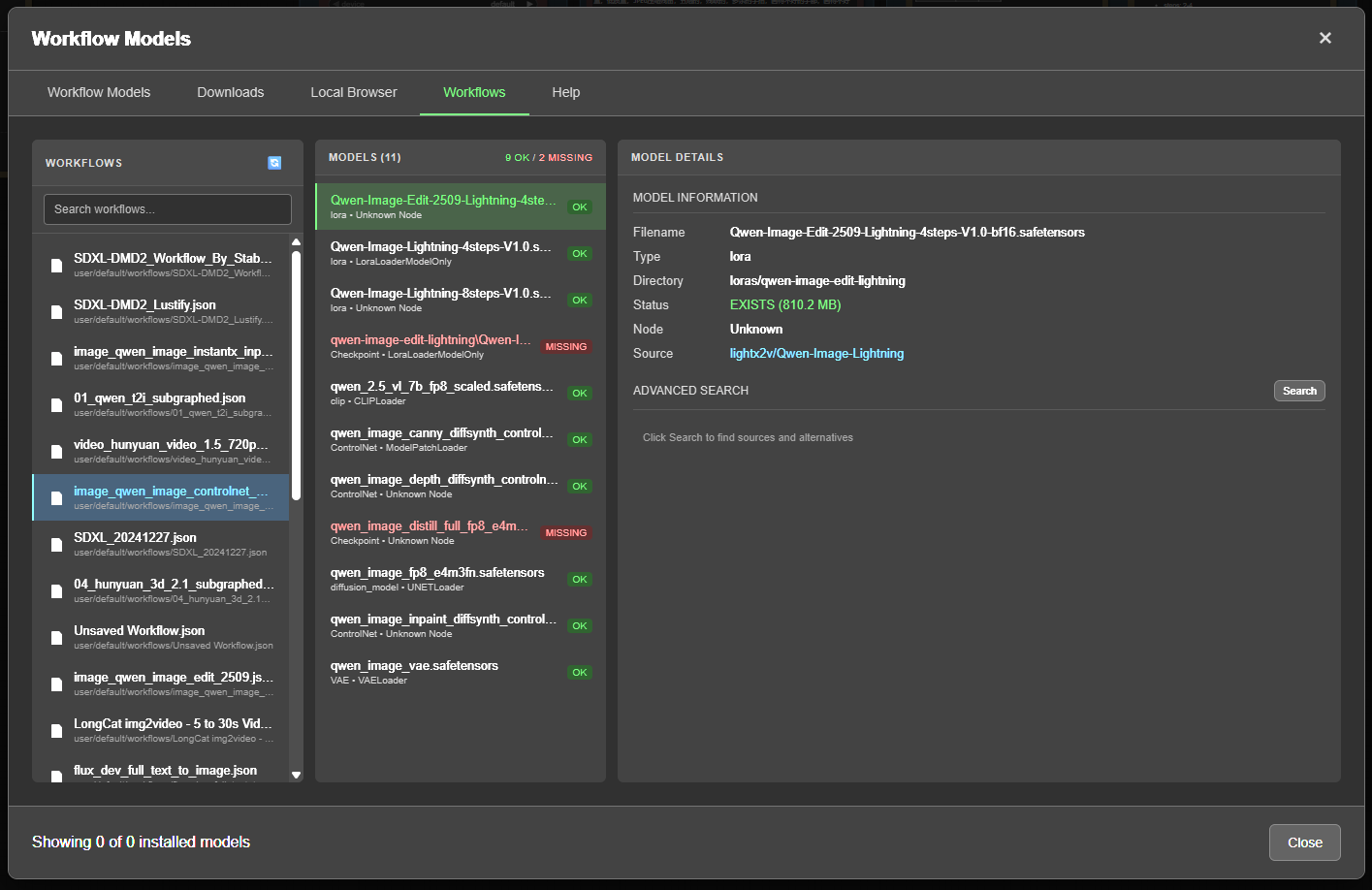
Workflows Tab
Browse saved workflow files and manage model sources:
- 3-column layout - Workflows list, models in workflow, model details
- Manual source entry - Add download URLs for models with unknown sources
- Advanced Search - AI-powered search using Tavily to find model sources
- Search caching - Results persist across restarts
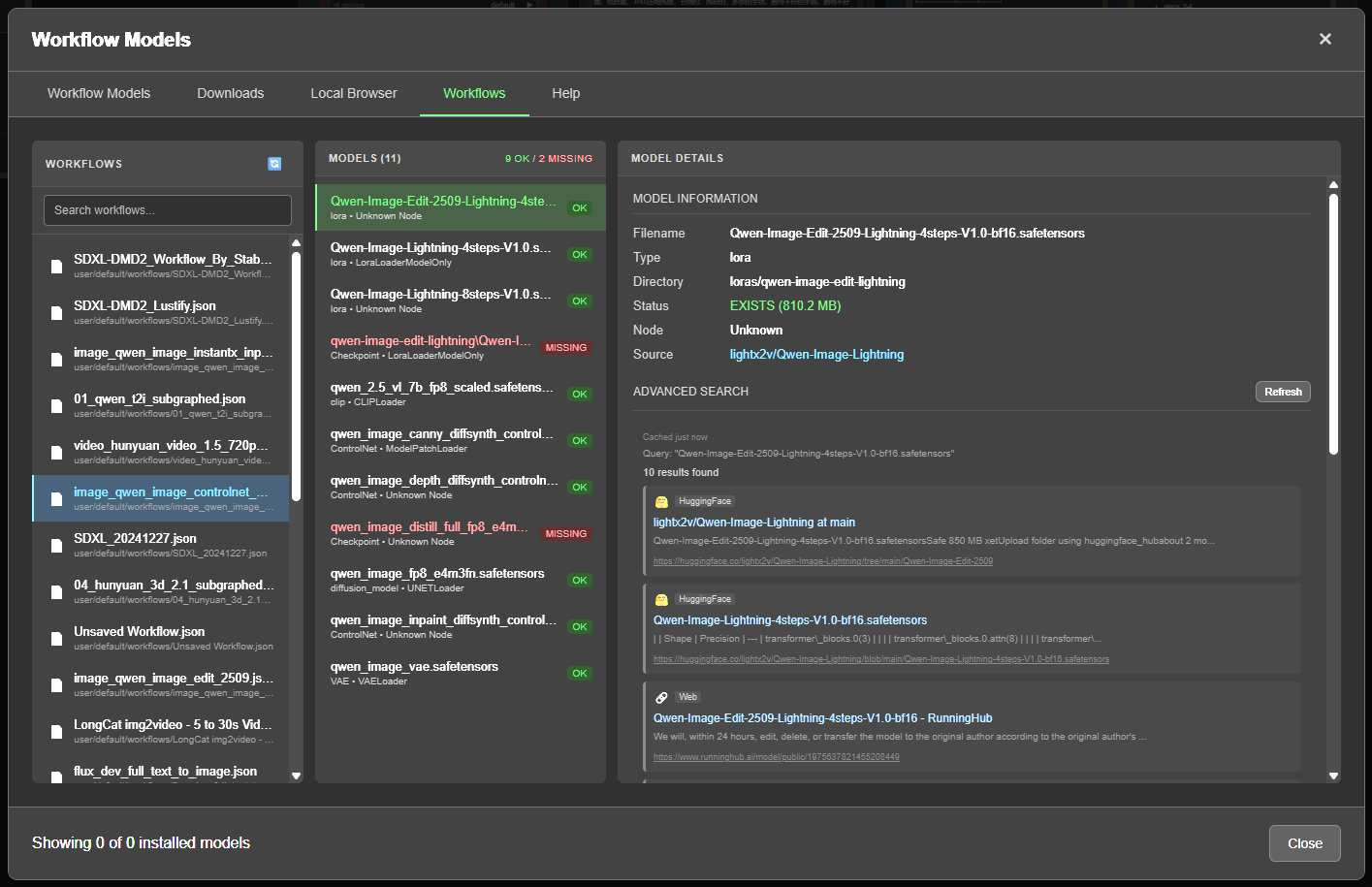
Advanced Search (Tavily)
When a model source is unknown, use Advanced Search to find possible download sources from HuggingFace, CivitAI, and other sites.
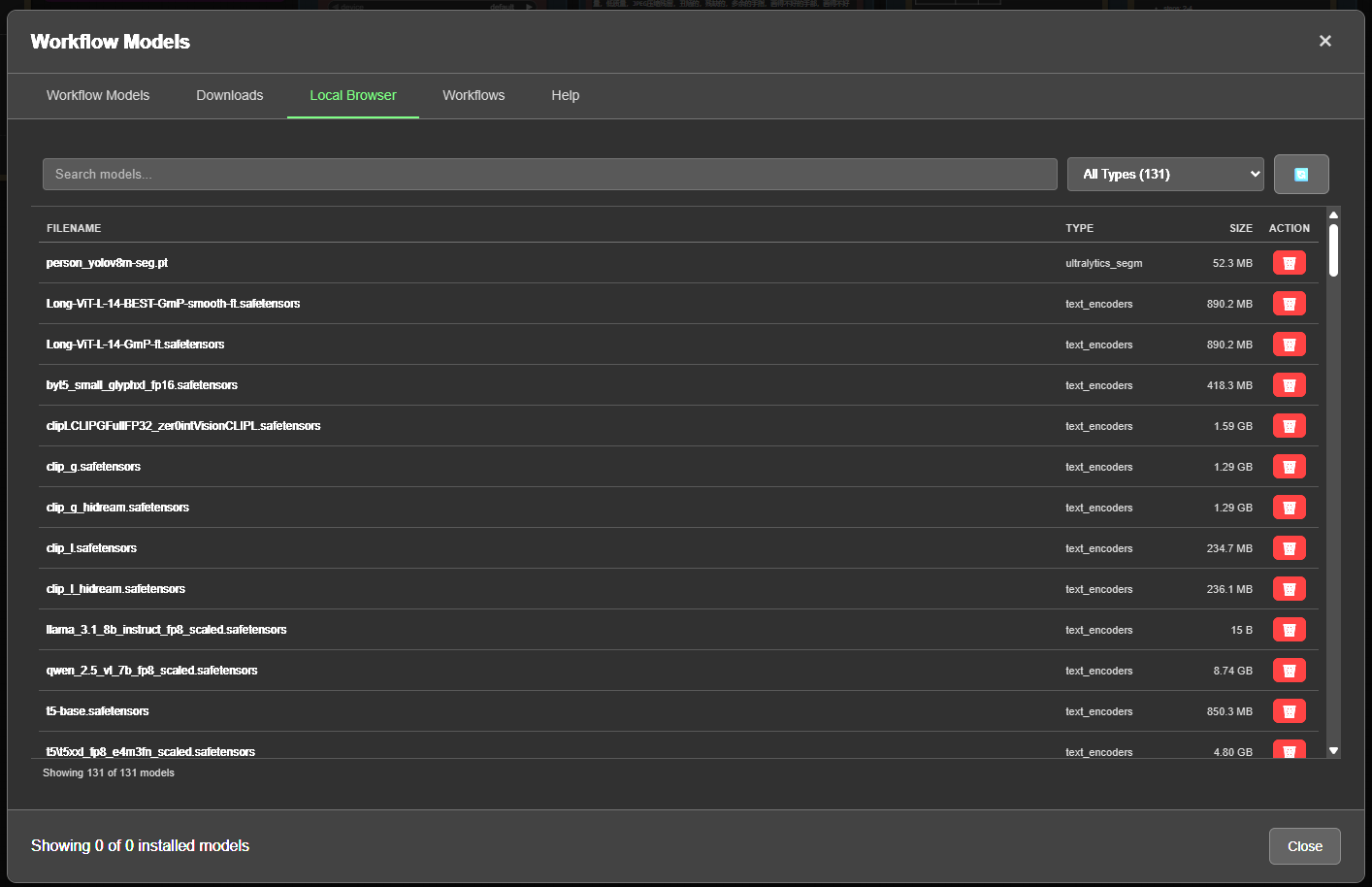
Local Browser Tab
Browse all your installed models organized by folder. Features include:
- Folder tree sidebar with model counts per category
- Unused models filter - identify models not used in any workflow
- Usage Tracking - scan all workflows to build usage history
- Search, sort, and manage with copy path, view details, and delete options
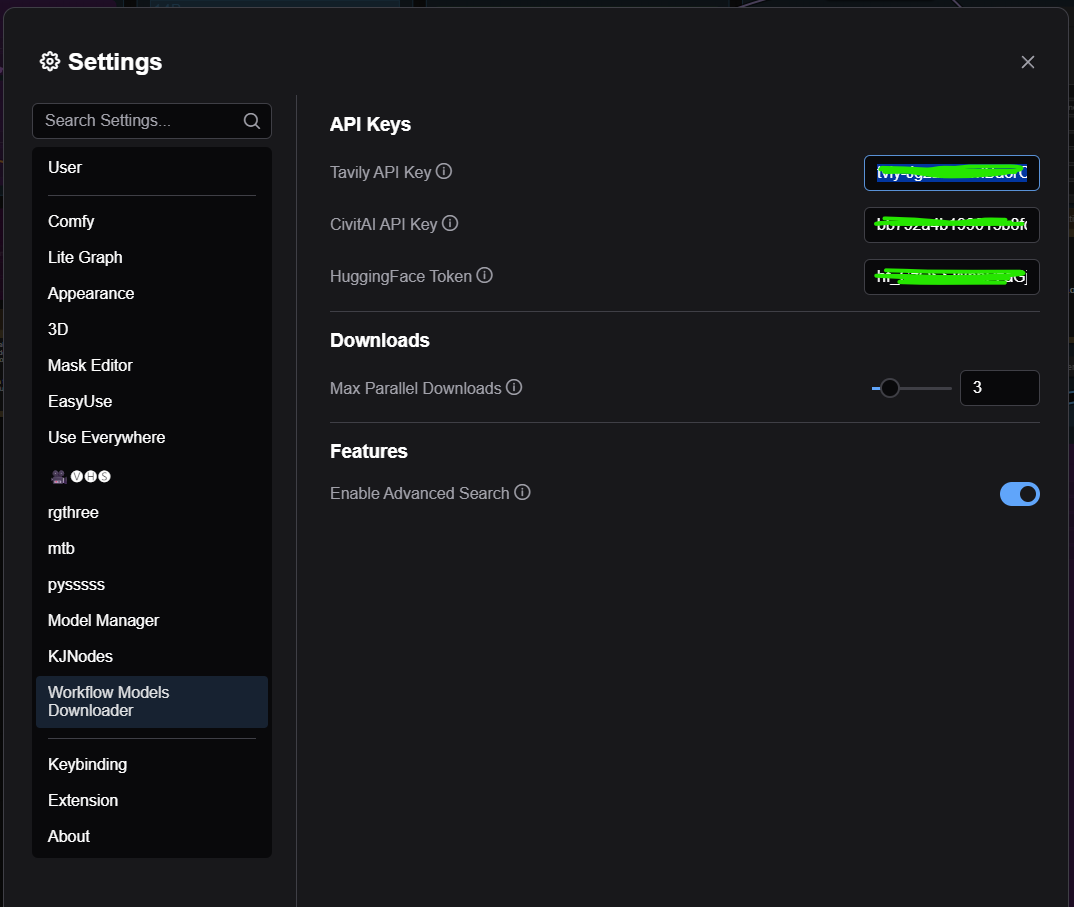
Settings (ComfyUI Menu)
Configure API keys for HuggingFace, CivitAI, and Tavily (AI-powered search) in ComfyUI's Settings menu under "Workflow Models Downloader".
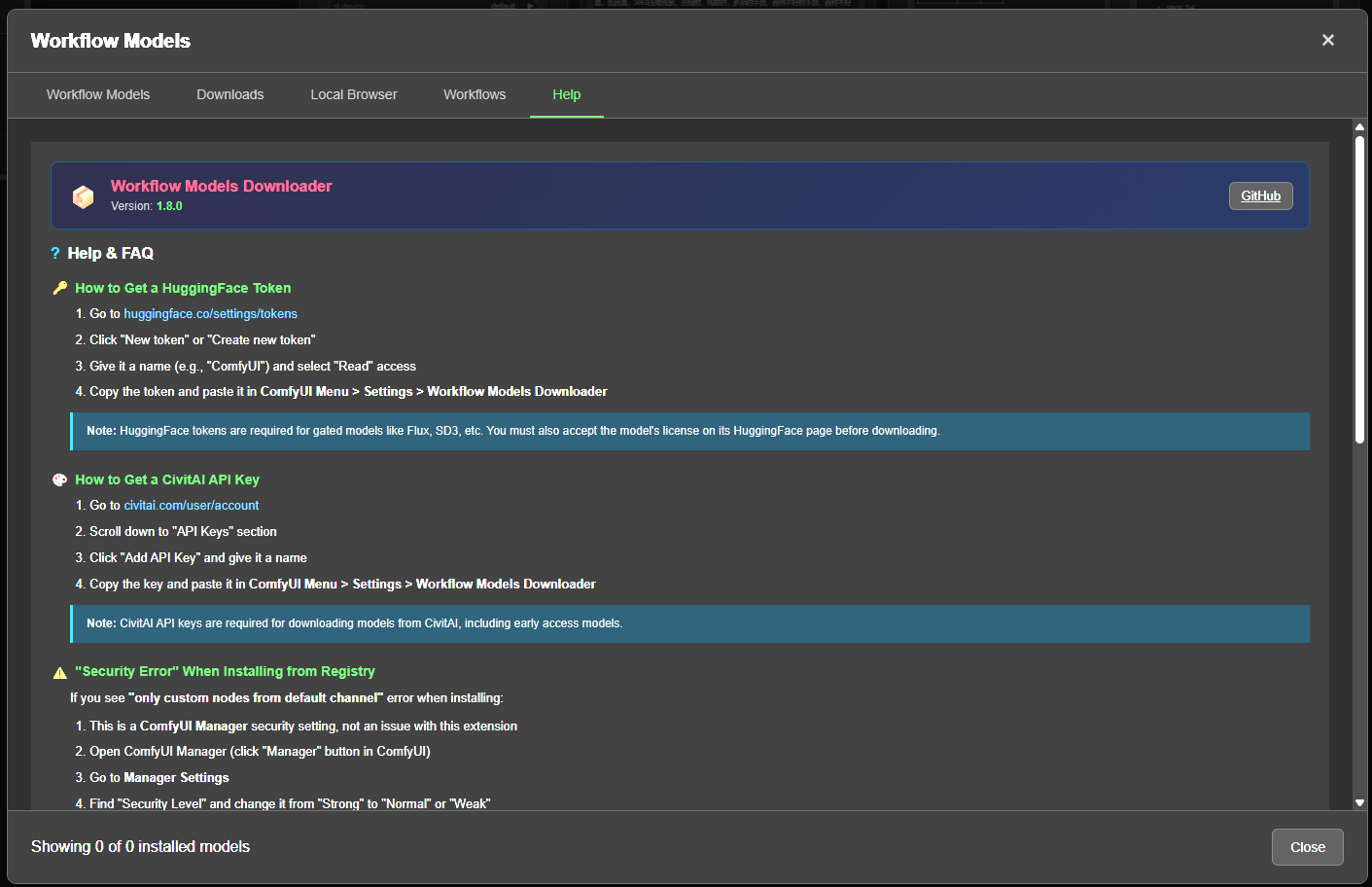
Help Tab
Built-in FAQ and troubleshooting guide covering API key setup, common errors, and tips.
Features
Core Features
- Auto-detect models - Scans your active workflow for all model references
- Smart URL detection - Finds download URLs from multiple sources:
- Workflow metadata (embedded URLs)
- Popular models registry (curated list)
- ComfyUI Manager model list
- HuggingFace API search
- CivitAI API search
- One-click download - Download missing models directly from the UI
- Background downloads - Downloads continue even when modal is closed
- Progress tracking - Real-time download progress with notifications
v1.8.0 New Features
- Tabbed UI - Clean organization with 5 tabs: Workflow Models, Downloads, Local Browser, Settings, Help
- Direct URL Download - Paste any URL, auto-detect model type, choose directory, and download
- Local Browser - Browse all installed models with folder tree sidebar, search, and sort
- Unused Models Tracking - Identify models not used in any workflow with persistent cache
- Scan All Workflows - Batch scan workflow files to build usage history
- Alternative Formats - Auto-detect GGUF/fp16/quantized variants when model is missing
- Dynamic Folder Types - Supports custom folders from extra_model_paths.yaml
- Fuzzy Matching - Find similar models with 70% confidence threshold
- Model Aliases - Pattern-based matching for fp16/fp8/quantized variants
- aria2 Integration - 4x faster downloads with automatic resume support
- Download Queue - Parallel downloads with configurable limit (0-50)
- Confidence Badges - Visual indicator showing match quality percentage
Installation
Via ComfyUI Registry (Recommended)
Search for "Workflow Models Downloader" in ComfyUI Manager and click Install.
Manual Installation
cd ComfyUI/custom_nodes
git clone https://github.com/slahiri/ComfyUI-Workflow-Models-Downloader.git
pip install -r ComfyUI-Workflow-Models-Downloader/requirements.txt
Restart ComfyUI after installation.
Usage
- Open any workflow in ComfyUI
- Click "Workflow Models" button in the top menu
- Review detected models and their status
- Click Download for missing models, or Download All Missing
For models without detected URLs:
- Click Fuzzy Match to find similar models
- Click Search URL to search HuggingFace and CivitAI APIs
- Or paste a direct download URL and click Go
Direct URL Download:
- Go to Downloads tab
- Paste any model URL (HuggingFace, CivitAI, or direct link)
- Click Check URL to auto-detect filename and type
- Adjust filename/directory if needed
- Click Download
Supported Model Types
- Checkpoints (SD1.5, SDXL, SD3, Flux)
- Diffusion Models (Wan, LTX, HunyuanVideo)
- VAE
- LoRA / LoHa / LoKr
- Text Encoders (T5, CLIP)
- CLIP Vision
- ControlNet
- IP-Adapter
- Upscalers (ESRGAN, etc.)
- SAM / SAM2
- And more...
Requirements
- ComfyUI
- Python 3.10+
requestshuggingface_hub
Optional (for faster downloads)
- aria2 - 4x faster downloads with automatic resume support
API Keys
For full functionality, configure these API keys in the Settings tab:
- HuggingFace Token - Required for gated models (Flux, SD3, etc.) - Get token
- CivitAI API Key - Required for CivitAI downloads - Get key
- Tavily API Key - Optional, enables AI-powered advanced search - Get key
License
MIT License