
comfyui-wan-i2v-control
A user-friendly way to selectively transform parts of your starting image in WAN Image-to-Video generation with advanced masking and person detection.
Nodes (2)
ComfyUI WAN I2V Control
A user-friendly way to selectively transform parts of your starting image in WAN Image-to-Video generation.
What It Does
This node pack intercepts the conditioning in WAN I2V and uses masking to control which parts of your initial frame get transformed. Instead of the whole starting image being subject to I2V transformation, you can target specific regions - like changing just a character's face while keeping the background intact in that first frame.

Use Cases
- Character transformation - Change a person's appearance in the starting image while preserving the scene
- Selective regeneration - Fix just the face or hair in your initial frame
- Multi-person scenes - Target only one person when there are multiple in frame
- Scene continuity - Take the last frame of a previous I2V clip, regenerate the character's face, then continue to the next video segment
An LTX 2 version is planned if there is sufficient interest.
Installation
cd ComfyUI/custom_nodes
git clone https://github.com/shootthesound/comfyui-wan-i2v-control.git
pip install mediapipe
Restart ComfyUI. Example workflows are included in the example_workflows folder.
Quick Start
Try the example workflow first! Load example_workflows/Wan Demo.json -- this is the workflow from the demo video and will give you the best start.
Or build your own:
- Add WAN I2V Conditioning Mask Pro node to your workflow
- Connect it between your conditioning and the sampler
- Enable
generate_person_mask - Select what to change:
mask_face,mask_hair,mask_body,mask_clothes - Run - only the selected regions will be transformed
Targeting One Person in a Multi-Person Scene
When you have multiple people in frame and only want to change one:
- Set
ignore_areato "left" or "right" - Set
ignore_percentto 0.5 (or adjust as needed) - Only the person on the non-ignored side will be detected and transformed
Mask Options
Built-in Person Detection (MediaPipe):
mask_face- Face skin areamask_hair- Hairmask_body- Body/skinmask_clothes- Clothingmask_background- Background only
Face Landmarks (works best on close-ups or 720p+):
mask_face_oval,mask_eyes,mask_eyebrows,mask_lips,mask_pupilsmask_nose,mask_cheeks,mask_forehead,mask_jaw_chin,mask_ears
Preset Modes (when not using person detection):
full,face_focus,top_half,bottom_half,left_half,right_halfcenter,edges,gradient_top,gradient_bottom,soft_vignette
External Inputs:
- Connect a custom
maskinput (overrides built-in detection) - Connect a
depth_mapfor distance-based masking withdepth_threshold
Controls
| Option | Description |
|--------|-------------|
| mask_strength | Blend between masked and unmasked (0.0-1.0) |
| grow_mask | Expand (positive) or shrink (negative) the mask |
| feather | Soft edge blur |
| invert_mask | Flip which regions get changed |
| text_strength | Adjust prompt influence relative to the image |
| tint_fill / tint_color | Tint masked regions (experimental, results vary) |
Drop First Frames Node
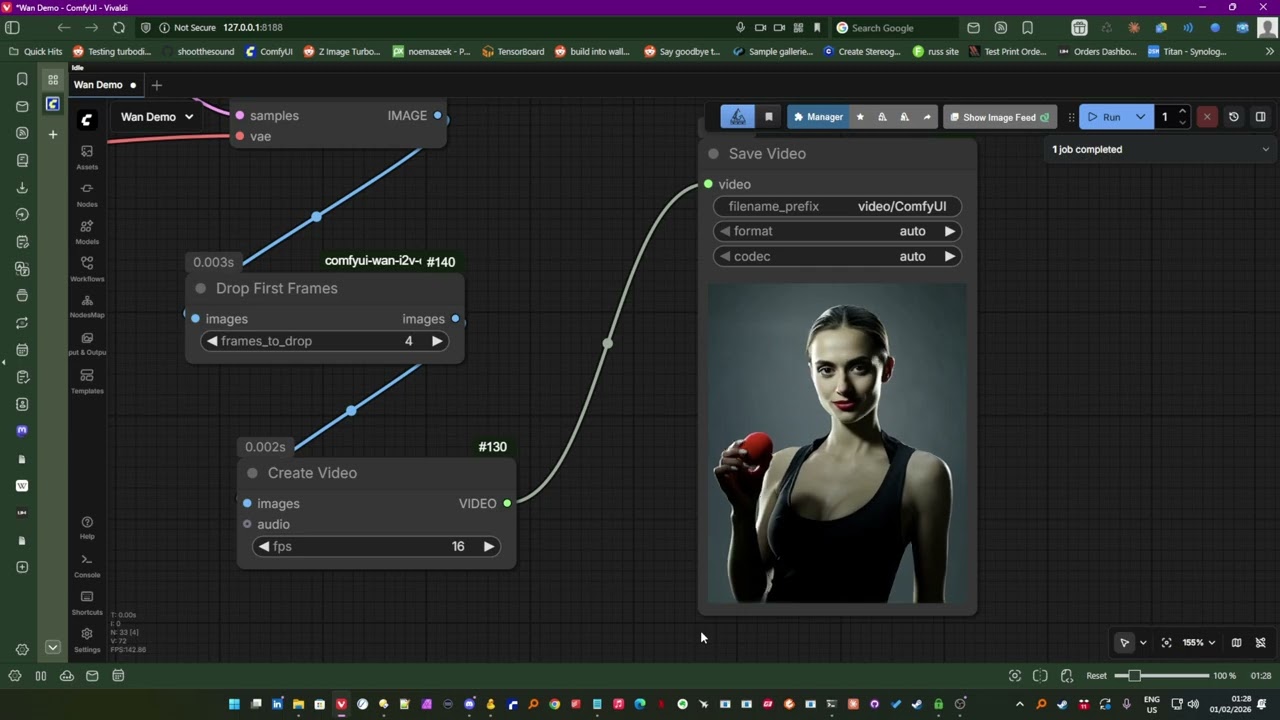
Also included is Drop First Frames - a simple but useful utility node for any I2V workflow, not just this pack.
With any I2V generation (including this project), the first couple of frames can sometimes be garbled or weird. This node lets you drop them automatically:
- Connect your video output to this node
- Set
frames_to_drop(default: 4) - Clean output with the bad frames removed
Tips
- Ghost edges? Try setting
featherto around 0.015 - helps blend the edges of dynamic masks. - The first couple of frames in I2V can be weird - use the Drop First Frames node
- Higher resolution (720p+) gives better face landmark detection
- For best results with face features, use close-up shots
- You can use LoadImage's MASK output for alpha-based masking from transparent PNGs
- Experiment with a grow mask feature in postitive or negative values
Credits
Person and face detection powered by MediaPipe.
Author: Peter Neill (ShootTheSound)
Contributing
PRs welcome! Particularly interested in adding support for first frame / last frame / middle frame targeting.
License
MIT