
MiniMax H3 Director
Videos of any length with MiniMax H3: shots on a timeline, characters, voices, songs, storyboard and control videos, rendered part by part in ComfyUI's native loop. Nine example workflows and a guide; the Legacy timeline Director is included.
Nodes (5)
Edit MiniMax H3 like a storyboard instead of hand-writing its 500-word prompt
Let a local vision model write your MiniMax H3 prompt — and describe the exact images it will see
Actually watch MiniMax H3 denoise, instead of a single frozen frame
Splice a MiniMax H3 retake back into its base video without the seam
Keep the last frame of every MiniMax H3 shot — the one you feed into the next
MiniMax H3 Director for ComfyUI
Videos of any length with MiniMax H3, planned shot by shot inside ComfyUI. Put your characters, voices, songs and pictures on cards, write the shots on a timeline, press Generate. The Director cuts the video into render parts of about ten seconds, renders them one after another and joins them into one video with sound — picture and sound continue across every join.



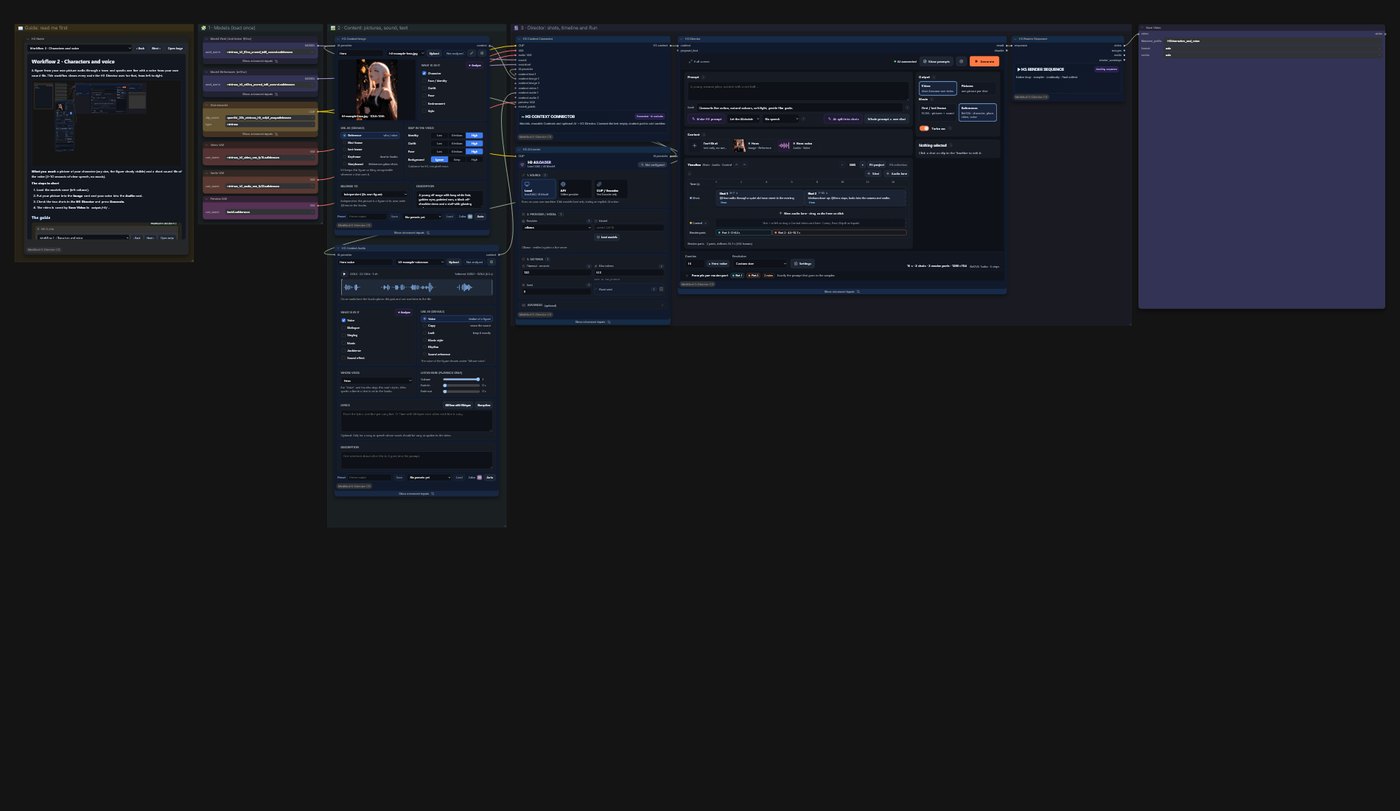
Coming from 0.3.x? Your workflows keep working: the timeline Director is still there as MiniMax H3 Director (Legacy). The new H3 Director sits next to it under MiniMax H3 → NG.
See it
Each clip was made by the example workflow with the same number — opened from ComfyUI's Templates, models chosen, Run pressed. Click a preview for the whole video with sound.
<table> <tr> <td width="33%"><a href="https://github.com/seesee75-commits/ComfyUI-MiniMaxH3-Director/releases/download/v1.0.0/wf1_text_to_video.mp4"><img src="docs/media/wf1.webp" alt="Workflow 1"></a><br><b>1 · Text to video</b> — three shots and a spoken line from text alone</td> <td width="33%"><a href="https://github.com/seesee75-commits/ComfyUI-MiniMaxH3-Director/releases/download/v1.0.0/wf2_characters_and_voice.mp4"><img src="docs/media/wf2.webp" alt="Workflow 2"></a><br><b>2 · Characters and voice</b> — a character from a picture, a voice from a sound file</td> <td width="33%"><a href="https://github.com/seesee75-commits/ComfyUI-MiniMaxH3-Director/releases/download/v1.0.0/wf3_music_video.mp4"><img src="docs/media/wf3.webp" alt="Workflow 3"></a><br><b>3 · Music video</b> — a singer to a locked song</td> </tr> <tr> <td><a href="https://github.com/seesee75-commits/ComfyUI-MiniMaxH3-Director/releases/download/v1.0.0/wf4_shots_from_pictures.mp4"><img src="docs/media/wf4.webp" alt="Workflow 4"></a><br><b>4 · Shots from pictures</b> — every shot starts on one of your pictures</td> <td><img src="docs/media/wf5.jpg" alt="Workflow 5"><br><b>5 · Pictures</b> — one picture per shot instead of a video</td> <td><a href="https://github.com/seesee75-commits/ComfyUI-MiniMaxH3-Director/releases/download/v1.0.0/wf6_storyboard.mp4"><img src="docs/media/wf6.webp" alt="Workflow 6"></a><br><b>6 · Storyboard</b> — two characters, planned on a storyboard sheet</td> </tr> <tr> <td><a href="https://github.com/seesee75-commits/ComfyUI-MiniMaxH3-Director/releases/download/v1.0.0/wf7_control_video.mp4"><img src="docs/media/wf7.webp" alt="Workflow 7"></a><br><b>7 · Control video</b> — moves like the person in another video (pose)</td> <td><a href="https://github.com/seesee75-commits/ComfyUI-MiniMaxH3-Director/releases/download/v1.0.0/wf8_inpaint.mp4"><img src="docs/media/wf8.webp" alt="Workflow 8"></a><br><b>8 · Inpaint</b> — a person in footage replaced by your character</td> <td><a href="https://github.com/seesee75-commits/ComfyUI-MiniMaxH3-Director/releases/download/v1.0.0/wf9_custom_sampling.mp4"><img src="docs/media/wf9.webp" alt="Workflow 9"></a><br><b>9 · Custom sampling</b> — the render loop with ComfyUI's own sampler nodes</td> </tr> </table>Longer videos made with the Director: 3 minutes, References · 1 minute, First / last frame.
What it does
- Any length. The planner splits the video into H3 render parts on H3's frame grid; each part continues the previous one in picture and sound. Long songs, one-minute stories and multi-shot scenes in one Run.
- Shots on a timeline. Every shot has its own text, camera, cards and spoken lines; audio lanes run across shots.
- Your characters and voices. Image cards keep a figure recognizable (References mode); Audio cards give it a voice or lock a song exactly so H3 animates to it.
- Shots from pictures. First / last frame mode starts or ends shots exactly on your pictures.
- Pictures instead of video. One picture per shot, from text and references.
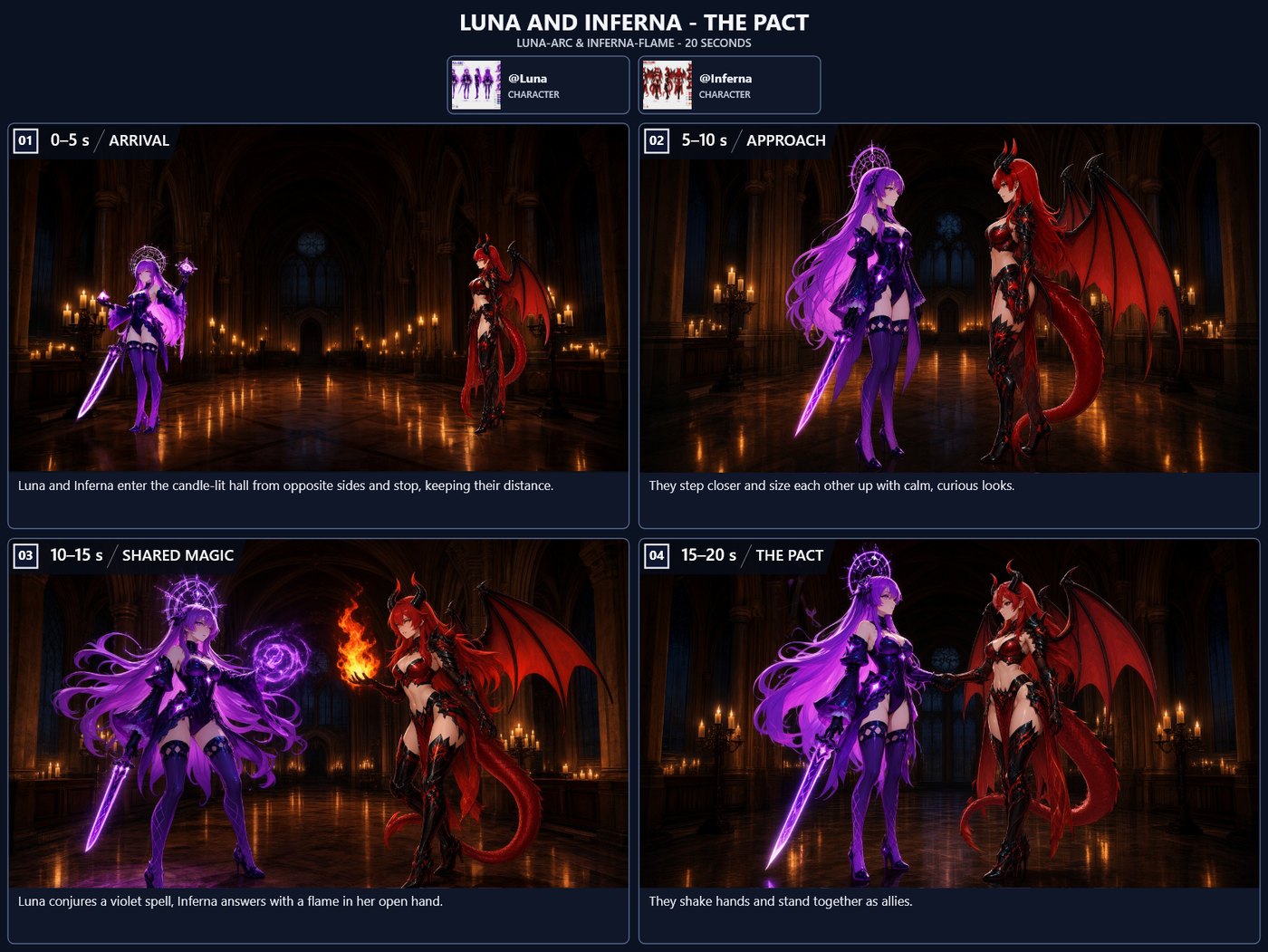
- Storyboard. Lay out numbered panels with pictures, texts and Qwen Image 2.1 drawings, then send them to the Director.
- Control videos. Pose, edges, depth or an inpaint mask steer the picture through the official H3 ControlNet.
- Optional AI. A local model (Ollama, LM Studio) or an API writes shots, prompts and card descriptions on request.
- A guide inside ComfyUI. The H3 Guide node shows the illustrated guide next to every example workflow.
Requirements
- ComfyUI ≥ 0.37.0 (native loops; tested with 0.42).
- GPU: tested on a 16 GB card at 1280×704 with Turbo; smaller cards work with 5 s render parts and smaller sizes.
- Disk: about 60 GB for the H3 models, text encoder and VAEs.
Installation
-
ComfyUI Manager: search "MiniMax H3 Director" and install, or download Source code (zip) of v1.0.1 and unpack it into
ComfyUI/custom_nodes/ComfyUI-MiniMaxH3-Director— or clone the tag:cd ComfyUI/custom_nodes git clone --branch v1.0.1 https://github.com/seesee75-commits/ComfyUI-MiniMaxH3-Director -
Install the one dependency with ComfyUI's Python:
python -m pip install -r requirements.txt(OpenCV). -
Restart ComfyUI and reload the browser (Ctrl+F5).
The example files (pictures, a voice, a song, a walk video with its pose and mask) are copied into ComfyUI's input
folder when you open an example workflow that uses them, named h3-example-…, so it opens ready to run. Nothing is
copied on start; delete them when you no longer need them.
Models
Every workflow carries the download links of its models; ComfyUI offers missing files when the workflow opens. The Director lists every file it uses, found or missing, with its download under Settings → Models.
| What | File | Folder |
|---|---|---|
| H3 model: First / last frame | minimax_h3_fl2va_pruned_int8_convrot.safetensors | models/diffusion_models |
| H3 model: References | minimax_h3_ref2va_pruned_int8_convrot.safetensors | models/diffusion_models |
| Text encoder (type minimax) | qwen3vl_32b_minimax_h3_nvfp4_awq.safetensors | models/text_encoders |
| Video VAE | minimax_h3_video_vae_fp16.safetensors | models/vae |
| Audio VAE | minimax_h3_audio_vae_fp32.safetensors | models/vae |
| Preview VAE | taeh3.safetensors | models/vae_approx |
| Turbo LoRA (First / last frame) | minimax_h3_fl2v_turbo_8step_v1.0_comfyui_bf16.safetensors | models/loras |
| Turbo LoRA (References) | minimax_h3_ref2v_turbo_4step_v0.1_comfyui_bf16.safetensors | models/loras |
Extra models for control videos, masks, storyboard drawing and lyrics timing are listed with their links in the guide, chapter 2.
Example workflows
Open them from ComfyUI's Templates (search "H3 Director"); each one opens with its guide chapter.
| | Workflow | What it shows | |---|---|---| | 1 | Text to video | three shots from text alone, with a spoken line | | 2 | Characters and voice | your character from a picture, speaking with a voice from a sound file | | 3 | Music video | a singer to a locked song, lyrics timed with Whisper | | 4 | Shots from pictures | every shot starts exactly on one of your pictures | | 5 | Pictures | one picture per shot instead of a video | | 6 | Storyboard | a storyboard sheet with Qwen-drawn panels, sent to the Director | | 7 | Control video | your character moves like the person in another video (pose) | | 8 | Inpaint | a person in footage replaced by your character | | 9 | Custom sampling | the render loop with ComfyUI's own sampler nodes |
The guide
The whole guide — models, the Studio, cards, modes, sound, every setting, the AI, pictures, storyboard, control videos, tips — is in GUIDE.md (one file) and inside ComfyUI in the H3 Guide node (MiniMax H3 → NG).
Stuck? An AI agent (Claude, ChatGPT, …) can install the pack and help you: point it at SKILL.md — installation, models, the example workflows and a checklist of what goes wrong and how to fix it. How it works underneath — planning, continuation, the seam-aware collector, the per-part compiler and the measurements behind them — is in the technical report.
Legacy Director
The original timeline Director (one H3 run per Run, up to about 15 s) stays available as MiniMax H3 Director (Legacy) with its workflows; its documentation is in docs/legacy-director.md.
Troubleshooting
- Nodes missing or look broken: restart ComfyUI and reload the browser with Ctrl+F5.
- A loader is red: download the file (Models above) or choose your own file in the loader.
- Out of memory: Settings → Render part 5 s, the int8 video VAE, or Resolution Fast.
- More in the guide's Tips and problems.
Report bugs as an issue with the console traceback, the workflow JSON and the model files you used.
Credits
The legacy timeline editor is derived from LTX Director by
WhatDreamsCost and its CS fork by CGlide. The H3 Director,
planner, Studio, cards and storyboard are by seesee75. MiniMax H3 by
MiniMax, ComfyUI packaging by Comfy-Org; the taeh3
preview decoder by Kijai. The example pictures, song, voice and walk video are provided by the author for the examples.
License
GPL-3.0 — see LICENSE.