
QuokkaiLab Audio Conditioning
Validated RC2 audio conditioning for LTX-2.5 lip-sync, with separate clean output audio.
QuokkaiLab LTX-2.5 Lip-Sync Fix
Free ComfyUI workflow for improved English lip-sync conditioning in LTX-2.5 — while keeping the original clean audio.
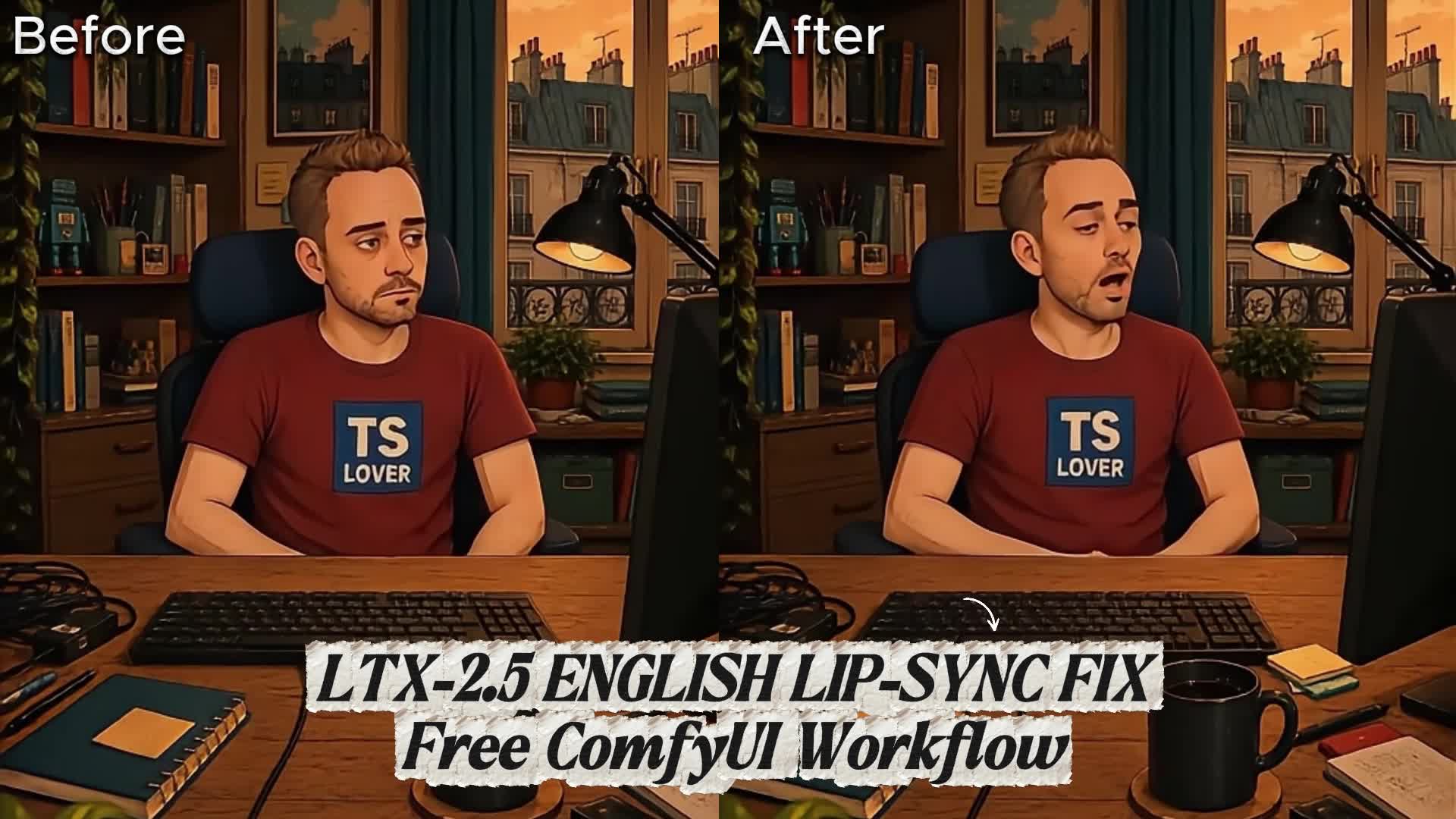
Watch / download the full BEFORE / AFTER demo
Same image. Same voice. Same prompt. Same seed. Only the conditioning changes. Within each matched test, models, negative prompt, duration, FPS and generation settings are also identical. Both outputs use the same clean speech soundtrack.
Download / use this workflow
Download the QuokkaiLab fix workflow —
workflows/ltx25-quokkailab-fix.json
Download the reproducibility baseline —
workflows/ltx25-baseline.json
The baseline is our equivalent pipeline with the conditioning treatment disabled.
It is not an official LTX workflow. Both workflows use the
QuokkaiLab Audio Conditioning
package (quokkailab-audio-conditioning, version 1.0.0).
The package has been uploaded to the official Registry. At the publication check
on 2026-09-17, version 1.0.0 was still NodeVersionStatusPending; normal Manager
discovery is not yet confirmed. Check the live version status.
The bundled source remains available for manual installation below.
English speech sometimes produced weak or unstable mouth motion in our production workflow. This empirical workaround preprocesses a copy of speech for LTX conditioning. The final video keeps clean speech. Results vary with the voice, speech, prompt and visual input; some baselines already work well. This is not an official or universal fix, and the exact model-level cause is unknown.
Quick start
- Install the five exact model files in the model directories listed below. The reference setup is ComfyUI 0.34.0 with frontend 1.51.9 and nested subgraph support. See Requirements for the tested environment.
- Install QuokkaiLab Audio Conditioning through ComfyUI Manager when the
package is available there, or use
comfy node install quokkailab-audio-conditioningwith Comfy CLI targeting your local ComfyUI. While Registry approval is pending, use the manual fallback: download this repository and copy the entirecustom_nodes/quokkailab_audiofolder into ComfyUI'scustom_nodes/directory. Install only one copy of the node. Required LTX and video nodes are in the tested ComfyUI core; no other third-party custom-node pack is required. - For manual installation, install the Python dependencies using ComfyUI's Python:
python -m pip install -r custom_nodes/quokkailab_audio/requirements.txt, run from the ComfyUI directory. Use the interpreter that runs ComfyUI, not an unrelated system Python. Dependencies are NumPy, SciPy and SoundFile; keep ComfyUI's existing PyTorch installation. Restart ComfyUI after either installation method. - Import the fix workflow by dragging ltx25-quokkailab-fix.json onto the canvas. Expand the model-loader subgraph and select the exact filenames listed below.
- Provide the image. In the input-image group, upload/select your portrait in the start-image loader. Select the same image in the end-image loader too; the optional end-frame guide is off by default. This is image-to-video: no source video is required. A clear mouth and 9:16 image are recommended.
- Provide the speech. Upload/select a clean mono WAV in the audio loader. Prefer PCM16/PCM24 at 44.1 or 48 kHz with peaks below full scale. Start with about 2–3 seconds of speech. Stereo, silent, clipped or overlong audio is rejected; see preserved settings.
- Set the visual prompt and queue. Describe the speaker's actions to match
your audio. The supplied prompt contains a sample sentence; replace it for
your clip, or use a visual description without quoting dialogue. In our demo
preparation, visual-only wording avoided subtitle artifacts on selected clips;
it is not a guaranteed subtitle remedy. Leave
enable_fixon in the amber audio-conditioning group and keep the validated generation settings. - Find the final video in the output group's
SaveVideonode and underComfyUI/output/QuokkaiLab/ltx25_fix.... This MP4 receives the clean audio branch; the processed conditioning audio is not its soundtrack. - Compare if desired. Import ltx25-baseline.json
and select the exact same inputs and prompts. Keep all seeds and settings
unchanged. Baseline outputs use
ComfyUI/output/QuokkaiLab/ltx25_baseline.... Follow DEMO.md for the matched-pair protocol.
The validated GPU setup was an RTX 4090 Laptop GPU with 16 GB VRAM and 64 GB system RAM. The BF16 models caused severe RAM pressure and poor responsiveness while loading. This is a tested setup, not a minimum requirement or a promise of comfortable multitasking. Lower-memory variants and Linux/macOS installation were not validated for this package. See VALIDATION.md.
What changes
The baseline is this same two-stage LTX workflow with unprocessed conditioning.
It is not claimed to be the official upstream default workflow. The fix file
changes only enable_fix and the output filename prefix; no baseline settings
have been weakened.
For clean mono samples x[n] at sample rate sr, the fix:
- Multiplies by
0.55 + 0.45*cos(2*pi*70*n/sr). - Applies SciPy's order-2 Butterworth band-pass, 180–6500 Hz, using
sosfiltfilt(forward/backward filtering). - Normalizes the filtered peak to 0.95, then restores the original samples through the first and from the last crossing of the -40 dBFS threshold, and restores every original zero sample.
- Quantizes the driver to PCM24 and checks sample count, sample rate, finiteness, peaks and first/last threshold crossings.
This recipe was called ringmod70 during development. More precisely, its
positive-offset multiplier performs amplitude modulation. It does not time-stretch,
translate speech, change playback speed, or use a compressor. The implementation
uses NumPy, SciPy and SoundFile/libsndfile, not an FFmpeg audio filter.
The shared timing code trims silence, adds the configured silence and fits an
8k+1 frame count. It checks that clean and transformed audio have identical
placement. LTX encodes the chosen conditioning audio and freezes its latent in
both sampling stages. The clean branch goes directly to the video mux; audio
latents are never decoded for the soundtrack. “Clean” means unchanged speech
samples apart from shared trim/padding and the output codec's encoding.
Observation: the production workflow was developed to improve English speech/lip-sync on selected clips. This package preserves its numerical recipe. Unknown: the underlying model behavior and generality of the improvement. No causal explanation, quality percentage or universal English-language fix is established. Judge the matched before/after pair on your inputs.
Requirements
The tested local core is ComfyUI 0.34.0, with frontend 1.51.9. The original source workflow recorded frontend 1.48.7. Use a frontend that supports nested subgraphs. These are reference versions, not experimentally determined minima. Older node-version metadata in the source was stale and is not a requirements list. See VALIDATION.md for what was actually exercised.
The only additional custom node in this package is quokkailab_audio.
The required LTX, switch, math, model loader and video nodes are present in the
reference ComfyUI core. node-inventory.json lists every graph node type, including
frontend-only notes/reroutes. A separate ComfyUI-LTXVideo checkout is not required
by the tested core registration. Fish Audio and other voice-cloning plugins are
not dependencies.
Additional Python dependencies: numpy>=1.26,<2.5, scipy==1.15.1, and
soundfile>=0.13,<0.14. CPU verification used NumPy 1.26.4, SciPy 1.15.1,
SoundFile 0.13.1 and PyTorch 2.12.1+cu130. The ranges follow the production
environment constraints; not every permitted combination has been tested.
SoundFile needs libsndfile (normally supplied by its wheels).
No external executable is called by this custom node. ComfyUI's own LoadAudio,
CreateVideo and SaveVideo use its audio/video dependencies. The original
production wrapper used an FFmpeg remux to restore clean speech; this graph sends
clean speech directly to CreateVideo, eliminating that external remux step.
Real GPU outputs were decoded and checked for timing and clean-audio alignment; see VALIDATION.md.
Model files
These are the exact references in the working graph; no quantization or model substitution is introduced. Obtain weights from the Lightricks LTX-2.5 model repository and select the files in the model loader subgraph. The exact locally tested filenames, byte sizes and SHA256 hashes are recorded in model-reference.json; no weights are included.
| ComfyUI directory | Filename |
| --- | --- |
| models/diffusion_models/ | ltx-2.5-22b-distilled-transformer-bf16.safetensors |
| models/text_encoders/ | gemma4-12b-with-proj-ltx-2.5-bf16.safetensors |
| models/vae/ | ltx-2.5-audio-vae-bf16.safetensors |
| models/vae/ | ltx-2.5-video-vae-bf16.safetensors |
| models/latent_upscale_models/ | ltx-2.5-latent-spatial-upscaler-x2-bf16-1.0.safetensors |
Preserved generation settings
| Setting | Value |
| --- | --- |
| Image input | Portrait 9:16; a clear, front-facing mouth; suggested 576 × 1024 |
| Stage 1 / final resolution | 288 × 512 / 576 × 1024 |
| FPS | 24 |
| Stage 1 | 8 steps, Euler ancestral, CFG 1, seed 42 |
| Stage 1 sigmas | 1, .99375, .9875, .98125, .975, .909375, .725, .421875, 0 |
| Stage 2 | 3 steps, Euler, CFG 1, seed 42 |
| Stage 2 sigmas | .85, .7250, .4219, 0 |
| Start-image strength / image compression | 0.7 / 18 (compression is not FPS) |
| End-frame guide | Off by default; optional, strength 0.7 in both stages |
| Trim threshold / retained edge | -40 dBFS / 20 ms |
| Silence before / after / safety margin | 0.5 s / 1 s / 0.3 s |
| Mux shift / audio start offset | 0 ms / 0 s |
| Duration ceiling | 5 s configured; at 24 fps, max 113 frames = 4.7083 s |
| Tiled VAE decode | Tile 512, overlap 64, temporal size 128, temporal overlap 32 |
The timing node reduces safety margin, then trailing silence, then leading silence if necessary. Speech that still does not fit is rejected, never silently truncated. Do not change the -40 dBFS threshold: the recipe validates its boundaries at that threshold. Prefer mono PCM16/PCM24 WAV at 44.1 or 48 kHz. Stereo, silent, nonfinite or full-scale-clipped inputs are rejected in both arms. The filter mathematically requires a sample rate above 13 kHz. Lossy formats are not recommended for the reproducibility demo because decoding can change sample values and boundaries.
Minimum VRAM and rendering time are not established for this public package. BF16 model references and tiled decode are preserved; the separate experimental FP8/attention profile was deliberately excluded. Record hardware, model hashes, backend versions and memory use when producing the public pair.
The tested 16 GB VRAM / 64 GB RAM machine experienced severe system-memory pressure while loading the BF16 weights, affecting responsiveness during concurrent work. Successful execution on that hardware does not establish comfortable multitasking or a minimum requirement. Plan these renders separately from calls and other resource-intensive work.
For missing-node errors, compare node-inventory.json with your installed core
and confirm that the custom node imported successfully. For a timing-invariant
error, retain the failed input as a diagnostic and select another clean recording;
do not disable the check or silently substitute another recipe.
About QuokkaiLab
Local-first, open-source tools born from real AI audiovisual production problems. This workaround came from production work, not a synthetic quality benchmark. We share the matching baseline, the implementation and the limits of our evidence.
License
QuokkaiLab-owned workflow, custom-node code and documentation are released under the existing MIT License. Third-party software and model weights keep their own licenses; our MIT license does not relicense them. See THIRD_PARTY.md. No model weights are included.
Support QuokkaiLab 🐾
Everything here is free and open source.
Support the AI-Powered Quokka Preservation Fund.
Our long-term mission: buy an H100 to host all the AI-powered Quokkas in the world.
No Quokka left behind.
Registry package and Cloud share
The Registry package adds a root ComfyUI entry point that re-exports the bundled
QuokkaiLabAudioConditioning class. The four bundled node files and both RC2
workflow files remain byte-identical to the validated RC2 archive. The downloaded
Registry archive passed the node import/resolution check and all eight existing
public-release tests. No GPU generation was required for these packaging checks.
Open the shared RC2 workflow on Comfy Cloud.
The share is unchanged. Cloud execution remains blocked at the publication check:
QuokkaiLabAudioConditioning is absent from the Cloud node catalog. Registry
publication does not automatically install a node on Comfy Cloud. This share is
not a ComfyHub listing; Creator access and Hub publication are separate steps.