
Node Gallery + Prompt Stack
Custom model checkpoint/LoRA loaders with on-node previews and activation info, plus a prompt stacker node. Works with any model.
ComfyUI Custom Loader + Prompt Stack
Custom model loaders that show preview image + activation/prompt info right on the node, plus a prompt stacker node. Built around Illustrious-style sidecars, but loads any model ComfyUI supports.
Nodes (illustrious category)
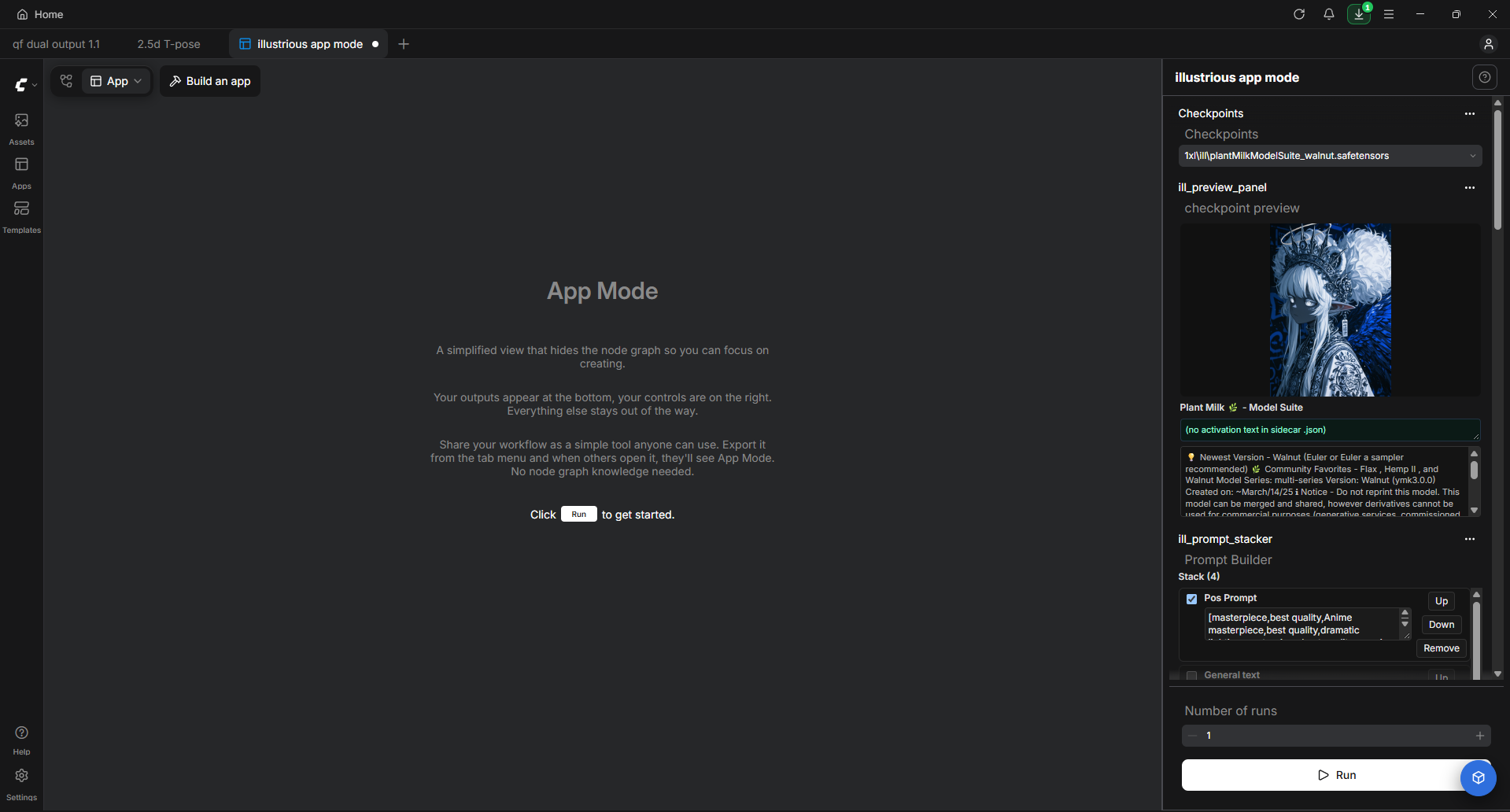
- Illustrious Checkpoint Loader — loads a checkpoint, with
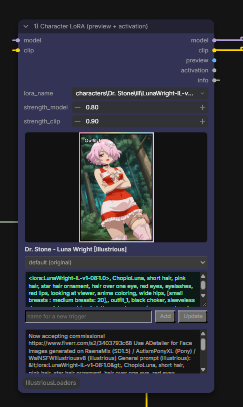
preview(IMAGE) andinfo(STRING) outputs from the sidecar files. - Illustrious LoRA Loader — one LoRA with model/clip strengths, on-node preview and trigger presets. Outputs
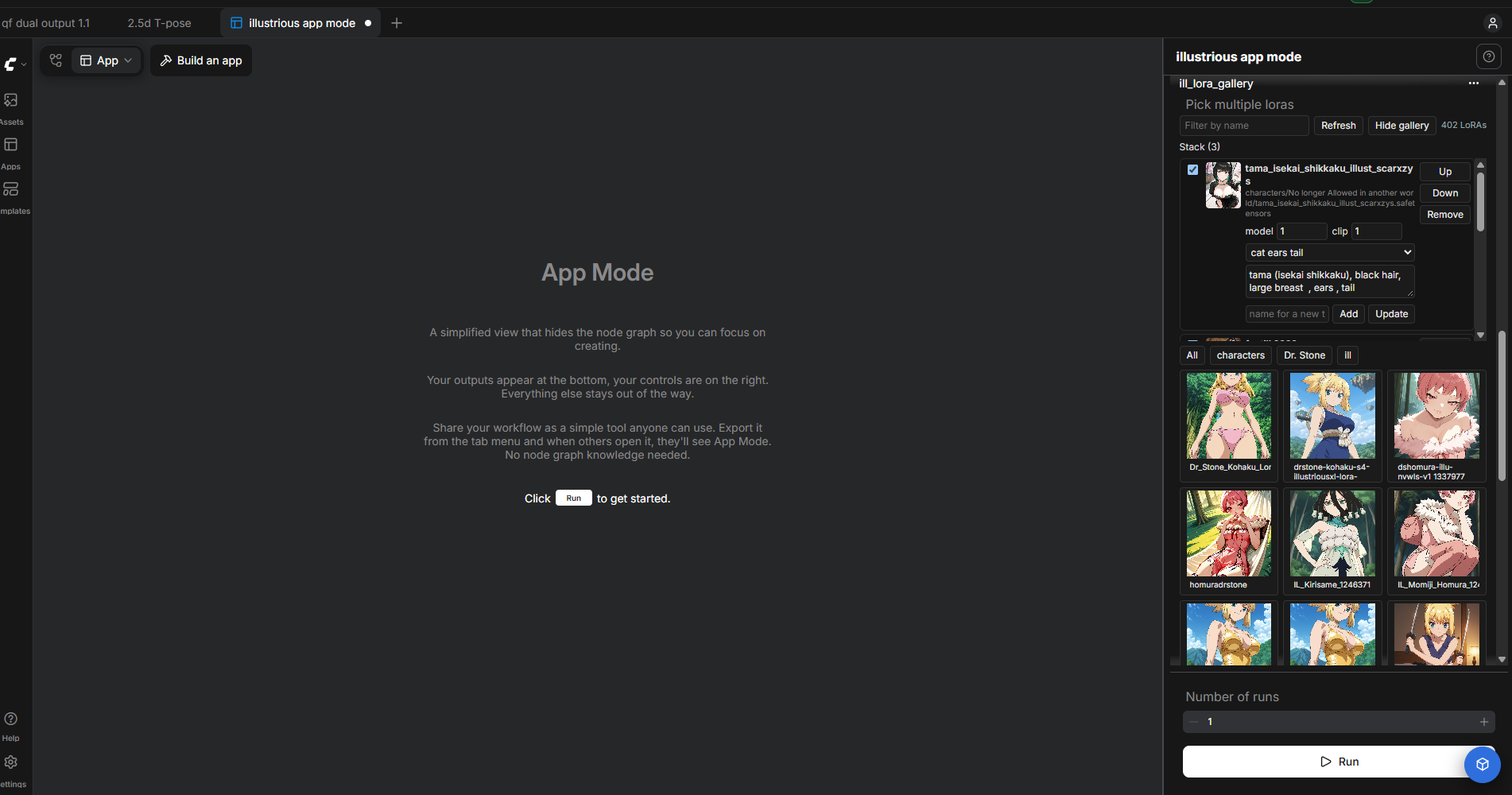
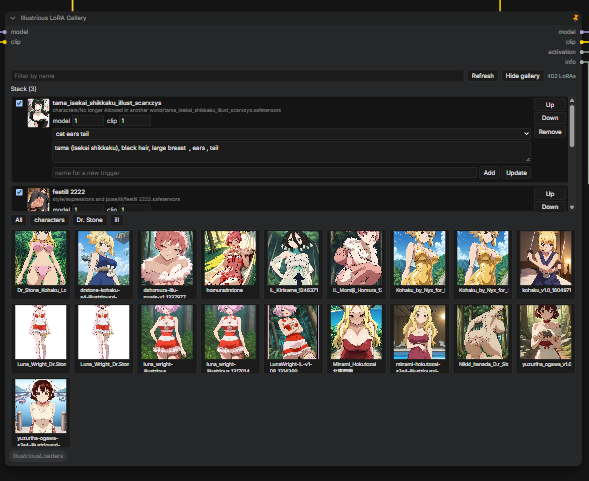
activationSTRING you can concat into prompts. - Illustrious LoRA Gallery — card grid of your LoRA folders. Click a preview to stack that LoRA, click again to remove it. Each stacked LoRA keeps its own model strength, clip strength, and trigger;
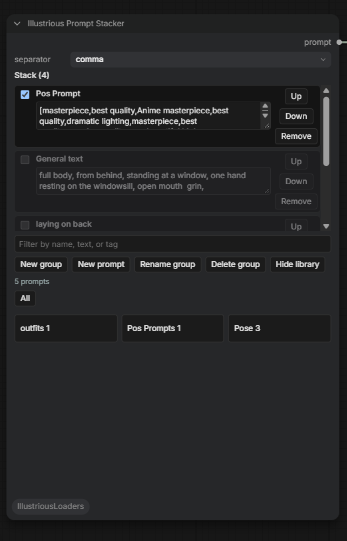
activationjoins the stacked triggers. - Illustrious Prompt Stacker — its own node. Browse saved text prompts in a group tree, filter them by tags, click to stack them. The
promptoutput joins the stack with your chosen separator. The library is saved in ComfyUI's user folder. - Illustrious Model Info — read a checkpoint/LoRA preview + activation + info text without loading weights.
Sidecars (read from next to each model file)
model.preview.png/.preview.jpeg— card and node previewsmodel.jsonwithactivation text— trigger words (also readstrained_words)model.api_info.json/model.cm-info.json— Civitai metadata fallback
Any model works; models with sidecars show previews and trigger info, models without just load normally.
Example workflow
workflows/illustrious-app-mode.json — the App Mode setup from the screenshots below: checkpoint loader with preview panel, LoRA gallery stacking, and prompt stacker feeding the sampler. Import it via the ComfyUI menu (model names in the file are examples; point the loaders at your own files).
Screenshots
Install
- ComfyUI Manager / registry: search
Node Gallery + Prompt Stack(once published). - Manual: copy this folder into
ComfyUI/custom_nodes/, restart ComfyUI.
Restart
Restart ComfyUI after install so the custom nodes and web panels load.