
comfyui-audio-processing
This plugin is compatible with the ComfyUI audio nodes.
Nodes (10)
The node that actually squeezes your spectrogram down to size
The phase-guesser that turns spectrogram art back into sound
The lossless way back from a spectrogram to real audio
Evenly-spaced triangular filters, and why you'd bother
Skip the upload folder and point at any file on disk
The spectrogram compression that actually matches human hearing
The tiny debugging node that shows you what your filters actually look like
Finally, look at the spectrogram you've been computing
The first node you reach for after loading audio
Turn audio into the picture of sound ComfyUI can actually process
comfyui-audio-plugin
A collection of nodes for working with audio data.
[!NOTE]
This plugin is compatible with the ComfyUI audio nodes.
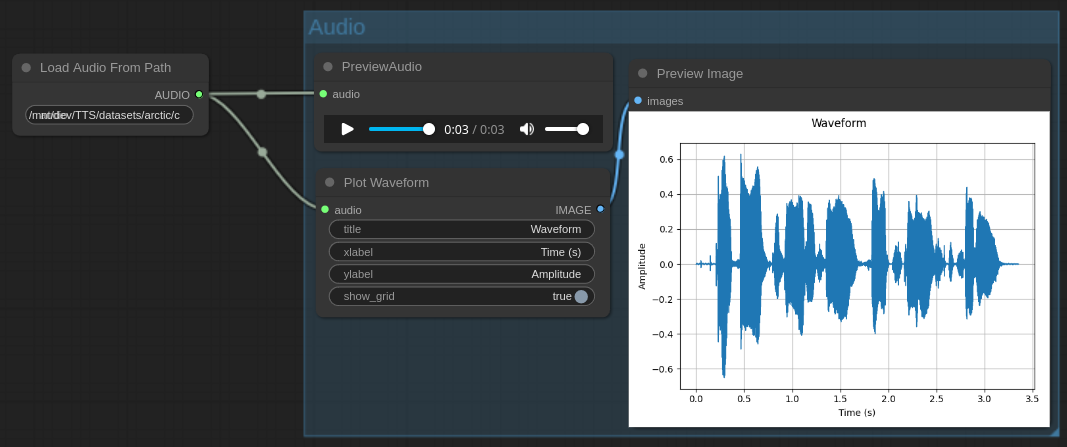
Audio Waveforms
| Name | Description |
|----------------------|-------------------------------------------------------------------------------------|
| Load Audio From Path | Same as "Load Audio" but loads from a local path instead of an uploaded audio file. |
| Plot Waveform | Plots the waveform of an AUDIO object. |
Spectrograms
| Name | Description |
|---------------------|--------------------------------------------------------------------------------|
| Spectrogram | Computes the spectrogram of a given AUDIO object. |
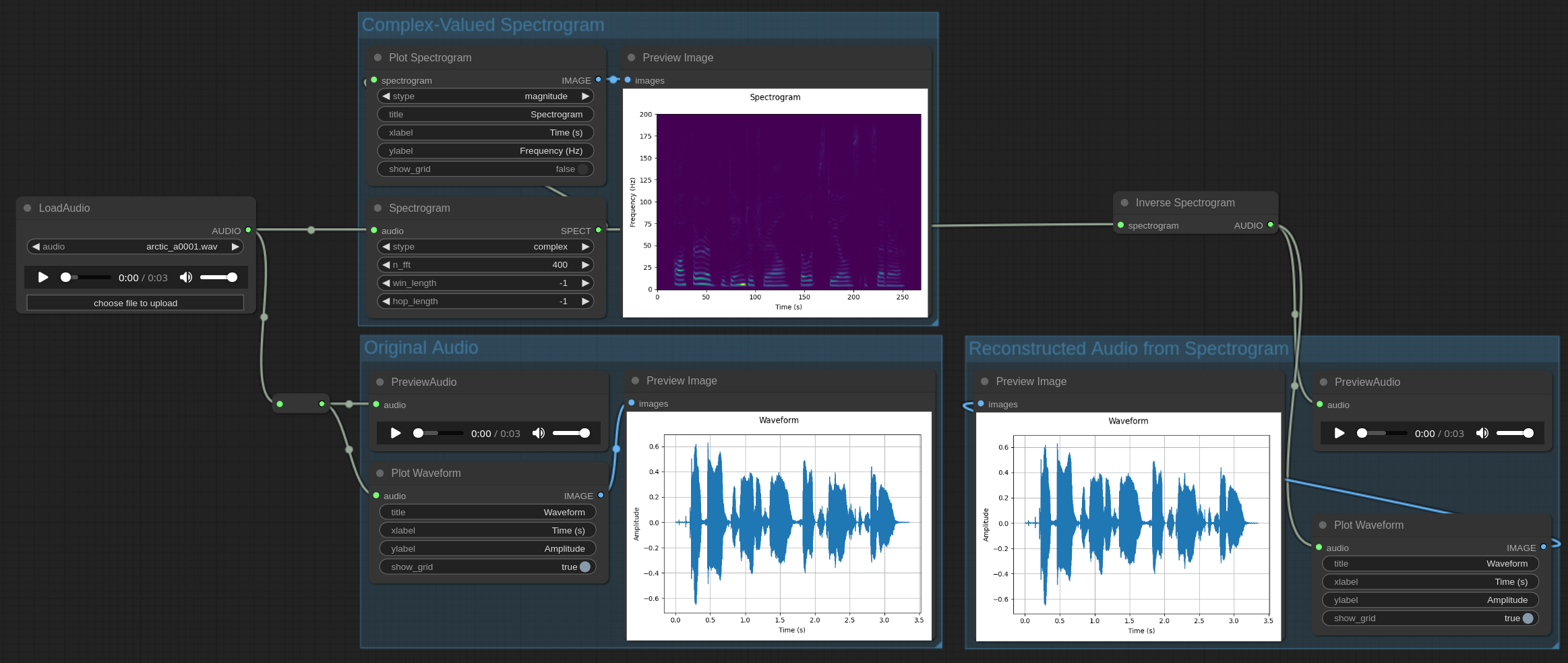
| Inverse Spectrogram | Converts a complex-valued spectrogram to AUDIO. |
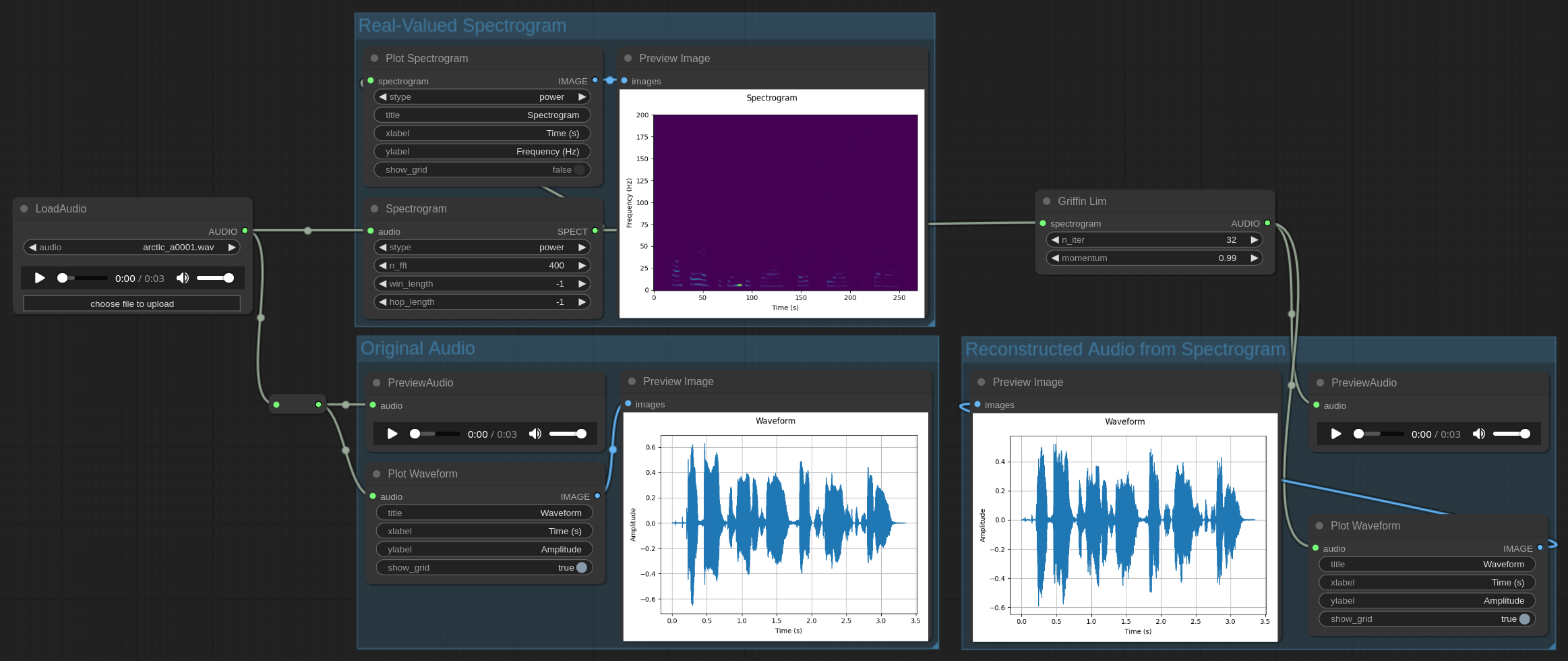
| Griffin Lim | Converts a real-valued spectrogram to AUDIO using the Griffin-Lim algorithm. |
| Plot Spectrogram | Plots the spectrogram of a SPECT object. |
A spectrogram (SPECT) can be one of three types:
complex– a complex number valued spectrogram;magnitude– a real valued spectrogram that is the absolute value of thecomplexspectrogram (power 1);power– a real valued spectrogram that is the square of themagnitudespectrogram (power 2);
Complex-Valued Spectrograms
Real-Valued Spectrograms
Filter Banks
| Name | Description |
|-----------------------|-----------------------------------------------------|
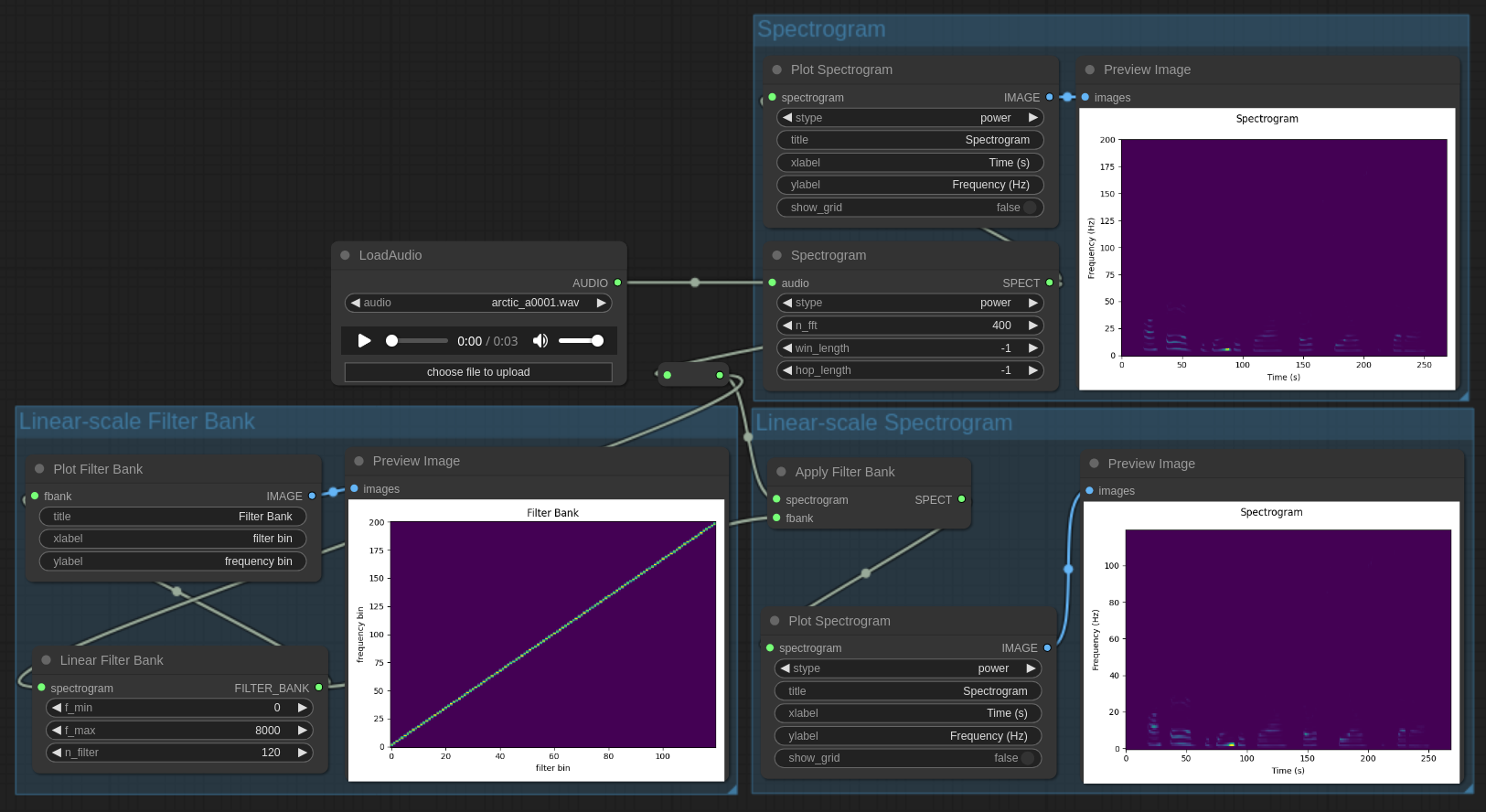
| Linear Filter Bank | Create a linear filter bank. |
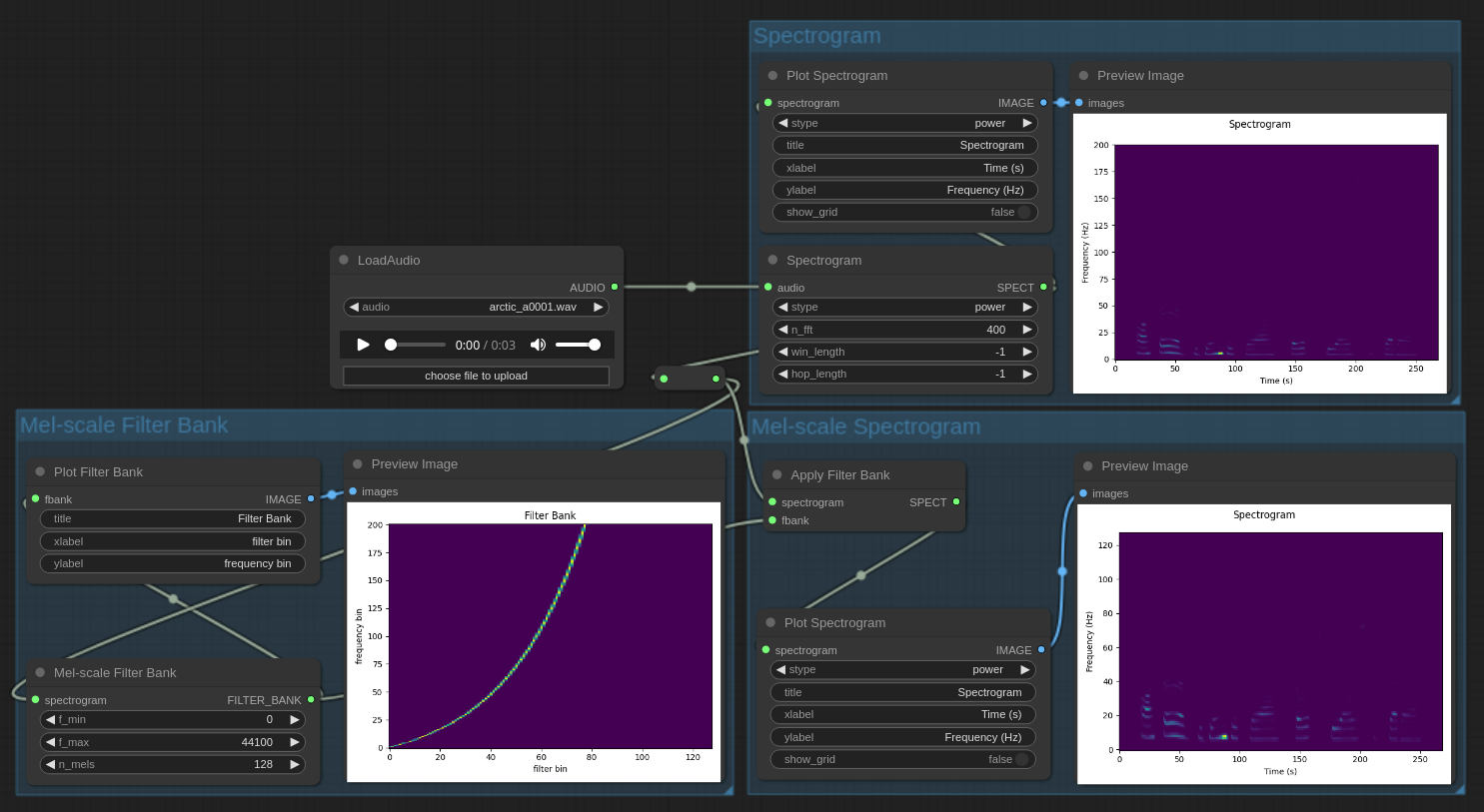
| Mel-scale Filter Bank | Create a mel-scale filter bank. |
| Apply Filter Bank | Apply the specified filter bank to the spectrogram. |
| Plot Filter Bank | Plots the FILTER_BANK object. |
Linear-scale Spectrograms
Mel-scale Spectrograms
License
Copyright (C) 2024 Reece H. Dunn
SPDX-License-Identifier: GPL-3