
QuickSize for ComfyUI
ComfyUI nodes with easy size/resolution options for image generation.
Nodes (5)
Stop typing 1216×832 into the Empty Latent Image
The Qwen-Image size picker with a quietly surprising '1.0' tier
SD 1.5's native 512×512, memorized for you (with one trap)
The SDXL trained-ratio cheat sheet, now a dropdown
Wan video resolutions, without risking a ten-minute render on a typo
QuickSize for ComfyUI
<img src="QuicksizeLogo.png" width="300">QuickSize provides easy-to-use dropdown selectors for common image resolutions across multiple diffusion models in ComfyUI.
Each node outputs width and height integers based on a predefined aspect ratio, megapixel tier (or multiplier), and orientation (horizontal or vertical). No more keeping track of native image dimensions for different models.
✨ Features
- 🧩 Nodes for Flux, Qwen, Wan, SDXL, and SD1.5 native dimensions
- 🖼️ Aspect ratio selector (1:1, 2:3, 4:3, 16:9, 21:9, etc.)
- 📏 Megapixel presets (1.0 MP, 1.5 MP, 2.0 MP) or multiplier options (e.g. 1.5×)
- 🔄 Orientation switch — flip between vertical or horizontal
- ⚡ Clean integer outputs ready for Empty Latent Image or any node requiring
width/height
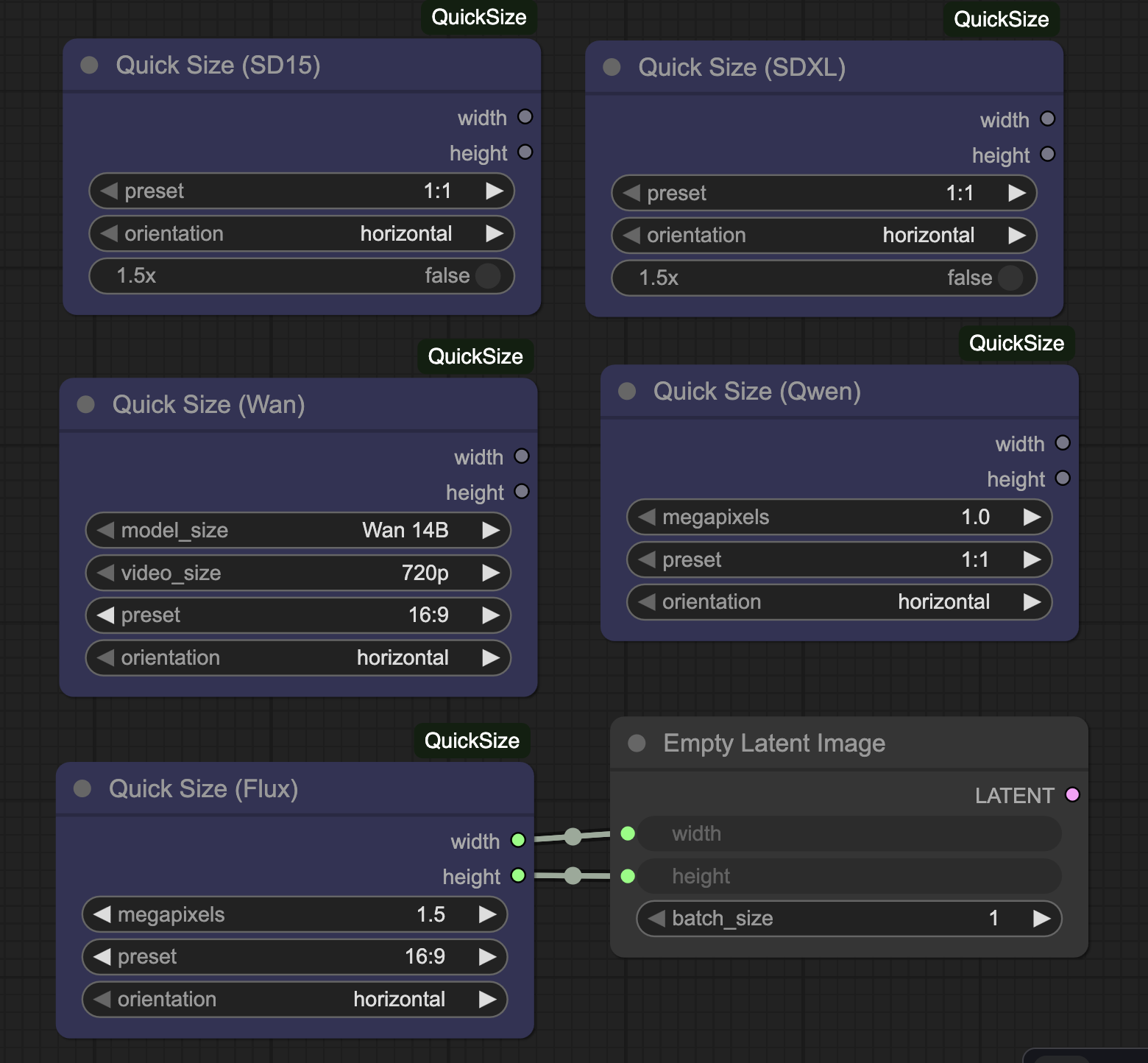
📦 Installation
Option 1 — Manual
- Navigate to your ComfyUI installation directory.
- Clone this repository inside
ComfyUI/custom_nodes/:
   cd ComfyUI/custom_nodes
   git clone https://github.com/rh6423/ComfyUI-QuickSize.git
- Restart ComfyUI.
Option 2 — ComfyUI Manager
Search for “QuickSize” in the ComfyUI Node Registry and click Install.
🧠 Usage
- Add one of the QuickSize nodes (e.g., QuickSize (Flux)).
- Choose:
- Megapixels / Multiplier — overall output scale
- Aspect Ratio — 1:1, 2:3, 4:3, 16:9, 21:9
- Orientation — horizontal / vertical
- Connect the
widthandheightoutputs to any node that accepts image dimensions.
Each model-specific node is tuned to its model’s recommended resolution ranges.
🧩 Included Nodes
| Node Name | Purpose | |------------|----------| | QuickSize (Flux) | Presets for the Flux model | | QuickSize (Qwen) | Presets for Qwen image model | | QuickSize (Wan) | Presets for the Wan model | | QuickSize (SDXL) | Presets for Stable Diffusion XL | | QuickSize (SD1.5) | Presets for Stable Diffusion 1.5 |
(Add or remove rows as your repository evolves.)
🧰 Size presets
Each node is implemented as an individual Python file under:
src/quicksize/
The pixel resolutions are inside each node's .py file. More user friendly resolution lists are in the backlog right now.
⚖️ License
This project is licensed under the GNU General Public License v3.0.
See the LICENSE file for details.
🧾 Metadata
- Author / Publisher: rh6423
- Repository: https://github.com/rh6423/ComfyUI-QuickSize
- Publisher ID (Registry):
rh6423 - Compatible with: ComfyUI ≥ 1.0
🙌 Contributing
Contributions and new model presets are welcome!
If you’d like to add a model, please open an issue describing:
- Model name
- Recommended base resolutions
- Any special scaling or megapixel logic
QuickSize — effortless image sizing for every diffusion model.