
Comfyui-EasyIllustrious
ComfyUI-EasyIllustrious is a custom node suite to make working with Illustrious models easier and more intuitive
Nodes (32)
Chaining regions for masked prompting
The tag type Pony threw away and Illustrious kept
Multi-concept control without building a mask chain
Canvas extension without hand-building a mask chain
Weighted multi-character tags from a 5k-name database
Tag-aware positive encoding with weight dials
Outfit and clothing tag picker for Illustrious
Automatic color-fixing for Illustrious renders
Hand-typed e621 artist tags for Illustrious
Furry and anthro tags without memorizing e621's taxonomy
Expression and kaomoji tag picker
Resolution presets that match how the model trained
The one-node start of a regional-prompting chain
Hair length, cut, style, and color tags
Six curated configs for when you don't want to think about CFG
A KSampler with Illustrious's CFG and edge-blend quirks baked in
The cheap half of a two-stage hi-res workflow
Mask, prompt, weight, and a time window, one region at a time
One node instead of the usual four
Structure first, detail second, one node instead of two
Presets instead of pasting the same 40 tags
Score_/source_/rating_ vocabulary for Pony-Illustrious merges
Pose tag picker (not a skeleton/ControlNet node)
A full Danbooru-tag prompt builder in one node
Different prompts for different parts of one image
Scene and background auto-writer
A custom noise schedule for Illustrious XL
The full scene-to-finished-prompt pipeline
A three-stage sampler in one node
The last node before your image, with tiling and highlight control
The node that turns on inpainting and regional prompting
Rank and clean up a prompt automatically
ComfyUI Easy-Illustrious
A comprehensive node suite for ComfyUI optimized for Illustrious XL models, featuring advanced prompt construction, intelligent sampling, scene generation, and color correction tools.





Features
- Illustrious-optimized workflows: Defaults, presets, and parameters tuned specifically for Illustrious XL models
- Comprehensive character/artist database: Real-time search across 5k+ characters and artists from Danbooru/E621
- Advanced sampling nodes: Multi-pass and triple-pass samplers with intelligent parameter management
- Smart prompt construction: Chainable prompt nodes with automatic formatting and optimization
- Unified color pipeline: Integrated color correction with live preview and smart caching
- Complete node ecosystem: CLIP encoders, latent manipulation, VAE operations, attention coupling, and more
- Mask-scoped guidance: Regional prompting via masks with per-region weights and schedule, plus inpainting/outpainting tools
[!Note] This suite is designed primarily for Illustrious XL models. Other SDXL-based models are supported but may require parameter adjustments.
[!Tip] Easiest install: Use ComfyUI Manager. Open Manager, search for "EasyIllustrious", click Install, then restart ComfyUI.
[!Warning] Beta notice: This suite is under active development. Some nodes may require tuning and some may not work correctly across all setups. Interfaces and defaults may change between releases.
Inpainting vs Regional Prompting (what to use and when)
Artist-friendly guide for picking the right tool:
-
Inpainting (VAE Encode → mode: inpaint)
- Limits changes to a mask. Optionally pre-fills the masked area from a reference image before sampling.
- Use when you want to fix/replace part of an image without altering the rest (hands, face, background patch).
- How: Set VAE Encode to inpaint, connect your mask (white = change), optionally connect a reference image.
-
Regional Prompting (IllustriousRegionalConditioning)
- Applies different prompts to specific areas via masks, with weights and time ranges (start/end 0–1).
- Use when you want different concepts/styles in different parts of one image (e.g., sky: sunset; foreground: flowers).
- How: Build your base prompt as usual, then create regions with:
- "□ Empty Regions (Illustrious)" → one or more "+ Make Region (Illustrious)" → chain via "→ Append Region (Illustrious)"
- Connect the resulting ILLUSTRIOUS_REGIONS to the "regions" input of "⌦ Regional Conditioning (Illustrious)", then feed its CONDITIONING to your sampler.
Tips
- You do NOT need VAE “regional” mode to use Regional Conditioning. Keep VAE in “standard” unless you’re explicitly inpainting.
- Feather (blur) your masks for smooth blending; hard edges can look cut out.
- Illustrious models prefer moderate CFG (≈5) and sensible steps; add steps for complex multi-region prompts.
Auto Outpaint
- Illustrious Auto Outpaint builds its own border mask and handles sampling; VAE “regional” is not required for it.
- To mix outpainting with regional prompts: either outpaint first, then run a second pass with Regional Conditioning; or build a manual outpaint chain and insert Regional Conditioning before sampling.
Full guide: web/docs/guides/inpainting_and_regional.md
Architecture
Core Components
Prompt/Content Generation
- Base Model (IllustriousMasterModel)
- Prompt Builder (IllustriousPrompt)
- Character/Artist Selectors (IllustriousCharacters, IllustriousArtists)
- E621 Character/Artist Variants
- Style Components (Hairstyles, Clothing, Poses)
- Pony Token Compatibility Layer
Sampling/Scheduling
- KSampler Pro with Illustrious optimizations
- Preset-based KSampler for rapid prototyping
- Multi-Pass and Triple-Pass sampling architectures
- Custom scheduler with content-aware noise patterns
Encoding/Latent Operations
- Illustrious-tuned CLIP text encoders (positive/negative)
- Empty latent generation with model-aware sizing
- Latent upscaling with intelligent interpolation
- VAE encode/decode with tiling support
Utilities/Post-processing
- Unified Color Suite with real-time preview
- TIPO prompt optimizer with restructuring algorithms
- Smart Scene Generator with template system
- Attention Coupling for multi-concept conditioning
- Auto Outpaint with soft-mask blending
UI Enhancements
The suite includes JavaScript-based UI improvements loaded from web/js/:
- Bottom panel help integration
- Inline parameter tooltips and validation
- Real-time search suggestions with fuzzy matching
- Context menu extensions for quick actions
- Node-specific optimization shortcuts
Installation
Via ComfyUI Manager (recommended)
- Open ComfyUI Manager (Extensions/Manager in the ComfyUI UI)
- In the search box, type: EasyIllustrious
- Click Install, wait for completion
- Restart ComfyUI to load the nodes
Notes
Manual Installation
cd ComfyUI/custom_nodes
git clone https://github.com/regiellis/ComfyUI-EasyIllustrious
pip install -r ComfyUI-EasyIllustrious/requirements.txt
# Restart ComfyUI
Dependencies
Required Python packages:
Configuration
- CFG Scale: 4.0-6.5 (optimal: 5.0)
- Steps: 24-28 for standard resolution, 30+ for high-resolution
- Sampler: euler_ancestral (balanced) or DPM++ 2M Karras (smooth)
- Scheduler: normal (standard), karras (1536px+)
Resolution Guidelines
- Training resolution: 1024x1024
- Portrait: 832x1216
- Landscape: 1216x832
- Widescreen: 1344x768
Memory Optimization
The suite includes automatic memory management:
- Dynamic batch size adjustment based on VRAM
- Intelligent model loading with fallback options
- Smart caching with LRU eviction policies
- Tiled VAE operations for large images
Node Reference
Prompt Construction Nodes
| Class | Display Name | Function | |-------|--------------|----------| | IllustriousMasterModel | Base Model | Model loader with Illustrious-specific optimizations | | IllustriousPrompt | Prompt | Main prompt builder with chain support and formatting | | IllustriousCharacters | Characters | Character selector with weighted mixing (up to 5) | | IllustriousArtists | Artists | Artist style selector with weighted blending | | IllustriousE621Characters | E621 Characters | E621 character database integration | | IllustriousE621Artists | E621 Artists | E621 artist database integration | | IllustriousHairstyles | Hairstyles | Curated hairstyle database with smart placement | | IllustriousClothing | Clothing | Clothing/outfit selector with style consistency | | IllustriousPoses | Poses | Pose reference integration with OpenPose compatibility | | IllustriousPonyTokens | Pony Tokens | Pony Diffusion token compatibility layer |
Sampling/Generation Nodes
| Class | Display Name | Function | |-------|--------------|----------| | IllustriousKSamplerPro | KSampler Pro | Enhanced KSampler with live preview and optimization | | IllustriousKSamplerPresets | KSampler Presets | Preset-based sampler for rapid iteration | | IllustriousMultiPassSampler | Multi-Pass Sampler | Two-stage sampling (structure + detail) | | IllustriousTriplePassSampler | Triple-Pass Sampler | Three-stage sampling architecture | | IllustriousScheduler | Custom Scheduler | Advanced noise scheduling with content awareness |
Encoding/Latent Nodes
| Class | Display Name | Function | |-------|--------------|----------| | IllustriousCLIPTextEncoder | CLIP Text Encoder | Positive prompt encoding with Illustrious optimizations | | IllustriousNegativeCLIPEncoder | CLIP Negative Encoder | Negative prompt encoding with quality presets | | IllustriousEmptyLatentImage | Empty Latent | Latent generation with model-aware sizing | | IllustriousLatentUpscale | Latent Upscale | Latent space upscaling with multiple interpolation modes | | IllustriousVAEEncode | VAE Encode | Image to latent conversion with tiling support | | IllustriousVAEDecode | VAE Decode | Latent to image conversion with tiling support |
Conditioning Nodes
| Class | Display Name | Function | |-------|--------------|----------| | IllustriousRegionalConditioning | Regional Conditioning | Adds mask-scoped prompts (weight + start/end) to the conditioning stream | | IllustriousMakeRegion | Make Region | Build a single region (mask + prompt + weight + start/end) | | IllustriousEmptyRegions | Empty Regions | Start an empty regions list to collect regions | | IllustriousAppendRegion | Append Region | Append a region to a regions list (chain for unlimited regions) |
Utility Nodes
| Class | Display Name | Function | |-------|--------------|----------| | IllustriousColorSuite | Color Suite | Unified color correction with live preview | | TIPOPromptOptimizer | TIPO Optimizer | Prompt restructuring and optimization | | IllustriousScenesPlus | Scenes Plus | Smart scene generation with template system | | IllustriousAttentionCouple | Attention Couple | Multi-concept attention coupling | | IllustriousAutoOutpaint | Auto Outpaint | Automated outpainting with soft-mask blending |
Smart Scene / Prompt Enhancements (v2.6)
The Smart Scene Generator (IllustriousScenesPlus / Smart Prompt) now includes advanced quality and negative prompt controls:
Quality Block Controls:
- Use Quality Block: Toggle automatic high-quality prefix insertion.
- Quality Block Text: Comma list of tokens (default: masterpiece, best quality, ultra-detailed, highres).
- Quality Weight: Applies weighting (group or per-token depending on scheme).
- Quality Weight Scheme:
- auto: Chooses grouped for ≤4 tokens, per-token otherwise.
- comfy: Grouped weighting (final token annotated) unless Per-Token toggle is on.
- A1111: Always per-token (token:weight) style.
- Per-Token Quality Weights: Force per-token weighting regardless of scheme.
Subject / Upscale Ordering:
- Upscale Tags: Inserts additional resolution/detail tokens with token-budget aware pruning.
- Subject Fallback: Baseline subject tokens if not already present (e.g., 1girl, solo).
- Subject Fallback Order: Choose placement before or after Upscale Tags.
Negative Prompt System:
- Negative Preset: standard | aggressive | anime_clean | photoreal | custom.
- Custom Negative Preset: Provide your own comma-separated string when preset = custom.
- Generate Negative Output: Enables second output port for negative prompt.
Pruning Metadata:
- Metadata JSON now reports pruning decisions for upscale tokens (
pruning.upscale_original,pruning.upscale_final,pruning.dropped,pruning.pruned). - Quality block configuration and whether it was pre-existing are recorded under
quality_block.
Example Quality Configurations:
- Classic grouped (comfy):
(masterpiece, best quality, ultra-detailed, highres:1.2) - Per-token A1111 style:
(masterpiece:1.2), (best quality:1.2), (ultra-detailed:1.2), (highres:1.2) - Forced per-token in comfy: Enable Per-Token Quality Weights with scheme = comfy.
Token Budget Awareness:
- If a mapped token count (e.g. 77 → ~320 chars) is selected, upscale tag list is pruned if adding them would exceed ~105% of the soft character cap.
- Absolute Token Count: When you pick a specific Token Count (e.g. 150, 250) the generator now enforces exactly that number of comma-separated tokens by truncating overflow or appending neutral quality/detail fillers. Metadata block
token_enforcementrecords additions or truncations.
Returned Metadata (excerpt):
{
    "quality_block": {
        "enabled": true,
        "tokens": ["masterpiece", "best quality", "ultra-detailed", "highres"],
        "weight": 1.2,
        "scheme": "auto",
        "forced_per_token": false,
        "present_preexisting": false
    },
    "pruning": {
        "upscale_original": ["8k", "ultra-detailed", "extremely detailed"],
        "upscale_final": ["8k", "ultra-detailed"],
        "pruned": true,
        "dropped": ["extremely detailed"]
    },
    "subject_fallback": {"value": "1girl, solo", "order": "after_upscale"}
}
Upgrade Notes:
- Existing workflows continue to work; defaults replicate previous behavior.
- To disable the quality block entirely, set Use Quality Block = False.
- For purely manual quality handling, disable both quality block and upscale tags.
API Reference
Search System
The suite exposes a built-in search API for character/artist lookup:
# Character search endpoint
GET /illustrious/search/characters?q={query}&limit={n}

# Artist search endpoint
GET /illustrious/search/artists?q={query}&limit={n}
Response format:
{
    "results": [
        {
            "name": "character_name",
            "category": "series_name",
            "popularity": 95.2,
            "aliases": ["alt_name_1", "alt_name_2"]
        }
    ],
    "total": 1247,
    "query_time": 0.003
}
Cache Management
Smart caching system with programmatic control:
# Cache operations
cache.clear()                    # Clear all cached data
cache.clear_type('prompts')      # Clear specific cache type
cache.set_limit('2048MB')        # Set memory limit
cache.get_stats()                # Get usage statistics
Example Workflows
See example_workflows/ for complete workflow files:
- Basic.json - Fundamental text-to-image workflow
- Multi Pass.json - Advanced multi-stage sampling
- Color Corrector.json - Post-processing with color correction
- Custom Scheduler.json - Advanced scheduling techniques
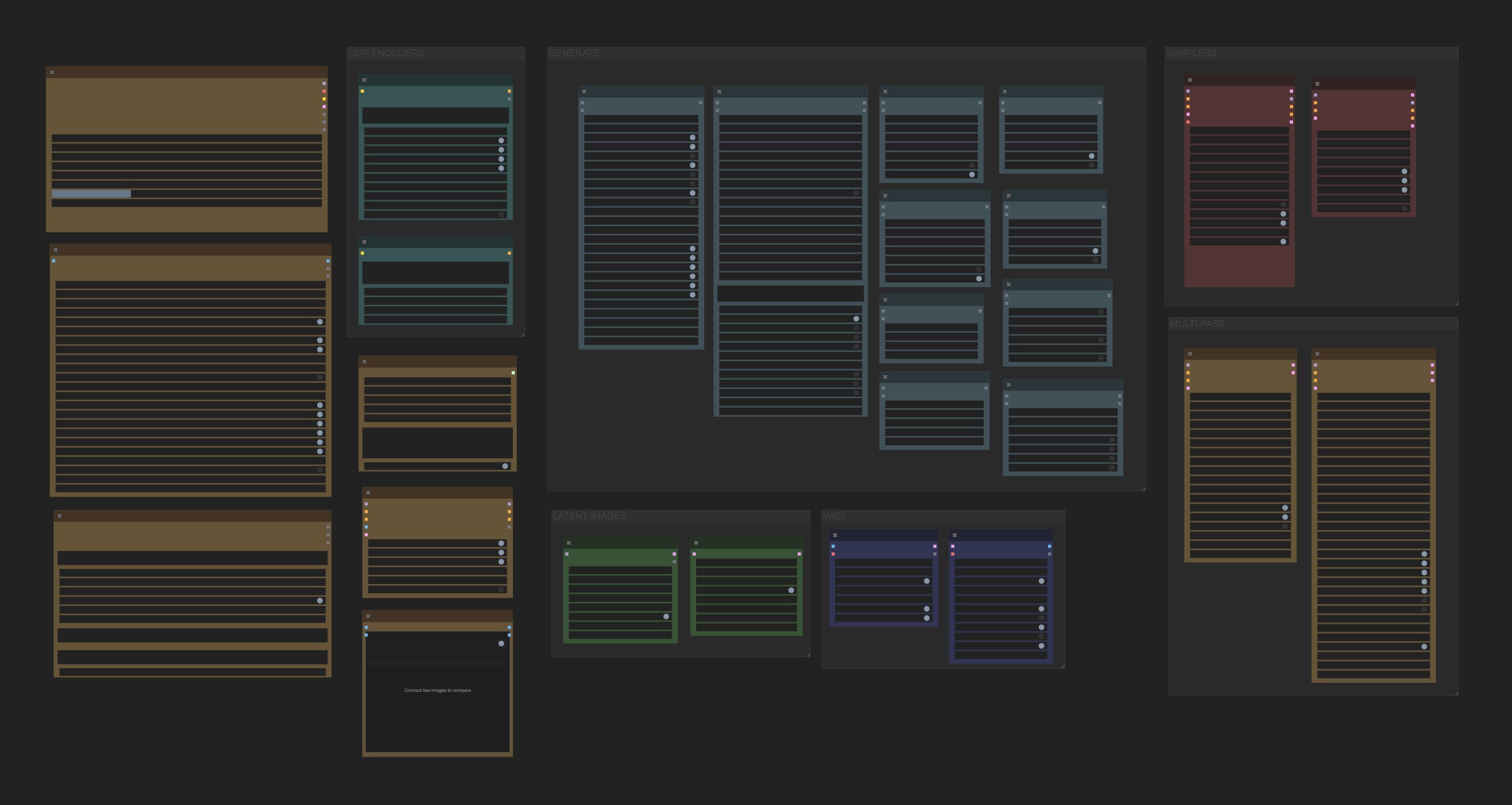
- Node Gallery.json - Comprehensive node showcase
Basic Text-to-Image
Empty Latent → Characters → Artists → KSampler Pro → VAE Decode
Advanced Scene Generation
Scene Generator → Prompt Builder → Multi-Pass Sampler → Color Suite → VAE Decode
Style Transfer Pipeline
VAE Encode → Artists → KSampler Pro (low denoise) → VAE Decode
Troubleshooting
Common Issues
Oversaturation/Overcooked Images
- Reduce CFG scale to 4.0-4.5
- Switch to karras scheduler at high resolutions
- Enable Dynamic Thresholding in advanced settings
Soft/Foggy Images
- Increase CFG scale to 5.5-6.5
- Add more sampling steps (28-35)
- Verify model is Illustrious XL compatible
Search Functionality Issues
- Ensure query length ≥ 2 characters
- Use underscore format: "character_name"
- Check network connectivity for database updates
Memory Issues
- Enable Smart Cache with appropriate limits
- Use tiled VAE for large images
- Reduce batch sizes for high-resolution generation
Performance Optimization
- Use
--gpu-onlyflag for VRAM-constrained systems - Enable
--preview-method latent2rgbfor faster previews - Set
--vram-usage-level normalfor balanced performance
Development
Contributing
- Fork the repository
- Create a feature branch
- Implement changes with appropriate tests
- Submit pull request with detailed description
Code Style
- Follow PEP 8 conventions
- Use type hints for all function signatures
- Document all public APIs with docstrings
- Maintain backward compatibility for existing workflows
Documentation
Comprehensive documentation is available in the web/docs/ directory:
- Node-specific guides with technical specifications
- API reference documentation
- Workflow examples and best practices
- Performance tuning guidelines
- Guide: Inpainting vs Regional Prompting (artist-friendly) — web/docs/guides/inpainting_and_regional.md
Each node includes embedded help accessible via the ComfyUI interface.
License
MIT License - see LICENSE for details.
References
- Illustrious XL Model Documentation
- ComfyUI Custom Nodes Development Guide
- SDXL Architecture Specifications
For bug reports and feature requests, please use the GitHub Issues system.