
comfyui-save-image-rich-metadata
Drop-in replacement for ComfyUI's SaveImage that writes rich multi-format metadata into PNG files compatible with A1111/CivitAI, with unlimited image input slots and automatic resource hash linking.
ComfyUI — Save Image (Rich Metadata)
A drop-in replacement for ComfyUI's SaveImage that writes rich, multi-format
metadata into every PNG — fully compatible with A1111 / CivitAI, plus a
clean authoritative JSON chunk consumed by the
AI Gallery app.
Built on the ComfyUI v3 API with Autogrow — unlimited image input slots
(framework cap: 100).
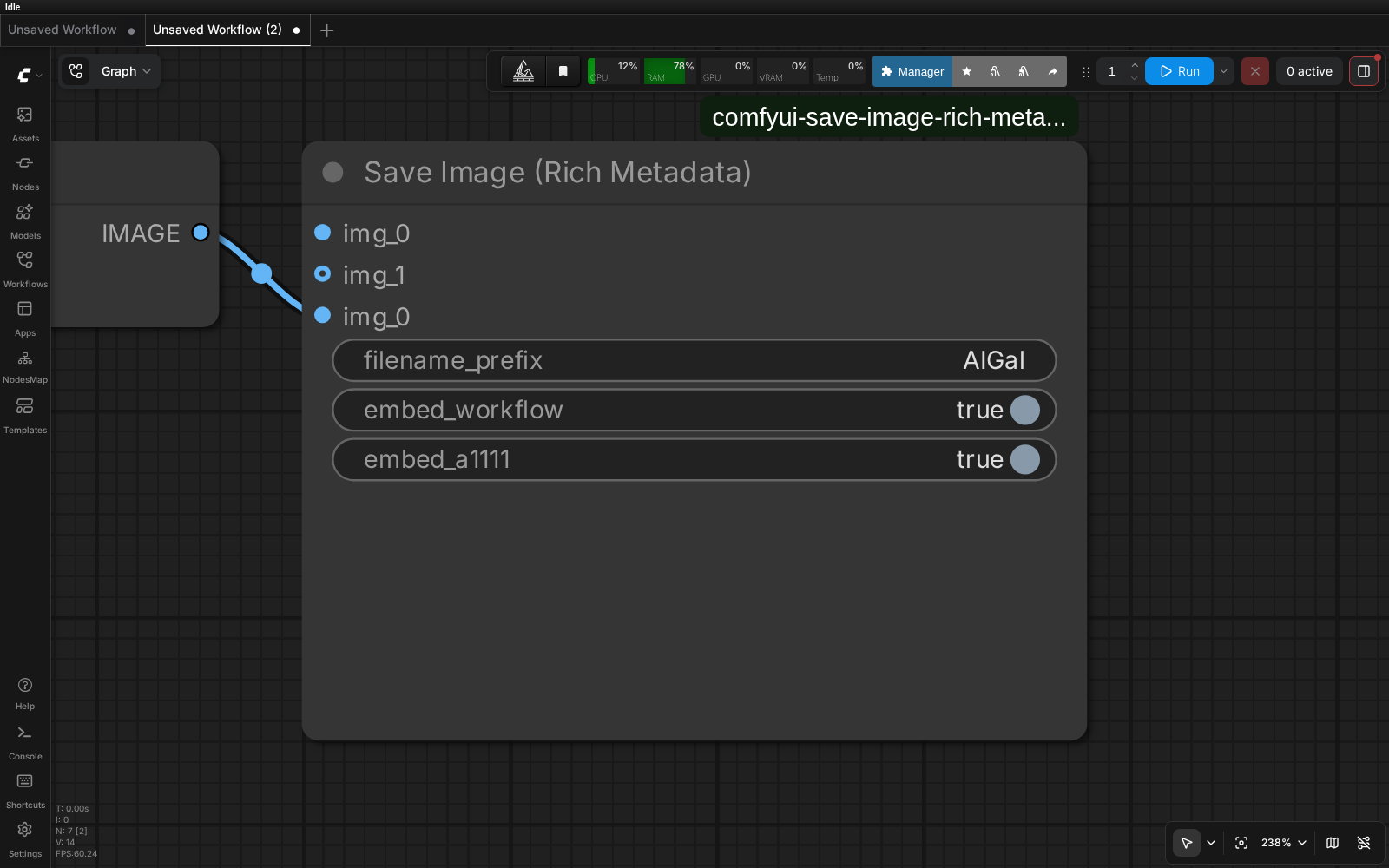
What it writes
Each PNG gets three tEXt chunks:
| Chunk | Format | Purpose |
|---|---|---|
| ai_gallery_meta | JSON | Canonical, authoritative metadata (consumed by AI Gallery, no heuristics needed) |
| prompt + workflow | JSON | Standard ComfyUI — drag the image back to ComfyUI to restore the workflow |
| parameters | A1111 text | CivitAI, stable-diffusion-webui, A1111 ecosystem |
CivitAI compatibility
The parameters chunk follows the A1111 webUI format exactly, including
resource hashes so CivitAI auto-detects and links the checkpoint and LoRAs:
<positive prompt> <lora:name_1:weight_1> <lora:name_2:weight_2> …
Negative prompt: <negative prompt>
Steps: N, Sampler: name, CFG scale: X, Seed: N, Size: WxH, Model hash: abc123def456, Model: name, Lora hashes: "name_1: 0011aabbccdd, name_2: …", Hashes: {"model": "abc123def456", "lora:name_1": "0011aabbccdd"}
This is the canonical format CivitAI's PNG inspector parses on upload — drop any image saved by this node onto CivitAI and the positive prompt, negative prompt, model, sampler, steps, CFG, seed, dimensions and inline LoRAs are extracted automatically, and the model/LoRA resource pages are linked via their hashes.
Hashes are the AutoV2 form (first 12 hex of the file's SHA256), computed
for the checkpoint/UNet (searched in checkpoints → diffusion_models →
unet) and every LoRA (loras). Each file is hashed once and cached in
.hash_cache.json (keyed by path + size + mtime), so the first save after
loading a new model is slower and subsequent saves are instant. Nothing is
written next to your model files.
Run-time prompts: prompt_text / negative_text inputs
The workflow graph only stores node inputs. When your prompt is produced
while the workflow runs — an LLM prompt expander (TextGenerate, Ollama,
Florence/Qwen captioners), a wildcard processor, a random picker — the final
text is not in the graph and no parser can recover it after the fact.
For those workflows connect the actual STRING to the node's optional
prompt_text input (and negative_text if you have one). Whatever you
plug in there is written verbatim to ai_gallery_meta.prompt and to the
A1111 parameters chunk, overriding graph extraction. Leave the inputs
unconnected for ordinary static-prompt workflows.
What it extracts from the workflow
Walks the execution graph (no keyword guessing):
- prompt / negative — traces the sampler's
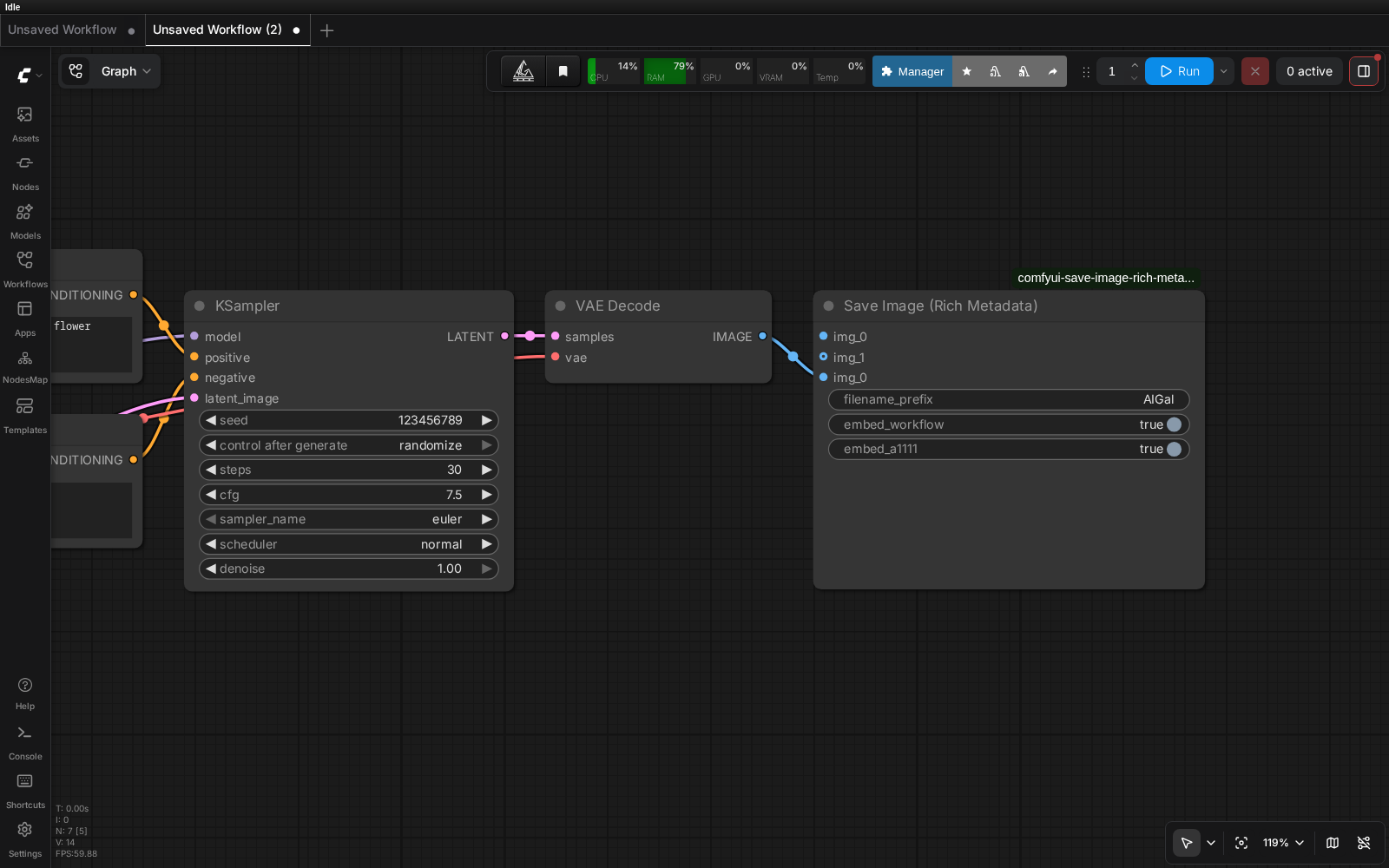
positive/negativelink (or itsguider, incl.BasicGuider.conditioning) back to the text throughCLIPTextEncode,CLIPTextEncodeFlux(t5xxl/clip_l), string primitives (value/string/prompt, e.g.CR Prompt Text,String Literal),PreviewAny, boolean routers (ComfySwitchNode, CrystoolsSwitch any, rgthreeAny Switch— switch literal or linked to aPrimitiveBoolean, with fallback to the other branch),Text Concatenate/StringConcatenate(joined with the node's delimiter),SDXLPromptStyler,ImpactWildcardEncode, Qwen image-edit encoders, and conditioning pass-throughs with(positive, negative)in and out (LTXVConditioning,WanImageToVideo— the output slot picks the side). LLM/VLM generator nodes are recognised as unrecoverable: if aShowTextnode displays their output its cached text is used, otherwise the router's other branch (your raw prompt) is taken — or useprompt_textabove.ConditioningZeroOut→ empty negative; a negative identical to the positive (one Flux encoder wired to both) is dropped. - sampler, steps, cfg, seed — from
KSampler*/SamplerCustom*, or theRandomNoise/BasicScheduler/*Guider/KSamplerSelecthelpers ofSamplerCustomAdvancedgraphs. Values wired from primitive/seed nodes (Seed (rgthree),PrimitiveFloat,Seed Generator, …) are followed. - model_name — from
CheckpointLoader*/UNETLoader*/UnetLoader* - loras — only enabled entries, de-duplicated, from:
- stock
LoraLoader,LoraLoaderModelOnly - rgthree
Power Lora Loader(dict slots, respectson: false) - rgthree
Lora Loader Stack(lora_01+strength_01, skipsNone) CR LoRA Stackand otherlora_name_Nstacks (respectsswitch_N)LoraLoaderStackedAdvanced(lora_namewidget dict +lora_weight)
- stock
Custom samplers & runtime prompt builders
The graph walk also handles modern Flux / SD3-style pipelines where the prompt isn't a plain static string on the sampler:
- Guider-based custom samplers —
SamplerCustomAdvancedand friends route conditioning through aguidernode (BasicGuider,CFGGuider,DualModelGuider, …) instead of exposingpositive/negativedirectly. We follow theguiderlink to recover both, and readcfgfrom it. - Ideogram 4 Prompt Builder (KJNodes) — this node computes its caption
JSON at runtime, so there's no static
textanywhere in the graph. We reproduce the builder's exact assembly from its inputs (high_level_description,background,style_description,elements, color palettes) to recover the real prompt that conditioned the image. ConditioningZeroOut— treated as an empty negative, so a zeroed-out negative branch never echoes the positive prompt it wraps.
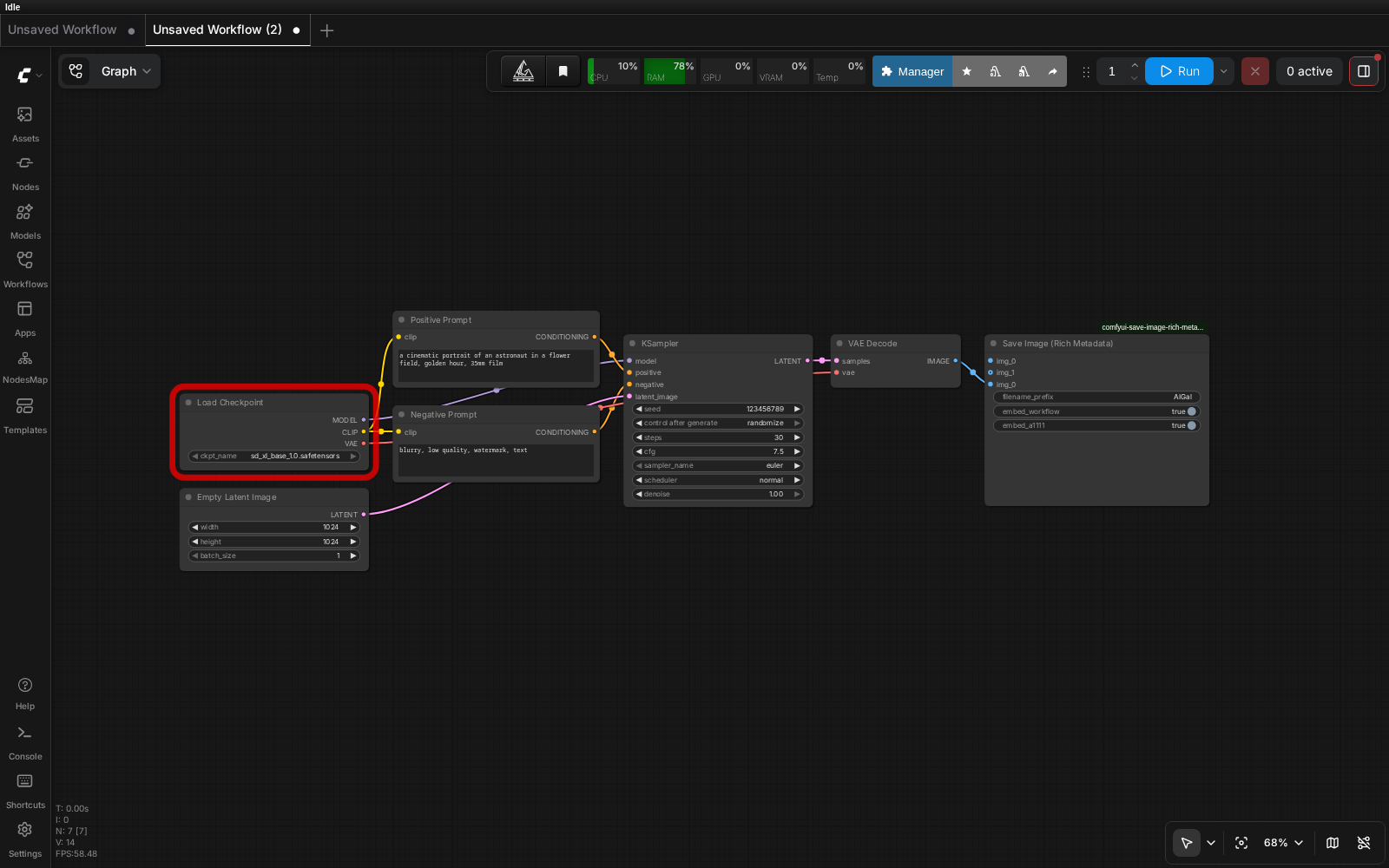
Screenshots
Full workflow
Pipeline tail (KSampler → VAEDecode → Save Image)
Install
cd ComfyUI/custom_nodes
git clone https://github.com/quzopl/comfyui-save-image-rich-metadata.git
Restart ComfyUI. The node appears as Save Image (Rich Metadata) in the
image category.
Requires ComfyUI with the v3 API (comfy_api.latest) — present in all
recent releases.
Usage
Replace SaveImage in your workflow with Save Image (Rich Metadata).
Connect the images input, set filename_prefix (e.g., MyRender).
Unlimited image inputs
The images input is an autogrow slot — the node UI adds a new empty
slot whenever you connect one. Plug in as many independent image batches as
you want (e.g., raw + refine + upscale + variations all in one workflow).
Each connected batch is saved separately:
- Slot 1 →
filename_prefix - Slot 2 →
filename_prefix_2 - Slot 3 →
filename_prefix_3 - … and so on
All slots share the same workflow metadata (same ai_gallery_meta,
prompt/workflow, and parameters chunks) since they're produced by the
same execution graph.
Optional flags
embed_workflow(default ON) — also embed standard ComfyUI chunksembed_a1111(default ON) — also embed A1111-compatibleparameters(turn off only if you need a minimal PNG for some reason)
Dependencies
None. Uses only Pillow and NumPy (both already shipped with ComfyUI).
License
MIT