
ComfyUI-MiniMaxH3-Loop
Seamless looping video with MiniMax H3 in ComfyUI: circular padding, loop decode, ControlNet restyling and loop-safe interpolation.
ComfyUI-MiniMaxH3-Loop
Seamless looping video with MiniMax H3 in ComfyUI. No first frame / last frame, no second pass, no crossfade.
| Jellyfish | Sleeping cat |
| --- | --- |
|  |
|  |
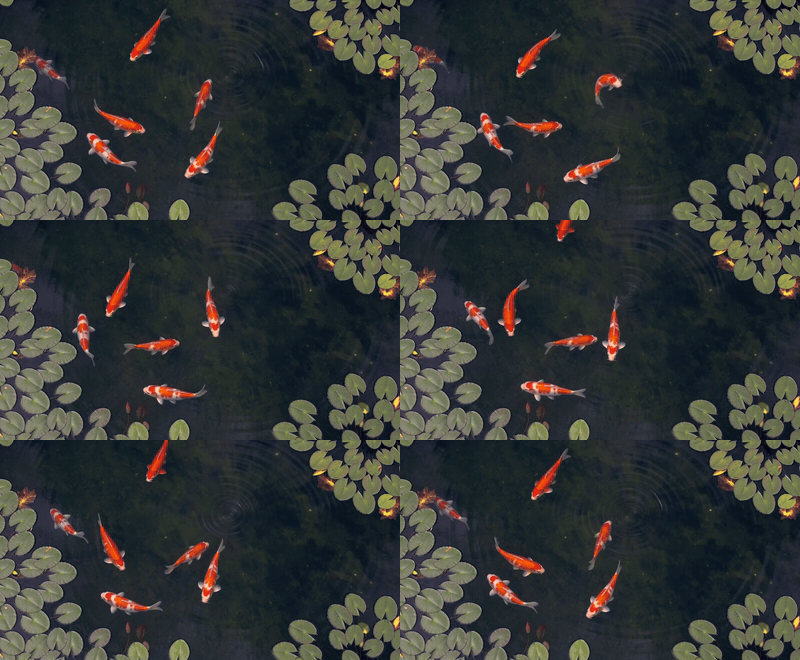
| Rocking chair | Koi pond |
|
|
| Rocking chair | Koi pond |
|  |
|  |
|
Nodes
- MiniMax H3 Loop (model patch): samples the latent with its end wrapped around to its start, so the model joins the end to the start like any other part of the video.
views2 (default) also samples a half-rotated view and takes the audio around the loop point from it, which keeps the sound clean there; costs about 1.8× sampling time. Useviews1 with the Fun ControlNet. - MiniMax H3 Loop Decode: decodes the loop with wrapped context on both sides and outputs exactly one loop of frames and audio.
- MiniMax H3 Loop Control Video: fits an existing seamless loop (for example a 3D depth pass) to the H3 loop as the control video for Apply MiniMax H3 Fun ControlNet. See Restyling a loop with ControlNet.
- Loop Interpolate: FILM or RIFE frame interpolation across the whole loop, including the frames between the last frame and the first. Outputs the new fps for Create Video. Needs ComfyUI-Frame-Interpolation.
Install
Clone into ComfyUI/custom_nodes and restart ComfyUI:
git clone https://github.com/pxl-pshr/ComfyUI-MiniMaxH3-Loop
Requires a ComfyUI version with MiniMax H3 support. The example workflows show up in ComfyUI's template browser. They also use ComfyUI-Frame-Interpolation (Loop Interpolate), and the Control workflow uses ComfyUI-VideoHelperSuite (Load Video Path).
Example workflows
All in example_workflows/. Each has a note with lengths, prompting tips and settings. For a reference image, un-bypass Load Image and put <Picture 1> in the prompt.
| Workflow | Model | Steps | Time* |
| --- | --- | --- | --- |
| MiniMax-H3-Loop.json | ref2va | 25 | ~21 min |
| MiniMax-H3-Loop-Turbo.json | ref2va + turbo LoRA | 8 | ~7 min |
| MiniMax-H3-Loop-FastH3.json | FastH3-Omni | 8 | ~7 min |
| MiniMax-H3-Loop-Control.json | ref2va + turbo LoRA + Fun ControlNet | 8 | ~4 min |
*Per loop on an RTX 4090, 1280×704, length 107, views 2 (Control uses views 1). The workflows default to 1344×768 and length 158 (a 6.4 s loop), which takes a bit longer; the Control workflow defaults to length 107. The first three end in Loop Interpolate (FILM ×2, 48 fps).
- MiniMax-H3-Loop (no LoRA): natural, photographic, the reference look. Smoothest on fast motion.
- Turbo (ref2v turbo 8-step LoRA): the LoRA shifts the look, so the same seed gives a different shot. Fast motion can judder (every other frame nearly still), depending on seed.
- FastH3 (FastH3-Omni,
fasth3_omniref_8step_pruned_int8_convrot.safetensors): close to the 25-step look with a reference image, a bit punchier; text-only prompts give a different shot. Slight judder on fast motion; slow flows stay smooth. - Control (Fun ControlNet): restyles an existing loop; geometry and timing come from your control video.
FastH3-Omni stores per-step output heads and needs ComfyUI v0.42.0 or newer. Older versions fail with "size of tensor a (24) must match the size of tensor b (768)".
A good split: FastH3 or Turbo for drafts and slow-moving subjects, 25 steps for finals with fast motion.
Models
The workflows carry these download links, so ComfyUI offers to download any that are missing.
| File | Folder | Used by |
| --- | --- | --- |
| minimax_h3_ref2va_pruned_int8_convrot.safetensors | diffusion_models | Loop, Turbo, Control |
| fasth3_omniref_8step_pruned_int8_convrot.safetensors | diffusion_models | FastH3 |
| minimax_h3_ref2v_turbo_8step_v1.0_768p_comfyui_bf16.safetensors | loras | Turbo, Control |
| qwen3vl_32b_minimax_h3_nvfp4_awq.safetensors | text_encoders | all |
| minimax_h3_video_vae_fp16.safetensors | vae | all |
| minimax_h3_audio_vae_fp32.safetensors | vae | all |
| minimax_h3_fun_controlnet_union_pruned_int8_convrot.safetensors | model_patches | Control |
Other precisions (bf16, fp8) are in Comfy-Org/MiniMax-H3, FastVideo/FastH3-Omni-Comfy and lightx2v/Minimax-h3-Turbo. Loop Interpolate's FILM and RIFE checkpoints download automatically through ComfyUI-Frame-Interpolation.
Usage
MiniMax H3 Loop → BasicGuider / BasicScheduler → SamplerCustomAdvanced → MiniMax H3 Loop Decode → Loop Interpolate → Create Video.
Length must be 17k+5 frames. The loop is 17k frames. These lengths keep the audio loop exact:
| length | loop frames | seconds at 24 fps | |---|---|---| | 107 | 102 | 4.25 | | 158 | 153 | 6.4 | | 209 | 204 | 8.5 | | 260 | 255 | 10.6 | | 311 | 306 | 12.75 | | 362 | 357 | 14.9 |
Prompt: see Prompting and PROMPTING.md.
Reference image: connect it to MiniMax H3 Reference to Video and refer to it as <Picture 1>. In our tests this kept the subject and look, and loop points were about as clean as text-to-video.
First frame / Add Guide anchors (MiniMax H3 Image to Video with the fl2va model) work with the loop: each anchor lands on its loop frame, and a last-frame anchor wraps onto the start. But H3 treats a pinned frame as a shot start: the end of the loop may not lead into it, so the loop point can jump, and away from the pinned frame the exposure drifts (in a test, 35 → 50 mean brightness; plain image-to-video without the loop drifted too, 35 → 39). In our tests the reference image route above kept the same subject and look with steady exposure and a cleaner loop point, so prefer it for loops from an image.
Frame rate: H3 always generates at 24 fps. Raising the fps in Create Video only plays it faster; use Loop Interpolate to make it smoother.
Restyling a loop with ControlNet
If you already have a seamless loop (a Blender render, a depth or edge pass), H3 can restyle it while your loop fixes the geometry and timing. In our tests this gave the cleanest loop points, and it handles camera travel (tunnels, corridors) that text prompts struggle with.
Needs the Fun ControlNet model patch minimax_h3_fun_controlnet_union_pruned_int8_convrot.safetensors in models/model_patches.
model → MiniMax H3 Loop → Apply MiniMax H3 Fun ControlNet → guider/scheduler. The order matters: MiniMax H3 Loop must come first (the other order raises an error).
Control loop (Load Video) → MiniMax H3 Loop Control Video → Apply MiniMax H3 Fun ControlNet's control_video.
- Give MiniMax H3 Loop Control Video the same
lengthandpad_clipsas the rest of the workflow, and the control clip'sfps. cycles0 repeats the control loop as many times as keeps it closest to its own speed. The control is resampled to fit, which blends neighbouring control frames. For an exact fit with no blending, render the control at 24 fps with a cycle that divides the loop (length − 5) exactly: cycles × cycle frames = loop frames. A 34-frame cycle fits length 107 (3 cycles) or 209 (6); a 68-frame cycle fits 209 (3).cycles0 picks that count automatically.- Prompt the geometry the control shows, then the look.
example_workflows/MiniMax-H3-Loop-Control.json has it wired up. Point its Load Video node at your own loop.
Prompting
A loop has to end where it started, so describe a state that keeps going, not a sequence of events:
- A locked-off camera:
Locked-off static camera, no pan, no zoom. - One large, clear subject doing one continuous or cyclic thing: pulsing, rotating, swaying, drifting, orbiting.
- Steady light and environment, and a steady ambient
overall_soundscape:. - No timelines (
[0s-2s], "then", "finally"), no one-way changes, no single events. - Fine turbulent texture (blowing sand, rain, smoke) can pop at the loop point.
PROMPTING.md is the full guide: format, structure, camera travel through repeating spaces, sound, reference images, a checklist, a before/after rewrite, and example prompts.
Optionally, give an LLM PROMPTING.md to expand your idea into a detailed loop prompt. H3 rewards long, specific prompts, and an LLM can turn a rough idea ("jellyfish loop, moody") into one that follows these guidelines; the guide ends with a section written for that. With a reference image, also give the LLM the image so it can describe the subject and keep the prompt consistent with it.
How it works
H3 latents come in 17-frame clips of 5 latent frames. Each model call sees the loop with pad_clips wrapped clips on each side (default 1, the end of the loop before it and the start after it) and keeps the middle. The end-to-start join is denoised with real context on both sides, and the sequence edges fall in context that is thrown away. Loop Decode does the same around the VAE decode.
Padding adds sampling time: about 34% at 209 frames with pad_clips 1. It also extends what the model sees by 17 frames per padding clip on each side: with pad_clips 1, length 311 becomes 345 frames, within H3's 362-frame maximum, while 362 becomes 396 and runs past it.
With one view, the loop's first and last ~0.7 s are duplicated as wrap context at the same place on every step, and H3's audio stream turns loud and garbled there (3–10× the clip's normal level). views 2 also samples the loop rotated by half, with its wrap point mid-loop, and blends the two audio predictions by distance from each view's wrap point. Both views run on every step, so nothing changes from step to step. The picture comes from the first view only: when both views were blended, they could settle on opposite directions of motion (particles streaming right in one, left in the other), which reversed the motion mid-loop.
The padding repeats the loop's own latent, so it gets fresh noise in place of the copied noise: seeing the same noise twice made distilled models such as FastH3 draw white specks, densest near the loop point.
An earlier version rotated the latent by a different amount each step (Mobius-style latent shift) instead. That kept the audio clean but caused one-frame hitches in the picture, and was removed.
License
GPL-3.0