
ComfyUI Load Image Media Browser
Load Image Media Browser for ComfyUI
ComfyUI Load Image Media Browser
ComfyUI Load Image Media Browser is an independently published derivative project based on audioscavenger/ComfyUI-Thumbnails.
Screenshots
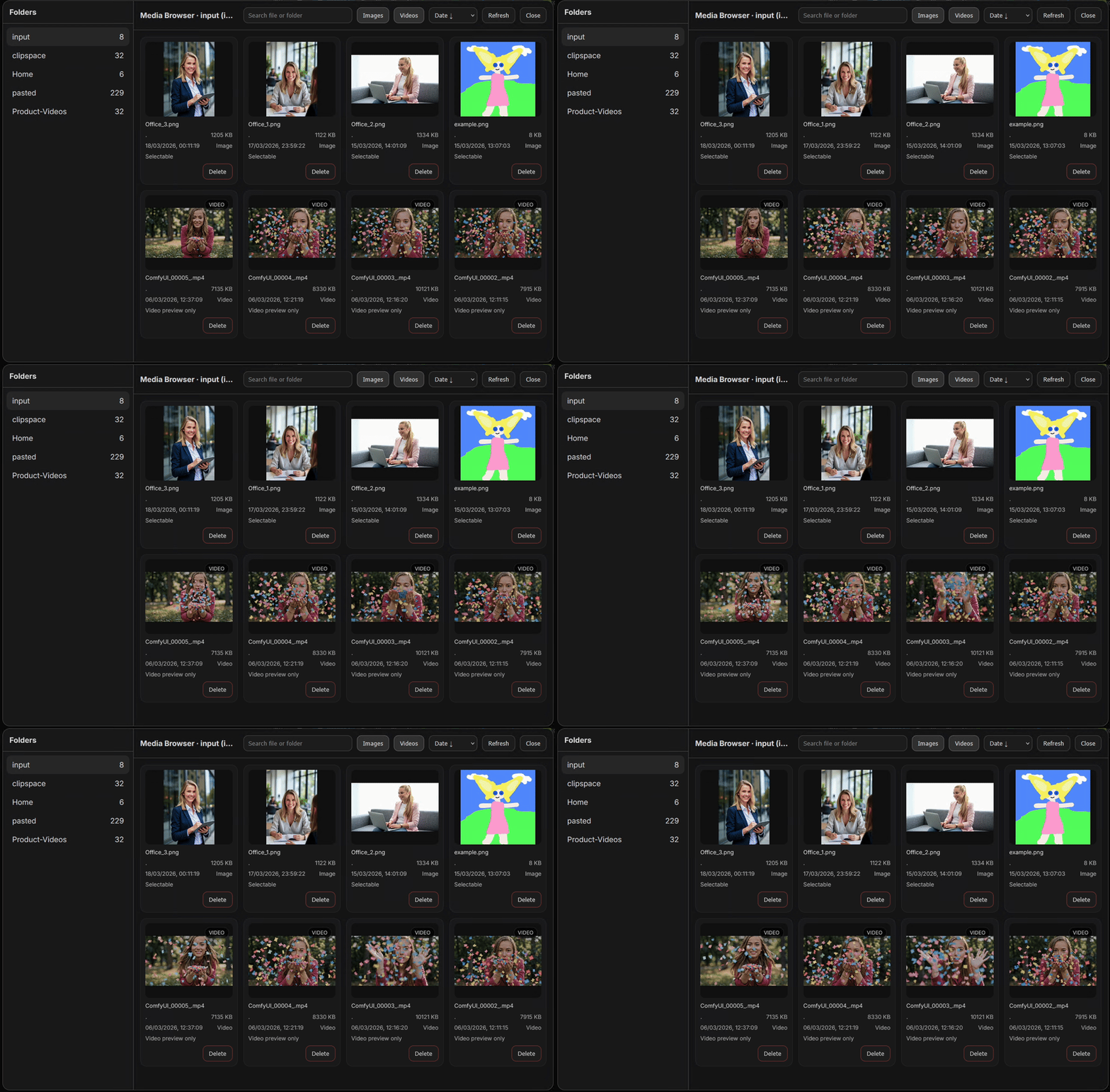
Demo Media Browser
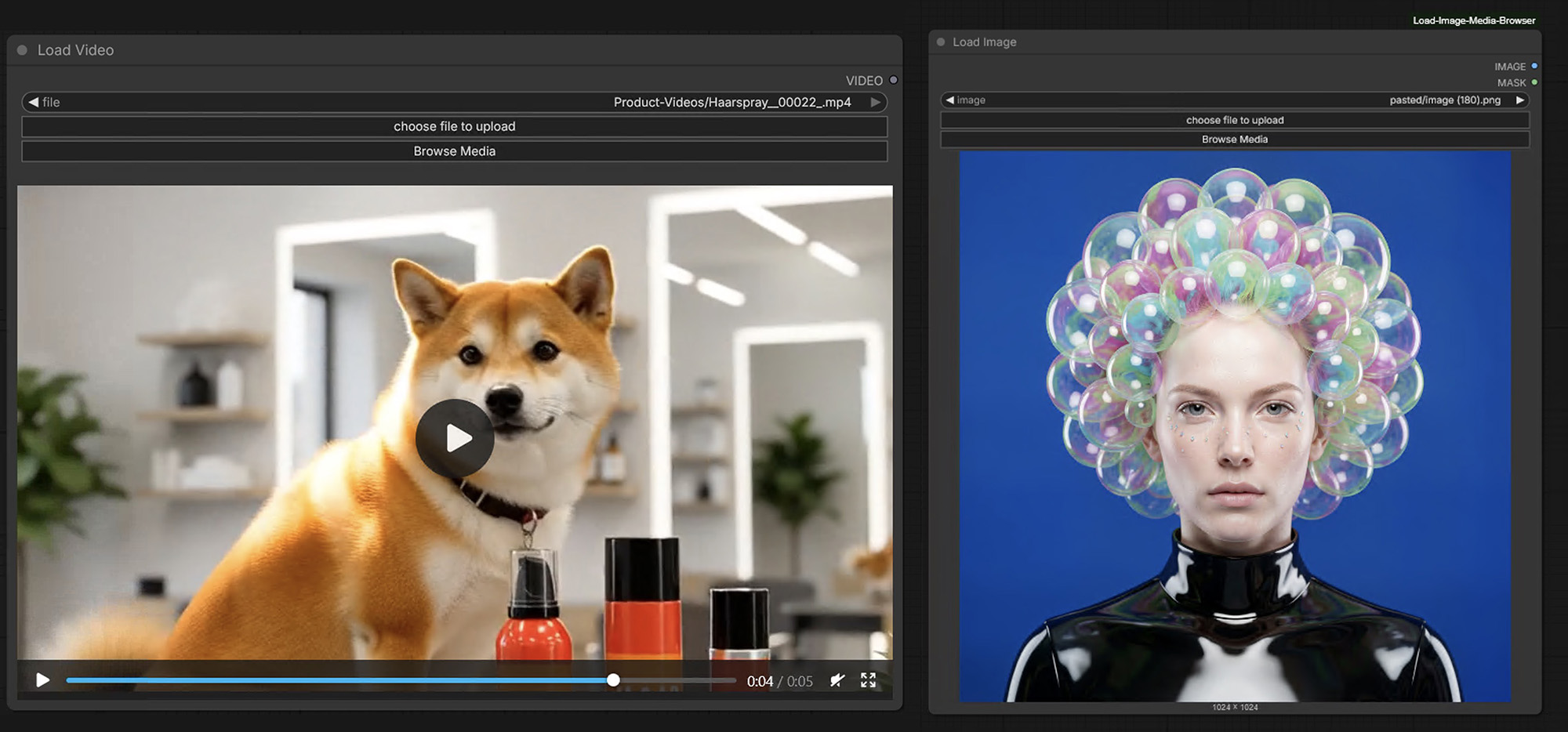
Node Overview
Features
It adds a media browser to the native Load Image and Load Video nodes in ComfyUI, making it easier to browse, preview, sort, and select files from the input directory.
Features
- adds a Browse Media button to Load Image and Load Video
- shows images and videos in both nodes
- only compatible media can be selected in each node
- Load Image selects image files
- Load Video selects video files
- Images / Videos toggle buttons to show or hide media types
- remembers the last opened folder
- keeps next / previous selection inside the current folder
- sorting by:
- date descending
- date ascending
- name A–Z
- name Z–A
- direct file deletion from the browser
- mixed aspect ratio thumbnail support
- automatic node resizing for media previews
- aspect-ratio presets for:
16:99:161:14:33:4
Supported media
Images
png, jpg, jpeg, webp, gif, bmp, tif, tiff, avif, jxl, apng, ico
Videos
mp4, webm, mov, m4v, mkv, avi
How it works
This extension enhances the native ComfyUI file-loading workflow.
- Load Image and Load Video get an additional Browse Media button
- the browser opens in the current or last used folder
- both media types remain visible for context
- only valid media for the active node can be selected
- selected media is written back into the native node widget, so the workflow still behaves like a normal ComfyUI workflow
Installation
Manual Download
- Open a terminal inside your
custom_nodesfolder in your ComfyUI installation. - Clone this repository into
ComfyUI/custom_nodes/:
git clone https://github.com/puk77/ComfyUI-Load-Image-Media-Browser.git
Then:
- restart ComfyUI
- hard refresh the browser once
Updating
Replace the old folder, restart ComfyUI, and hard refresh the web UI.
Notes
- videos are previewed in the browser UI and can be selected through Load Video
- images are previewed in the browser UI and can be selected through Load Image
- this extension works inside the ComfyUI
inputdirectory structure - file deletion is limited to files inside the allowed input tree
Thumbnail behavior
- thumbnails are not stored as separate files
- previews are generated directly from the original media in the ComfyUI
inputdirectory - this node does not create a persistent thumbnail cache
- closing ComfyUI does not remove any thumbnail files created by this node, because none are created
Release
Current version: 1.0.0
Suggested GitHub topics
comfyui, custom-node, media-browser, thumbnail-browser, load-image, load-video
Credits
Original upstream project: audioscavenger/ComfyUI-Thumbnails
This repository is an independently published derivative work with additional changes, behavior updates, and packaging.
License
This repository uses AGPL-3.0-or-later.
Keep the included LICENSE file when redistributing or publishing modified versions.
Publisher metadata
Suggested pyproject.toml values:
[tool.comfy]
PublisherId = "puk77"
DisplayName = "ComfyUI Load Image Media Browser"