
ComfyUI-PainterVideoCombine
ComfyUI node: extract fps/frames/duration/width/height from video
PainterVideoCombine 此节点是在VHS videocombine基础上修改简化,感谢VHS团队!
A lightweight and intuitive video synthesis node for ComfyUI.
轻量直观的 ComfyUI 视频合成节点。
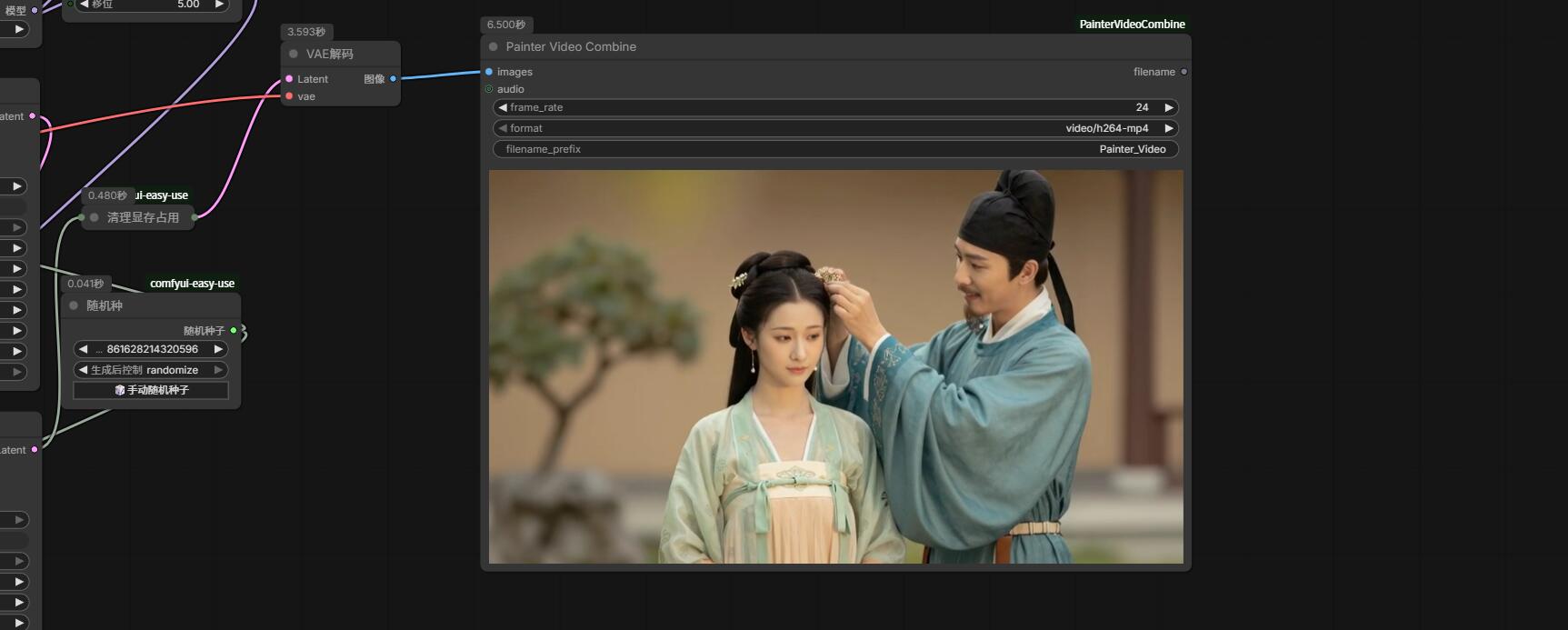
✨ Features / 特性
-
Simple & Clean UI – No clutter, just what you need.
界面简洁 – 无冗余元素,只保留核心功能。 -
Adjustable Frame Rate – Set FPS directly in the node (unlike ComfyUI’s built-in
SaveImagevideo saver).
可直接设置帧率 – 在节点内自由指定 FPS,官方保存视频节点无法做到。 -
Instant Video Preview – Automatically displays the output video inside the node after generation.
自动生成预览 – 合成完成后自动在节点内嵌播放视频,无需手动查找文件。 -
Fast Encoding – Uses optimized FFmpeg settings for quick export.
合成速度快 – 采用高效 FFmpeg 参数,导出迅速。 -
Muted by Default, Sound on Hover – Videos play silently at first; audio unmutes automatically when you hover over the preview.
默认静音,悬停发声 – 视频初始静音播放,鼠标移入预览区域时自动开启声音,避免干扰。
📦 Installation / 安装
-
Open your ComfyUI
custom_nodesfolder.
打开 ComfyUI 的custom_nodes文件夹。 -
Run:
执行以下命令:git clone https://github.com/princepainter/ComfyUI-PainterVideoCombine.git
重启 ComfyUI,节点将出现在 Painter/Video 分类下。
🎥 Usage / 使用方法
Connect image frames to the images input, set your desired frame_rate, choose format (MP4, WebM, or GIF), and optionally attach an AUDIO input. 将图像序列接入 images 输入端口,设置所需帧率,选择格式(MP4/WebM/GIF),并可选连接音频输入。
The output video will be saved and automatically previewed in the node. 合成后的视频将自动保存,并在节点内实时预览。 🔕 Audio is muted by default. Move your mouse over the video to hear sound. 🔕 默认静音。将鼠标悬停在视频上即可听到声音。
📝 Note / 说明
Requires ffmpeg (automatically fetched via imageio-ffmpeg if not found). 需要 ffmpeg(若未安装,会通过 imageio-ffmpeg 自动获取)。
Enjoy smooth and silent video synthesis! 享受流畅静谧的视频合成体验!