
ComfyUI_Illustrious
This extension helps generate images through Illustrious.
ComfyUI Illustrious
A lightweight ComfyUI extension that lets you drag, drop, and wire Illustrious XL API endpoints right inside your graph no boilerplate, no cURL copy pasting, and no lost creative flow.
Supported models: every production checkpoint we host (v0.1 → v3.5)
Max resolution: 2048 × 2048
Extras: Stardust accounting, multithreaded batching (up to 10 images), Tag Booster, Mood Enhancer
✨ Why Yet Another Node?
Illustrious XL was designed for large, high resolution canvases and crisp natural language alignment but that power is useless if artists have to paste cURL commands into a terminal.
ComfyUI is our favorite node based playground, so we wrapped the Illustrious endpoints in nodes that:
- Hide the messy parts (auth headers, error handling, threading)
- Surface only the controls you care about (resolution, sampler, seed, CFG scale, etc.)
- Live natively in your graph drag, drop, wire, done.
📦 Installation
Git clone (CLI)
git clone https://github.com/OnomaAI/ComfyUI_Illustrious.git custom_nodes/ComfyUI_Illustrious
ComfyUI‑Manager (GUI)
- Open ComfyUI‑Manager → Install via Git URL
- Paste
https://github.com/OnomaAI/ComfyUI_Illustrious.git - Click Install
🔑 Account Setup
-
Log into the Illustrious dashboard
-
My Profile → API Key → Create API Key
-
Create
custom_nodes/ComfyUI_Illustrious/.envand add:ILLUSTRIOUS_API_KEY=<YOUR_ACCESS_TOKEN> -
Restart ComfyUI the nodes will auto detect your key.
🧩 Node Overview
All Illustrious blocks appear under the Illustrious category in your node palette:
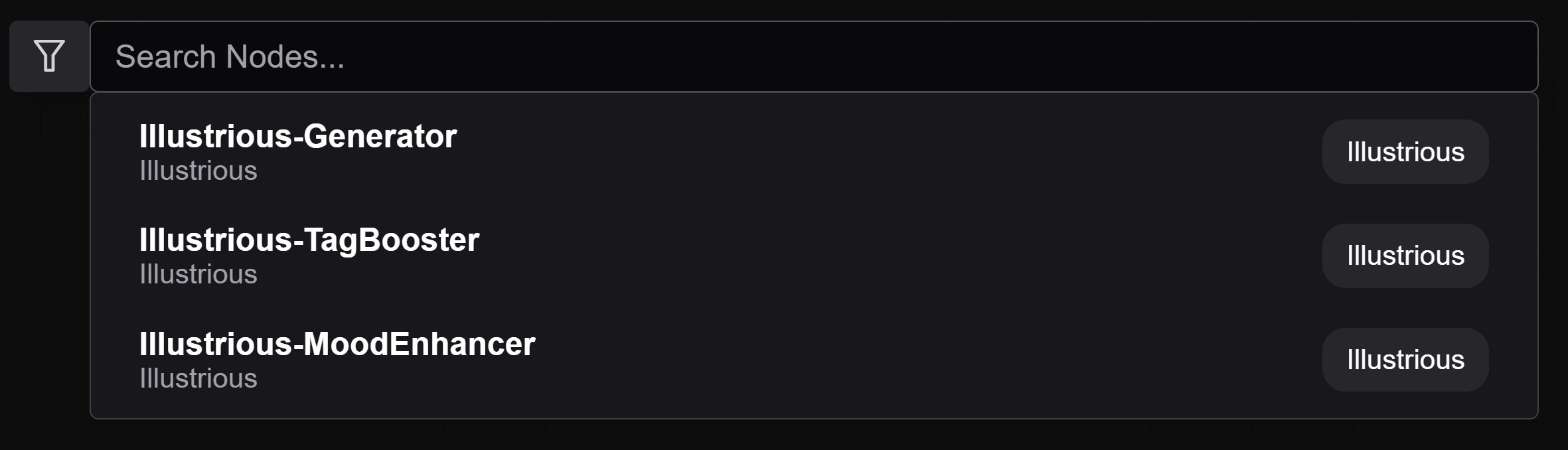
🎨 Usage
Illustrious-Generator
- Add a Generator node to your graph.
- Configure:
- Model (v0.1 → v3.5)
- Resolution (≤ 2048 × 2048)
- Sampler, Seed, CFG Scale, etc.
- Batch generation (multithread):
- Set
n_requeststo 2–10 (concurrent images) - Set Seed to
-1 - Set control_after_generate to
fixed
- Set
- Connect a Save Image node or your own chain to capture images and Stardust usage/balance.
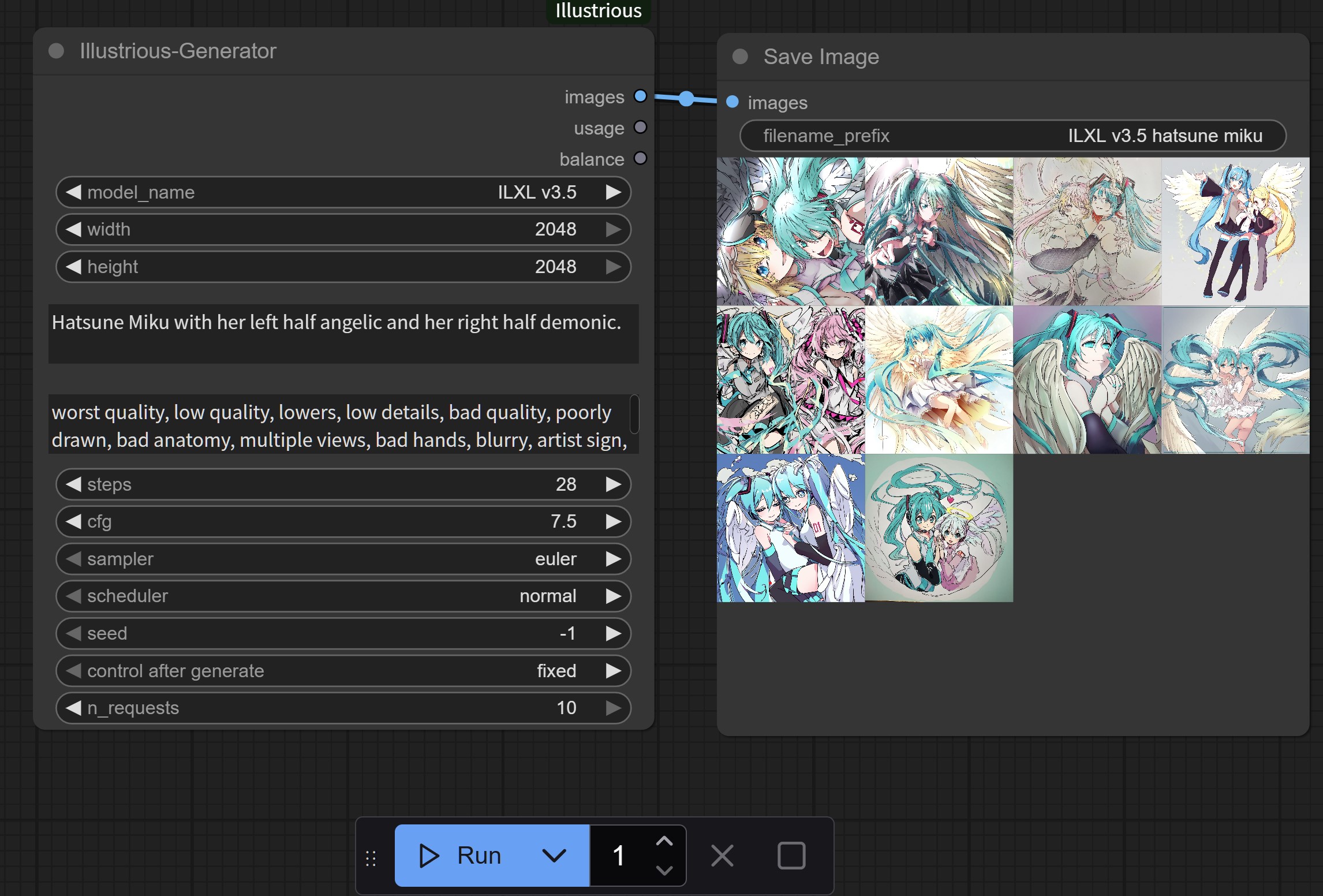
👉 Full argument reference: https://illustrious-xl.ai/docs/text-to-image
Illustrious-TagBooster
Wire TagBooster → Generator → Save Image to expand a short idea into a detailed prompt automatically.
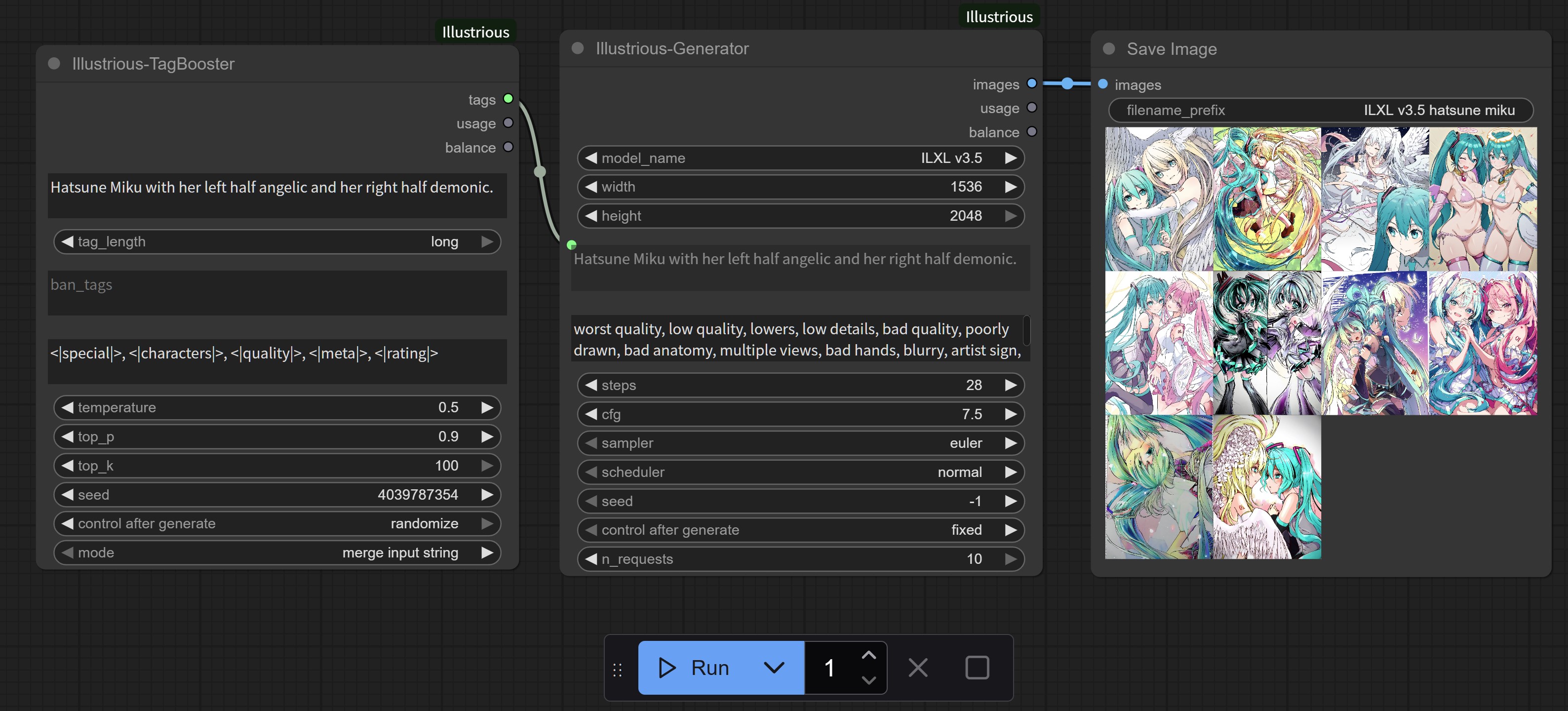
👉 Docs: https://illustrious-xl.ai/docs/text-enhance/tag-booster
Illustrious-MoodEnhancer
Insert MoodEnhancer wherever you need a colorful, scene ready rewrite perfect for Illustrious’s expressive branches.
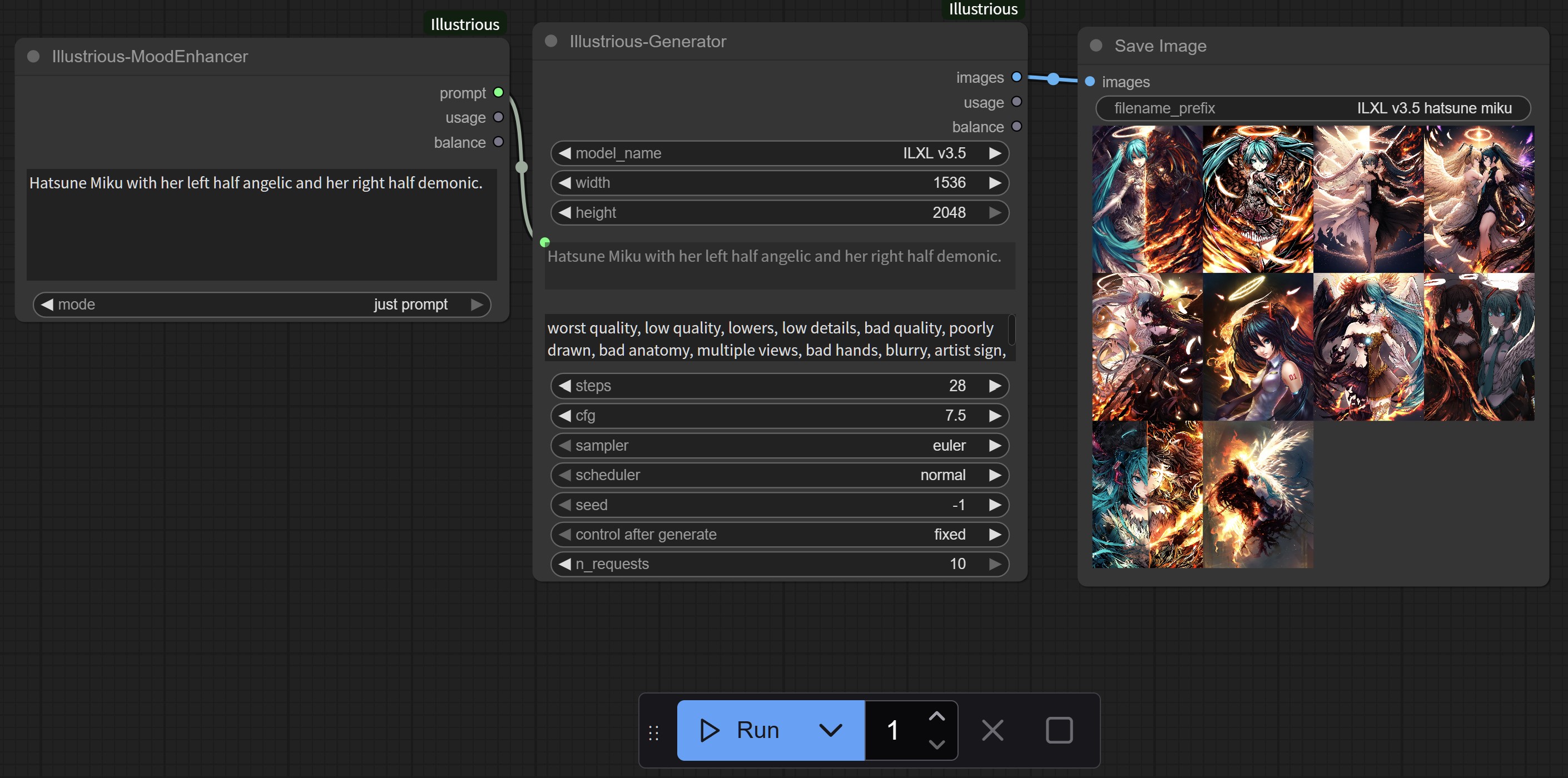
👉 Docs: https://illustrious-xl.ai/docs/text-enhance/mood-enhancer
📚 Documentation
- Overview: https://illustrious-xl.ai/docs/overview
- ILXL Text‑to‑Image: https://illustrious-xl.ai/docs/text-to-image
- Tag Booster: https://illustrious-xl.ai/docs/text-enhance/tag-booster
- Mood Enhancer: https://illustrious-xl.ai/docs/text-enhance/mood-enhancer
Made with ❤️ by OnomaAI · Illustrious XL · GitHub · Huggingface