
ComfyUI Extension
ComfyUI-KittenTTS
A ComfyUI extention for Kitten TTS
neverbiasu/ComfyUI-KittenTTS
Nodes2
On cloudLocal install
Categoryaudio/loaders, audio/tts
Stars9
Updatedabout a year ago
Nodes (2)
Readme
ComfyUI-KittenTTS
Lightweight text-to-speech for ComfyUI powered by Kitten TTS (ONNX). CPU-friendly, fast to start, and easy to integrate in your audio workflows.
Example Workflows
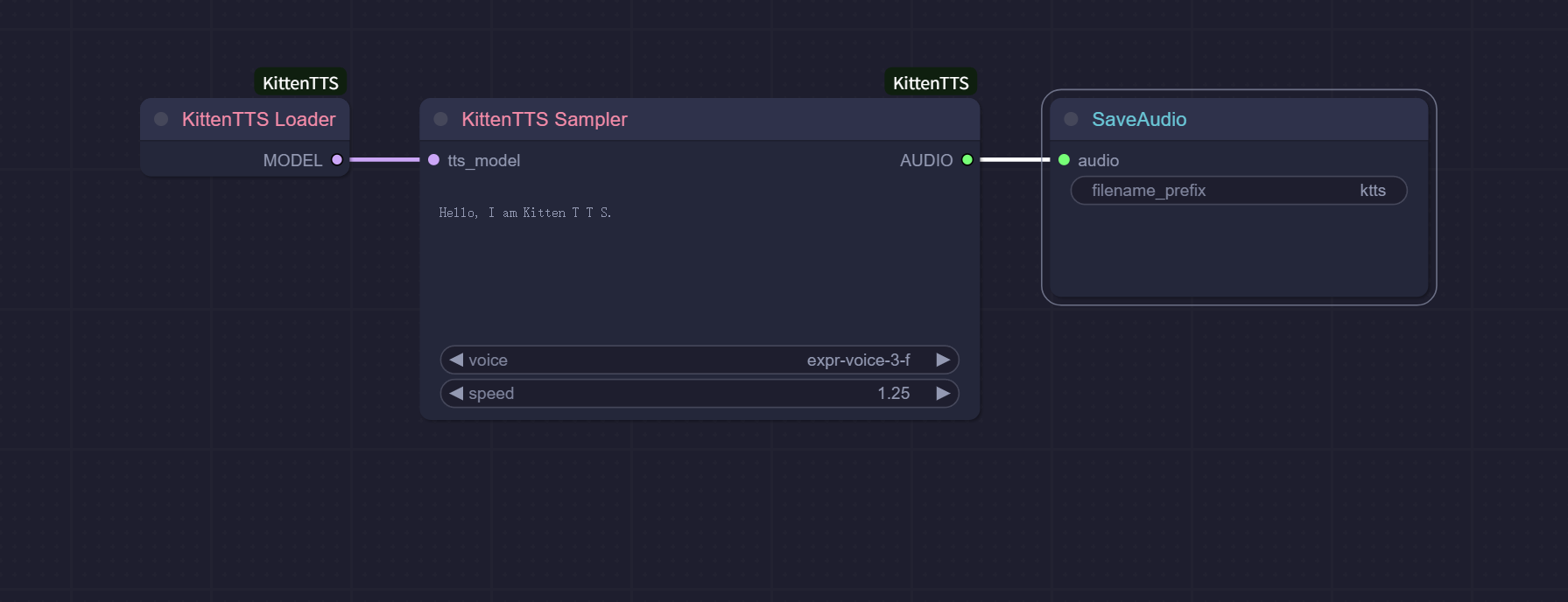
Use the included example as a reference to synthesize and save audio:
Demo video:
<video src="assets/demo.mp4" controls width="720"></video>
Features
- Lightweight ONNX model (runs well on CPU)
- Zero-config loading (auto-downloads the default model)
- Standard ComfyUI AUDIO output
Installation (Manual)
-
Navigate to your ComfyUI's
custom_nodesdirectorycd ComfyUI/custom_nodes -
Clone this repository:
git clone https://github.com/neverbiasu/ComfyUI-KittenTTS cd ComfyUI-KittenTTS -
Install Python dependencies:
pip install -r requirements.txt -
Install eSpeak NG and ensure its bin folder is on PATH. Restart ComfyUI afterwards.
Troubleshooting
- Phonemizer/eSpeak errors: install eSpeak NG, ensure it’s on PATH, then restart ComfyUI.
- AUDIO output errors in downstream nodes: ensure upstream provides a dict with
{"waveform": Tensor[B,C,T], "sample_rate": int}; this node outputs[1,1,T]at 24000 Hz. - Model download issues: check network access to Hugging Face and retry.
Acknowledgements
- Kitten TTS by KittenML
License
See the LICENSE file in this repository.