
ComfyUI ND UI Builder
ComfyUI ND UI Builder — build your own stylish control panel for ComfyUI: bind widgets to parameters of any nodes, lay them out freely, run the whole workflow from a clean full-window interface.
ComfyUI ND UI Builder
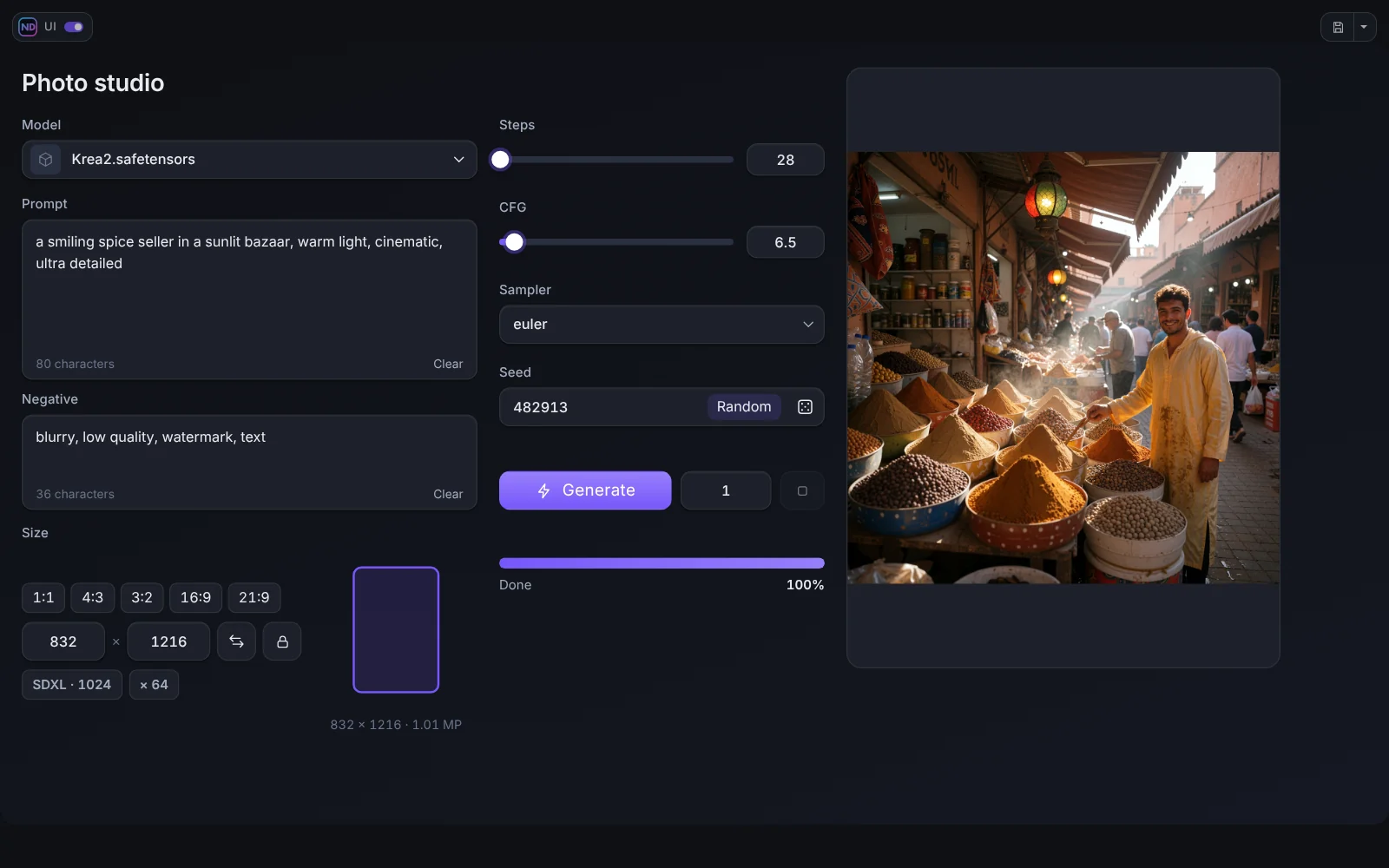
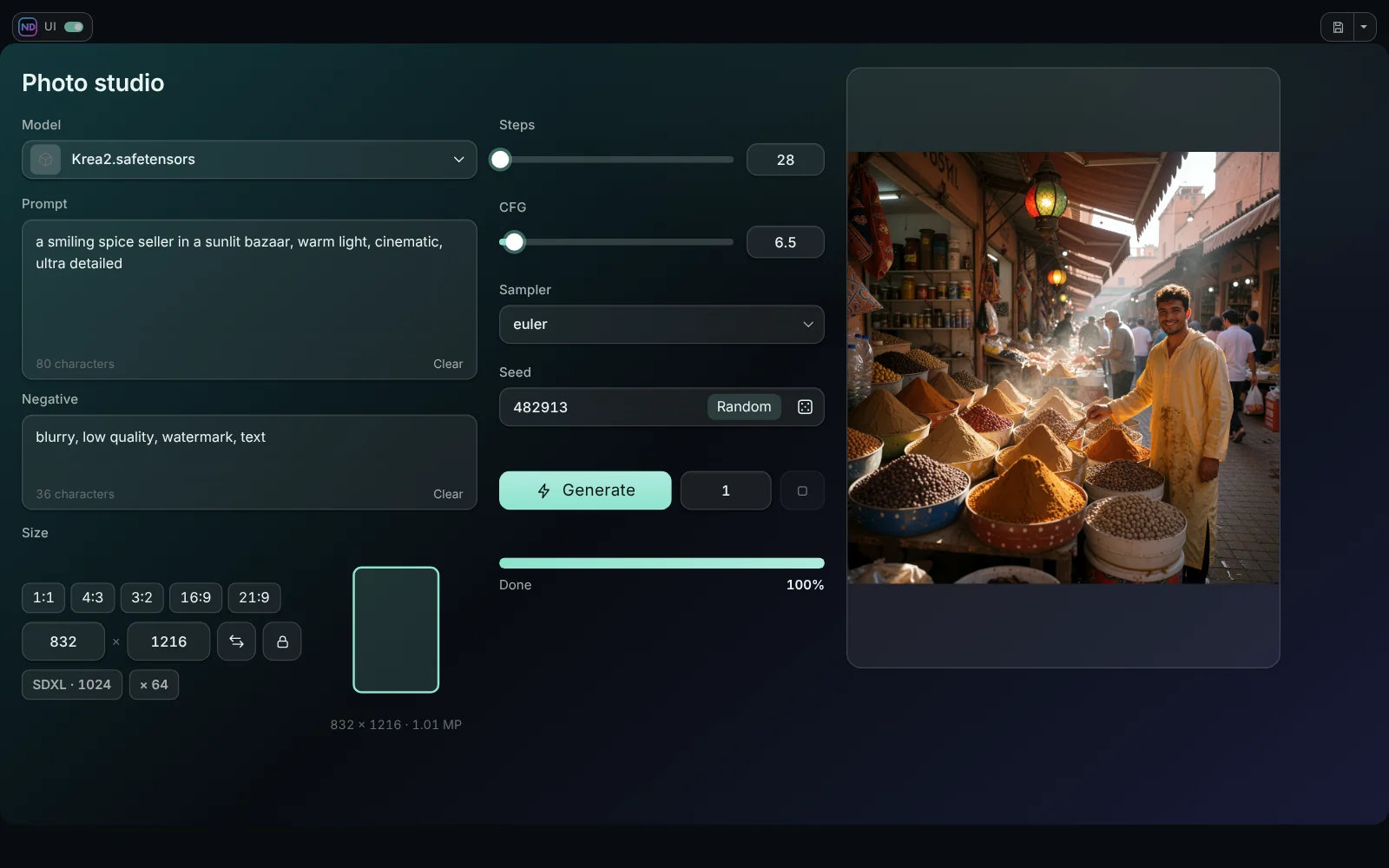
Build your own clean control panel for any ComfyUI workflow. Bind big, friendly widgets (a prompt box, a seed, a size picker, a Generate button, a live result window) to the parameters of the nodes, arrange them freely, and run the whole workflow from a full-window interface. The graph stays untouched underneath.
Video
<p align="center"><a href="https://youtu.be/c8wx4VMnxcE"><img src="docs/images/promo_video.webp" alt="ComfyUI ND UI Builder: promo video" width="720"></a></p> <p align="center"><b><a href="https://youtu.be/c8wx4VMnxcE">Watch the promo</a></b> (about 30 seconds: what it is and what it does)</p>Step-by-step tutorials, one playlist: ComfyUI ND UI Builder on YouTube
| # | Tutorial | What you learn | |---|---|---| | 1 | The basics | Installation, the ND UI and Edit buttons, tagging nodes | | 2 | Your first interface | Build a complete text-to-image panel with a live result | | 3 | Finishing touches | Tabs, spoilers, groups, themes |
The tutorials have English, Russian and Chinese audio tracks, the promo has English and Russian. On YouTube open Settings (gear) → Audio track to switch the language.
Features
- Visual editor. Drag widgets onto pages, resize, group, align, layer. Undo and redo, templates, projects.
- 38 widgets in four groups: inputs (number, slider, seed, prompt, dropdown, image / video / audio input, LoRA stack, node embed), run (Generate, Run to node, progress, queue, resolution, model picker), results (viewer with live frames and A / B compare, video and audio players, text, variants) and layout (panels, tabs, spoilers, text, images).
- Ten themes, with Glass and Frost blur, your own colours, gradients and backgrounds. The editor itself can be recoloured.
- Live preview while the sampler works, also for video with sound (ND UI Live Bridge).
- ND UI mode. A full-window mode with a top panel, progress bar, memory buttons, buttons taken from the ComfyUI top bar, a workflow switcher (Alt+Q) and project files.
- Works with any nodes. Bind to parameters of stock and third-party nodes, or embed the interface of a node itself.
- English, Russian and Chinese interface.
Install
- Comfy Registry / ComfyUI-Manager: search for ComfyUI ND UI Builder.
- Manually: put the folder into
ComfyUI/custom_nodes/:cd ComfyUI/custom_nodes git clone https://github.com/neural-dreamer/ComfyUI-NeuralDreamer-UI-Builder
Restart ComfyUI and reload the page (Ctrl+F5). Two buttons, ND UI and Edit, appear next to Run. No Python dependencies. Tried on the ComfyUI frontend 1.55 and 1.57.
Some widgets (Images Input, Video / Audio Input, LoRA Stack, Show Any As Text, Variant Preview) use the nodes of the companion pack Neural Dreamer Nodes, version 1.3.1 or newer. The Builder works without it.
Quick start
- Add a short tag in square brackets to the title of the nodes you want to control:
Prompt [prompt],Sampler [sampler]. - Press Edit next to Run.
- Add widgets from the library and bind them to the parameters of your nodes.
- Save, then press ND UI to use the panel. Esc goes back to the graph.
The full walk-through is in Quick start.
Documentation
| | | |---|---| | Quick start | Themes and design | | The editor | Live preview | | Sources and binding | Media and LoRAs | | Widgets | Node Embed | | Layout | Projects and templates | | The ND UI mode | Neural Dreamer Nodes · FAQ |
License
ComfyUI ND UI Builder is free and open source software under the GNU Affero General Public License v3.0 (AGPL-3.0-only). You can use, study, change and share it, including commercially, under the terms of that license. Panels and workflows you build with it are your own work: share or sell them as you like. If you offer the Builder, or a modified version of it, to other people over a network, the AGPL requires you to make the source of that version available to them.
Copyright (c) 2026 Ivan Ovchinnikov (Neural Dreamer). One file (js/ndui/textedit.js) is code of the ComfyUI frontend under the GPL-3.0; see THIRD_PARTY_NOTICES.md for it, the bundled font and the runtime dependencies. Contributions: CONTRIBUTING.md. License questions: [email protected].
Links
YouTube · Patreon · Boosty · Neural Dreamer Nodes · Issues