
Neo Studio
Neo Studio (ComfyUI nodes plugin, from Neo Nodes): Neo Prompt Encoder and Neo Prompt Agent (LLM prompt enhance, generate, reverse, translate, classify), Neo Image Gen & Edit (skill-template text-to-image, editing and outpaint with Autogrow reference images), Neo Reference Grid, Neo Grid Split, Neo Bundle Expand, Neo H3 Video Director with Neo H3 Add Keyframe, Add Context and Add Guides, Neo H3 Segment Run, plus built-in image and video generation settings, Gallery asset library with LoRA tagging, Recipes one-click send, Model Hub downloads, workflow repair, and the Neo Studio and Backyard pages.
Neo Studio
🇨🇳 中文: README_ZH.md
From one sentence to prompt, image, and film: AI prompt enhancement, image generation and reference editing, and MiniMax H3 multi-segment video direction — all in one plugin. The LLM can run inside the ComfyUI process with zero extra dependencies.
Install: search Neo Studio in ComfyUI Manager (published to the ComfyUI Registry), see Installation.
Why Neo Studio
| Capability | Usual approach | Neo Studio |
|------------|----------------|-----------|
| Local LLM | Needs llama-cpp-python (often fails to build on Windows) | Native: safetensors text-generation models run inside the ComfyUI process, no extra dependency |
| Cloud LLM | Fill endpoint and model name by hand | Built-in DeepSeek, Alibaba Cloud Bailian, Kimi, Zhipu GLM, SiliconFlow — add an API key and go; 🔌 Test Connection verifies live |
| Model downloads | Download manually, then drag files into folders | ModelScope + Hugging Face dual-source search, files land in the right model folder by repo path, resumable downloads |
| Chinese input | English / filename matching only | Chinese skill names searchable by full pinyin and initials; pinyin LoRA trigger-word suggestions |
| Image / video generation | Wire up dozens of nodes | Pick a skill and generate (skills ship a workflow.json template); H3 multi-segment director with drag-and-reorder timeline |
| After moving machines | Red nodes everywhere, fix paths one by one | 🅝 menu → "Repair Workflow" matches broken paths against real files on disk in one click |
| Asset reuse | Pick images one by one with LoadImage | Gallery lightbox + ✈️ one-click write into a target node; recipes send to canvas in one click |
Works without an LLM
Available right after install and restart, with no model or API key configured:
- 🖼️ Neo Gallery — asset browsing, lightbox, file management, ✈️ one-click send to node; Civitai LoRA matching and bookmarks; batch LoRA tagging
- 🧊 Neo Recipes — save prompt + media as a recipe, one-click send to workflow (with director recipe editor)
- 🔧 Workflow Repair — one-click fix for broken model paths
- 📥 Model Hub — ModelScope / Hugging Face dual-source search with resumable downloads (ModelScope listing and search work anonymously)
- 🔲 Neo Reference Grid / 🧩 Neo Grid Split — reference-image grid management, automatic storyboard grid splitting
- 🧊 Neo Studio — standalone page (
neo-studio.batorhttp://127.0.0.1:8188/neo-studio;neo-studio-app.batopens it in its own window): Assets, Director, Skills, Settings
LLM enhancement (✨ generate / image captioning / translate & classify) is the optional second step; the three modes are documented in docs/en/llm.md.
Features
| Module | Type | Description |
|--------|------|-------------|
| Neo Prompt Encoder | Node | Prompt management + AI enhancement; CONDITIONING + text for txt2img → prompts.md |
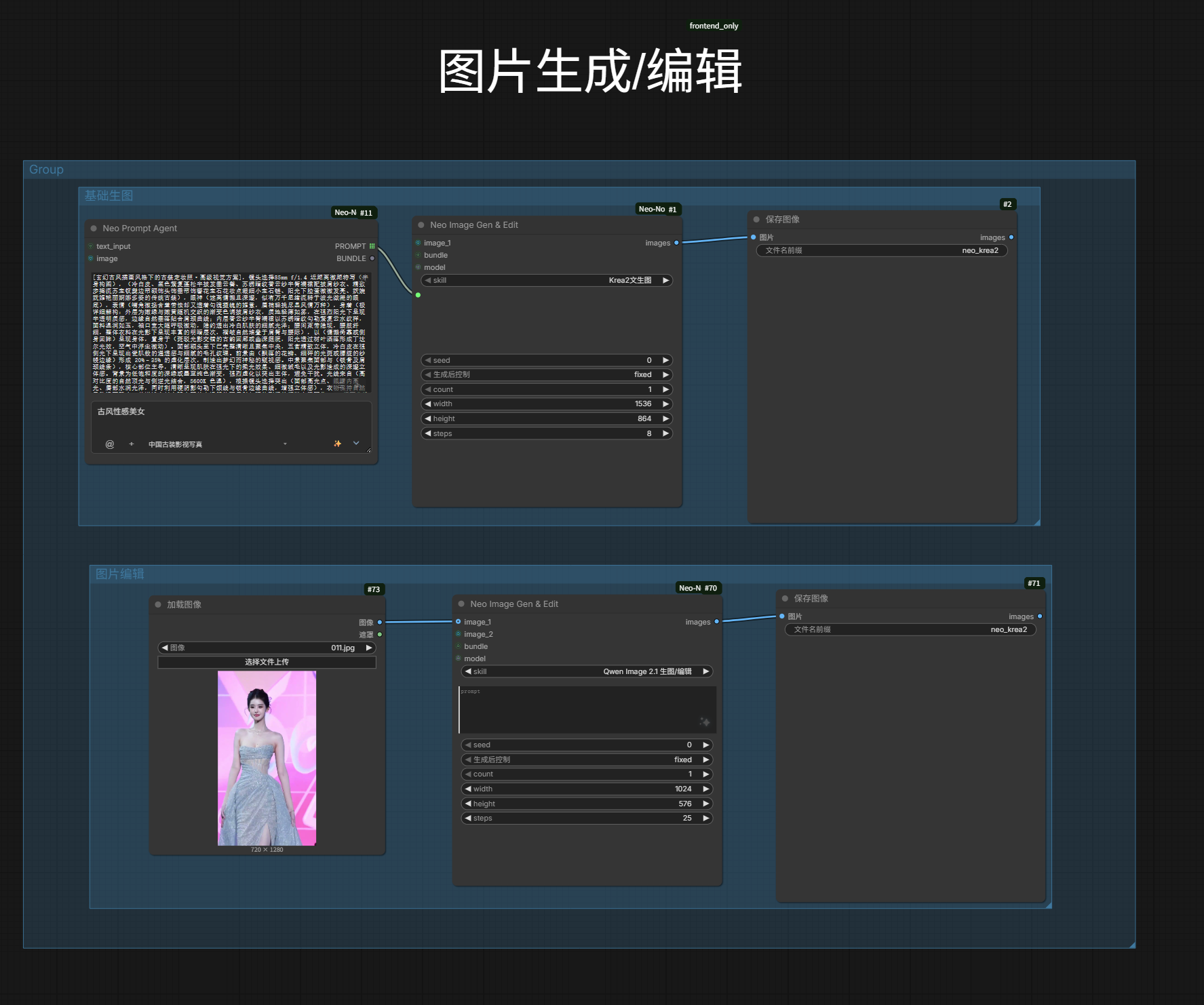
| Neo Prompt Agent | Node | Prompt generation without CLIP; PROMPT text + BUNDLE → prompts.md |
| Neo Image Gen & Edit | Node | Skill-template generation / reference editing; IMAGE output → image-gen.md |
| H3 Video Director | Node | MiniMax H3 multi-segment video with native audio; drag-reorder timeline → h3-video-gen.md |
| Neo Bundle Expand | Node | BUNDLE → prompt + image_1..9 for official H3 Reference-to-Video → prompts.md |
| Neo Reference Grid | Node | Prompt + up to 12 reference images in one grid node → prompts.md |
| Neo Grid Split | Node | Storyboard grid → IMAGE batch + embedded prompt → h3-video-gen.md |
| Neo Gallery | Sidebar | Asset browser, lightbox, send-to-node, Civitai LoRA, LoRA tagging → gallery.md |
| Bookmarks | Asset panel | Local bookmarks + Civitai bookmarks (download-on-open) → gallery.md |
| Neo Recipes | Sidebar | Recipe management with one-click send to workflow → recipes.md |
| Workflow Repair | Menu item | One-click fix for broken model paths → workflow-repair.md |
| Model Hub | Menu item | Dual-source repo search, category placement, resumable downloads → model-hub.md |
| Skill Management | Menu item | Inline workflow editing, canvas import & writeback, change preview + history → skills.md |
| MCP Server | Standalone process | Claude Desktop / Cursor calling image & director tools over stdio → mcp.md |
Node appearance:
Demo
Interaction recordings (click a thumbnail to open the matching doc):
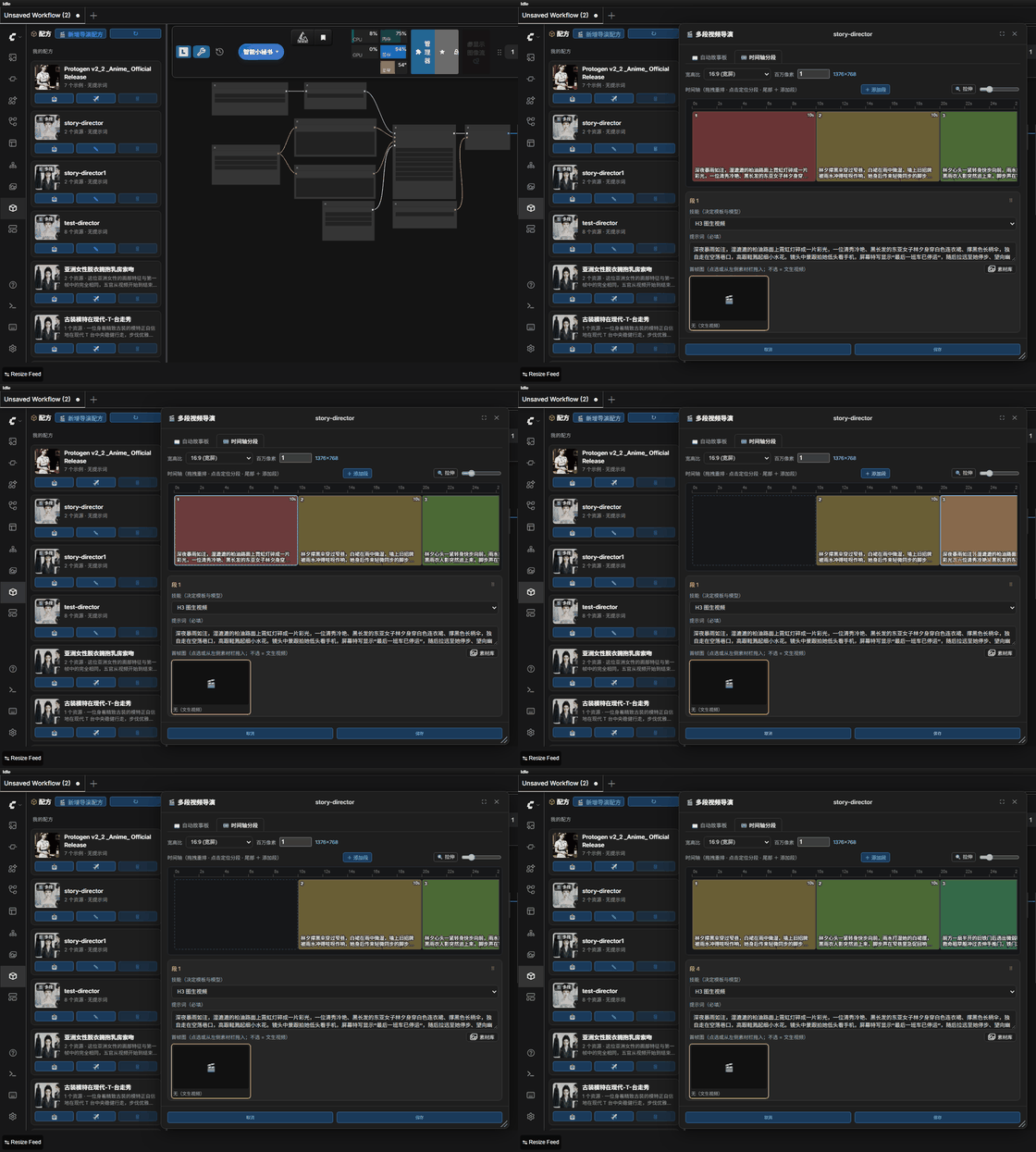 — 🎞️ H3 Video Director · timeline reorder
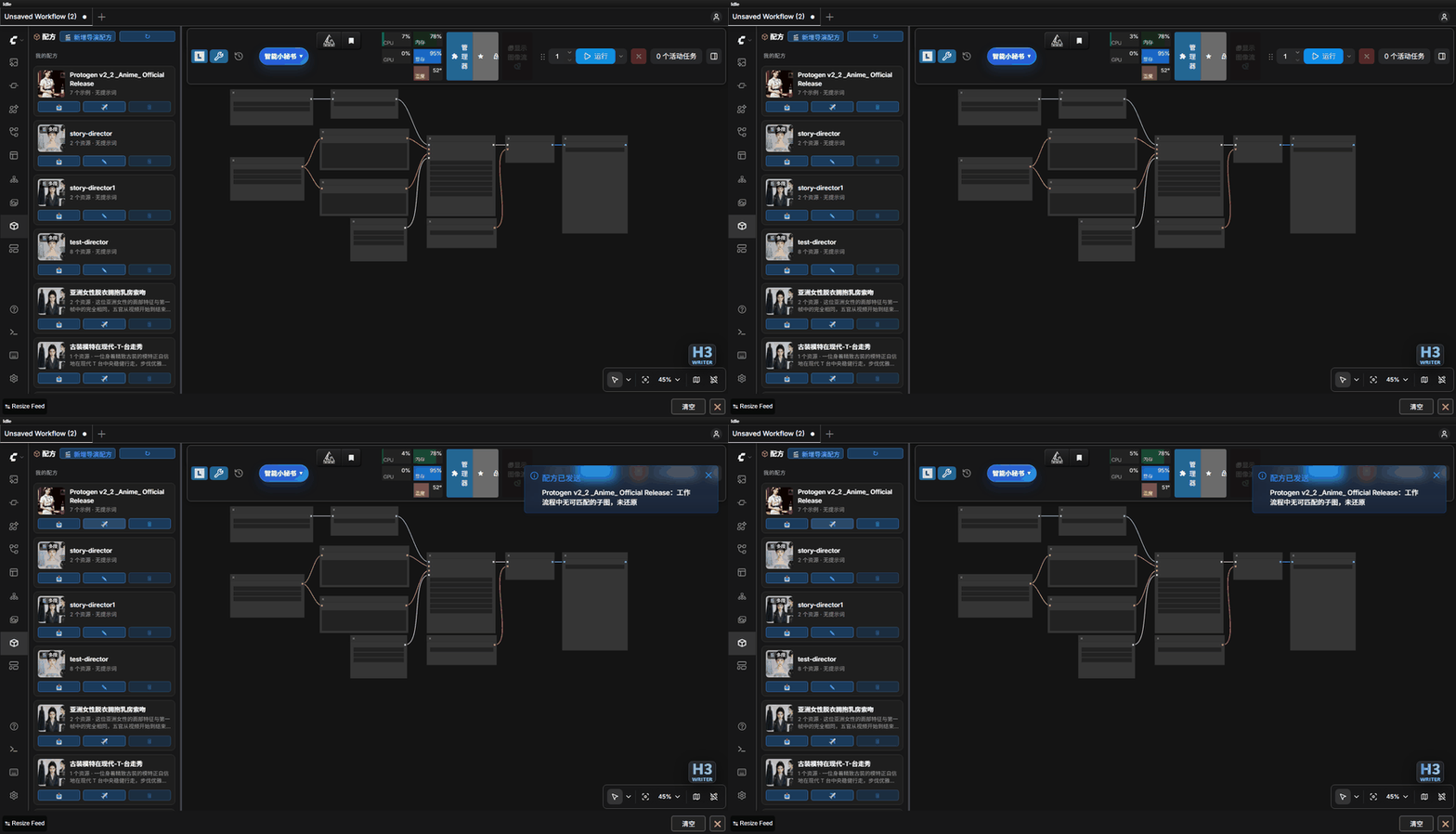 — 🧊 Neo Recipes · one-click send
Installation
Neo Studio App is the recommended form. It is the Studio window (Assets / Director / Skills /
Settings), it starts and stops ComfyUI from its own settings page, and it puts the plugin into
custom_nodes by itself — you never touch the plugin folder. It needs a ComfyUI install with its
Python interpreter; it does not bundle ComfyUI.
- Portable app — a single file,
Neo-Studio-<version>-windows-x64.exe, attached to GitHub Releases by.github/workflows/release-app.yml(built bytools\build_studio_exe.ps1, unsigned — expect a SmartScreen prompt on first run). It derives the ComfyUI root and the interpreter from its own location, opens a first-setup page when it cannot find them, and installs or updates the plugin from its bundled copy — user data dirs are carried over, a git checkout is never touched. - From source — clone the repo and run
tools/neo-studio-app.vbs(no console window;tools/neo-studio-app.batis the debug entry,--debugopens DevTools). Every launch syncsstudio/intocustom_nodes(same-name files only, nothing in the target is deleted).
The window, the offline service and the kernel controls: Neo Studio (Standalone App).
<details> <summary>ComfyUI plugin form — the nodes inside ComfyUI's own UI, without the Studio window</summary>- ComfyUI Manager: search
Neo Studioand install. - comfy CLI:
comfy node install comfyui-neo-studio - Manual: clone into
ComfyUI/custom_nodes/, then restart ComfyUI:
git clone https://github.com/neoneo-ai/neo-studio.git ComfyUI/custom_nodes/comfyui-neo-studio
The clone form runs on the repo root __init__.py, which hands node and route registration to
studio/; the installed package (Registry, Manager, tools/install_plugin.ps1, desktop sync) has
studio/__init__.py at its own root and never goes through it.
Source install: tools/install_plugin.ps1 installs the code and the built-in presets and writes the
configs/data_root.json data-root pointer (user data lives outside the plugin dir, so uninstalling
is just deleting the plugin dir). Commands, parameters and release switches:
docs/en/release.md.
</details>Upgrading from the old package: the Registry package moved from
comfyui-neo-nodestocomfyui-neo-studio, and nothing disables the old folder for you — the plugin sync only writescomfyui-neo-studio. DeleteComfyUI/custom_nodes/ComfyUI-Neo-Nodes(or rename it toComfyUI-Neo-Nodes.disabled, which ComfyUI skips) before installing the new one: keeping both directories registers the same nodes twice. Installs from 1.2.0 on keep user data outside the plugin directory, so removing the old folder touches no data. The pre-1.2.0 plugin keptconfigs/,gallery/,prompts/,recipes/,skills/andlocals/inside its own folder and there is no migration — copy those into the data root first.
Dependencies
openai,PyYAML,pypinyin,Pillow(auto-installed viarequirements.txt; Pillow ships with ComfyUI core)- Optional extras (features degrade gracefully when a package is missing):
laya(smart skill picking),pillow-heif(HEIC reading),oss2(Backyard OSS upload) llama_cpp_python(optional, only for local LLM inference)
Quick Start
- Open Neo Studio (the app) — it installs the plugin and starts ComfyUI for you. Plugin-only users: install it and restart ComfyUI.
- Zero-config features first (no LLM, no model setup needed): ✈️ send an asset from the Gallery lightbox into a LoadImage-type node (gallery.md), download models from the Model Hub with automatic category placement (model-hub.md), repair broken workflow paths from the 🅝 menu (workflow-repair.md).
- Configure an LLM — pick one; needed for ✨ enhancement, image captioning and translate/classify:
Native (safetensors in
models/text_encoders/, runs inside the ComfyUI process, zero extra dependency), Remote (provider + API key, "🔌 Test Connection" verifies live) or Local (GGUF inmodels/LLM/). Setup, endpoints and GGUF rules: docs/en/llm.md. - First prompt: add a Neo Prompt Agent node → type a short description → click ✨ → AI-generated prompt text (no CLIP needed).
- First image: add a Neo Image Gen & Edit node → pick an image-gen skill → prompt (from the Agent
or manual) + optional reference images → queue → IMAGE output. Needs a GPU / VRAM, and the skill must
declare
gen_image: trueand ship aworkflow.json; model / Text Encoder / VAE default to "Auto". - First multi-segment video: add a H3 Video Director node → pick a
video_directorrecipe → drag to reorder segments / regenerate a single segment → stitched into oneVIDEOwith audio.
Key Concepts
- Skill: A bundled template containing model config (model/VAE/CLIP), workflow, and default parameters. Preset skills are read-only; copy to customize.
- Bundle: Runtime payload — prompt text + optional reference images.
- Recipe: Saved prompt + media assets for reuse. Director recipes support multi-segment video generation with a timeline editor.
Neo Studio (Standalone App)
Canvas-independent page with four tabs: Assets (the full Gallery), Director (director recipes + editor + full-film generation with progress, cancel and live preview), Skills, Settings (image / video / LLM / ComfyUI log). Canvas-only actions show a hint instead of failing.
| Entry | What it does |
|-------|--------------|
| neo-studio.bat | Opens http://127.0.0.1:8188/neo-studio in the browser, and starts ComfyUI for you |
| neo-studio-app.vbs | The same page in its own WebView2 window — no console, no browser tab; window geometry and Studio state survive restarts (needs pywebview; the WebView2 Runtime ships with Windows) |
| neo-studio-app.bat | Console/debug entry for the same window (--debug opens DevTools) |
| tools/neo-studio.exe | Packaged launcher with the clapperboard icon — built by tools\build_studio_exe.ps1 (release.md) |
- Offline service —
app/studio_server.pyon ComfyUI port + 3 (8191by default) keeps browsing, skill / recipe editing, settings (LLM included), Model Hub, bookmarks and LoRA tagging working while ComfyUI is down. Anything that needs the ComfyUI runtime answers409 offline, the UI says "needs ComfyUI", and the generate buttons become start buttons. - The header only reports state — "● Running" / "● Stopped" / "● Starting", with the port, the PID and who launched it in the tooltip. The actions live at the top of Settings → 启动设置: one state line plus "▶ Start kernel" and "■ Stop kernel", the one that cannot run right now disabled.
- The window opens first — the dependency self-check, the service setup and the ComfyUI spawn run on a background thread behind a splash page; once the port answers, the page connects generation in place — no navigation, no reload — and stopping ComfyUI flips it back to the offline Studio.
- Closing the window stops the ComfyUI the desktop started (one you started yourself is left alone); a ComfyUI already listening on the port is attached to, never doubled.
- Canvas jumps stay in the window — "⤒ 主画布编辑" and "🎬 新影工坊" switch in place, and the desktop re-injects a "🎬 返回 Studio" pill on every non-Studio page.
- ComfyUI's log is under Settings → Log; the desktop's own trace (startup, page jumps, window drags) goes to
data/studio_desktop.log.
Frameless window, window & taskbar icon, exe packaging, portable launcher and the source sync: Developer_EN.md.
Documentation
Full index with a one-line summary of every module doc: docs/en/README.md.
Changelog & License
Version history: CHANGELOG.md. SPDX-License-Identifier: Apache-2.0
10000+ portrait prompt collection source: civitai.com/models/2231696
Developer Docs
Project structure, backend modules, API routes, node registration, tests, and the Studio desktop internals (offline service, capability table, drag loop, launcher config): Developer_EN.md.
Contributing
Fork and open a pull request — no organization membership needed. Setup, the test commands, the node and route checklists and the commit rules: CONTRIBUTING.md. Vulnerability reporting and the key redaction rule: SECURITY.md.