
A3D ComfyUI Integration
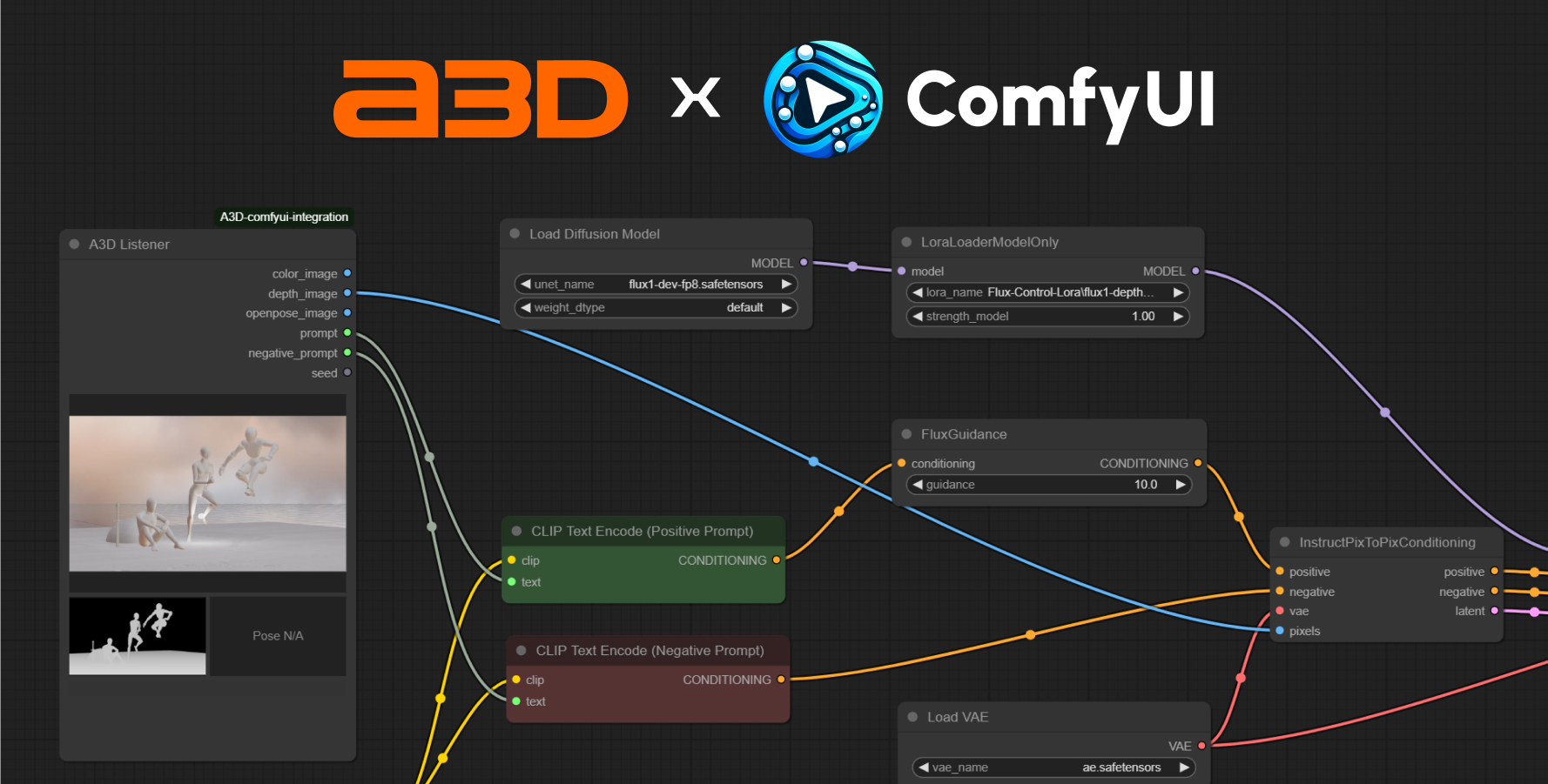
a/A3D is an AI x 3D hybrid tool that allows you to compose 3D scenes and render them with AI. This integration allows you to send the color & depth images to ComfyUI. You can use it as a pose controller, or scene composer for your ComfyUI workflows.
A3D ComfyUI Integration
About
A3D is an AI x 3D hybrid tool that allows you to compose 3D scenes and render them with AI. This integration allows you to send the color & depth images to ComfyUI. You can use it as a pose controller, or scene composer for your ComfyUI workflows.
Installation
- Install via Custom Node Manager: Search for
A3D ComfyUI Integrationand install it - Restart ComfyUI
Usage
- Add
A3D Listenerto your existing workflow, or open the example workflow - In the Render section of A3D, click
Send to ComfyUI, this will send the color & depth images to ComfyUI *Note: Currently, your comfyUI needs to be running on the default port (8188) for this to work.
TODO
- [ ] Add OpenPose support
- [ ] Add animation and video support
Licensing Clarification
You can freely use the A3D-ComfyUI-Integration (MIT license) in your ComfyUI workflows, including for paid/commercial work. Using the node does not require you to open-source your workflow or project, as long as you do not modify the main A3D project (AGPL-3.0).