
ComfyUI_mittimiLoadText
This node can easily switch between text or prompts by saving presets.
Nodes (2)
ComfyUI_mittimiLoadText
This node can easily switch text or prompts by saving presets.
This is a text-only version of mittimiLoadPreset2.
Usage
1) Node Descriptions
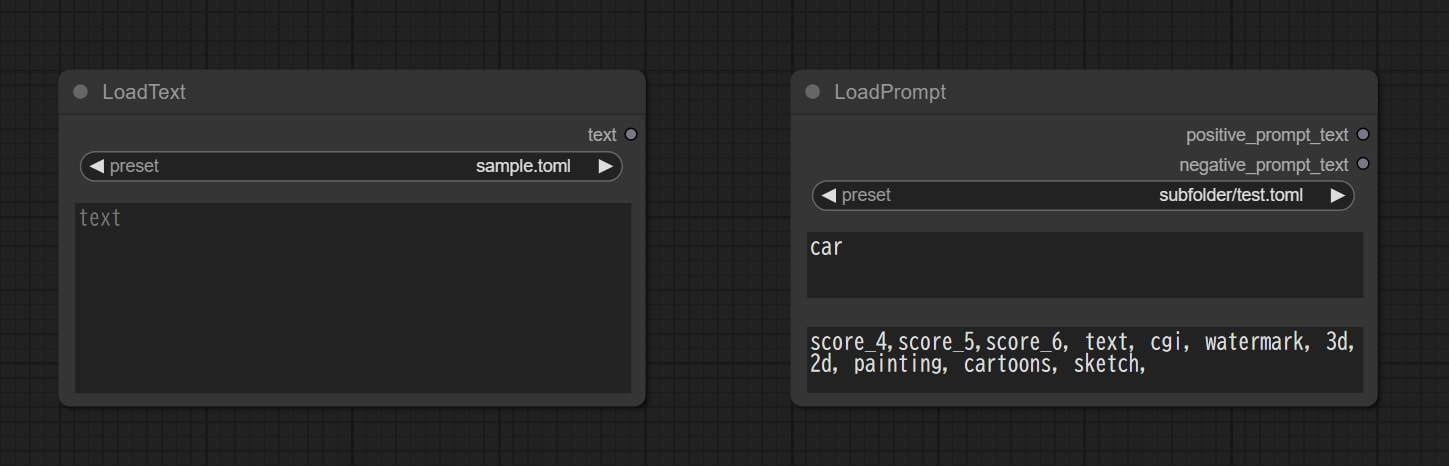
When you select a preset that you have previously saved, the text field will display what you have saved.
The output text data from this node is string in the text field, so it can be rewritten freely.
As shown in the image above, there are two types of nodes.
One specification allows loading text alone and the other allows loading positive and negative prompts.
See the next section on how to write presets.
2) Create a Preset
Presets are saved in TOML format, and the file contains the following 3 items to set:
- text: Fill in the text to be displayed in the text field of the LoadText node.
- PositivePrompt: Fill in the text to be displayed in the PositivePrompt field of the LoadPrompt node.
- NegativePrompt: Fill in the text to be displayed in the NegativePrompt field of the LoadPrompt node.
These items should be listed only as necessary. If a item is not written in the TOML file, it is not an error and is simply ignored.
The LoadText node looks for and displays a PosivitePrompt item if there is no text item.
The LoadPrompt node looks for and displays a text item if there is no PosivitePrompt item.
Save the created TOML file in the presets folder.
3) For reference
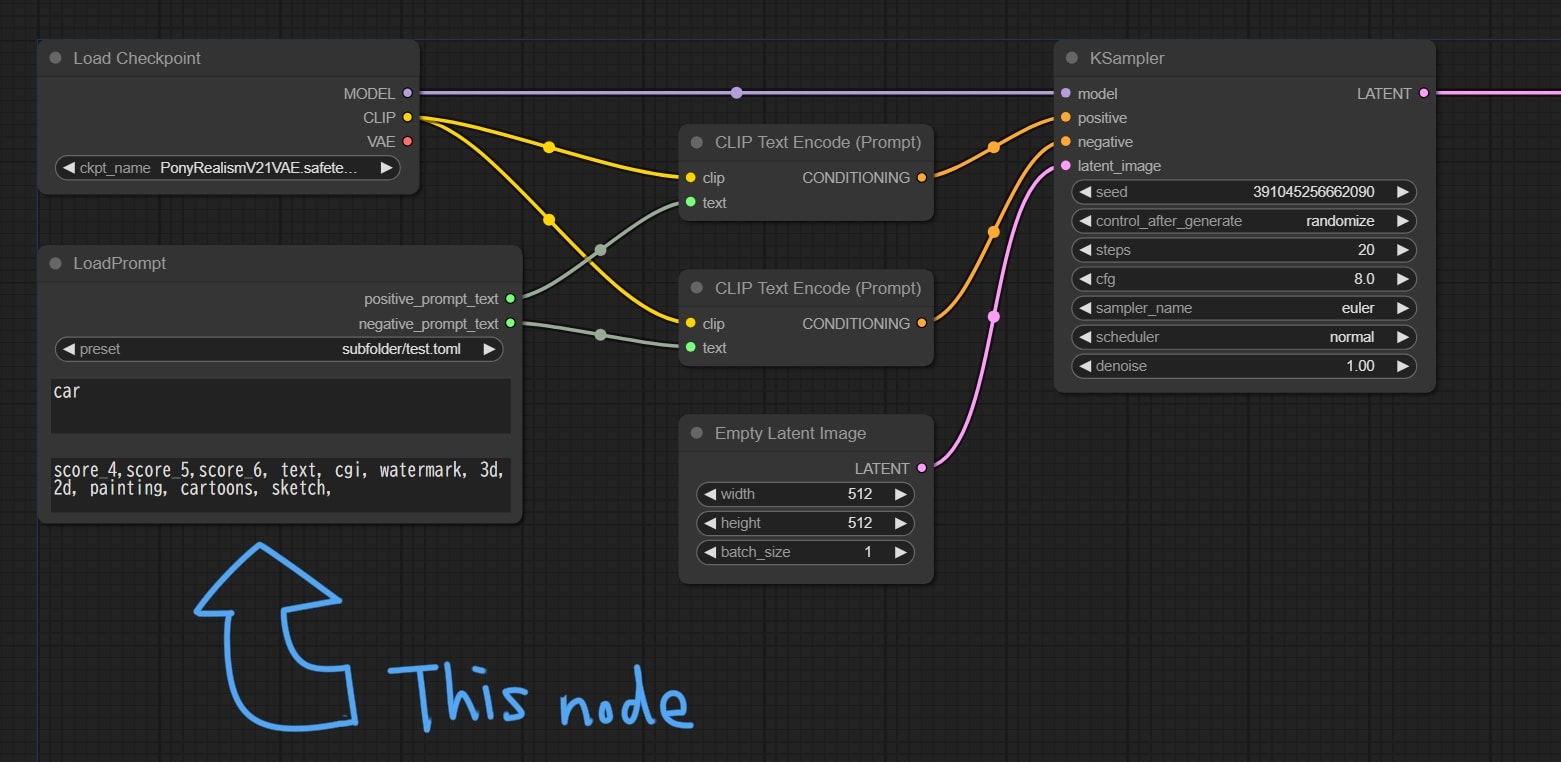
There are many ways to use them, but for example, you can connect them like this.
4) Others
I’m not a professional, so if there are any bugs, please kindly share how to fix them.