
Useful-Meti
Useful custom nodes for ComfyUI by Meti: Outputs the total execution time (Generation Time) of your Nodes or workflow , Keeps a history of your generated images (up to 10) and shows them in a live-updating grid , Saves images with custom path and outputs filename & full path or Just Preview
Nodes (3)
🔧 ComfyUI-Useful-Meti
A collection of ComfyUI nodes designed to make your workflow faster and easier — from loadA collection of ComfyUI nodes designed to make your workflow faster and easier — from loading models to saving final images.
Created by Mahdi Sharifi (Metixxx)
🧩 The Ecosystem (Coming Soon) - Next Ver : 2.0.0
A complete ecosystem for managing your entire workflow. Each node works independently or connects together for a seamless experience.
| Node | Status | Key Features | |:-----|:-------|:--------------| | 📥 Model Metadata Collector | 🚧New (Coming Soon)| Downloads model info, previews, and tags from CivitAI | | 🔄 Universal Model Loader | 🚧New (Coming Soon)|Loads any model. Integrated with Lora-Manager Node. Clean UI with Select Panel, search, filters, previews and ...| | 📋 Model Viewer | 🚧New (Coming Soon)| Shows architecture, size, tags, description, preview gallery, trigger words | | 🔧 Metadata Builder | 🚧New (Coming Soon)| Builds custom metadata for PNG | | 💾 Save Image Advanced |📈 Upgraded (coming soon)| Save mode OR Preview mode. Accepts metadata | | 🎞️ Images History |📈 Upgraded (coming soon)| Live grid, select, compare, send to nodes, and more | | ⏱️ Generation Time | ✓ Stable | Workflow execution timer — independent |
Legend: ✓ Stable Node | 📈 Upgraded Node (coming soon) | 🚧New Node (Coming Soon)
<div style="text-align: center;"> <img src="images/Useful-Meti-01.png" style="max-width: 100%; height: auto;" /> </div>


✅ Currently Available (Stable) - Ver : 1.1.3
These nodes are ready to use right now:
| Node | Description | | :--- | :--- | | ⏱️ Generation Time | Outputs the total execution time of your workflow | | 🎞️ Images History | Keeps history of generated images (up to 10) in a live-updating grid | | 💾 Save Image Advanced | Saves images with custom path, dynamic filename, or preview only |
🚀 Installation
- Go to
ComfyUI/custom_nodes/ - Clone this repository:
git clone https://github.com/metixxx/ComfyUI-Useful-Meti.git - Restart ComfyUI
✅ No extra dependencies needed. Works with ComfyUI's default environment.
⚙️ How to Use
💡 Tip: Hover your mouse over any input field to see a helpful tooltip with usage examples.
⏱️ Generation Time
Place it anywhere in your workflow and connect it to any type on Node . Output show the execution time (Generation Time) of your Nodes or workflow .
<div align="center">| Inputs | Type | Description |
|--------|------|-------------|
| input_any | any | Data to pass through unchanged |
| input_string | STRING | Label for the time (default: "Generation") |
| Outputs | Type | Example |
|---------|------|---------|
| passthrough | any | Your original image/text |
| time_with_label | STRING | "Generation: 2m 34s" |
| time_only | STRING | "(Runtime: 2m 34s)" |
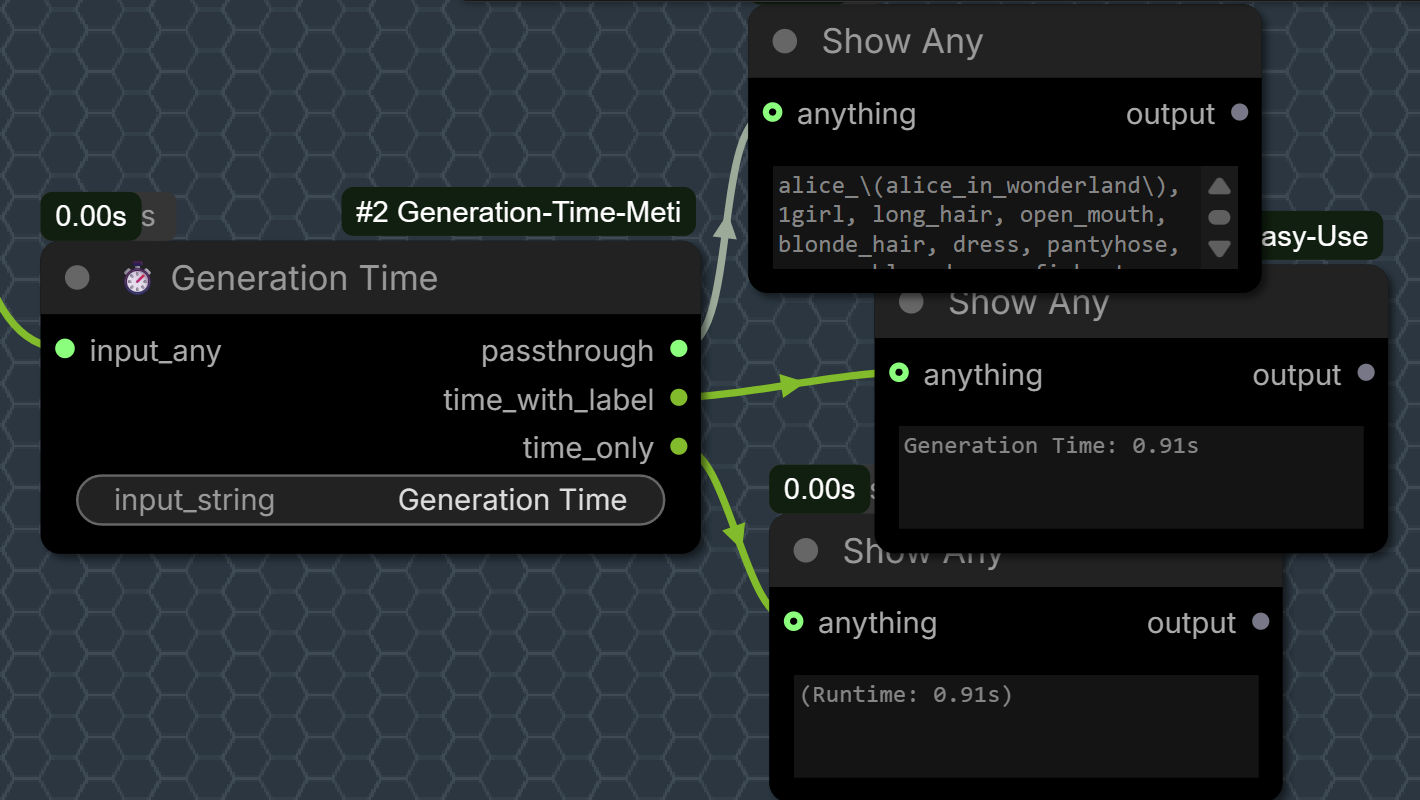
Use this node to compare different models, samplers, or schedulers:


🎞️ Images History (Past Images)
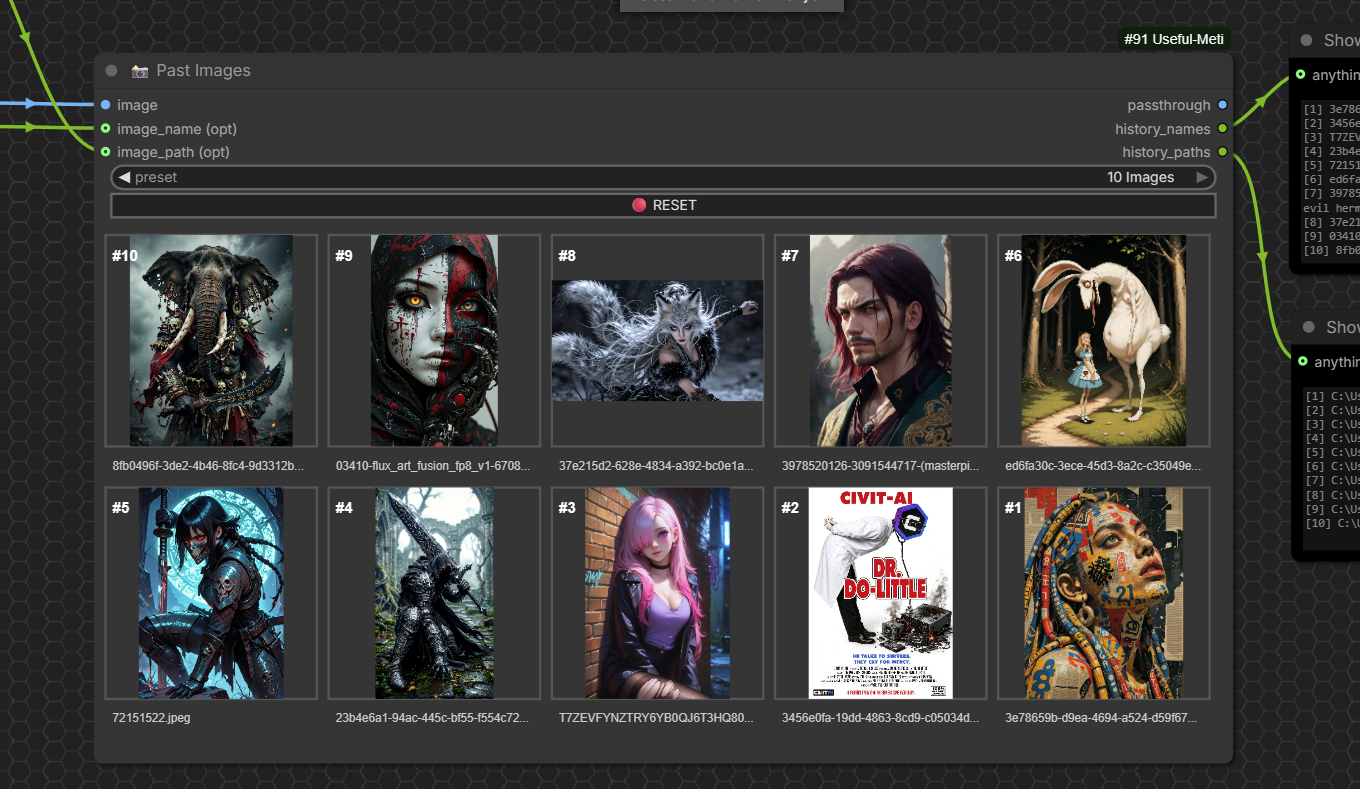
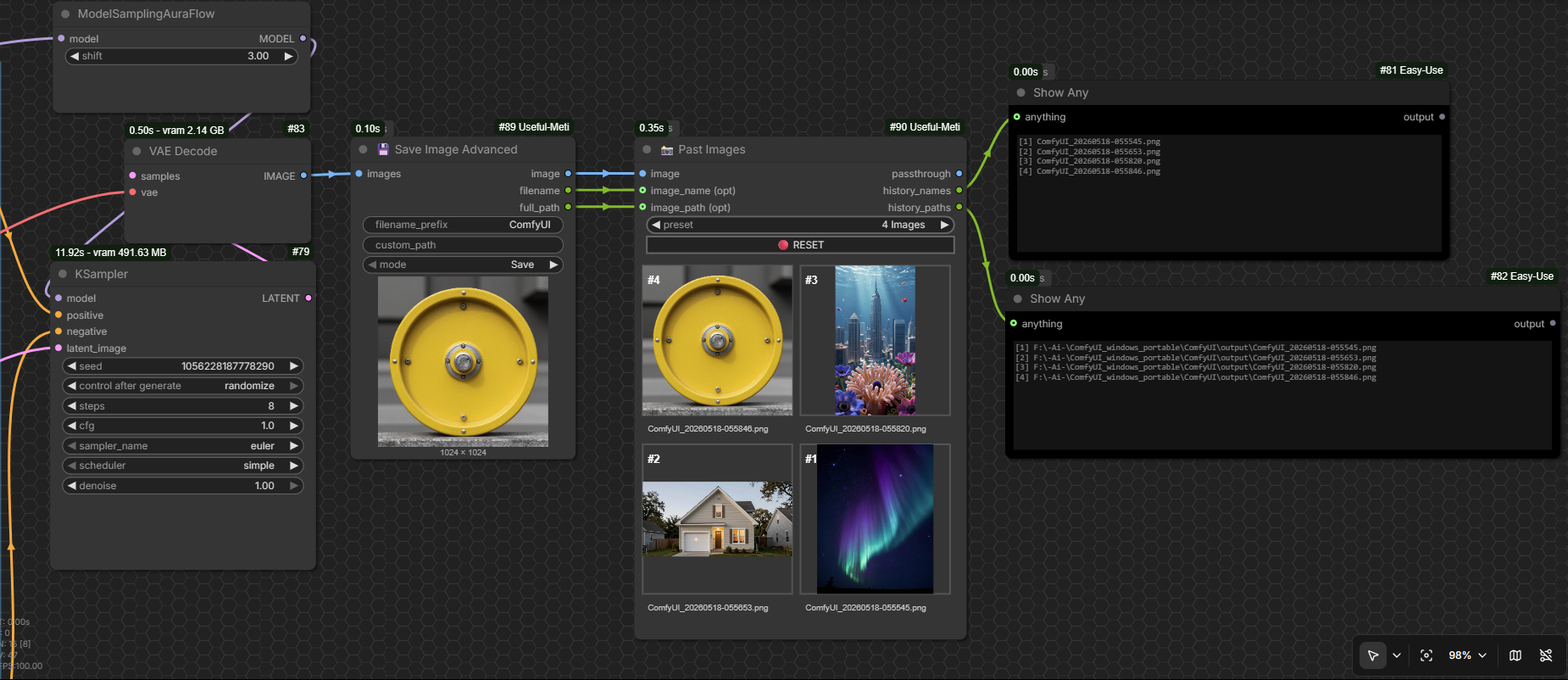
Keeps a history of your generated images (up to 10) and shows them in a live-updating grid.
The grid preserves each image's original aspect ratio inside the frame, so you can easily compare different outputs.
| Inputs | Type | Description |
|--------|------|-------------|
| image | IMAGE | Image batch to store |
| preset | INT | 2, 4, 6, 8, or 10 images |
| image_name (opt) | any | Optional image name |
| image_path (opt) | any | Optional file path |
| reset_trigger | BUTTON | Clears all history |
| Outputs | Type | Description |
|---------|------|-------------|
| passthrough | IMAGE | Pass-through the input image |
| history_names | STRING | List of image names |
| history_paths | STRING | List of full file paths |
💾 Save Image Advanced
Save images with custom path and get filename + full path as output.
| Inputs | Type | Description |
|--------|------|-------------|
| images | IMAGE | Image(s) to save |
| filename_prefix | STRING | Prefix for the filename |
| custom_path | STRING | Custom save directory (leave empty for default ComfyUI output) |
| mode | Save / Preview | Save = writes to disk + shows preview, Preview = shows preview only |
| Outputs | Type | Description |
|---------|------|-------------|
| image | IMAGE | Pass-through the input image |
| filename | STRING | Name of the saved file |
| full_path | STRING | Full path of the saved file |
🙏 Credits
- Author & Maintainer: Mahdi Sharifi [Metixxx] (https://github.com/metixxx)
- Inspiration for Generation Time: Shannooty/ComfyUI-Timer-Nodes
💖 Support This Project
If you find these nodes useful for your workflows, please consider supporting their continued development.
Your support helps me add new features, improve documentation, and keep everything up to date.
| Network | Wallet Address |
| :--- | :--- |
| BEP20 (USDT) | 0x7CBf0c5D7ECd5BAcD6BD13b3b2D4e8B3Ca9542AD |
| TRC20 (USDT) | TT1xEJMPNiBHtdA1pz4bCCxYgBajr1vtT1 |
Any contribution — whether financial support, testing nodes, reporting bugs, or sharing feedback — helps improve this project. Thank you! 🙏
⚖️ License
GPL-3.0. See LICENSE file for details.
🔗 GitHub: metixxx/ComfyUI-Useful-Meti