
ComfyUI Extension
MM Nodepack
Load an image with its real path (system file dialog), compare the result with the original, save it next to the source (name_1, name_2 …) or send it back to the loader and keep editing.
metamountain/mm-nodepack-comfyui
Nodes—
On cloudLocal install
Stars0
Updated2 days ago
Readme
MM Nodepack
Load Image and Preview Image are the most used nodes in ComfyUI, and they deserve an overhaul. This pack gives you both with everything you need for editing images where they live:
- Real paths. "choose file" opens your system file dialog and keeps the real path. Nothing is copied to
input/. - Handy outputs.
image,mask,width,height,path, so you don't need a Get Image Size node. Onesynclink carries original, path, mask, size and format to the preview. - Compare built in. Original vs. result under the image: slide, hold or off. No extra comparer node.
- Save next to the source.
house.png→house_1.png,house_2.png, …, never overwrites. save as… opens the system dialog in the source folder. - Iterate. send to loader puts the result back into the loader, so the next run edits the new image.
- One node instead of three. Preview Image MM replaces Preview Image + Save Image + an image comparer.
Prototype, still in the debugging phase. Feedback and bug reports are very welcome. Feel free to comment or open an issue.
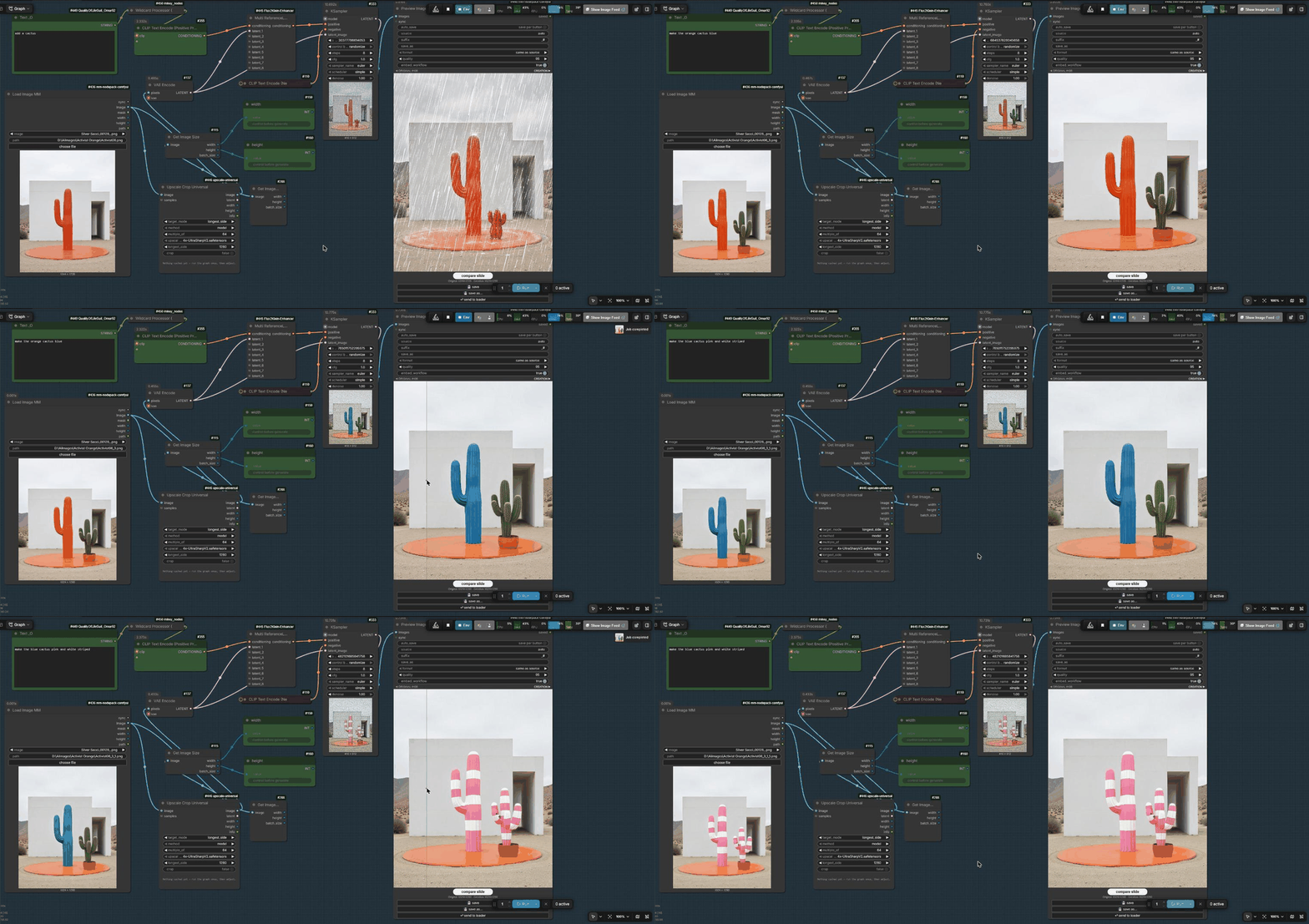
Flux.2 Klein edit: "add a cactus" → send → "make it blue" → send → "pink and white striped" → send.
Nodes
Load Image MM
- choose file opens your normal system file dialog (Windows, macOS, Linux with zenity/kdialog).
The real path shows in the node at once, before you run anything. No copy in
ComfyUI/input. path– full file path; wins over the upload list. You can also paste a path.- Without a desktop (server, container) or from another computer, choose file is the normal upload.
- Outputs:
sync(one link to Preview Image MM: path, original, mask, size, format),image,mask,width,height,path.
Preview Image MM
- Shows the result with a compare widget under the image: compare slide (move the mouse), compare hold (press to see the original), compare off.
- save – next free
_#name next to the source, never overwrites. - save as… – your system "save as" dialog, starting in the source folder.
- send to loader – saves as
_#and puts it into the Load Image MM, so the next run edits the new image. auto_saveon: every run saves all images.suffix(default_#,#= next free number),save_as(name or full path),format(same as source / png / jpg / webp),quality,embed_workflow.- Without a
synclink,source = autouses the Load Image MM upstream.
Install
ComfyUI Manager / Comfy Registry: search MM Nodepack. Or:
cd ComfyUI/custom_nodes
git clone https://github.com/metamountain/mm-nodepack-comfyui
No extra Python packages.
Notes
- Images pasted with Ctrl+V have no home folder: save then asks where to save.
- Opened from another computer (
--listen), saving is limited to the ComfyUI output folder.
License
MIT