
ComfyUI - Align Shortcuts
Shortcuts for aligning nodes.
ComfyUI-Align Shortcuts
Shortcuts designed to help align nodes in a comfyui editor. <br> Based on https://github.com/coolzilj/ComfyUI-LJNodes.




Summary
Description
This custom node suite provides intuitive shortcuts to align groups of nodes within the ComfyUI editor.
It address limitations found in others alignment tools, like ComfyUI-Align not supporting Node 2.0, and ComfyUI-LJNodes that was abandonned.
Installation
ComfyUI Manager (Recommended)
This is the easiest method:
- Open ComfyUI and go to
Manager>Install Custom Nodes. - Search for
Align nodesin the search bar. - Click
Install.
Git Clone / Symlink Setup (Advanced/Manual)
ComfyUI must be installed and running (see requirements). Keep in mind where is your path for models, we will use
$COMFYUI_ROOTin documentation.
-
Navigate to the target
custom_nodesfolder inside your main ComfyUI installation:cd $COMFYUI_ROOT/custom_nodes -
Clone the repository with:
git clone https://github.com/m21-cerutti/ComfyUI-Align-Shortcuts.git
Usage
Align nodes shortcuts
-
Select the desired group of nodes by clicking
Altand dragging over them, or holdingShift+ click to select individual nodes. -
Use the configured shortcut keys, by default:
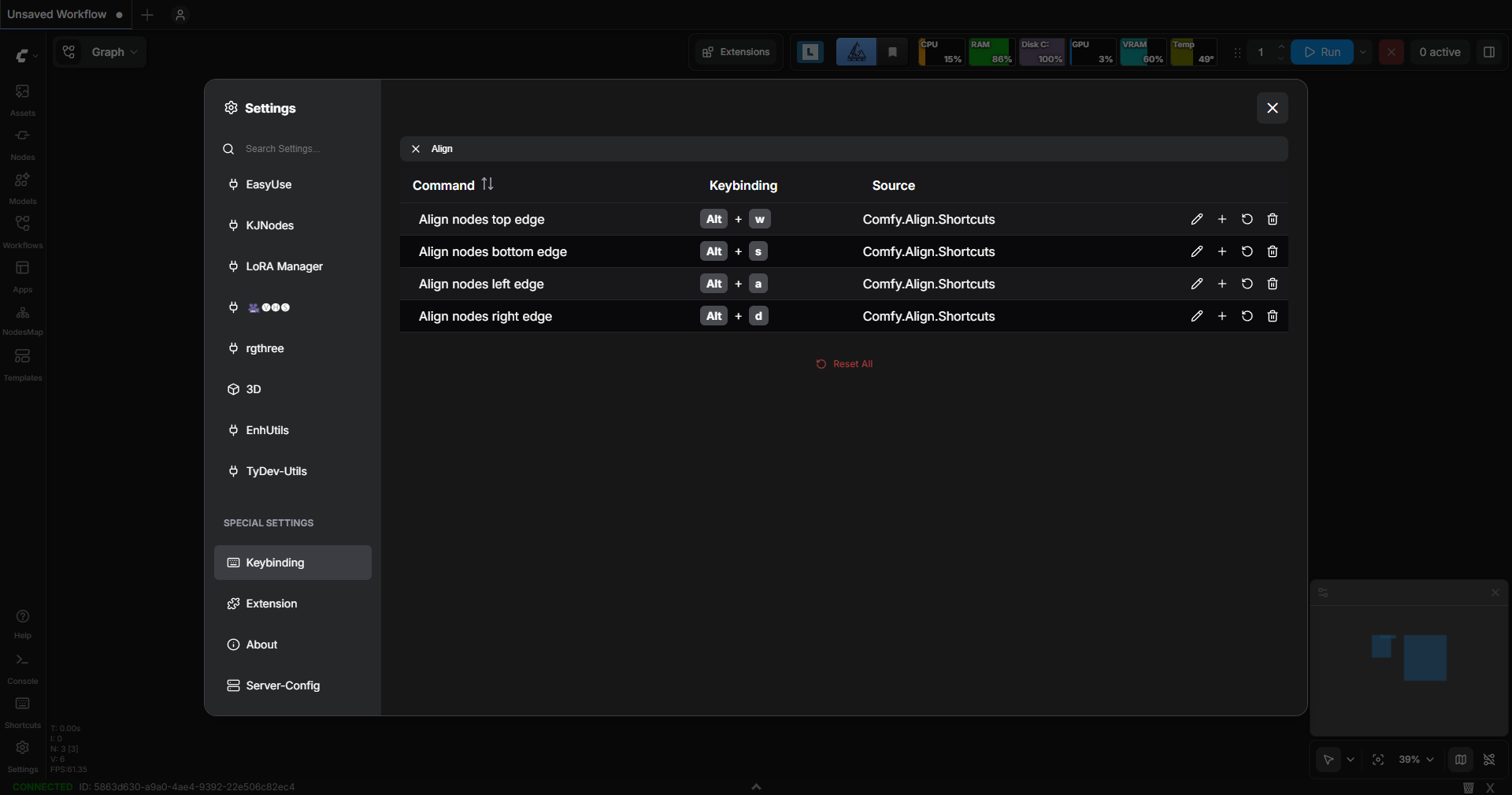
Alt + W: Aligns all selected nodes vertically by their top edge.
Alt + S: Aligns all selected nodes vertically by their bottom edge.
Alt + A: Aligns all selected nodes horizontally by their left edge.
Alt + D: Aligns all selected nodes horizontally by their right edge.
Changing Keybindings
Keybinding customization is handled by ComfyUI's settings. To change the shortcut used for node alignment:
- Access the ComfyUI Interface Settings and search for "Align node".
- Modify the existing keymap entries assigned to our shortcuts (
Alt + W/A/S/D).
For full documentation, please see: https://docs.comfy.org/interface/shortcuts
Kown issues
- We can't use
Alt + Arrowfor keybing when there is selected nodes.
See https://github.com/Comfy-Org/ComfyUI_frontend/issues/12112
Contribution Guide
This project welcomes contributions! If you find a bug or want to add a feature, please instructions inside CONTRIBUTING.md
Authors
- Marc CERUTTI
- Initial author @SongZi
License
This project is licensed under the MIT License - see the LICENSE file for details.
Acknowledgments
Others utilities tools for inspiration and useful in ComfyUI journey :