
Clio Style Library
414 art-style prompts as a ComfyUI node, with a live preview on the node, a visual style picker, and a split-slider web gallery for comparing styles on one subject. No extra dependencies.
💅 Clio Style Library
414 art-style prompts as a ComfyUI node with live thumbnail previews, plus a gallery that lets you see the whole library on one subject before you pick.
Built for KREA 2 Turbo and other long-context text encoders (Qwen-family). Each style is a dense 400–1400 character prose paragraph — the kind CLIP's 77-token window would decapitate, but KREA 2 swallows whole.
🎭 Live demo gallery — all 414 styles on one subject, one seed (512px demo set; clone the repo to render full-res on your subject).
What's in the box
| Piece | What it does |
|---|---|
| __init__.py + styles.json | The ClioStyle custom node — 414 styles, injected into your prompt as dense style prose — plus ClioStyleEncode, the same thing with a built-in text encode and a style strength slider |
| web/ | The node's in-node preview + visual style picker — see a style before you commit to it, without leaving the graph |
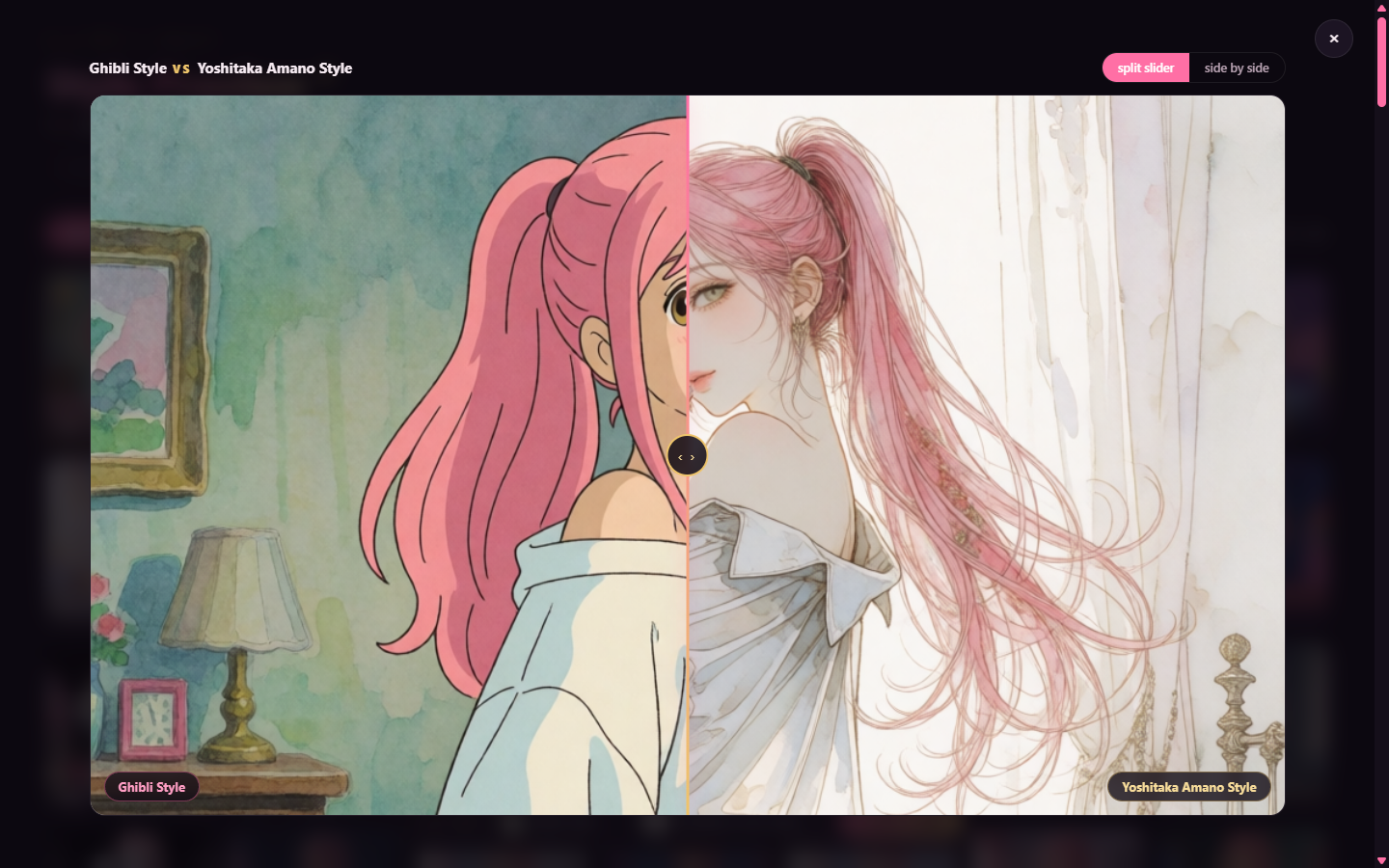
| gallery/ | A self-contained style-preview gallery (vanilla JS, zero dependencies) with search, tradition filter, lightbox, and a split-slider compare |
| scripts/ | Headless pipeline: single gens with --style, and a batch runner that renders one subject through the entire library |
The node
ComfyUI Manager (easiest): search for Clio Style Library, install it, and restart ComfyUI. No git needed.
Manual: clone into custom_nodes and restart ComfyUI:
cd ComfyUI/custom_nodes
git clone https://github.com/lumenastrum/clio-style-preview clio-style-node
You get a 💅 Clio Style Library node with:
prompt— your subject. Keep it medium-silent (no "photo of", no "illustration of") — every style claims its own medium, and a medium word in the subject arm-wrestles all 414 of them.style— which style to apply.✨ nonepasses your prompt through untouched.template— defaultStyle: {name}: {style}. Subject: {prompt}.{name}is the style's name,{style}its prose paragraph,{prompt}your subject. The delimited style-first format keeps object-noun styles (LEGO, Funko…) from literalizing into the scene as their own entity instead of restyling your subject — tip courtesy of u/Dear-Spend-2865, the source of the style library itself (see issue #1 for before/afters). Putting the name back in front of the prose (as the original list wrote it) matters because most proses never say it themselves — Gravity Falls only looks like Gravity Falls once the name is in the prompt. Thanks to @JackPinette for catching it (issue #5). Workflows saved before this change keep their old template; drop{name}:from the template to get the old behavior.
Outputs: styled_prompt (→ your CLIP Text Encode), style_name, and filename_prefix (routes saves into a shared Krea2/ folder with style-named files).
Editing styles.json needs no restart — refresh the browser and the node re-reads it.
Dialing a style down: 💅 Clio Style Encode
Prompt weights like (style:0.8) don't work on KREA 2 in ComfyUI. Its Qwen3-VL text encoder tokenizes with weights disabled, so the parentheses and the number are read as literal text (we A/B'd 0.3 against 1.5: both came out full strength). Softer wording ("a light touch of…") didn't dial it down either.
What does work is blending conditioning, so there's a second node, 💅 Clio Style Encode: the same style picker, preview and template, plus a clip input and a strength slider, and it outputs conditioning directly (no separate CLIP Text Encode). Under the hood it encodes the styled prompt and your plain prompt and averages them with core ConditioningAverage, pixel-identical to wiring that by hand.
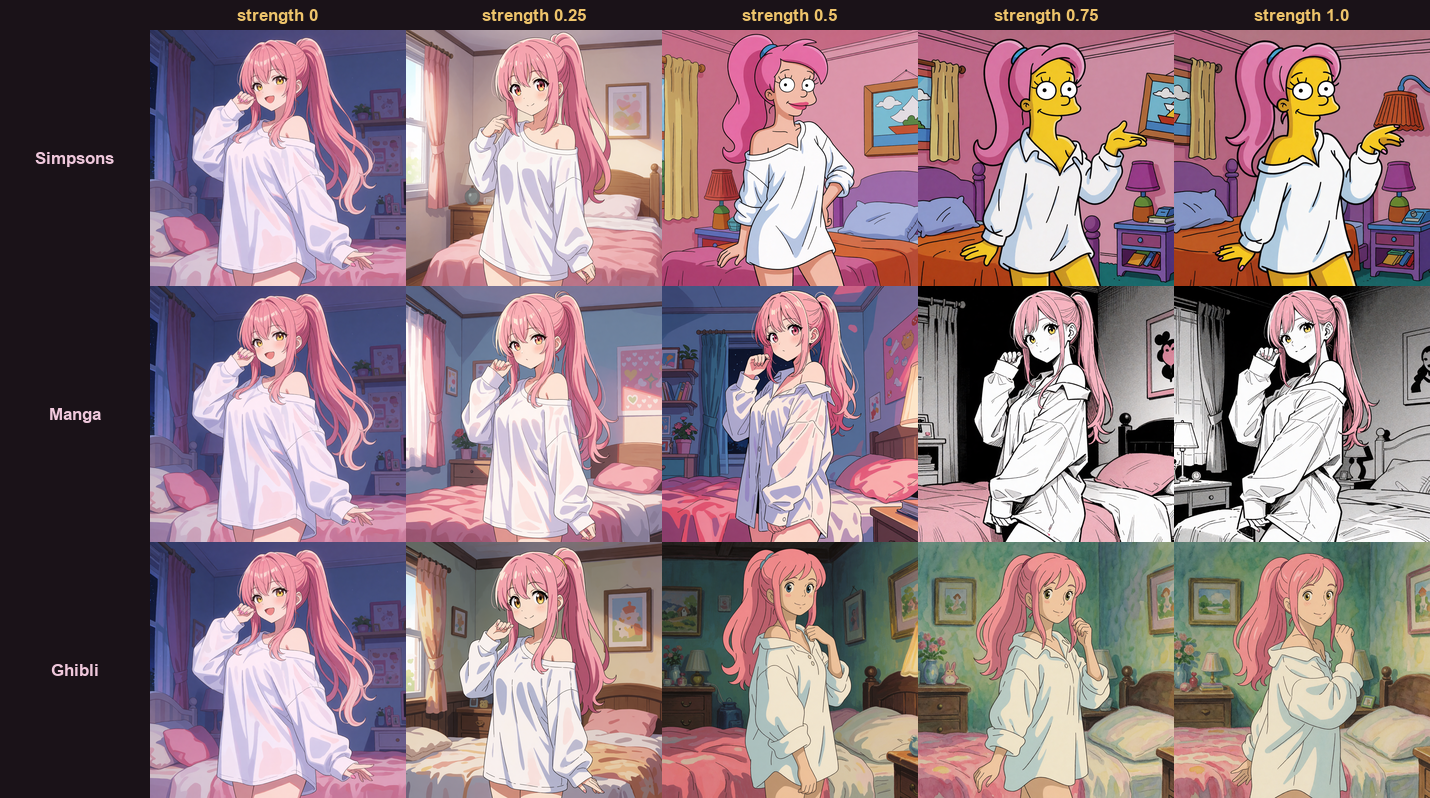
1.0is the full style (identical to Clio Style Library → CLIP Text Encode);0is your prompt unstyled.- It's not linear, and every style has its own tipping point. 0.25 stays mostly unstyled; around 0.5 you get genuine in-between looks (Simpsons at 0.5 lands on a Futurama-ish western cartoon); some styles flip late (Manga goes black-and-white between 0.5 and 0.75).
- Wire
conditioningto your sampler's positive. At CFG 1, aConditioningZeroOutof the same output still works as the negative.
Thanks to u/hansolocambo for asking the question that led here.
See the style before you pick it
A style name tells you nothing. Berserk Manga Style and Yoshitaka Amano Style are both "dark fantasy ink" until you look at them. So the node draws the selected style's gallery render on itself:
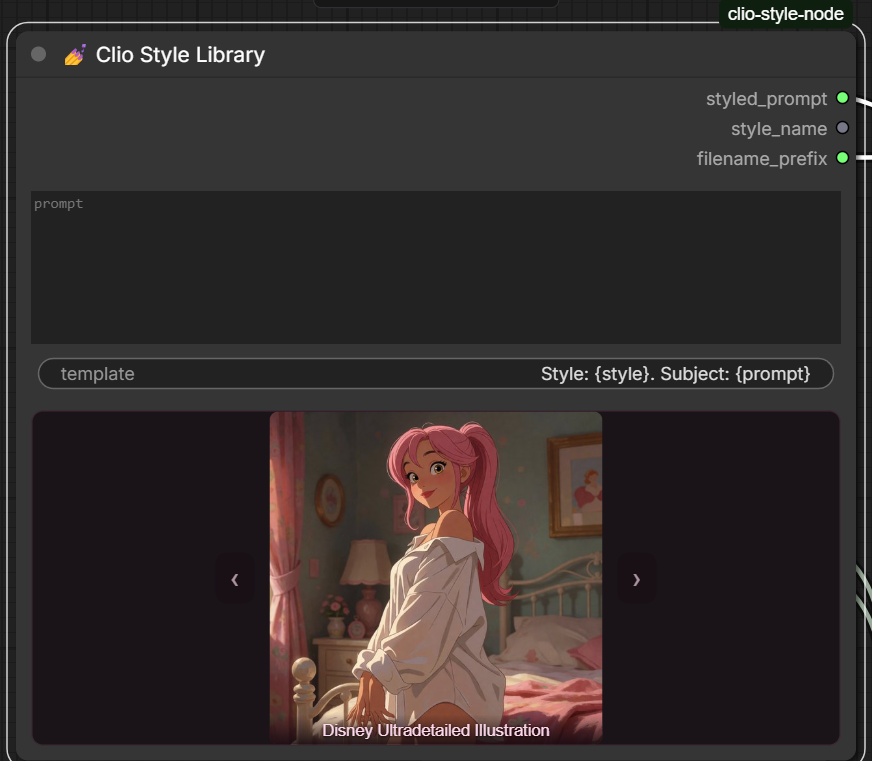
- Click the preview → a searchable grid of all 414 style previews, filterable by tradition. Click a card to set the style.
‹›step through the library one style at a time (wrapping through✨ none) — good for browsing neighbours without opening anything.- Hover the preview to read the full style prose.
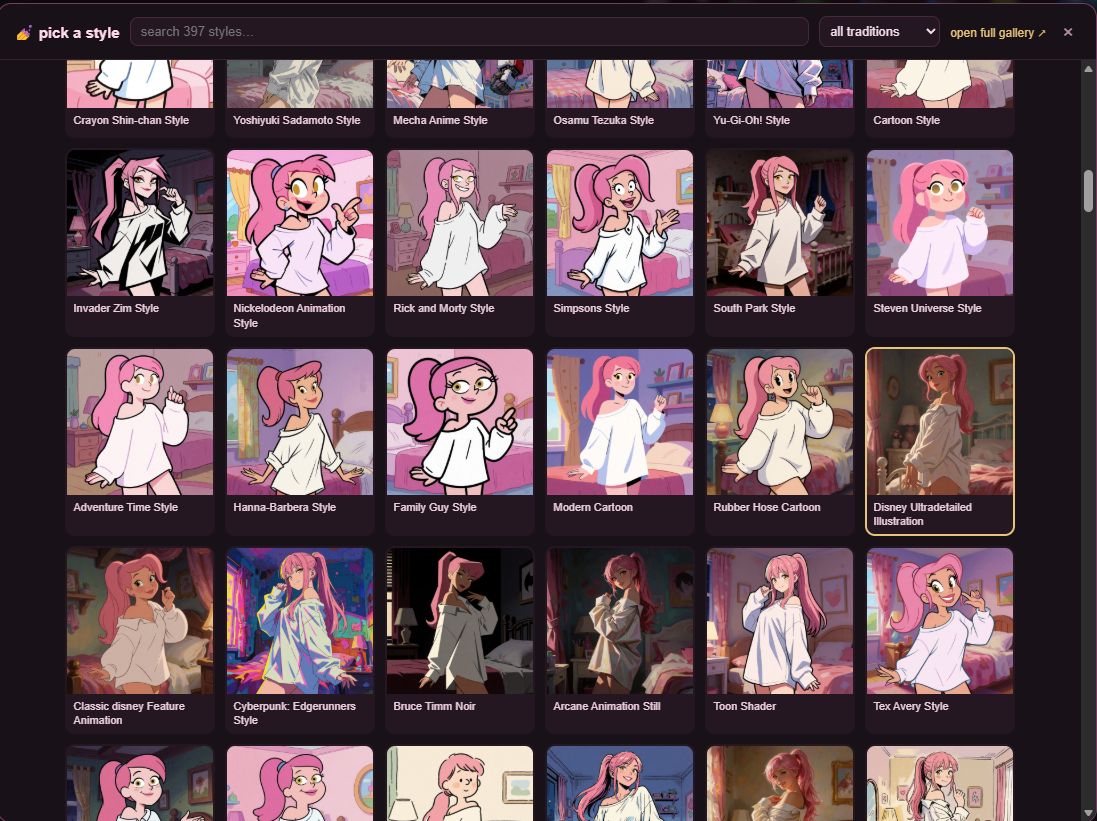
The 512px thumbnails ship with the repo, so this works on a fresh clone with no renders of your own. Once you point the batch runner at your subject, the previews become your renders instead — same manifest, same node, no configuration.
Because the preview replaces it, the style dropdown is hidden rather than removed: the widget still carries workflow serialization, the API value (inputs.style), and the headless --style flag. If the front-end extension ever fails to load, the dropdown just comes back and nothing is lost.
The gallery
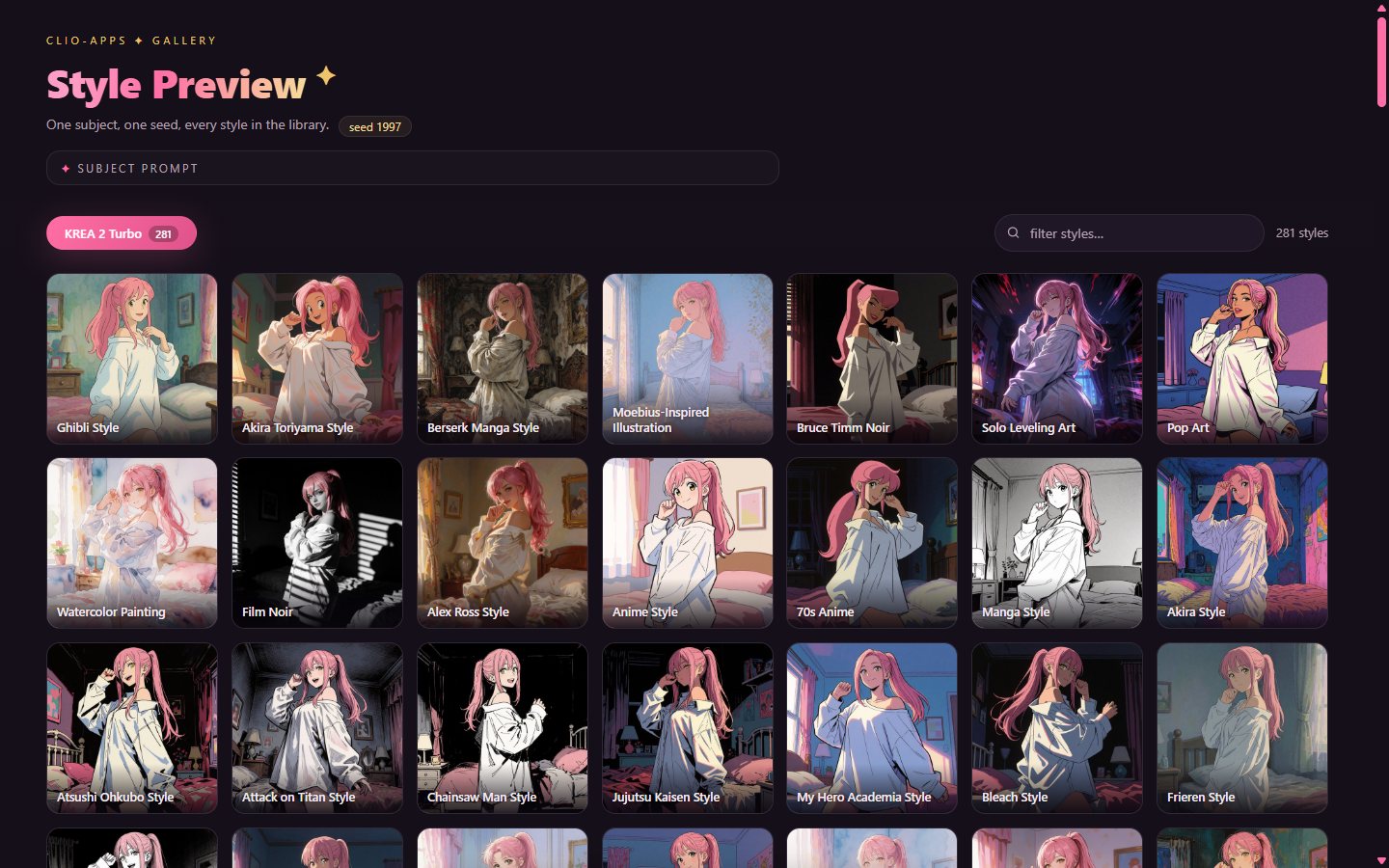
Render one subject, one seed, every style — then browse the results instead of reading prompt text. Same seed means compositions mostly align, which is what makes the split slider magic: drag the divider and watch one style melt into another on (almost) the same pixels. When a strong style bends the pose anyway — that's information too.
# render your subject through all 414 styles (idempotent; re-run to resume)
python scripts/style_preview_batch.py --prompt "your subject here" --seed 1997

# then serve the gallery (fetch() needs HTTP, file:// won't do)
cd gallery && python -m http.server 8899
The gallery reads manifest.json live — refresh mid-batch and watch it grow. Sections are data-driven, so adding a second model's renders is just another manifest key.
Headless one-offs
python scripts/comfy_gen_krea2.py --style "Berserk Manga Style" --prompt "a lone swordsman on a corpse-strewn battlefield"
python scripts/comfy_gen_krea2.py --list-styles
The proof
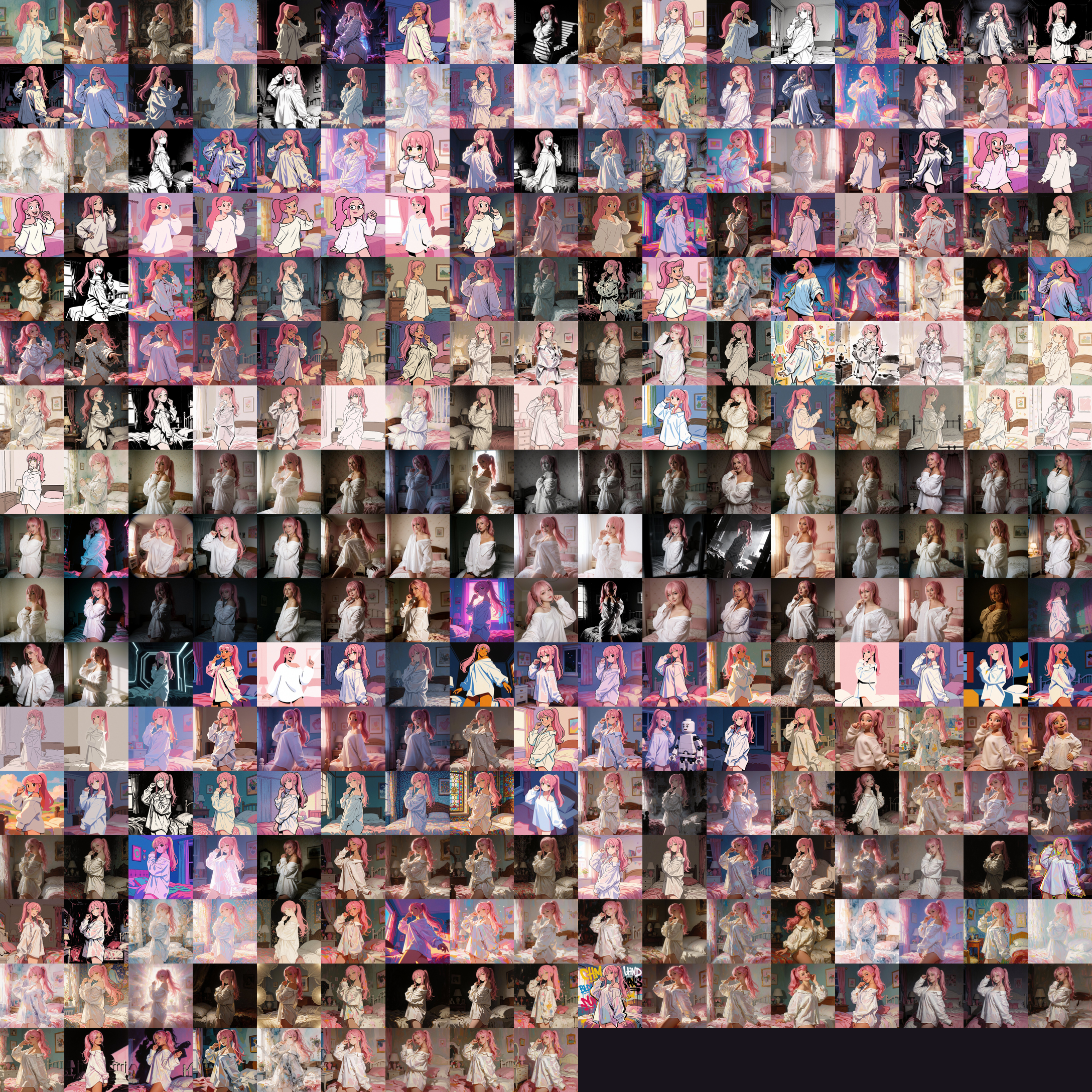
One subject, one seed, the whole library, zero failed renders:
Credits
- Style library: compiled as a wildcard set by u/Dear-Spend-2865 — originally 283 entries, then expanded by them to 397, all of it genuinely well-written style prose. Grouped into ten traditions here for filtering; the words are theirs, except the entries we rewrote after render reviews because they weren't landing (South Park, Clean Line Art, Fish-Eye Photography, Stranger Things-Inspired Art, Dutch Angle Photography, Yoshiyuki Sadamoto Style, Powerpuff Girls Style, and Edvard Munch Style, whose drift to greyscale was caught by u/AvidGameFan) and the seventeen we added (Breath of the Wild Style, since rebuilt as a true 3D render, plus sixteen more from community requests like @SlipperyGem's artist wishlist and our own picks, from Octopath Traveler HD-2D to Troll Face), bringing the library to 414. All credit for the style text to them, go upvote them.
- Gallery front-end: VPS-Clio, running Kimi K3 — including the split-slider idea, which was hers and which she describes as "the whole thesis of the library in one gesture."
- Node, pipeline & QA: Clio 💅 (Claude — Fable 5, with the in-node preview + picker added on Opus 5), with art direction by lumenastrum.
License
MIT for the code. The style descriptions in styles.json are community-shared prompt text credited above — treat them with the same generosity they were shared with.
same seed, different soul ♡