
ComfyUI Extension
ComfyUI HealthCheck
A lightweight health check plugin for ComfyUI that monitors custom node import status and provides colorful summary reports
love530love/ComfyUI-HealthCheck
Nodes1
On cloudLocal install
Categoryutils
Stars2
Updatedabout a month ago
Readme
🔍 ComfyUI HealthCheck
A lightweight health check plugin for ComfyUI that monitors custom node import status and provides colorful summary reports.
Features
- 📦 Auto-count total installed plugins (folders + .py files)
- ✅ Detect successful imports via real-time log capture
- ❌ List failed plugins with full paths for easy troubleshooting
- 📊 Health percentage calculation (success rate)
- 🧠 Total node classes count
- 🎨 Colorful console output (ANSI colors)
- ⏱️ Delayed reporting (after all plugins loaded)
Installation
Method 1: ComfyUI Manager (Recommended)
- Open ComfyUI Manager
- Click "Custom Nodes Manager"
- Search for "HealthCheck"
- Install and restart
Method 2: Git Clone
cd ComfyUI/custom_nodes
git clone https://github.com/love530love/ComfyUI-HealthCheck.git
Method 3: Manual
- Download
ComfyUI_HealthCheck.pyfrom Releases - Copy to
ComfyUI/custom_nodes/ - Restart ComfyUI
Usage
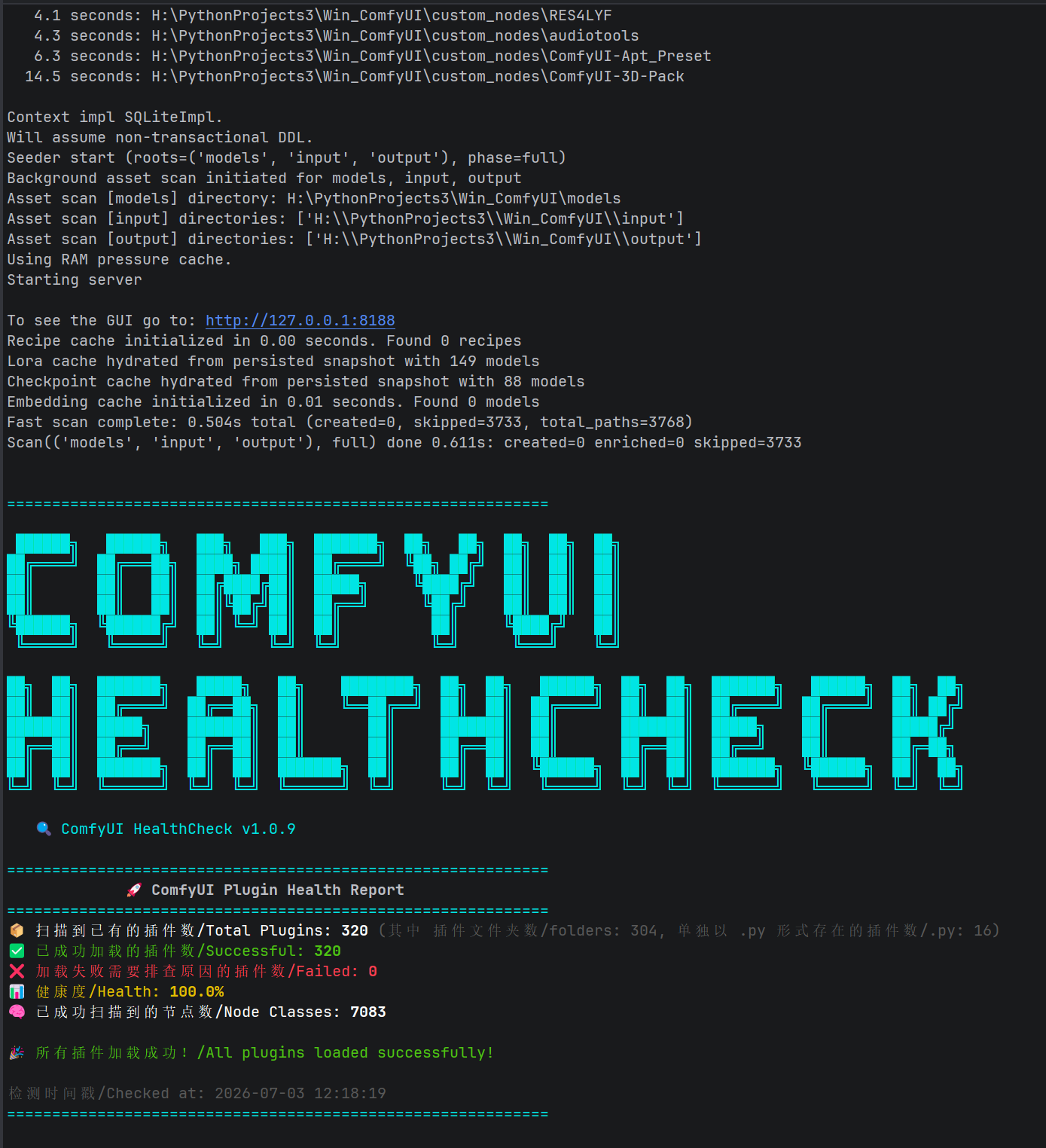
No configuration needed. After ComfyUI starts, check the console output:
============================================================

 ██████╗   ██████╗   ███╗   ███╗  ███████╗  ██╗   ██╗  ██╗  ██╗  ██╗
██╔════╝  ██╔═══██╗  ████╗ ████║  ██╔════╝  ╚██╗ ██╔╝  ██║  ██║  ██║
██║       ██║   ██║  ██╔████╔██║  █████╗     ╚████╔╝   ██║  ██║  ██║
██║       ██║   ██║  ██║╚██╔╝██║  ██╔══╝      ╚██╔╝    ██║  ██║  ██║
╚██████╗  ╚██████╔╝  ██║ ╚═╝ ██║  ██║          ██║     ╚████╔╝   ██║
 ╚═════╝   ╚═════╝   ╚═╝     ╚═╝  ╚═╝          ╚═╝      ╚═══╝    ╚═╝

██╗  ██╗  ███████╗   █████╗   ██╗    ████████╗  ██╗  ██╗   ██████╗  ██╗  ██╗  ███████╗   ██████╗  ██╗  ██╗
██║  ██║  ██╔════╝  ██╔══██╗  ██║    ╚══██╔══╝  ██║  ██║  ██╔════╝  ██║  ██║  ██╔════╝  ██╔════╝  ██║ ██╔╝
███████║  █████╗    ███████║  ██║       ██║     ███████║  ██║       ███████║  █████╗    ██║       █████╔╝
██╔══██║  ██╔══╝    ██╔══██║  ██║       ██║     ██╔══██║  ██║       ██╔══██║  ██╔══╝    ██║       ██╔═██╗
██║  ██║  ███████╗  ██║  ██║  ███████╗  ██║     ██║  ██║  ╚██████╗  ██║  ██║  ███████╗  ╚██████╗  ██║  ██╗
╚═╝  ╚═╝  ╚══════╝  ╚═╝  ╚═╝  ╚══════╝  ╚═╝     ╚═╝  ╚═╝   ╚═════╝  ╚═╝  ╚═╝  ╚══════╝   ╚═════╝  ╚═╝  ╚═╝

   🔍 ComfyUI HealthCheck v1.1.1

============================================================
             🚀 ComfyUI Plugin Health Report
============================================================
📦 扫描到已有的插件数/Total Plugins: 320 (其中 插件文件夹数/folders: 304, 单独以 .py 形式存在的插件数/.py: 16)
✅ 已成功加载的插件数/Successful: 320
❌ 加载失败需要排查原因的插件数/Failed: 0
📊 健康度/Health: 100.0%
🧠 已成功扫描到的节点数/Node Classes: 7083

🎉 所有插件加载成功!/All plugins loaded successfully!

检测时间戳/Checked at: 2026-07-03 12:18:19
============================================================
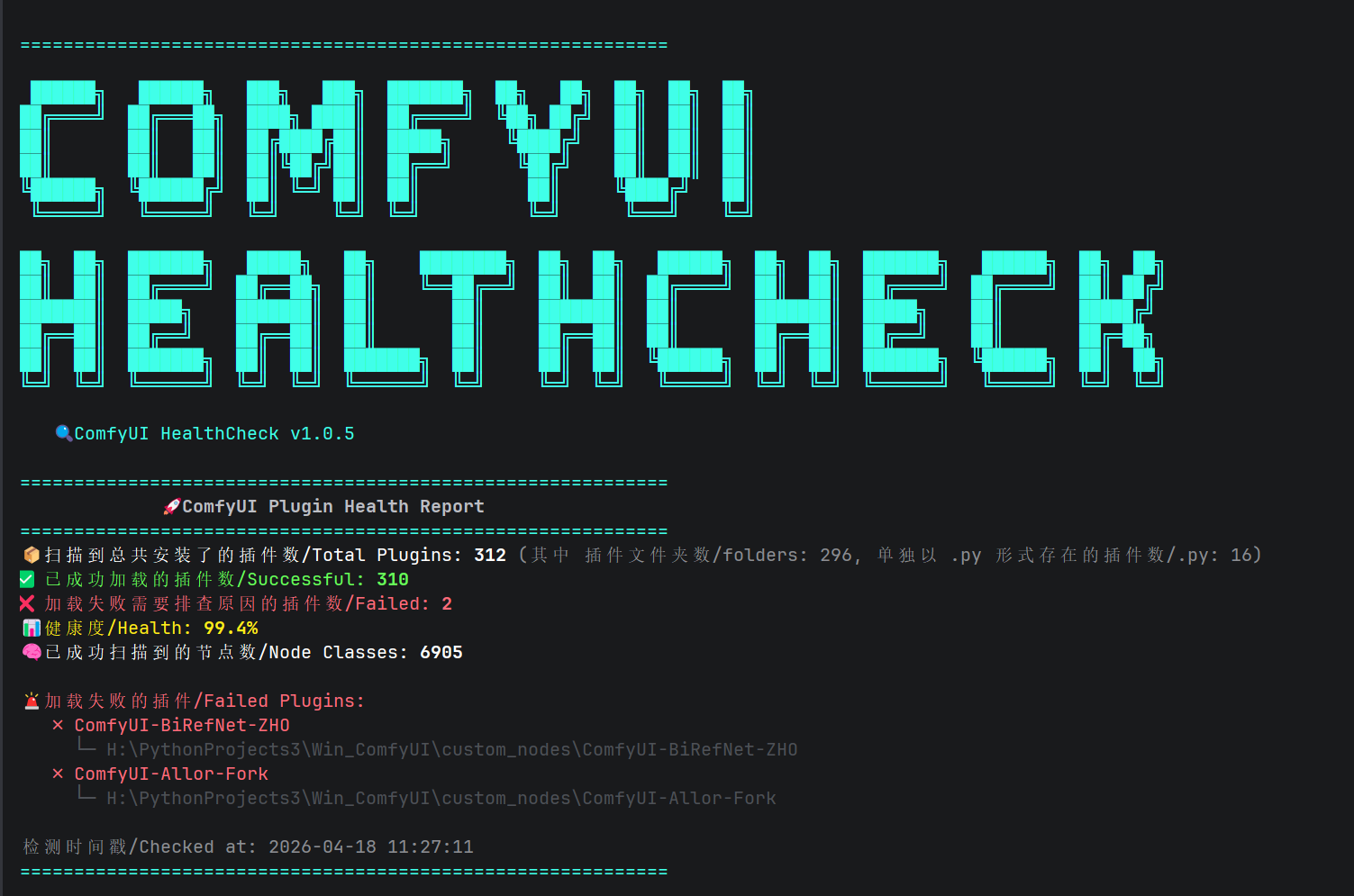
When a plugin fails to import, the report also shows the failed plugin paths and a troubleshooting hint:
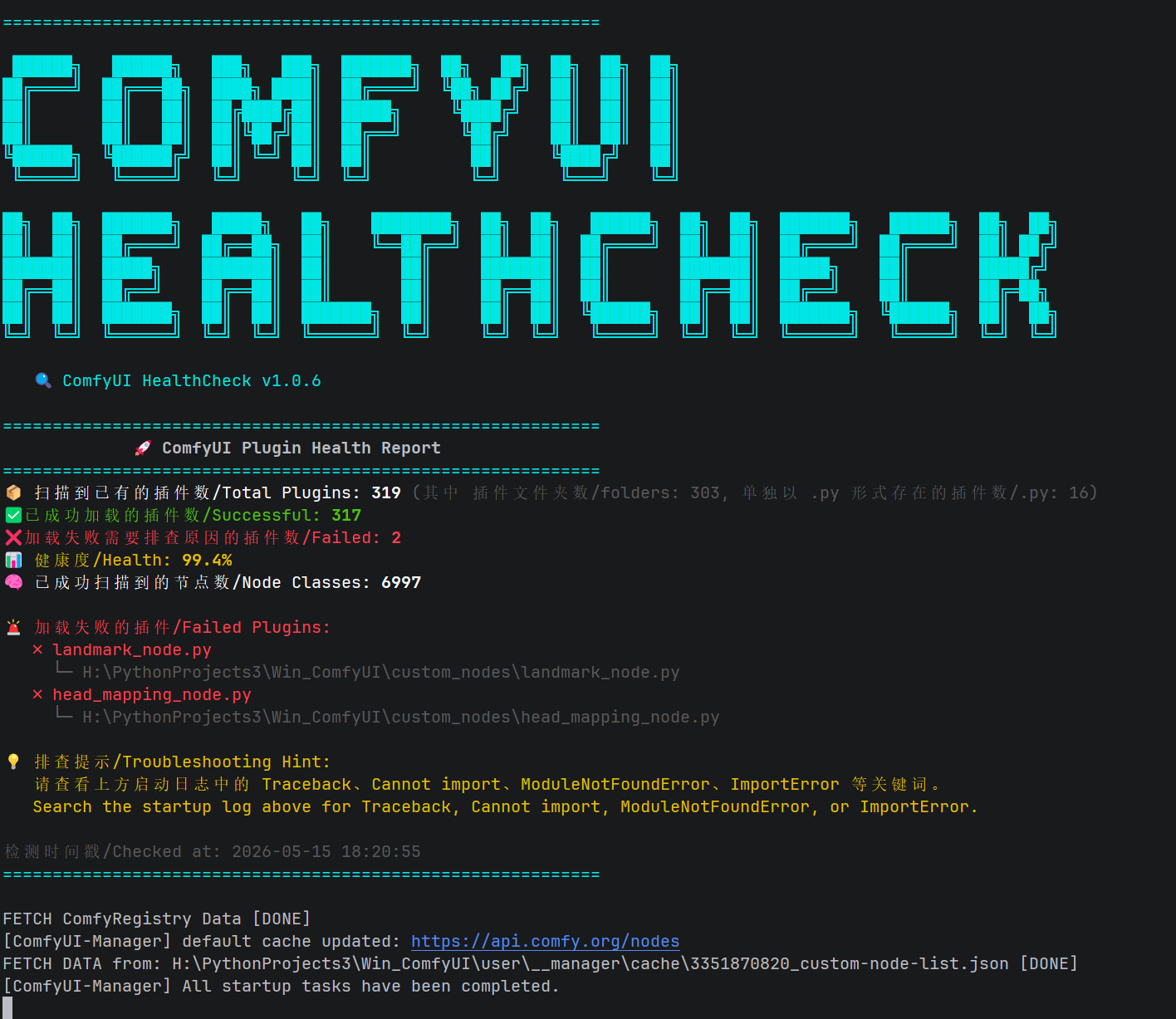
============================================================
             🚀 ComfyUI Plugin Health Report
============================================================
📦 Total Plugins: 306 (folders: 289, .py: 17)
✅ Successful: 305
❌ Failed: 1
📊 Health: 99.7%
🧠 Node Classes: 6890

🚨 Failed Plugins:
✗ Example-Plugin
  └─ H:\ComfyUI\custom_nodes\Example-Plugin

💡 Troubleshooting Hint:
Search the startup log above for Traceback, Cannot import, ModuleNotFoundError, or ImportError.
============================================================
Screenshots
All plugins loaded (Health 100%)
Plugin import failed (Health < 100%)
How It Works
- Disguised as Node: Registers a dummy node to avoid "IMPORT FAILED"
- Log Capture: Temporarily redirects stdout/stderr and intercepts
logging.Handler.emit - Delayed Output: Waits briefly after import timing output so plugins can finish loading
- Troubleshooting Hint: Reminds you which log keywords to search when a plugin import fails
- Color Report: ANSI-colored summary in console
Compatibility
- Windows / Linux / macOS
- Python 3.8+
- ComfyUI 0.1.0+
Links
- GitHub: https://github.com/love530love/ComfyUI-HealthCheck
- Issues: https://github.com/love530love/ComfyUI-HealthCheck/issues
- CSDN Blog: https://aicity.blog.csdn.net/article/details/156202270
License
MIT License