
ComfyUI Extension
ComfyUI-TomatoCrypt
ComfyUI expansion of the 🍅Tomato Crypt
lihaoyun6/ComfyUI-TomatoCrypt
Nodes1
On cloudLocal install
Categoryimage
Stars4
Updated4 months ago
Readme
ComfyUI-TomatoCrypt
ComfyUI expansion of the 🍅Tomato Crypt
[📃中文版]
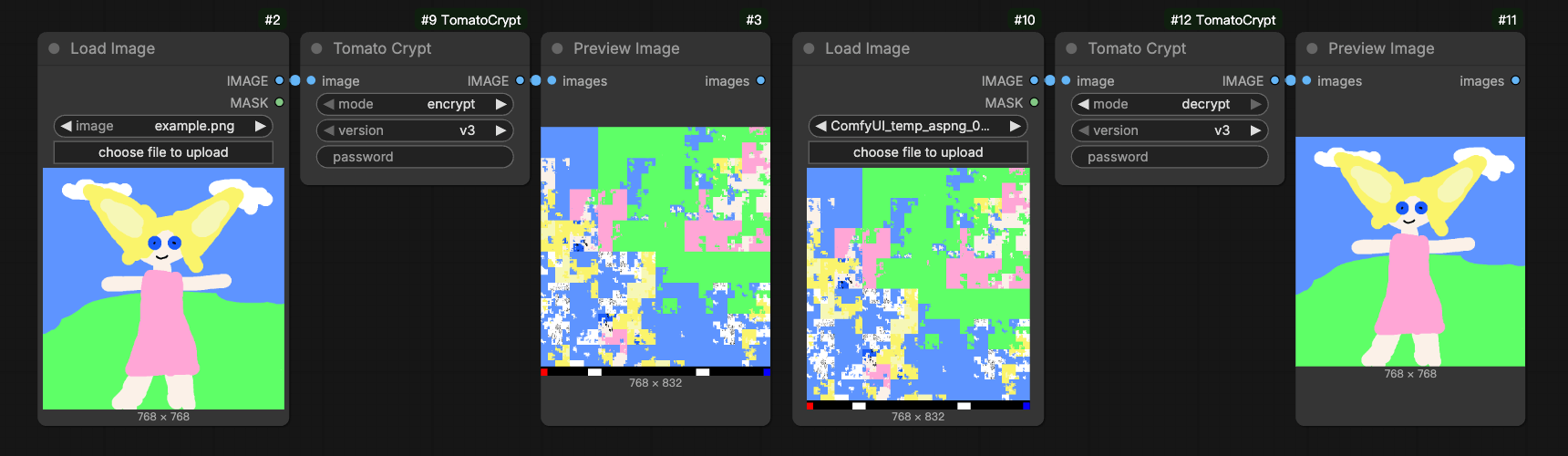
Preview
Installation
Install the node:
cd ComfyUI/custom_nodes
git clone https://github.com/lihaoyun6/ComfyUI-TomatoCrypt.git
python -m pip install -r ComfyUI-TomatoCrypt/requirements.txt
Usage
Use the <kbd>Tomato Crypt</kbd> node to encrypt or decrypt images.
- mode:
encryptis encryption mode, anddecryptis decryption mode. - version: We recommend using
v3, as it is resistant to scaling attacks. - password: (Optional) You must enter the correct password to decode the image.