
ComfyUI-SC-PhotoDoodle
对 photodoodle 的 comfyui 原生实现
Nodes (3)
The boring crop node that stops your doodle from silently breaking the graph
One box for seed, size, CFG and prompt — the params node that keeps a doodle workflow from drifting
The custom sampler that makes Flux follow your doodle (and monkeypatches Flux to do it)
ComfyUI_SC_PhotoDoodle
This is a custom node for ComfyUI that implements PhotoDoodle functionality, allowing you to control image generation through simple doodles.
Original Project Reference
This project is reimplemented based on PhotoDoodle, providing a more integrated experience for ComfyUI.
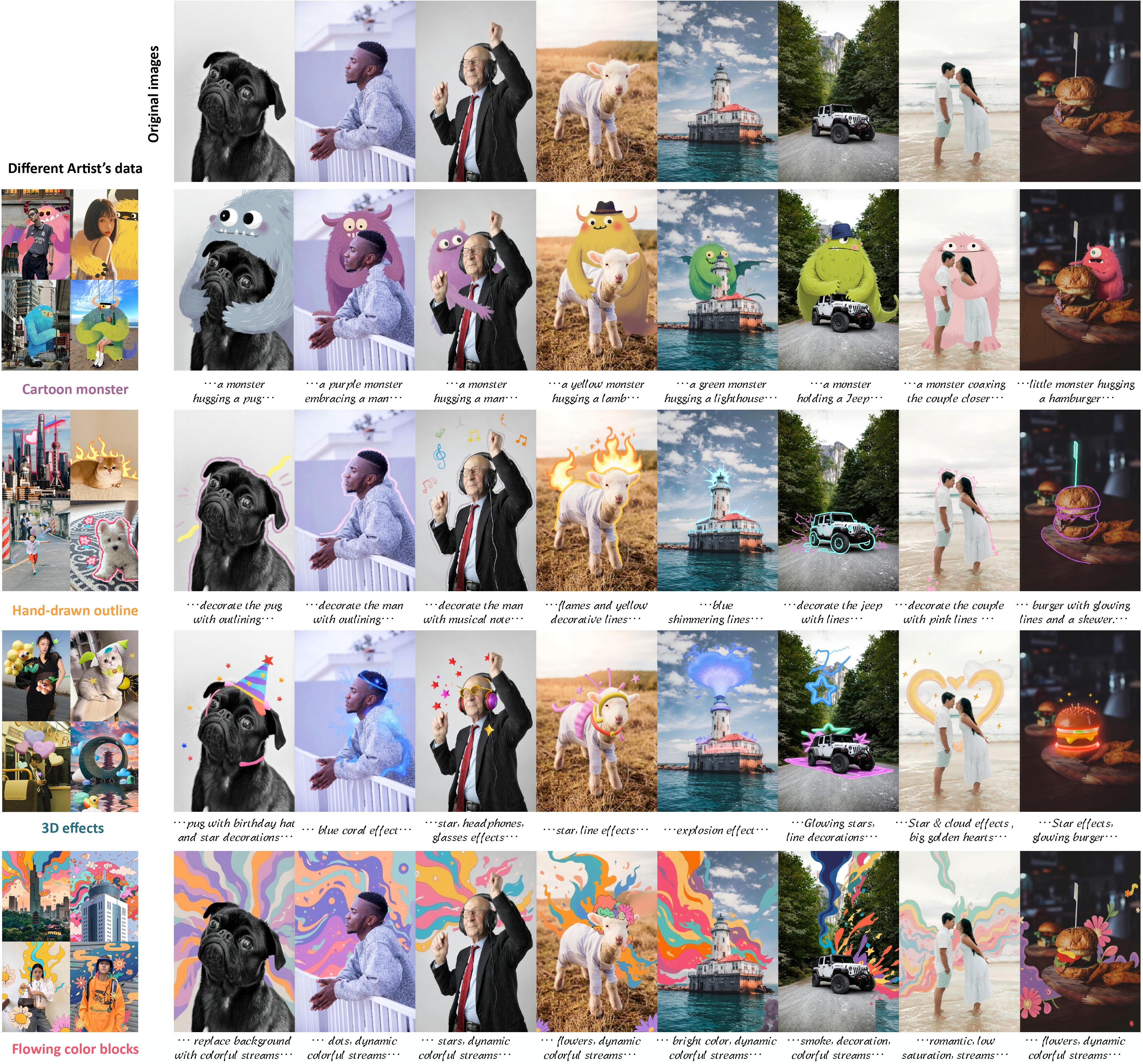
Example Workflows
Click on the images below to view example workflows:


Node Description
The PhotoDoodleSamplerAdvanced node extends the functionality of customkaspmleAdvance by adding two parameters: condition_image and use_clone_pe. The condition_image parameter accepts VAE encoded images, and use_clone_pe should be set to true for optimal results.
The PhotoDoodleCrop node automatically crops any input image to the maximum possible area based on specified width and height. If you don't use this node, you need to ensure that the input image dimensions match the dimensions of the empty latent.
Installation
- Clone this repository into the
custom_nodesdirectory of ComfyUI - Restart ComfyUI
cd custom_nodes
git clone https://github.com/your-username/ComfyUI_SC_PhotoDoodle.git
Usage
- Load the PhotoDoodle model
- Prepare an original image and a doodle image
- Use the PhotoDoodleEdit node for editing
- Adjust parameters to achieve the desired effect
Prompt
add the trigger word of the selected lora at the end of the prompt, such as sksedgeeffect, which needs to be added at the end by sksedgeeffect
Lora model
| Lora name | Function | Trigger word | |-----------|----------|--------------| | sksmonstercalledlulu | PhotoDoodle model trained on Cartoon monster dataset | by sksmonstercalledlulu | | sksmagiceffects | PhotoDoodle model trained on 3D effects dataset | by sksmagiceffects | | skspaintingeffects | PhotoDoodle model trained on Flowing color blocks dataset | by skspaintingeffects | | sksedgeeffect | PhotoDoodle model trained on Hand-drawn outline dataset | by sksedgeeffect |
ComfyUI_SC_PhotoDoodle
这是一个 ComfyUI 的自定义节点,用于实现 PhotoDoodle 功能,让您可以通过简单的涂鸦来控制图像生成。
原始项目参考
本项目基于 PhotoDoodle 重新实现,为 ComfyUI 提供了更加集成的体验。
示例工作流
点击下方图片查看示例工作流:
节点说明
PhotoDoodleSamplerAdvanced 节点相比于 customkaspmleAdvance 增加了 condition_image 和 use_clone_pe 两个参数,分别传入 VAE 编码后的图片,然后设置 use_clone_pe 为 true 以获得最佳效果。
PhotoDoodleCrop 节点可以对任意输入图像,根据设置的宽高,输出最大范围自动裁切后的图片。如果不使用该节点,需要保证传入图片的宽高和创建 emptylatent 的宽高保持一致。
安装
- 在 ComfyUI 的
custom_nodes目录下克隆此仓库 - 重启 ComfyUI
cd custom_nodes
git clone https://github.com/your-username/ComfyUI_SC_PhotoDoodle.git
使用方法
- 加载 PhotoDoodle 模型
- 准备一张原始图像和一张涂鸦图像
- 使用 PhotoDoodleEdit 节点进行编辑
- 调整参数以获得理想效果
提示词
添加提示词的时候,根据选择的lora,在最后添加对应的触发词,如 sksedgeeffect 需要在末尾添加 by sksedgeeffect
LoRA 模型列表
| LoRA名字 | 功能 | 触发词 | |---------|------|--------| | sksmonstercalledlulu | PhotoDoodle model trained on Cartoon monster dataset | by sksmonstercalledlulu | | sksmagiceffects | PhotoDoodle model trained on 3D effects dataset | by sksmagiceffects | | skspaintingeffects | PhotoDoodle model trained on Flowing color blocks dataset | by skspaintingeffects | | sksedgeeffect | PhotoDoodle model trained on Hand-drawn outline dataset | by sksedgeeffect |