
ComfyUI Image Option Picker
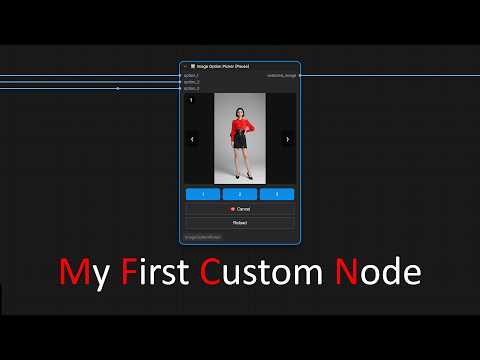
A node to pause the workflow to select one of the three generated images for further processing.
Nodes (1)
Image Option Picker
A node to pause the workflow to select one of the three generated images for further processing. <img width="317" height="420" alt="iop" src="https://github.com/user-attachments/assets/9136f2d1-e486-46f1-b933-799dcee69a99" />
📖 Description
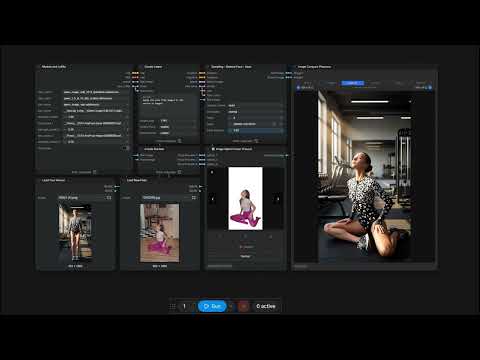
This node takes three images as input, displays them in a preview window, and pauses the workflow. You can cycle through the previews and choose which of the three options to send for further processing.
Click the button with the number of the selected image.
The workflow resumes, and the selected option is sent to the node's output.
Please see a video with example.
🎬 Video examples
📦 Installation
Manual
cd ComfyUI/custom_nodes/
git clone https://github.com/lalikamala/ComfyUI-ImageOptionPicker.git
Then restart ComfyUI.
Via ComfyUI Manager
Search for "Image Option Picker" in ComfyUI Manager and install.
⚠️ Important: After installing via ComfyUI Manager and after applying the changes, please refresh the ComfyUI interface page.