
SD Slicer
Crossbreed models of the same architecture, block by block.
Nodes (6)
LoRAs, ControlNets, upscalers — blend any state_dict
Merge two checkpoints block by block without leaving your workflow
Get a LoRA's raw weights without applying it — the missing half of LoRA merging
Save any state_dict to disk — the writer that closes every merge loop
Turn that merged model into an actual checkpoint file
Blend two VAEs block by block — yes, that's a thing you can do
ComfyUI-SD-Slicer
This custom node pack crossbreeds models of the same architecture, block by block.
Blend several models with individual weights per architecture block, multiply a block
by a factor k, apply a standard formula (interpolate, add-difference, weighted
subtraction) or write your own, then save the result as a full checkpoint or a raw
.safetensors. It works not only with MODEL (UNet/DiT), but also with VAE and with
any object exposing a state_dict (LoRA, ControlNet, plugin types) through a wildcard node.
Merging only makes sense between models of the same architecture — tensor shapes must match. SD-Slicer checks this before merging and reports what diverged.
Layer Merge
Crossbreed N MODELs block by block. This is the main node. It keeps ComfyUI's lazy path
(the merge is expressed as ModelPatcher.add_patches), so inputs are not mutated and the
output is a proper MODEL usable downstream.
Input:
model_1,model_2, … – dynamic list; a new port appears once the last one is connected
Fields:
- per-block weights
sN– weight ofmodel_Nfor a given block k– multiplier applied to the whole blockformula– optional custom formula (empty = weighted sum)
Output:
model
Usage:
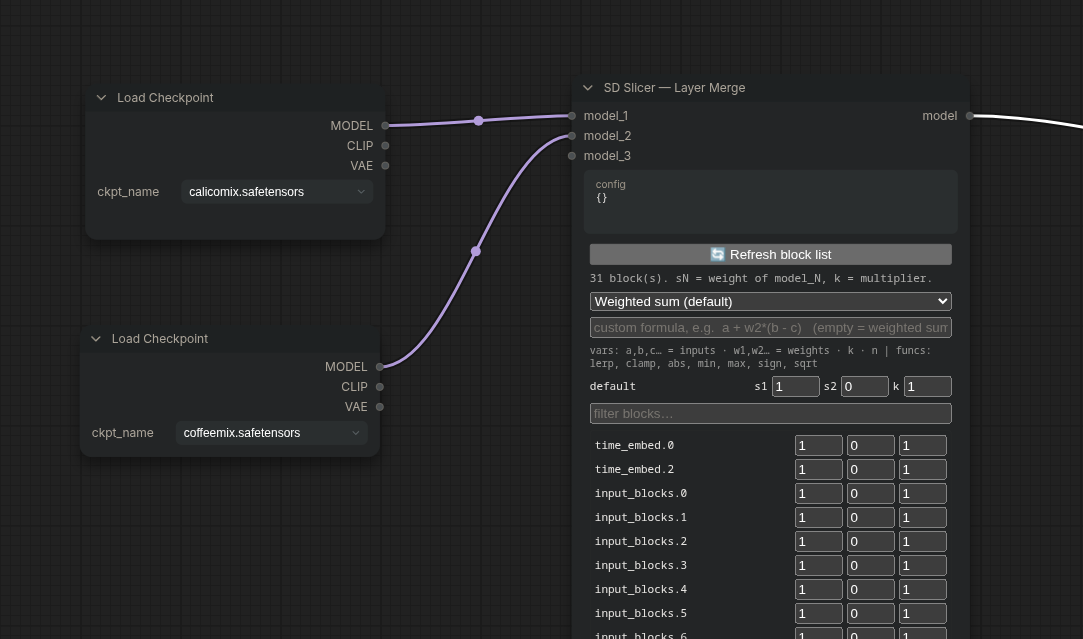
The node is an OUTPUT_NODE, so a workflow can run with just the loaders and this node. The
per-block formula is W_out = k · ( w₁·W₁ + w₂·W₂ + … + w_N·W_N ).
Dynamic ports: connect a model to the last free input and the next one appears. Weights are bound to the port number, not its position, so disconnecting a middle input does not shift the others.
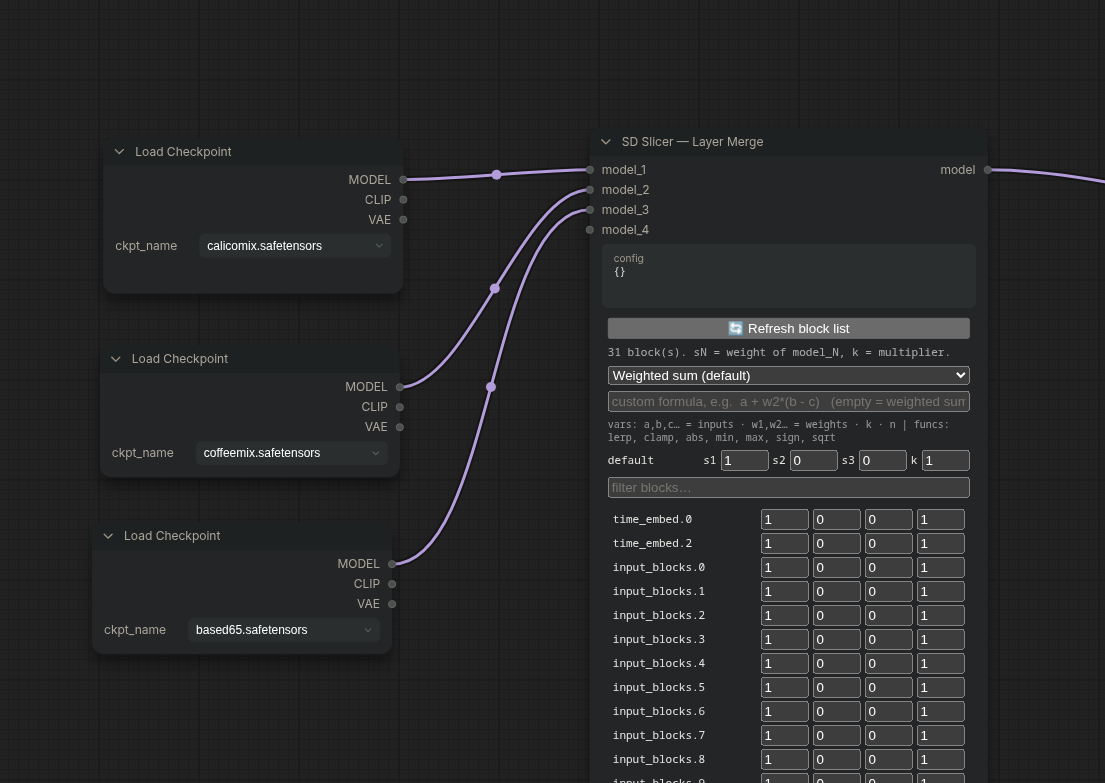
Per-block weights
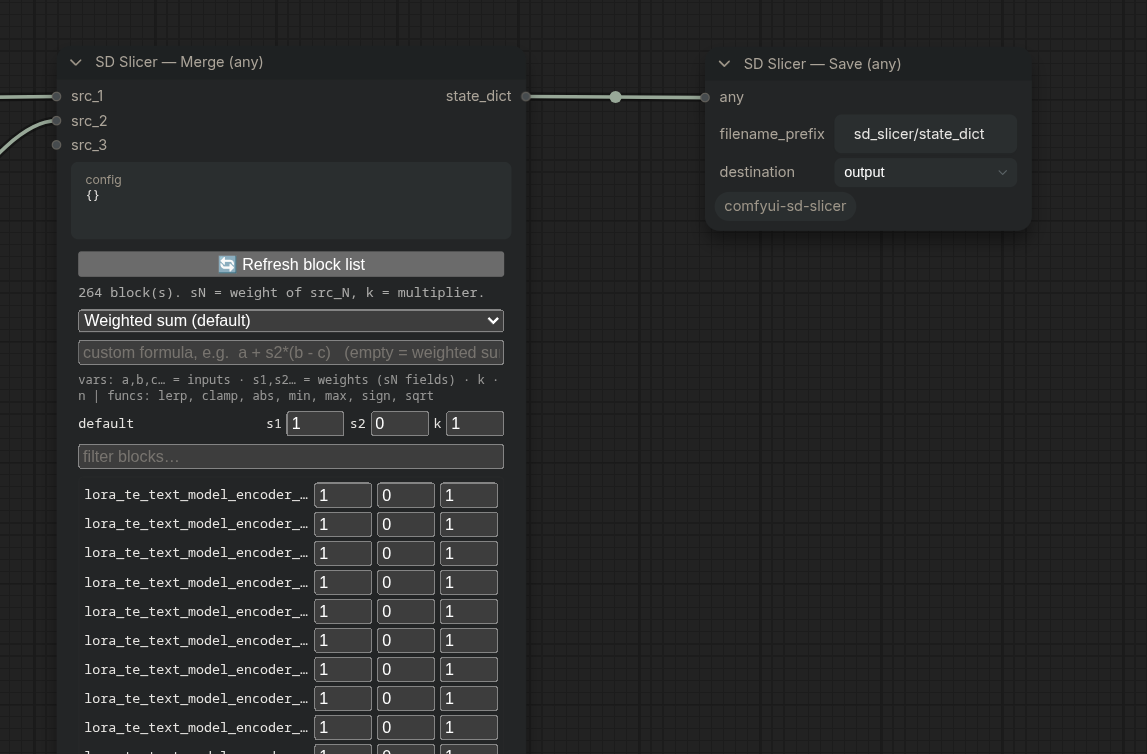
Run the workflow once (Queue Prompt), then press 🔄 Refresh block list: the node reads
the model keys and shows every architecture block with its sN weight fields and a k
multiplier. There is a filter box.
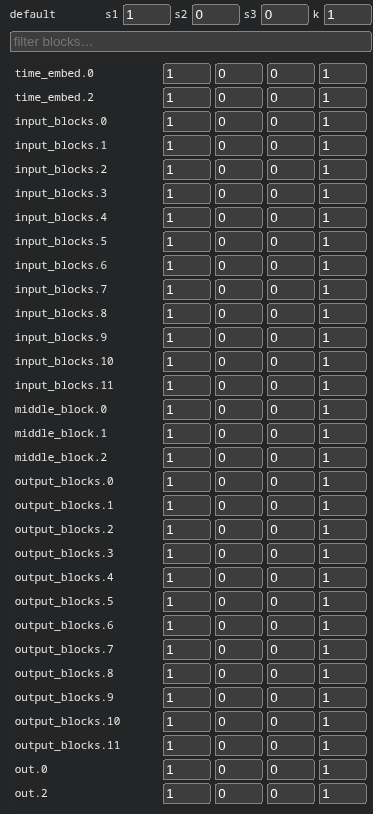
A block id is the key prefix up to and including the first numeric component, so one node slices any architecture the same way:
input_blocks.1.0.in_layers.0.weight→input_blocks.1joint_blocks.5.x_block.attn.qkv.weight→joint_blocks.5(SD3 MMDiT)decoder.up.2.block.0.norm1.weight→decoder.up.2(VAE)norm_out.linear.weight(no digits) →norm_out
Example — take structure from A and style/detail from B: set input_blocks.* to
s1=1, s2=0 and output_blocks.* to s1=0, s2=1.
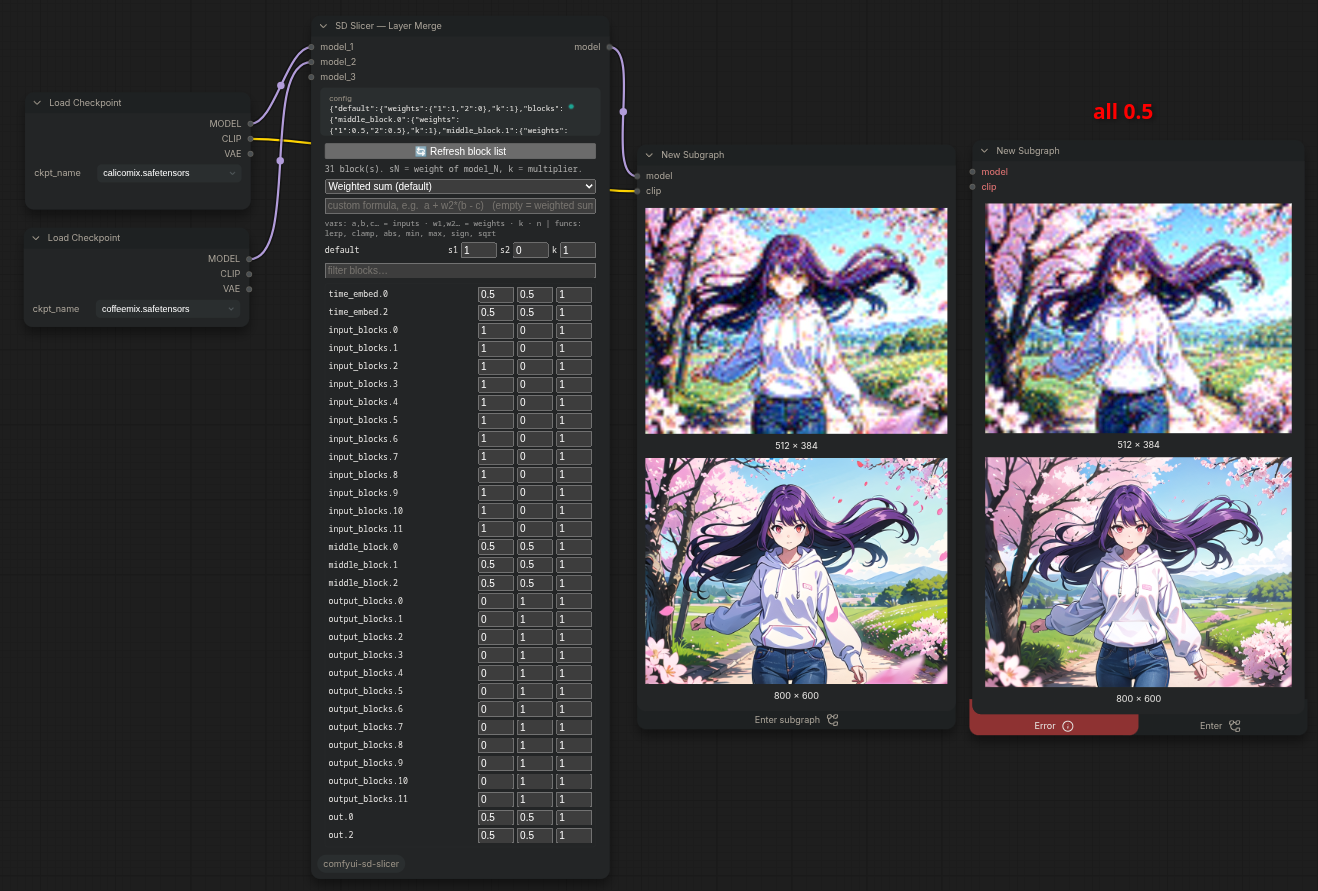
Values without an explicit override fall back to the default row.
Formulas and presets
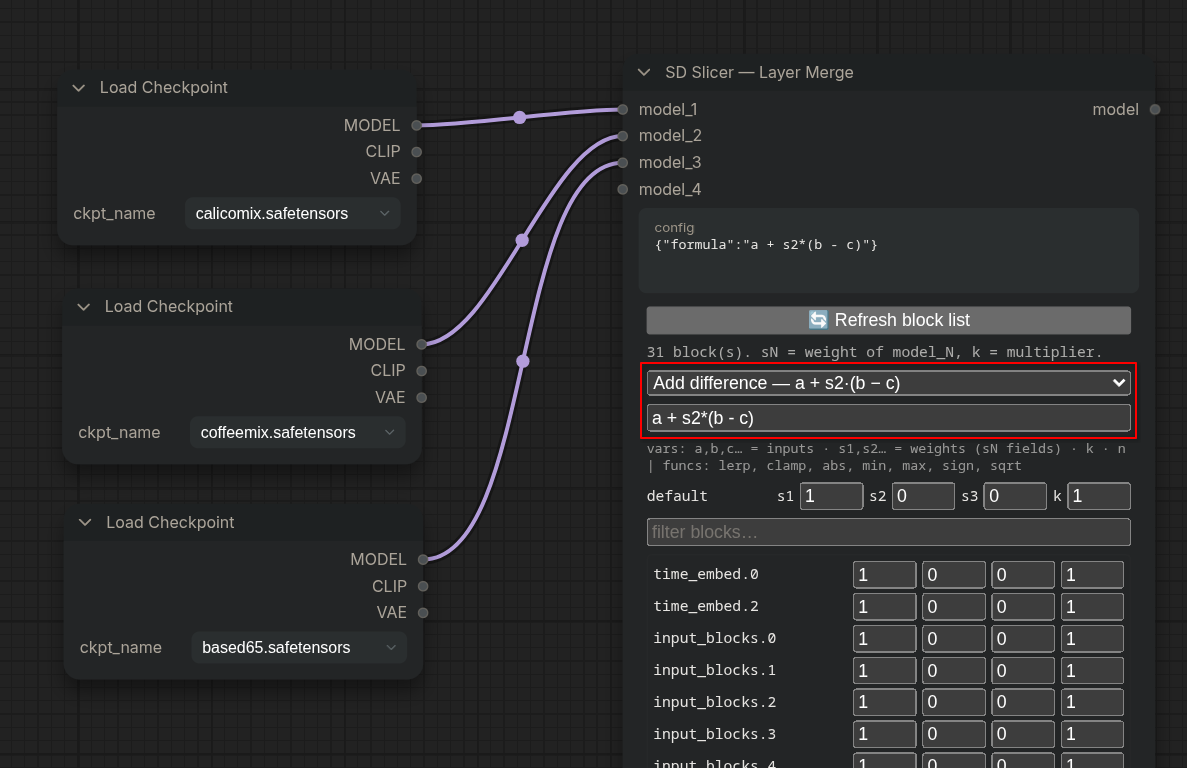
A formula can be applied on top of the blocks. The UI has a preset dropdown (filtered by the number of connected inputs) and a custom formula field.
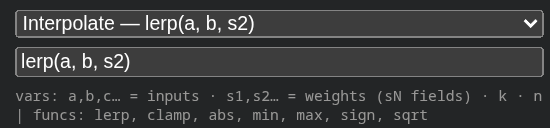
Variables are positional (1 = first connected input):
a, b, c, …andm1, m2, m3, …– source tensorss1, s2, s3, …– per-block weights (the samesNfields shown in the weight editor;w1, w2, …still work as back-compat aliases)k– block multiplier,n– number of sources- functions:
lerp, clamp, abs, min, max, sign, sqrt
An empty formula falls back to the built-in weighted sum (works for any N).
| Preset | Min. inputs | Formula |
|--------|:-----------:|---------|
| Weighted sum (default) | 1 | (empty) |
| Interpolate | 2 | lerp(a, b, s2) |
| Weighted subtraction | 2 | a - s2*b |
| Add difference | 3 | a + s2*(b - c) |
| Triple weighted | 3 | k*(s1*a + s2*b + s3*c) |
Add difference (A + (B − C)) is available with ≥3 inputs. For 4+ models there are no
established named methods — the list collapses to weighted sum and you write your own
combination (a…h, m1…mN) in the formula field.
Formulas are evaluated by a small AST evaluator with a whitelist (numbers, names,
+ - * / **, unary minus, and the functions above), not by eval. Attribute access,
subscripting, calls to anything else, lambdas and conditionals are rejected at compile time,
so a formula carried inside a shared workflow cannot run arbitrary code.
VAE Merge
Crossbreed N VAEs block by block; returns a usable VAE. Same per-block UI and formulas
as Layer Merge.
Input:
vae_1,vae_2, … – dynamic list
Output:
vae
Usage:
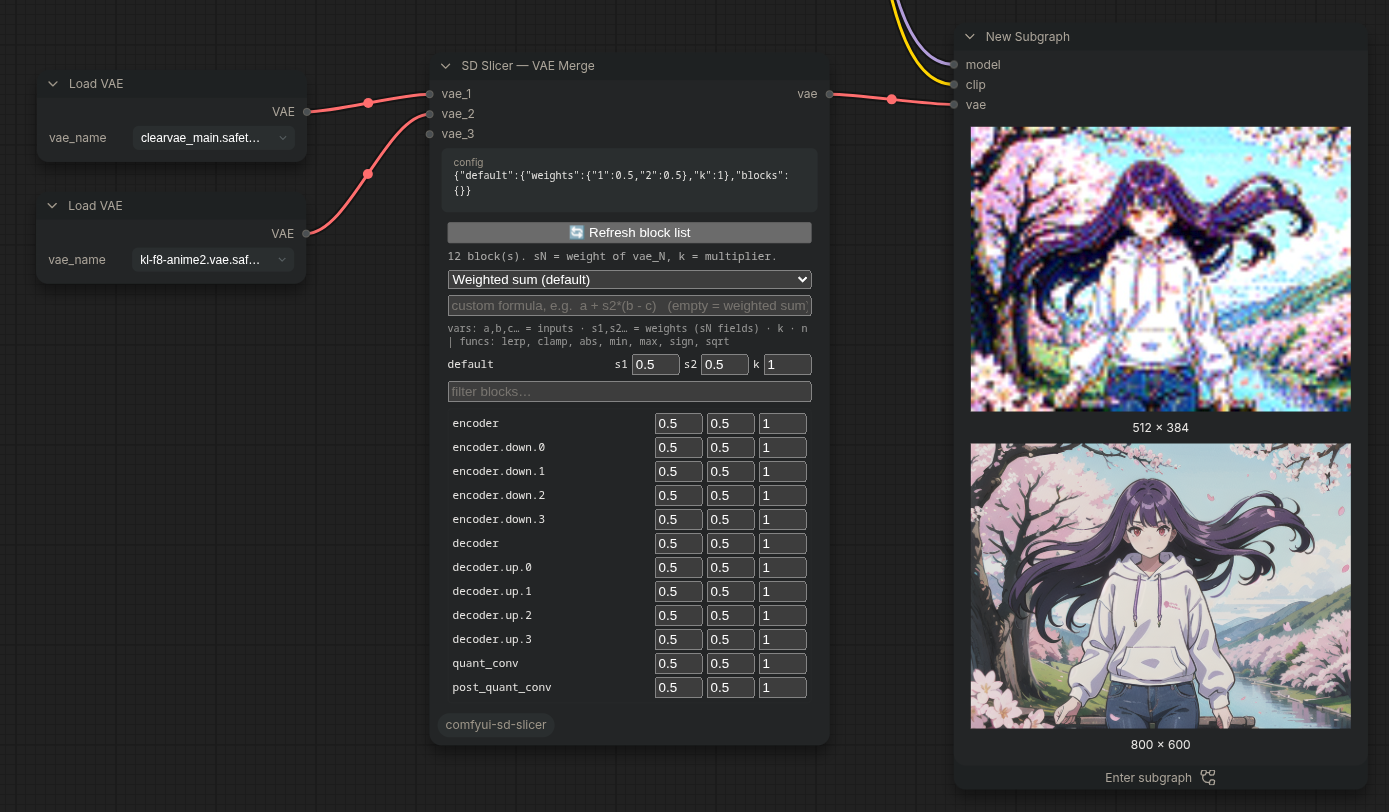
All inputs must share the VAE architecture (SD1.5/SDXL are 4-channel; the SD3 VAE is 16-channel and will not mix with them).
Merge (any)
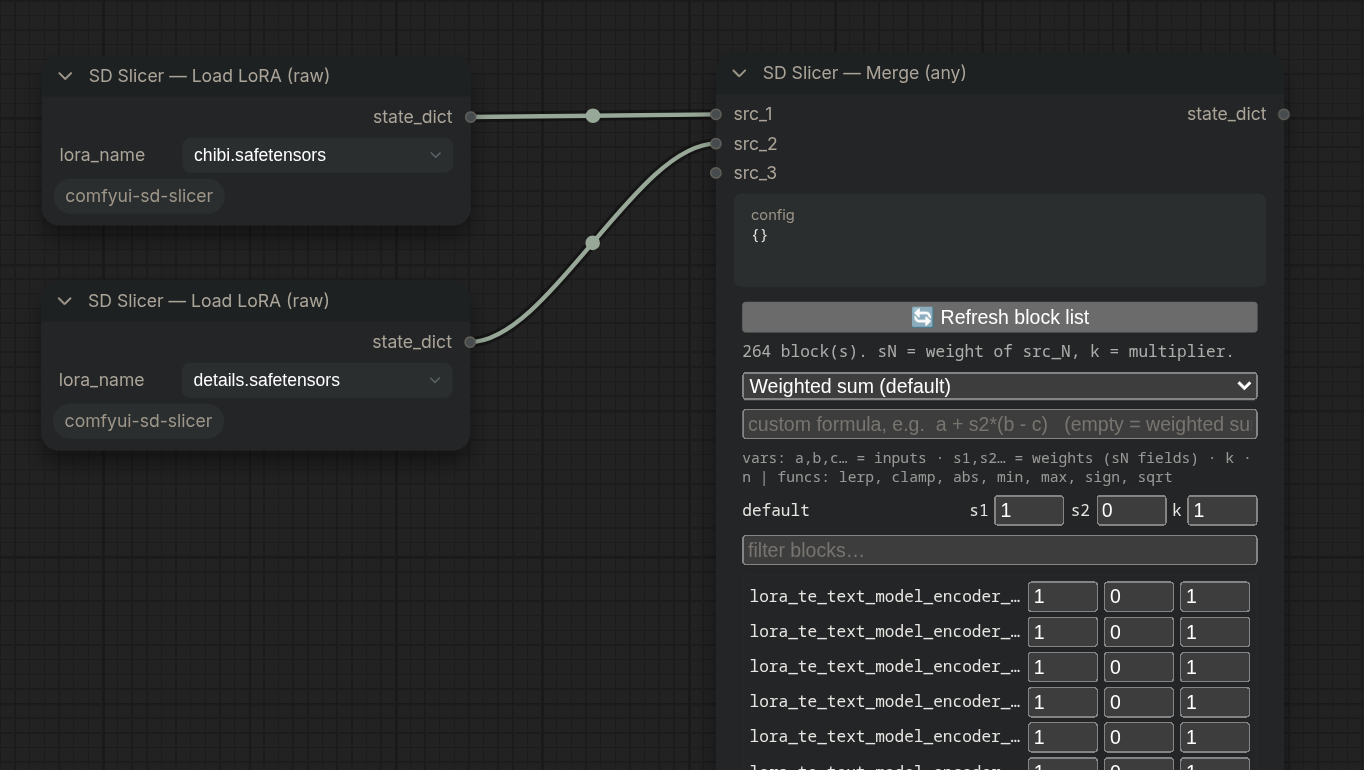
Crossbreed the state_dict of N arbitrary objects (LoRA, ControlNet, upscale models,
plugin types). Same per-block UI and formulas.
Input:
src_1,src_2, … – wildcard*
Output:
state_dict(wildcard*), meant to be written with Save (any)
Loadability of the result is the user's responsibility — merging makes sense between objects of the same base with matching shapes.
Load LoRA (raw)
ComfyUI's stock LoRA loaders take a MODEL and return a MODEL — they apply the LoRA,
so they can't feed one into Merge (any). SD Slicer — Load LoRA (raw) fills that gap:
pick a file from your loras folder and it outputs the LoRA's raw state_dict on a wildcard
output, without applying it to anything. Chain it as:
Load LoRA (raw) ┐
                ├─► Merge (any) ─► Save (any)  (destination: models/loras)
Load LoRA (raw) ┘
The block editor then lists the LoRA's own keys (lora_unet_…) instead of UNet blocks; the
merged result loads back with the stock LoraLoader.
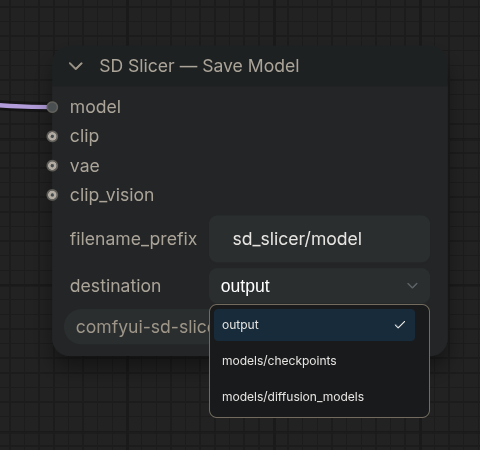
Save Model
Write a MODEL (optionally with CLIP/VAE/CLIP_VISION) as a full checkpoint using
ComfyUI's native writer, so the output matches the built-in "Save Checkpoint".
Input:
modelclip,vae,clip_vision– optional; omit them to save the diffusion model alone
Fields:
filename_prefixdestination–output(safe, never touches the models list) ormodels/<category>(immediately visible to the matching loader)
Usage:
Save (any)
Write the state_dict of any input (VAE, CLIP, LoRA/raw state_dict, plugin types, or the
output of Merge (any)) to a .safetensors.
Input:
any– wildcard*
Fields:
filename_prefixdestination
Usage:
Architecture primer
SD1.5, SDXL and SD3 are all still relevant. A quick note on what you will see in the block list of each.
- SD 1.5 – UNet, 4-channel latent (512px), one CLIP (ViT-L/14). Blocks:
input_blocks.0…11,middle_block.*,output_blocks.0…11,time_embed.*,out.*. - SDXL – larger UNet with the same naming plus
label_emb.*(size/crop micro-conditioning), 4-channel latent (1024px), two text encoders (CLIP-L + OpenCLIP bigG/14). Incompatible with SD1.5 for merging (different UNet depth). - SD3 / SD3.5 – MMDiT instead of a UNet:
joint_blocks.*plusx_embedder.*,t_embedder.*,y_embedder.*,context_embedder.*,final_layer.*,pos_embed. 16-channel latent, flow-matching, three text encoders (CLIP-L, CLIP-G, T5-XXL). Its VAE is 16-channel and does not mix with SD1.5/SDXL.
Flux and video models are sliced the same way (grouping by keys), as long as tensor shapes match.
Compatibility and memory
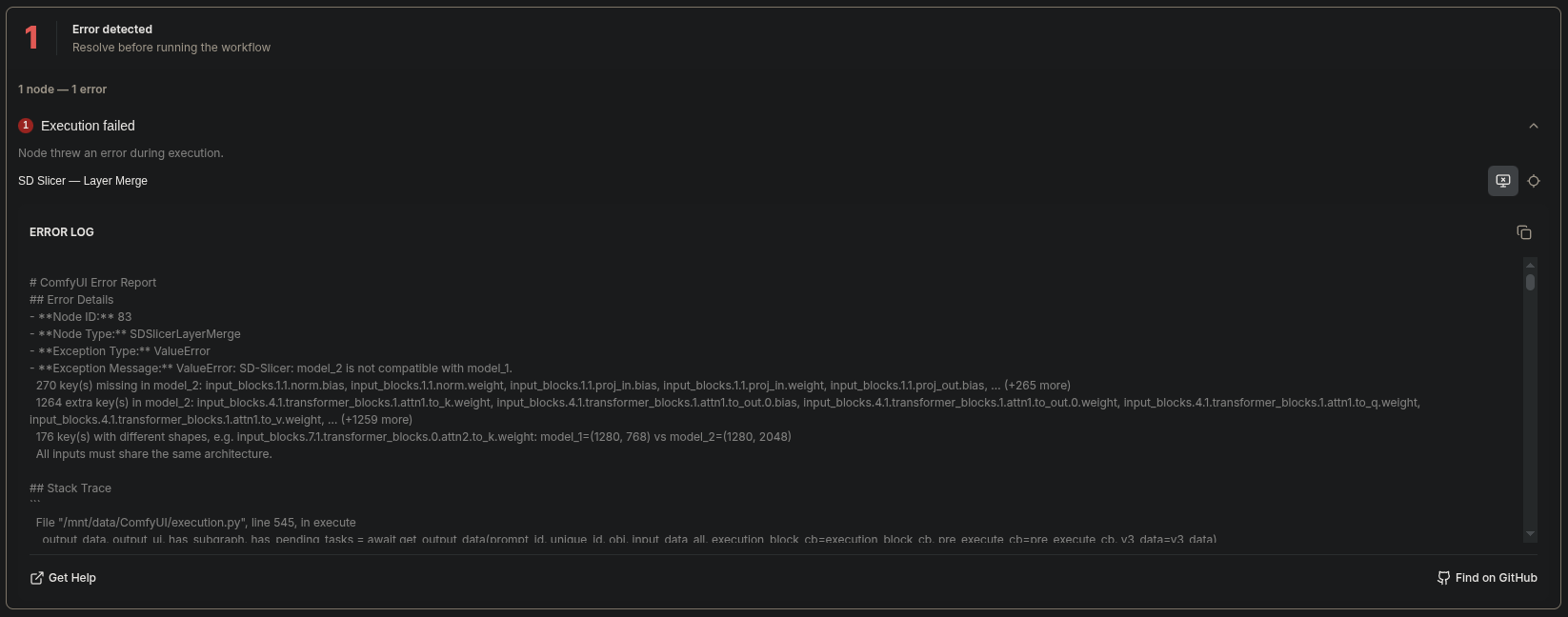
Before merging, the key sets and tensor shapes of all inputs are compared; on a mismatch you get a clear error listing missing/extra keys and an example shape difference.
For MODEL with an empty formula, weights stay lazy (add_patches, like the built-in
ModelMergeSimple). With a non-empty formula the diffusion weights are materialized
(float32, then cast back) and applied as a replacement patch on a clone — the base model is
never mutated, but peak memory is higher. Keep this in mind on 8 GB VRAM with SDXL/SD3.
Development
The ComfyUI-independent parts (merge math, block grouping, compatibility check, formula
safety, and both code paths of the MODEL node via a fake ModelPatcher) are covered by
offline tests — only torch is required:
python tests/test_offline.py # or: pytest tests/
Save Model / VAE Merge and the MODEL formula path touch version-sensitive ComfyUI glue
(save_checkpoint, comfy.sd.VAE(sd=...), patch-tuple format) — verify those in a live
ComfyUI.