
ComfyUI Extension
ComfyUI-PromptPalette
A ComfyUI extension with 1 custom node.
kambara/ComfyUI-PromptCheckList
Nodes1
On cloudLocal install
Categoryutils
Stars30
Updated9 months ago
Readme
ComfyUI PromptPalette
A custom node for ComfyUI that makes prompt editing easier by allowing phrase switching with just mouse operations
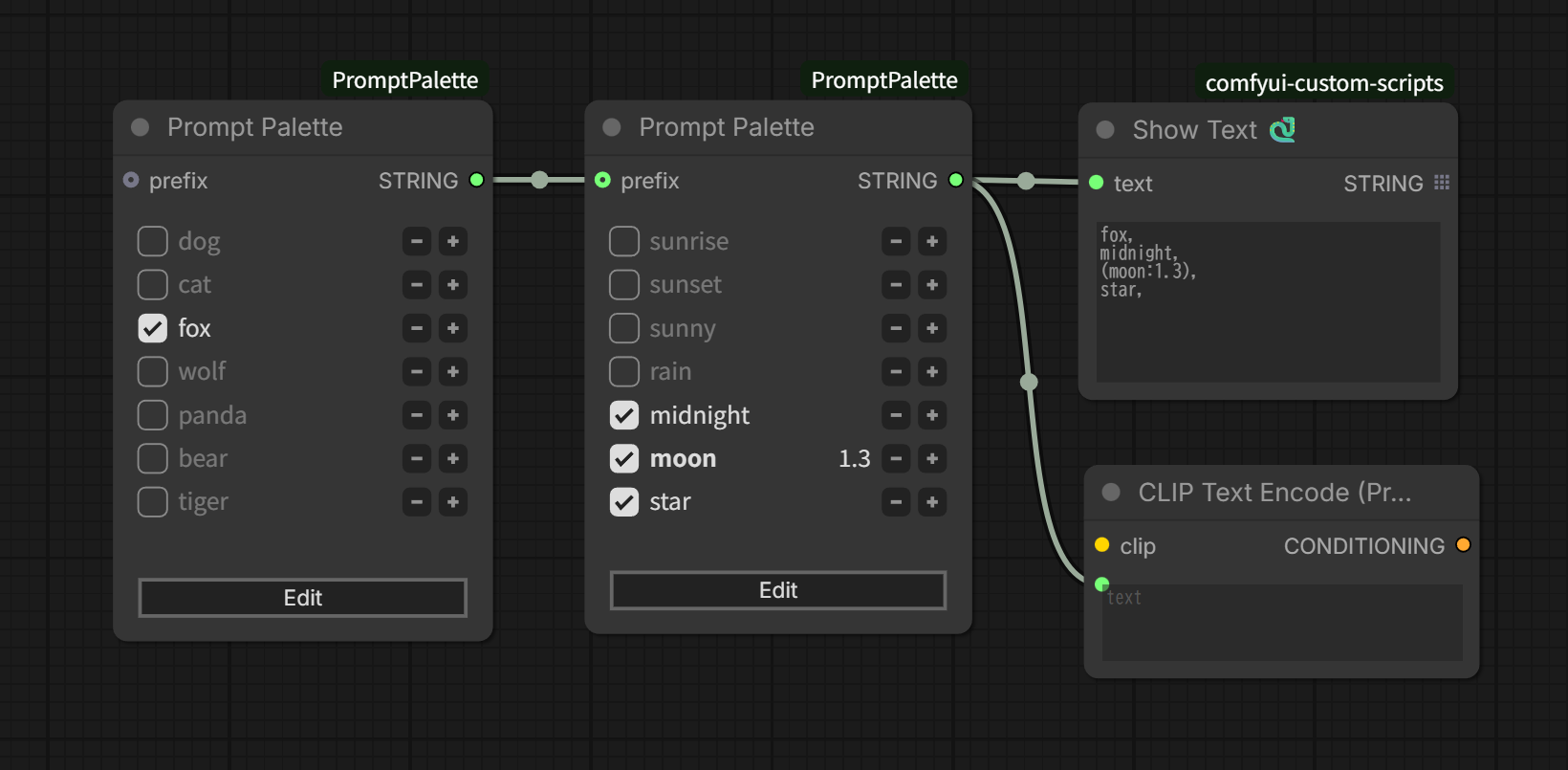
Features
- Enable/disable phrases with checkboxes
- Adjust prompt weights using +/- buttons
- Combine with other prompts using prefix input
- Customize output format with delimiter and line break options
Installation
- Clone into the
custom_nodesdirectory of ComfyUI - Restart ComfyUI
Usage
- Add node: Find
Prompt Palettein the node menu - Edit phrases:
- Click the Edit button to switch to edit mode
- Enter one phrase per line<br /> <img src="examples/edit-phrases.png" alt="Edit phrases" width="320px" />
- Click the Save button to complete editing
- Toggle phrases and adjust weights:
- Toggle checkboxes to enable/disable phrases
- Adjust prompt weights using +/- buttons<br /> <img src="examples/toggle-and-weight.png" alt="Toggle checkboxes and adjust prompt weights" width="320px" />
- Output:
- By default, selected phrases are output as comma-separated prompt text<br /> <img src="examples/output.png" alt="Output" width="540px" />
- Delimiter and line break settings can be changed in edit mode<br /> <img src="examples/output-format.png" alt="Output Format" width="400px" />
Changelog
v1.3.0
- Added delimiter widget to separate phrases with comma, space, or nothing
- Added line_break widget to output as single line or multiple lines
v1.2.0
- Support for ComfyUI Nodes 2.0
- Major code refactoring
v1.1.0
- Updated UI style