
ComfyUI Extension
ComfyUI-Draggen
Load and use your Draggen.io moodboards directly in ComfyUI.
kadima-tech/comfyui-draggen
Nodes5
On cloudLocal install
CategoryDraggen
Stars0
Updateda day ago
Nodes (5)
Draggen Local Loader
Draggen Local Loader
Draggen
Draggen Extract Images
A moodboard, dismantled into reference images you can actually use
Draggen
Draggen Board to Image
The whole board as one image, z-index included
Draggen
Draggen Extract Text
Your board's notes, turned into one prompt-ready string
Draggen
Draggen Remote Loader
The moodboard pipe from Draggen.io into your ComfyUI graph
Draggen
Readme
ComfyUI-Draggen
<img src="docs/icon.png" alt="Draggen" width="128">A set of ComfyUI nodes to integrate with Draggen.io, allowing you to load moodboards from the Draggen API or local storage and use them in your generative workflows.
Features
- Remote Loader: Fetch moodboards directly from Draggen.io using your API Key [Subscription required].
- Local Loader: Load moodboards exported to your local machine [Free].
- Board to Image: Render the moodboard as a composite image, respecting element positioning and z-index.
- Image Extractor: Extract individual images from the moodboard for batch processing.
- Text Extractor: Extract text descriptions/prompts from the moodboard.
Installation
Option 1 — Install via ComfyUI Manager (Recommended)
- Open ComfyUI.
- Go to Manager → Install Custom Nodes.
- Search for: ComfyUI-Draggen4. Click Install.
- Restart ComfyUI.
If the repository is not yet listed, use Install via Git URL and paste:
https://github.com/kadima-tech/ComfyUI-Draggen.git
Option 2 — Manual Installation (Git)
- Clone this repository into your
ComfyUI/custom_nodes/directory:
cd ComfyUI/custom_nodes/
git clone https://github.com/kadima-tech/ComfyUI-Draggen.git
Usage
Remote Loading
- Add the Draggen Remote Loader node.
- Enter your Moodboard ID (found in the Draggen URL) or use the Load Boards button to browse.
- Enter your API Key (Open the account tab here: https://draggen.io/dashboard).
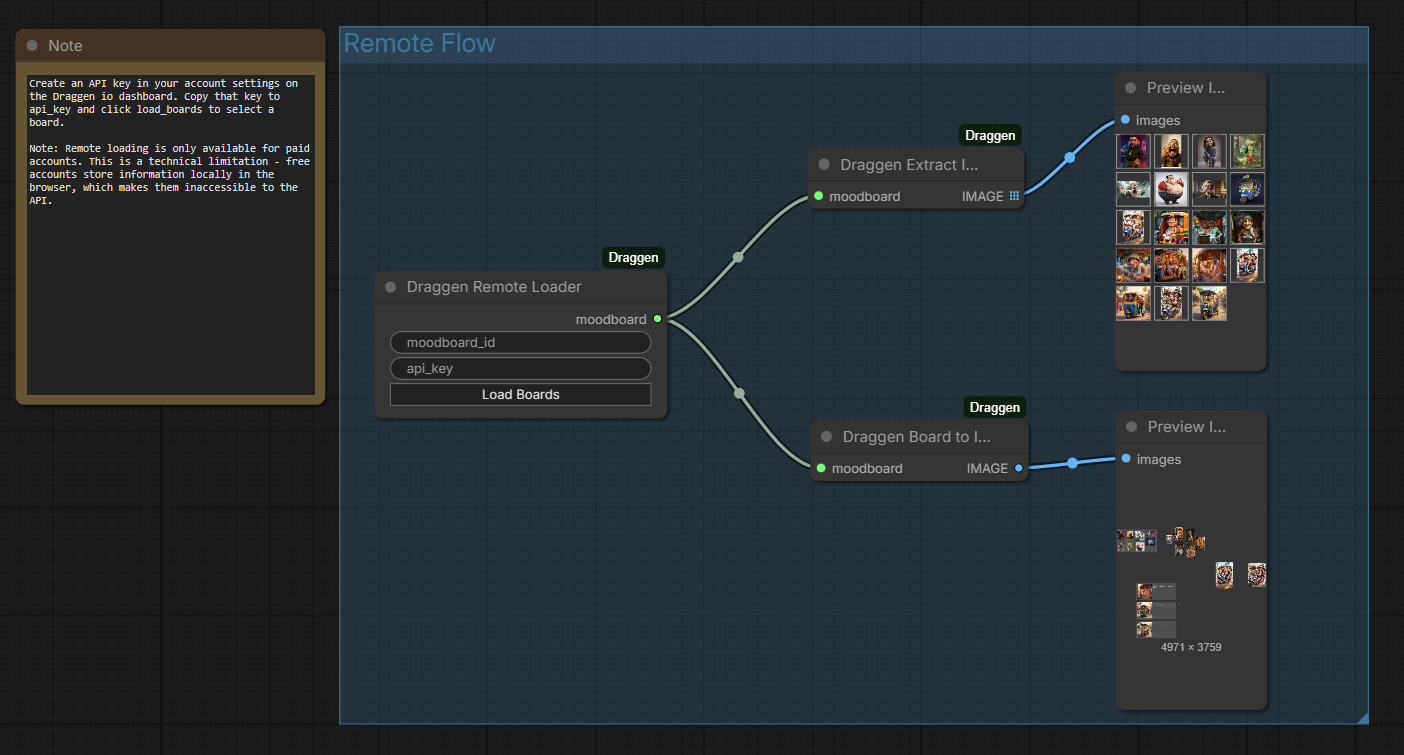
Local Loading
- Add the Draggen Local Loader node.
- Enter the absolute path to the folder containing your moodboard (
data.jsonfile andimages/subfolder).
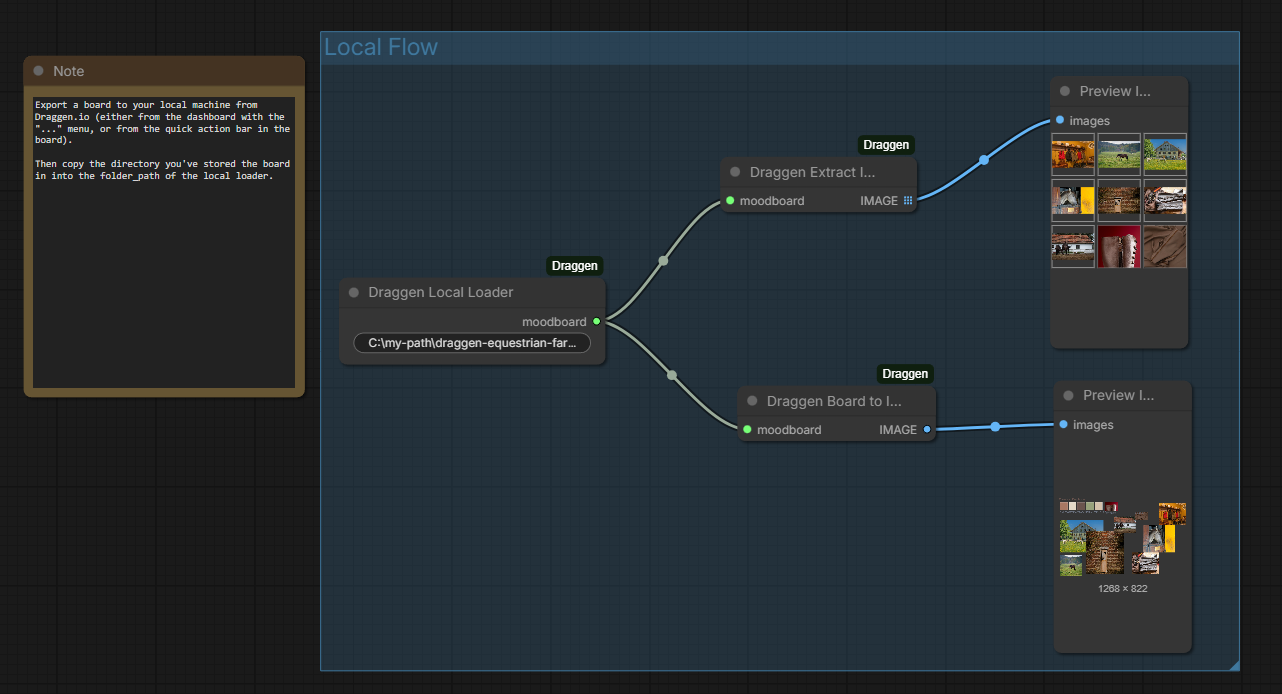
Processing
- Connect the
moodboardoutput to Draggen Board to Image to get a rendered view. - Connect to Draggen Extract Images to get a batch of source images.
- Connect to Draggen Extract Text to get the text content.
Example Workflow
An example workflow is available in the example folder. You can load example/basic.json into ComfyUI to see a basic setup using these nodes.
License
MIT