
ComfyUI-PromptEngine
Dictionary-based prompt composition nodes and dictionary-building tools for ComfyUI.
Nodes (6)
The one knob that turns your ComfyUI chat from Ollama to any provider
One node, twenty-one dropdowns, a whole prompt out
Chain a prompt together one dimension at a time
Turn your prompt stash into structured JSON
Group your prompt phrases by meaning, not spelling
Turn your clusters into a prompt dictionary
ComfyUI-PromptEngine
Dictionary-based automatic prompt generation nodes and user-dictionary building tools for ComfyUI.
ComfyUI-PromptEngine is designed for two kinds of users:
- Users who want to freely combine prompt fragments and unlock effectively unlimited prompt generation. With 21 dimensions that can be mixed and matched, it offers a huge creative search space without having to handcraft every full prompt from scratch.
- Users who want prompts to be structured, reusable, and scalable. The plugin helps turn large prompt collections into manageable dictionary entries across 21 visual dimensions such as subject appearance, outfit, pose, composition, lighting, and style, so they can be recombined and reused through clustering-backed dictionary organization.
The automatic prompt generation nodes provide two main ways to work:
- A chainable single-dimension node, where you can freely pick only the dimensions you need and compose them modularly in a workflow.
- An all-dimension one-stop node, which is better for quickly building a complete prompt in one place.
For users who want to keep expanding their dictionaries, the plugin also includes a Step 1-3 toolchain that can extract dimensions from raw prompt datasets, cluster similar phrases, and generate incremental user dictionaries that merge with the bundled base dictionaries at runtime.
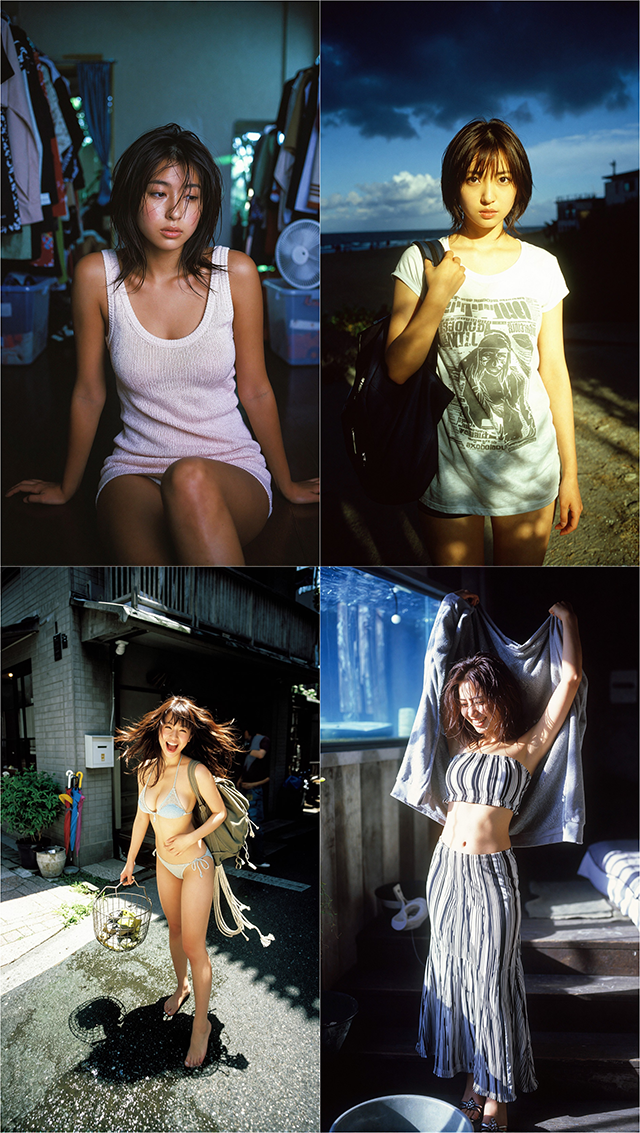
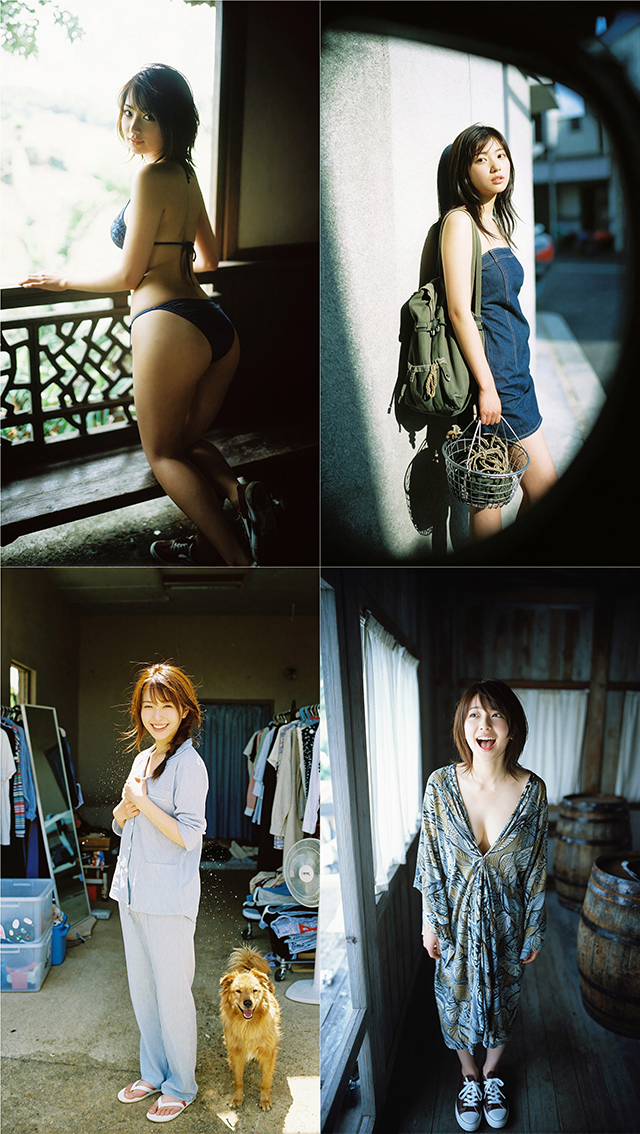
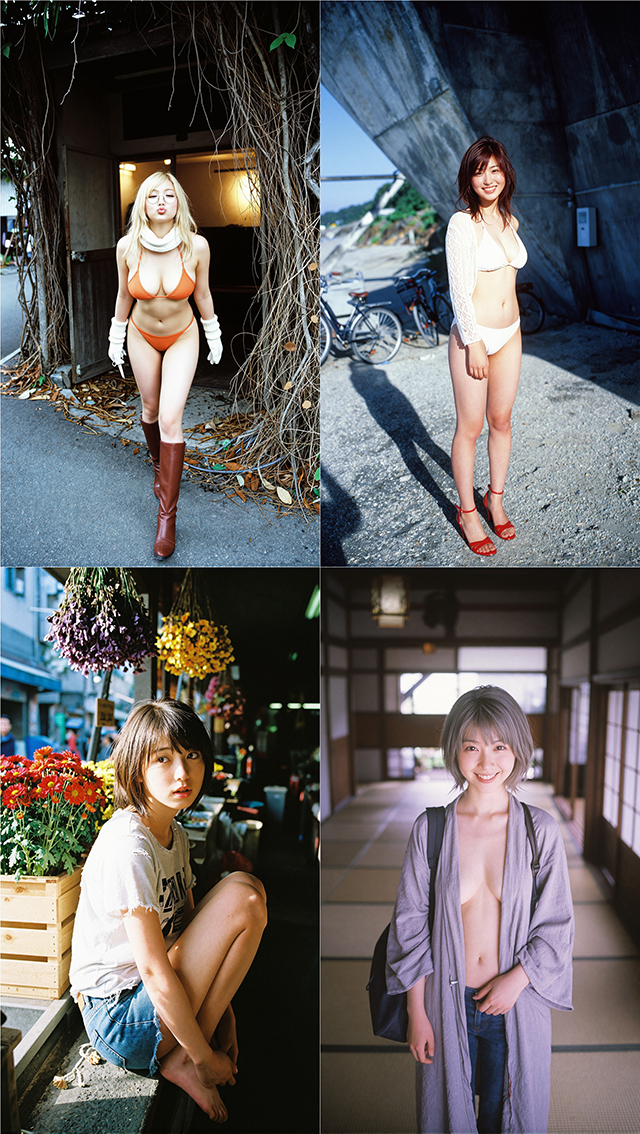
Prompt Generation Results (using z-image-turbo + LoRA)

Features
- Compose prompts from 21 visual dimensions with structured dictionary entries.
- Use either a chainable single-dimension node or one full-dimension node.
- Build or expand your own dictionaries from prompt datasets with the Step 1-3 toolchain.
- Merge bundled base dictionaries with user-generated incremental dictionaries at runtime.
Included Nodes
PromptEngineNode: build a prompt one dimension at a time.PromptEngineFull: edit all supported dimensions in one node.LLMConfigNode: shared OpenAI-compatible API config for Step 1 and Step 3.Step1DimensionExtract: extract structured dimensions from raw prompts.Step2Clustering: cluster extracted phrases with embeddings and HDBSCAN.Step3DictionaryGen: generate incremental user dictionaries from cluster outputs.
Installation
Clone or copy this repository into:
ComfyUI/custom_nodes/ComfyUI-PromptEngine/
Install dependencies:
pip install -r requirements.txt
Restart ComfyUI after installation.
Dependencies
Core dependency:
openaitqdm
Additional dependencies for the Step 1-3 workflow:
sentence-transformersumap-learnhdbscannumpytorch
Notes:
- If you only use the prompt composition nodes, the Step 2 ML stack is not required.
- Step 2 may download
BAAI/bge-small-en-v1.5on first run if it is not available locally. - A working PyTorch install is required for Step 2.
Example Workflows
Prompt building:
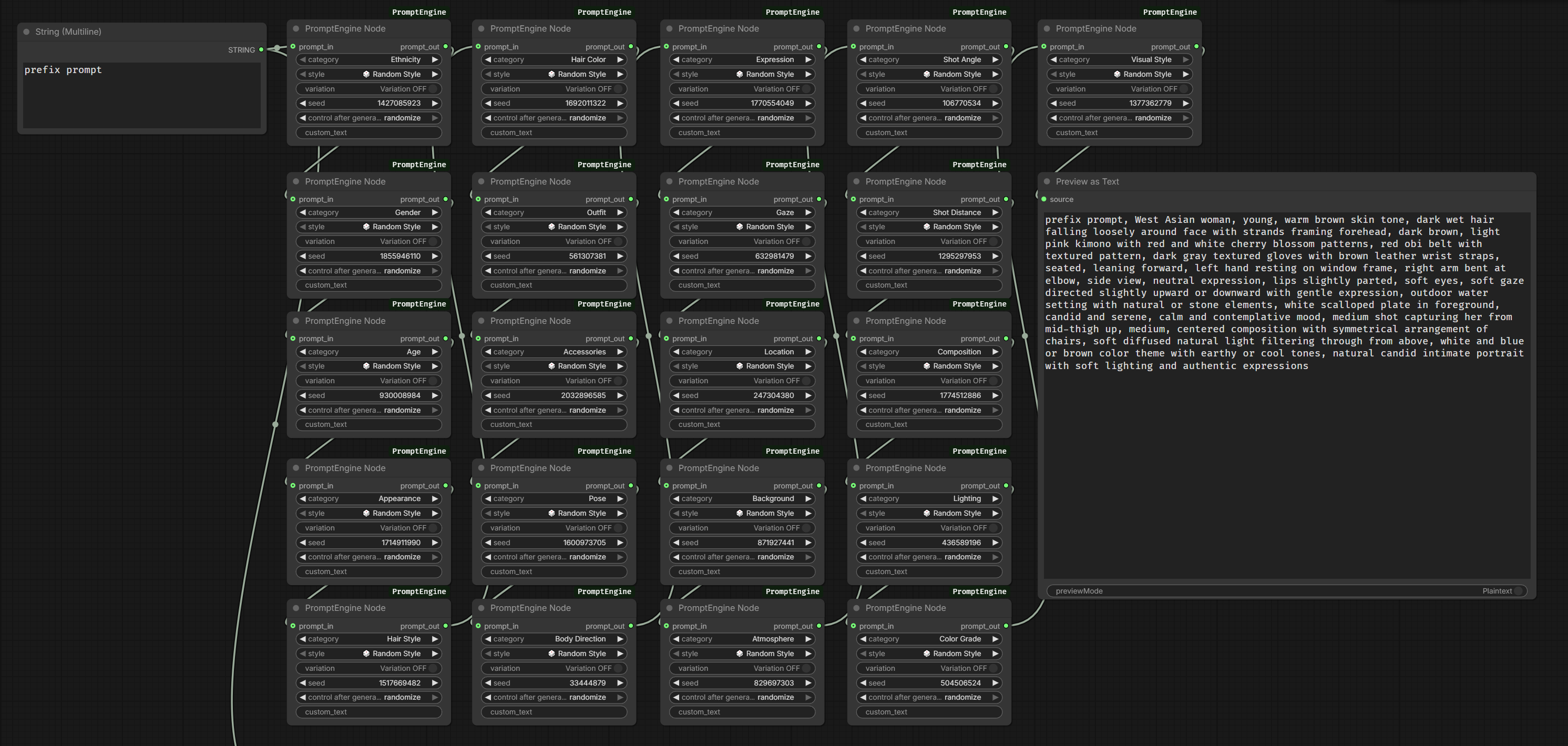
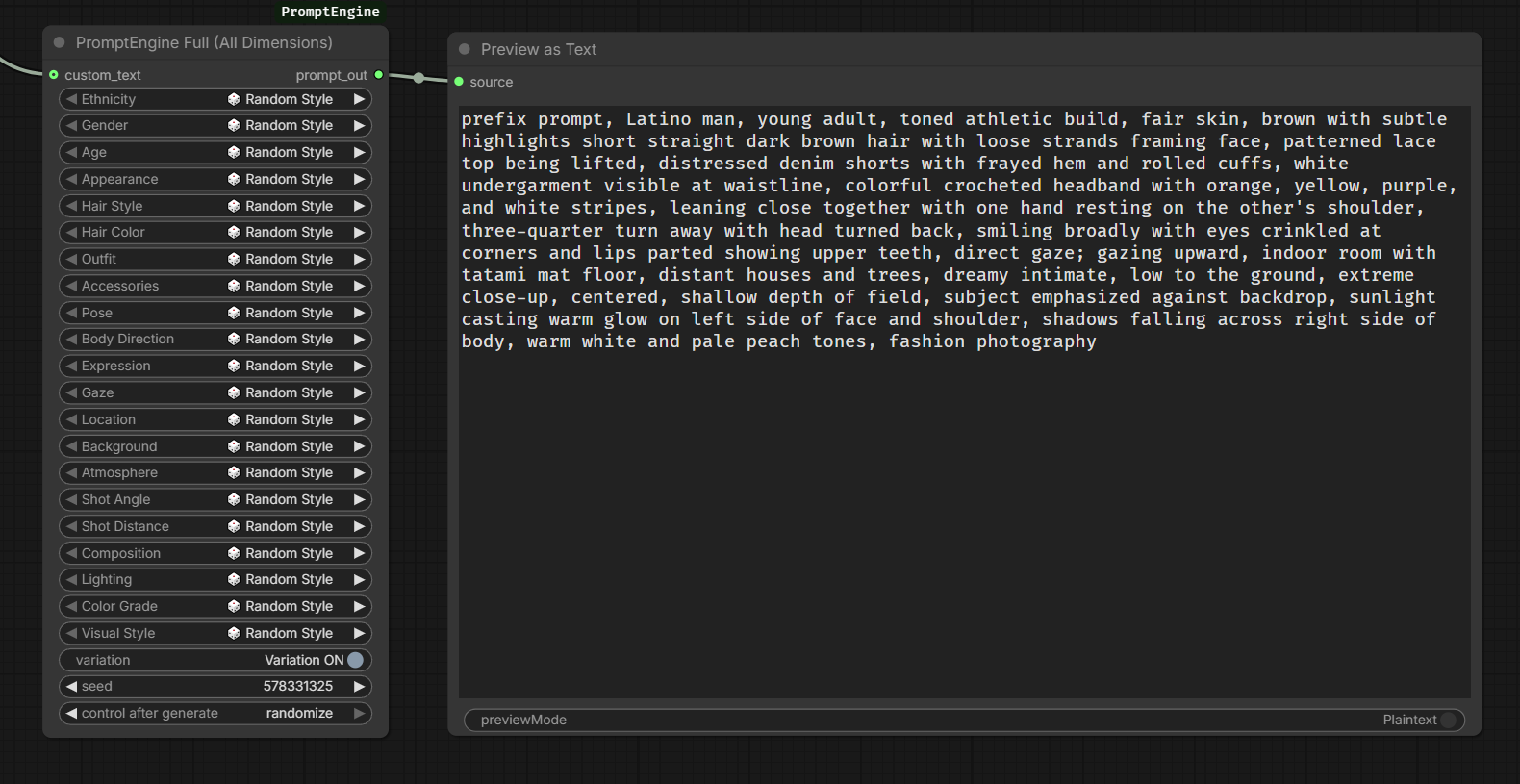
Dictionary generation:
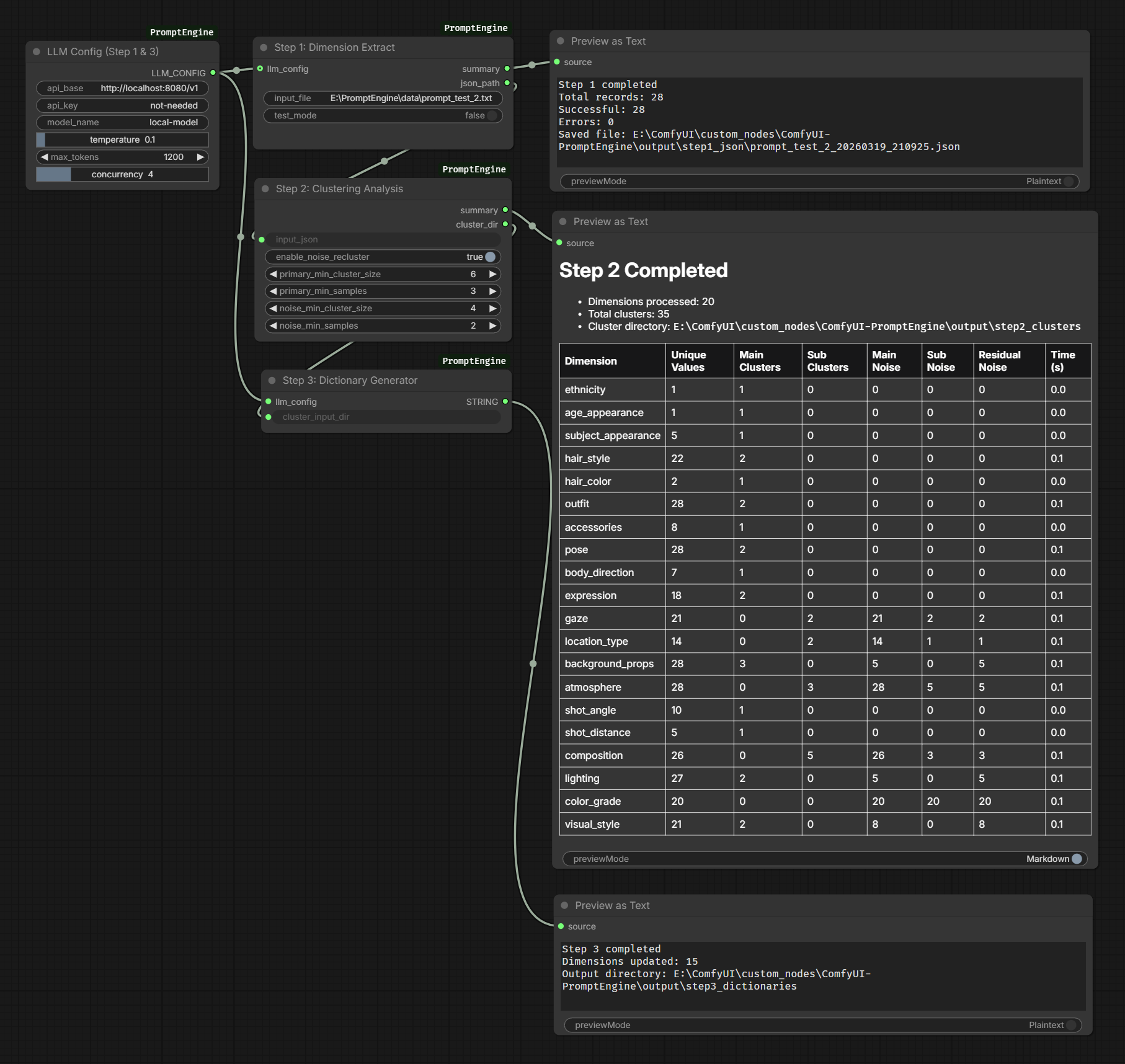
Example workflow JSON files are available in examples/.
How It Works
Prompt Composition
PromptEngineNodelets you build a prompt dimension by dimension throughprompt_inandprompt_out.PromptEngineFullexposes all supported dimensions in one node for faster one-shot editing.
PromptEngineNode
Recommended use:
- Add only the dimensions you actually need.
- Chain multiple
PromptEngineNodeinstances throughprompt_in. - For the most stable and readable prompt structure, it is recommended to keep the node order close to the built-in dimension order:
ethnicity -> gender -> age_appearance -> subject_appearance -> hair_style -> hair_color -> outfit -> accessories -> pose -> body_direction -> expression -> gaze -> location_type -> background_props -> atmosphere -> shot_angle -> shot_distance -> composition -> lighting -> color_grade -> visual_style
Main parameters:
category: selects which visual dimension this node is responsible for.style: selects one entry from the dictionary for that dimension. You can also useRandom Styleorskip.variation: when off, the node outputs the dictionary'scanonical_phrase; when on, it randomly picks fromsamples.seed: controls random style and sample selection, so results can be reproduced.custom_text: if not empty, this text overrides the selected dictionary entry for the current dimension.prompt_in: optional upstream prompt text from previousPromptEngineNodeinstances.
Usage notes:
PromptEngineNodeis best when you want modular control over which dimensions are present in the final prompt.- You do not need to use all 21 dimensions every time.
- Keeping a consistent dimension order makes prompts easier to debug and compare across workflows.
- If you want to hand-author one specific phrase for a dimension, use
custom_textinstead of creating a new dictionary entry immediately.
PromptEngineFull
Recommended use:
- Use
PromptEngineFullwhen you prefer editing the whole prompt from one node instead of chaining many small nodes. - It is well suited for workflow presets, quick look development, and testing dictionary coverage across all dimensions.
Main parameters:
- One style selector is provided for each supported dimension.
variation: applies the same canonical-vs-sample switching logic across all selected dimensions.seed: controls all random selections in the node.custom_text: works as a free-text prefix, useful for adding content outside the dictionary system.
Usage notes:
PromptEngineFullis faster to operate, but less modular than chaining multiplePromptEngineNodeinstances.- It is a good default choice when users want a single-node prompt authoring experience.
- Use
PromptEngineNodeinstead if you want dimension-specific graph branching or reusable subchains.
Special behavior:
genderis a built-in dimension withmanandwoman.- Adjacent
ethnicityandgenderselections are merged into one phrase.
Step 1-3 Dictionary Workflow
prompts.txt
  -> Step1DimensionExtract
  -> output/step1_json/*.json
  -> Step2Clustering
  -> output/step2_clusters/<dim>/<dim>_clusters.json
  -> Step3DictionaryGen
  -> output/step3_dictionaries/<dim>_dict.json
- Step 1 reads a plain text file where each line is exactly one complete prompt.
- The input file should be a prompt dataset, not a keyword list or fragmented phrase list.
- For best results, each source prompt should contain as many of the 21 target dimensions as possible, or at least most of them. Sparse prompts with only a few attributes will reduce extraction coverage and make downstream clustering and dictionary generation less useful.
- Step 2 clusters extracted phrases by dimension.
- Step 3 writes incremental user dictionaries without modifying bundled base dictionaries.
Recommended Step 1 input style:
- One line = one full prompt.
- Keep prompts semantically complete instead of splitting one concept across multiple lines.
- Prefer prompts that already describe subject appearance, outfit, pose, scene, camera, lighting, color, and style information.
- Higher coverage in the raw prompts usually produces better dimension extraction, cleaner clusters, and more practical dictionaries.
At runtime, the plugin merges:
dim_dictionaries/bundled dictionariesoutput/step3_dictionaries/user dictionaries
If Step 3 generates new entries while ComfyUI is running, backend reads them immediately. Frontend dropdowns require a page refresh to display new options.
Output Directories
output/
├── step1_json/
├── step2_clusters/
└── step3_dictionaries/
These folders are runtime artifacts. They do not need to be committed unless you intentionally want to keep generated results.
Validation
python test_nodes.py
python -m py_compile nodes.py tools/*.py test_nodes.py
Known Limitations
- Step 2 may require network access on first run if the embedding model is missing locally.
- Frontend dictionary dropdowns are cached until the ComfyUI page is refreshed.
- Step 3 currently favors incremental dictionary generation over aggressive normalization.
Changelog
Version history is tracked in CHANGELOG.md.
Maintainer Notes
Registry and release preparation steps are documented in PUBLISHING.md.