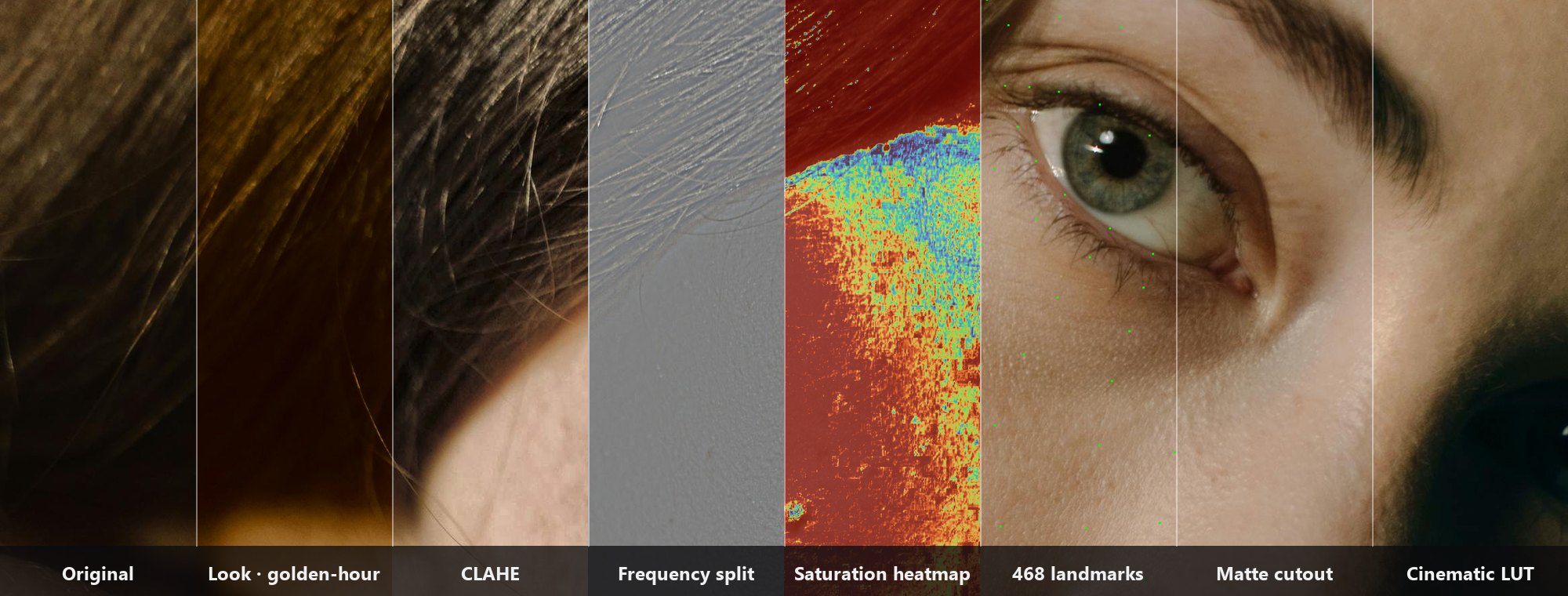
ComfyUI Extension: ComfyUI-JH-PixelPro
Run ComfyUI workflows without the setup
No installs, no CUDA version roulette, no GPU sitting idle on your bill. Bring a workflow and run it in the browser.
GPU-powered pro-grade image suite cho retouch chân dung. v0.1.0 alpha: Frequency Separation (N-01) + Sub-Pixel Mask Refiner (N-02). Kornia core, tensor thuần không rời VRAM.
Looking for a different extension?
Custom Nodes (0)
README
ComfyUI-JH-PixelPro
GPU-powered pro-grade image suite for ComfyUI. Kornia at the core. Pure tensor, never leaves VRAM.
Status: v1.3.0 (2026-04-24) — 34 nodes live · feature-complete milestone · /color 11 + /compositing 4 + /filters 2 + /mask 8 + /geometry 2 + /face 6 + /looks 1 under unified ComfyUI-JH-PixelPro/* namespace. See CHANGELOG for details.
⚠️ v0.10.0 compatibility note: M6 Looks refactored from 6 per-preset nodes into 1
JHPixelProLookSelectdropdown node. Workflow JSON saved from v0.9.0 will not load — re-create fromworkflows/S-19-look-select-single.jsonorworkflows/S-20-look-select-compare-6up.json.
Why this pack exists
ComfyUI is strong at generative pipelines but lacks the professional retouching operations that work directly on GPU tensors:
- Skin detail loss after VAE / inpaint.
- Hard, chipped mask edges (halo) from SAM / YOLO.
- Skin tone drift after image generation.
This pack packages GPU-friendly tensor nodes for retouching, color science, face workflows, looks, and Photoshop-style compositing inside ComfyUI.
Scope
| Phase | Node group | Coverage | |---|---|---| | 1 | filters + mask refinement | Frequency separation, mask refiner, alpha matting, trimap, morphology, mask combine, edge-aware smoothing, detail masker, luminosity masking | | 2 | geometry | Facial aligner, lens distortion corrector | | 3 | color | RAW-space color matcher, tone curve & color balance | | after v1.0 | (TBD) | Segmentation, tracking, depth, advanced color |
Milestones
- v1.3.0 feature-complete milestone: 34 live nodes, full public documentation coverage, bundled LUT presets, skin-tone tri-region masks, and a released docs site.
- v1.1.0 mask refinement expansion: 32 live nodes, 8 mask nodes, 23 benchmark files, and six new mask workflow scaffolds for N-28..N-33.
- v1.0.0 production-ready baseline: 10-batch development cycle, 26 live nodes, 7 ComfyUI categories, 17 benchmark files, and a 27-row smoke-test matrix.
- Core creative coverage: ACR-style ColorLab, LUT import/export, tone matching, look presets, face workflows, mask refinement, lens correction, and Photoshop-style layer compositing.
- Release discipline: 18-tag history with fix-forward release practice; v1.0.0 is the first official stable release after the v0.x prerelease series.
Install
Copy or clone this folder into ComfyUI/custom_nodes/:
cd ComfyUI/custom_nodes
git clone https://github.com/jetthuangai/ComfyUI-JH-PixelPro.git
cd ComfyUI-JH-PixelPro
pip install -r requirements.txt
Restart ComfyUI. The nodes appear under the ComfyUI-JH-PixelPro/<group> menu.
Requirements
- ComfyUI ≥ 0.43.x
- Python ≥ 3.10
- PyTorch (installed alongside ComfyUI)
- Kornia ≥ 0.7.0
- MediaPipe ≥ 0.10.0
- OpenCV ≥ 4.8.0
- SciPy ≥ 1.10.0
- NVIDIA GPU with ≥ 8 GB VRAM (primary target); CPU fallback is supported (correctness only — no speed guarantee).
Node list (updated per Phase progress)
- [x] N-01 GPU Frequency Separation
- [x] N-02 Sub-Pixel Mask Refiner
- [x] N-03 Edge-Aware Skin Smoother
- [x] N-04 High-Frequency Detail Masker
- [x] N-05 Luminosity Masking
- [x] N-06 Landmark Facial Aligner
- [x] N-07 Lens Distortion Corrector
- [x] N-08 RAW-Space Color Matcher
- [x] N-09 GPU Tone Curve & Color Balance
- [x] N-10 Face Detect
- [x] N-11 Unwrap Face
- [x] N-12 HALD Identity
- [x] N-13 LUT Export
- [x] N-14 LUT Import
- [x] N-15 Hue/Saturation per Range
- [x] N-16 Saturation Mask
- [x] N-17 Tone Match LUT
- [x] N-19 Face Landmarks
- [x] N-20 Face Warp
- [x] N-21 Face Beauty Blend
- [x] N-22 Look Select
- [x] N-23 ColorLab
- [x] N-24 Layer Stack Start
- [x] N-25 Layer Add
- [x] N-26 Layer Group
- [x] N-27 Layer Flatten
- [x] N-28 Edge-Aware Mask Refiner
- [x] N-29 Alpha Matte Extractor
- [x] N-30 Trimap Builder
- [x] N-31 Mask Morphology
- [x] N-32 Mask Combine
- [x] N-33 Mask Edge Smoother
- [x] N-34 Preset Pack LUT
- [x] N-35 Skin Tone Tri-Region
Engineering principles
- Pure tensor in, pure tensor out — no file I/O, no PIL, no NumPy in the core math.
- Invariant tests as primary acceptance — not just "output looks right".
- Device awareness — automatic
cpuandcuda:N, never hard-coded. - BCHW channel convention inside the core; convert at the ComfyUI integration boundary.
- No silent exceptions.
N-01 GPU Frequency Separation
Splits an image into two layers: low (Gaussian blur — color + soft form) and high (high-frequency detail — texture, edges, pores). This is the industry-standard retouch technique: smooth skin on low without destroying texture on high. Math invariant: low + high = original (pre-clamp), lossless reconstruction with precision=float32.
Inputs:
| Name | Type | Default | Description |
|---|---|---|---|
| image | IMAGE | — | ComfyUI IMAGE tensor (BHWC, float32 [0, 1]). |
| radius | INT | 8 | Gaussian blur radius in pixels. Range 1..128. |
| sigma | FLOAT | 0.0 | Sigma override. 0.0 = auto radius/2 (Photoshop convention). |
| precision | COMBO | float32 | float32 = lossless reconstruction (atol 1e-5). float16 = ~2× faster on GPU, reconstruction error ~1e-3. |
Outputs:
| Name | Type | Description |
|---|---|---|
| low | IMAGE | Low-frequency layer. Range [0, 1]. |
| high | IMAGE | High-frequency layer. ⚠️ May contain negative values (mean ≈ 0). PreviewImage will display miscoloured output — this is expected, not a bug. A pure (non-clamping) ImageAdd node is required to reconstruct. |
Sample workflow: workflows/S-01-frequency-separation.json
Run the sample: copy workflows/sample_portrait.jpg → ComfyUI/input/sample_portrait.jpg, then Load the workflow and press Queue Prompt. The sample image is Photo by cottonbro studio on Pexels (redistribution free under the Pexels Content License).
![]()
Limitations
- The reconstruct branch is not included in v0.1. ComfyUI core ships only
ImageBlend, which clamps to[0, 1]and breaks the invariant whenhighcontains negative values. Use an externalImageAddpack, or wait forJHPixelProImageAddin v0.2. - See the Note node inside workflows/S-01-frequency-separation.json for a detailed invariant explanation.
precision=float16is recommended on GPU only; on CPU it will warn (slower than float32).
N-02 Sub-Pixel Mask Refiner
Feathers a binary MASK (from SAM / YOLO / rembg upstream) into a sub-pixel alpha mask: "definitely inside" pixels pin to 1.0, "definitely outside" pixels pin to 0.0, and the uncertain band near the edge is Gaussian-feathered. Used for cutout, compositing, and alpha matting in professional retouch pipelines.
Inputs:
| Name | Type | Default | Description |
|---|---|---|---|
| mask | MASK | — | ComfyUI MASK tensor (BHW float32 [0, 1]). Binary-ish — midtones are allowed but will be thresholded before morphology. |
| erosion_radius | INT | 2 | Pixel radius of the "definitely inside" core. Range 0..64. 0 = no inside protection. |
| dilation_radius | INT | 4 | Pixel radius of the "definitely outside" core. Set ≥ erosion_radius for a stable feather band. Range 0..64. |
| feather_sigma | FLOAT | 2.0 | Gaussian sigma (pixels) used to feather the uncertain band. Range 0.1..32.0 (step 0.1). |
| threshold | FLOAT | 0.5 | Strict binarization threshold (mask > threshold) applied before morphology. Range 0.0..1.0 (step 0.01). |
Outputs:
| Name | Type | Description |
|---|---|---|
| refined_mask | MASK | Sub-pixel alpha mask. Range [0, 1]. Inside core = 1.0 exact, outside core = 0.0 exact, feather band in between. |
Sample workflow: workflows/S-02-subpixel-mask-refiner.json
Run the sample: copy workflows/sample_binary_mask.png → ComfyUI/input/sample_binary_mask.png, then Load the workflow and press Queue Prompt.
![]()
Limitations
- Square kernel (Chebyshev / L∞ metric). Erosion and dilation use a square kernel, not a Euclidean disk — with
radius > 16, mask edges look slightly boxy rather than rounded. Disk-kernel option deferred to v0.2. - v1 is float32 only. Unlike N-01, the mask refiner does not expose a
precisionpin —feather_sigma > 0requires enough floating-point precision for the Gaussian. Float16 deferred to v0.2 once lessons from N-01 settle. - See the Note node inside workflows/S-02-subpixel-mask-refiner.json for the full invariant description plus the
er=dr=0edge case.
N-03 Edge-Aware Skin Smoother
Edge-preserving bilateral smoothing for portrait skin retouch. Smooths flat regions (cheeks, forehead) while preserving sharp edges (eyes, lips, hair). Typical pro dose is 30–50% (strength=0.4). An optional mask input gates smoothing to a specific region — connect the N-02 refined mask upstream to smooth skin only, leaving eyes and hair untouched.
Inputs:
| Name | Type | Default | Description |
|---|---|---|---|
| image | IMAGE | — | ComfyUI IMAGE tensor (BHWC, float32 [0, 1]). RGB only. |
| strength | FLOAT | 0.4 | Blend between smoothed and original. 0.0 = identity (bypass), 1.0 = full smoothing. Typical pro dose 0.3–0.5. Range 0.0..1.0 (step 0.01). |
| sigma_color | FLOAT | 0.1 | Intensity sigma on the [0, 1] image scale — not the 8-bit 10–50 range from OpenCV docs. Small values preserve edges; large values smooth across weak edges. Range 0.01..0.5 (step 0.01). |
| sigma_space | FLOAT | 6.0 | Spatial sigma in pixels. Larger = wider spatial influence = stronger smoothing. Kernel size auto-sized to 2*ceil(3*sigma_space)+1. Range 1.0..8.0 (v1.1 cap). For wider smoothing, downsample the image first with an upstream Resize node. |
| device | COMBO | auto | Compute device. auto picks CUDA if available, else CPU. Explicit cuda raises if CUDA is unavailable. cpu forces CPU (slow but deterministic). |
| tile_mode | BOOLEAN | False | Enable 512×512 tile processing to avoid OOM on large images. Required for 4K+ or sigma_space > 4 on most GPUs. Leave off for small images (≤1K) for max speed. |
| mask | MASK | (optional) | Optional region gate (BHW float32 [0, 1]). Where mask=0 the output equals the input pixel-exact; where mask=1 full smoothing applies; intermediate values blend. |
Outputs:
| Name | Type | Description |
|---|---|---|
| image | IMAGE | Smoothed image. Range [0, 1]. Same shape and dtype as the input. |
Sample workflow: workflows/S-03-edge-aware-smoother.json
Run the sample: copy workflows/sample_portrait.jpg → ComfyUI/input/sample_portrait.jpg, then Load the workflow and press Queue Prompt. The two PreviewImage nodes render the original and the smoothed result side by side.
![]()
Performance & device options (v1.1)
devicepin.autopicks CUDA if a GPU is present, otherwise CPU. Usecudato fail loudly if a GPU is required (raisesRuntimeErrorif CUDA is unavailable). Usecputo pin the run to CPU regardless of hardware.tile_modepin. Off by default. Enable it for 4K+ images or any run withsigma_space > 4— the kernel is processed in 512×512 tiles and stitched, trading a small speed hit for an OOM-proof path. Leave it off for images ≤1K for max throughput.sigma_spacecap = 8.0. Wider smoothing is deliberately blocked: it blows up the kernel and the memory budget. To smooth wider, downsample the image first (Resize node upstream), run the smoother, and upscale back.- 2 GB memory guardrail. A non-tile run whose projected peak memory exceeds ≈2 GB raises a
RuntimeErrorearly with an actionable message (enable tile_mode,reduce sigma_space, ordownsample), instead of crashing with CUDA OOM halfway through.
Limitations
sigma_coloris on the[0, 1]image scale. OpenCV'scv2.bilateralFilteruses 8-bit sigmas in the 10–50 range; they do not port over. Start around0.05–0.3for natural skin retouch.- CPU path is correctness-only above 1K. On CPU a
1×3×1024×1024run takes tens of seconds. For production-sized images prefer GPU, and enabletile_modefor anything ≥2K. The memory guardrail will surface the problem early if you forget. - Guided-filter mode and float16 are deferred to v2. The v1 kernel is bilateral-only and float32-only.
N-04 High-Frequency Detail Masker
Generate a binary detail-preservation mask from high-frequency energy in the image. Feeds downstream ImageBlend / MaskCompose / SetLatentNoiseMask nodes so AI passes (inpaint, upscale, style-transfer) can keep the hair, eyebrows, fabric weave and pore texture intact while the rest of the face is freely repainted. Three high-pass operators are selectable and the threshold is either adaptive (per-image percentile) or deterministic (per-image max-normalized).
Inputs:
| Name | Type | Default | Description |
|---|---|---|---|
| image | IMAGE | — | ComfyUI IMAGE tensor (BHWC, float32 [0, 1]). RGB only. |
| kernel_type | COMBO | laplacian | High-pass operator. laplacian is scale-invariant and isotropic (default). sobel is directional (emphasizes edges). fs_gaussian reuses the N-01 high-pass path. |
| sensitivity | FLOAT | 0.5 | Fraction of pixels kept as detail. Higher = more pixels pass. 0.0 → empty mask, 1.0 → full mask. Range 0.0..1.0 (step 0.01). |
| threshold_mode | COMBO | relative_percentile | relative_percentile adapts per image (robust cross-image). absolute normalizes by per-image max (deterministic but more sensitive to outliers). |
| mask | MASK | (optional) | Pre-gate region (BHW float32 [0, 1]). Output detail is zeroed where this mask is 0 — useful for restricting detail to the skin region returned by SAM / rembg. |
Outputs:
| Name | Type | Description |
|---|---|---|
| mask_detail | MASK | Binary detail mask, BHW float32 [0, 1]. |
Sample workflow: workflows/S-04-hf-detail-masker.json
Run the sample: copy workflows/sample_portrait.jpg → ComfyUI/input/sample_portrait.jpg, then Load the workflow and press Queue Prompt.
![]()
Use cases
- Post-AI texture protection. Compose the detail mask into a
SetLatentNoiseMaskso denoise keeps the high-frequency regions unchanged. - Hair/eyelash preservation during inpaint — blend original hair back on top of the inpainted face using the detail mask as alpha.
Limitations
- Output is a MASK, not an IMAGE. Pipe through
MaskCompose,ImageBlendorSetLatentNoiseMaskto apply it — there is no built-in visualization beyondMaskPreview. sensitivityis fraction-of-pixels, not a hard luma threshold. Two images with different noise floors will give different absolute thresholds even at the samesensitivity— that is the point ofrelative_percentile.
N-05 Luminosity Masking
Split an image into three smooth luminosity masks (shadows / midtones / highlights), Photoshop-style, with a partition-of-unity guarantee (shadows + midtones + highlights ≈ 1.0 per pixel). Use each band as an alpha mask to target local contrast, color grading, dodge/burn or AI denoise only in the bright or dark regions — selection by luminance band, not by shape.
Inputs:
| Name | Type | Default | Description |
|---|---|---|---|
| image | IMAGE | — | ComfyUI IMAGE tensor (BHWC, float32 [0, 1]). RGB only. |
| luminance_source | COMBO | lab_l | Luminance channel. lab_l is perceptual (Photoshop default, ~120 ms @ 2K CPU). ycbcr_y is the fast path (~7 ms @ 1024 CPU) — use it for realtime preview or CPU-bound pipelines. hsv_v is simple max-RGB and less perceptual. |
| shadow_end | FLOAT | 0.33 | Upper bound of the shadow band (luminance [0, 0.5]). |
| highlight_start | FLOAT | 0.67 | Lower bound of the highlight band (luminance [0.5, 1.0]). Must be > shadow_end (node raises otherwise). |
| soft_edge | FLOAT | 0.1 | Smoothstep transition width at both band edges. Smaller = sharper bands, larger = smoother blend. Range 0.01..0.3 (step 0.01). |
Outputs:
| Name | Type | Description |
|---|---|---|
| mask_shadows | MASK | Shadow band mask, BHW float32 [0, 1]. |
| mask_midtones | MASK | Midtone band mask, BHW float32 [0, 1]. |
| mask_highlights | MASK | Highlight band mask, BHW float32 [0, 1]. |
Sample workflow: workflows/S-05-luminosity-masking.json
Run the sample: copy workflows/sample_portrait.jpg → ComfyUI/input/sample_portrait.jpg, then Load the workflow and press Queue Prompt. Three MaskPreview nodes render the shadow, midtone and highlight masks separately.
![]()
Use cases
- Luminosity grading. Multiply a color LUT only through
mask_midtonesto split-tone without touching shadows and highlights. - Band-limited denoise — restrict denoise to
mask_shadowsso shadow noise is cleaned without softening highlight detail. - Local dodge/burn — apply exposure lift through
mask_shadowsand crush throughmask_highlights.
Limitations
- Performance tradeoff on CPU.
lab_lis perceptual but costs ~120 ms @ 2K CPU vs ~7 ms @ 1024 CPU forycbcr_y. Switch toycbcr_ywhen driving a realtime preview on CPU; stay onlab_lfor final renders. - Partition is approximate near band edges. With small
soft_edge(< 0.03) the normalize step cannot preserve exact unity at transition pixels — the sum is rescaled to 1.0, so you will see a ~soft_edge-wide blend zone.
N-06 Landmark Facial Aligner
Align a face to a canonical FFHQ-like frame via 5 landmarks using a similarity transform (rotation + uniform scale + translation — no shear), and return both the aligned image and the inverse transform so you can unwrap the result back onto the original canvas. This is the canonical pre-processing step in front of ControlNet, face-detail and inpaint passes — it gives every output a consistent eye / nose / mouth position so batch operations stay stable.
Inputs:
| Name | Type | Default | Description |
|---|---|---|---|
| image | IMAGE | — | ComfyUI IMAGE tensor (BHWC, float32 [0, 1]). RGB only. |
| landmarks | STRING | (5-point JSON) | 5-point landmark JSON in order [L-eye, R-eye, nose, L-mouth, R-mouth]. Pixel-absolute or normalized — values ≤ 1.5 are auto-treated as normalized. Shape 5x2 for single image or Bx5x2 for batch. |
| target_size | INT | 1024 | Square output size in pixels. Accepts 512 / 768 / 1024 (step 256). 1024 is SDXL-friendly. |
| padding | FLOAT | 0.2 | Ratio of canonical frame reserved around the face (hair/chin room). 0.0 = tight crop, 0.5 = half-frame padding. |
Outputs:
| Name | Type | Description |
|---|---|---|
| image_aligned | IMAGE | Aligned face image at target_size × target_size. Range [0, 1]. |
| inverse_matrix_json | STRING | JSON-serialized B × 3 × 3 inverse affine matrix (list of 3×3 per batch item). Use it to unwrap the edited aligned face back onto the original canvas. |
Canonical frame (FFHQ-like). In normalized coordinates: eyes at Y=0.40, nose at Y=0.55, mouth at Y=0.70, face centered horizontally. Pulled in by padding (default 0.2).
Sample workflow: workflows/S-06-facial-aligner.json
Run the sample: copy workflows/sample_portrait.jpg → ComfyUI/input/sample_portrait.jpg, then Load the workflow and press Queue Prompt. Two PreviewImage nodes render the original and the aligned result.
![]()
Use cases
- Consistent ControlNet / inpaint pipeline. Align → run
ControlNet/KSampler→ unwrap viainverse_matrix_jsonso the edited face lands back in the original composition. - Batch portrait grading — everyone gets the same eye/mouth position before global filters are applied.
Limitations
- Manual landmarks are a stop-gap. In production, feed landmarks from an upstream face detector (InsightFace, MediaPipe). Wrong landmarks = wrong alignment — this node does not sanity-check face geometry beyond the 5×2 shape.
- Roundtrip bilinear smoothing. Align + unwrap puts the image through two bilinear resamples, which softens the result by ~34/255 in uint8. Good enough for a retouch chain, not near-lossless — do not chain more than one round.
- Mediapipe dependency for landmark detection is optional. The core ships a fallback 5-point JSON so the pack loads without
mediapipeinstalled. For automatic landmark detection, pair with a separate face-detect custom node upstream.
N-07 Lens Distortion Corrector
Apply Brown–Conrady radial + tangential distortion correction (inverse) or simulation (forward) to a ComfyUI IMAGE. Drop in before face-detect or alignment to rectify wide-angle portrait shots — barrel distortion at 24mm pulls corners inward and throws off landmark detection. Ships with four calibrated presets so you don't have to hand-tune coefficients for the common cases.
Inputs:
| Name | Type | Default | Description |
|---|---|---|---|
| image | IMAGE | — | ComfyUI IMAGE tensor (BHWC, float32 [0, 1]). RGB only. |
| preset | COMBO | no_op_identity | One of canon_24mm_wide, sony_85mm_tele, gopro_fisheye, no_op_identity, custom. When ≠ custom, the 5 widget values below are overridden by the preset tuple. |
| direction | COMBO | inverse | inverse = rectify a distorted source (default; the retouch use case). forward = simulate distortion on a clean source (creative effect). |
| k1 | FLOAT | 0.0 | Radial coefficient k1, range [-1.0, 1.0], step 0.001. Used only when preset = custom. |
| k2 | FLOAT | 0.0 | Radial coefficient k2, same range. |
| k3 | FLOAT | 0.0 | Radial coefficient k3, same range. |
| p1 | FLOAT | 0.0 | Tangential coefficient p1, range [-0.1, 0.1], step 0.0001. |
| p2 | FLOAT | 0.0 | Tangential coefficient p2, same range. |
Outputs:
| Name | Type | Description |
|---|---|---|
| image_rectified | IMAGE | Distortion-corrected (or simulated) IMAGE at the same shape as input. Range [0, 1]. |
Preset coefficients (mid-range approximations, tested on 35mm-equivalent crop):
| Preset | k1 | k2 | k3 | p1 | p2 |
|---|---|---|---|---|---|
| canon_24mm_wide | -0.18 | 0.08 | -0.02 | 0.0 | 0.0 |
| sony_85mm_tele | 0.03 | -0.01 | 0.0 | 0.0 | 0.0 |
| gopro_fisheye | -0.35 | 0.12 | -0.04 | 0.0 | 0.0 |
| no_op_identity | 0.0 | 0.0 | 0.0 | 0.0 | 0.0 |
Sample workflow: workflows/S-07-lens-distortion.json
![]()
Use cases
- Pre-process before face pipeline. Rectify a wide-angle portrait → run S-10 FaceDetect → S-06 FacialAligner → cleaner landmarks, more natural unwarp.
- Creative fake-fisheye.
direction = forward+gopro_fisheyepreset on a flat 50mm shot for a lens-distorted look.
Limitations
- Presets are approximations, not lens-specific calibration. For pro retouch, calibrate the actual lens via OpenCV
calibrateCamera(checkerboard) and paste the resulting(k1..p2)tuple into thecustompreset for accurate correction. - CPU path uses
cv2.remapforinverse. GPU path uses Korniaundistort_imageand falls back to cv2 if Kornia raises. The forward path always uses Korniaundistort_points+grid_sample.
N-08 Color Matcher (LAB)
Reinhard LAB color transfer for ComfyUI IMAGE tensors. Match the chroma of a target image (typically the output of an AI pass — SDXL face refine, IPAdapter, inpaint) to a reference image (the pre-AI source) so the AI result keeps the original's skin tone, white balance, and color cast. Operates in LAB space so you can choose between matching chroma only (ab, preserves the AI output's lighting) or full tone (lab).
Inputs:
| Name | Type | Default | Description |
|---|---|---|---|
| image_target | IMAGE | — | The image to be corrected — typically the AI output that drifted in color (BHWC, float32 [0, 1]). |
| image_reference | IMAGE | — | The image whose color statistics will be transferred — typically the pre-AI source. Must have the same H × W as image_target (batch can be 1 or match target). |
| channels | COMBO | ab | ab = match chroma only, preserve target luminance (pro retouch default — avoids washing out the AI output's lighting). lab = match L + a + b (full tone transfer including brightness). |
| strength | FLOAT | 1.0 | Blend factor [0, 1], step 0.01. 0 = identity target (bypass), 1 = full match. Typical pro dose 0.6–0.8 for natural skin-tone correction. |
Optional inputs:
| Name | Type | Description |
|---|---|---|
| mask | MASK | Optional MASK (BHW float32 [0, 1]) restricting statistics computation to the masked region — useful when you only want to match skin tone, not the background. The output is always applied to the full target; the mask only gates which pixels are used to estimate the mean / std transfer. Each batch item must contain at least one positive pixel. |
Outputs:
| Name | Type | Description |
|---|---|---|
| image_matched | IMAGE | The target image with its chroma (and optionally luminance) re-anchored to the reference. Same shape as image_target. Range [0, 1]. |
Sample workflow: workflows/S-08-color-matcher.json
![]()
Use cases
- AI output color drift fix. Pass the SDXL / IPAdapter / inpaint result as
image_targetand the pre-AI source asimage_reference— restores the original skin tone without touching the AI's facial detail. - Skin-tone consistency across a batch. Pick one anchor portrait as the reference, run every other portrait through
channels=abstrength0.7for a unified look. - Product photography color matching. Match a re-shot product against a brand-approved reference for consistent catalog color.
Caveats
- Reference must match target H × W. No automatic resize — pre-resize the reference upstream with
ImageScaleif needed. maskis a stat-gate, not an output mask. It restricts which pixels feed the Reinhard mean/std estimation. The output composite is always applied to the full target. For region-restricted output, multiply downstream with the same mask viaImageBlend.- Reinhard transfer assumes both target and reference share a similar tonal regime. A daylight portrait matched against a tungsten reference will look unnatural — pre-grade closer first, then use small
strengthto fine-tune.
Performance
CPU 2K benchmark misses the aspirational < 100 ms bound on a CPU-only runner: ab mode ~549 ms, lab mode ~456 ms. Root cause is the Kornia rgb_to_lab / lab_to_rgb round-trip alone — about ~254 ms at 2K — which is the library throughput ceiling, not the masked-stat math itself. CPU 1K modes pass the bound (ab ~111 ms / lab ~82 ms). The GPU path is not evaluated on this CPU-only runner; LAB conversion + masked stats are likely fast on CUDA. For 2K pro retouch, recommend running on GPU or the downsample → match → upsample pattern. See R-20260419-bench-S-08.md for full numbers.
N-09 Tone Curve (RGB)
Photoshop-style 8-control-point tone curve baked into a 1024-step Catmull-Rom LUT and applied to a ComfyUI IMAGE. Five hand-tuned presets cover the common contrast / lift / crush moves; the custom preset takes an 8-point JSON for arbitrary curves. Apply globally (rgb_master) for contrast, or to a single channel (r / g / b) for white-balance / color-balance correction.
Inputs:
| Name | Type | Default | Description |
|---|---|---|---|
| image | IMAGE | — | ComfyUI IMAGE tensor (BHWC, float32 [0, 1]). RGB only. |
| preset | COMBO | linear | One of linear / s_curve_mild / s_curve_strong / lift_shadows / crush_blacks / custom. When ≠ custom, points_json is ignored. |
| channel | COMBO | rgb_master | rgb_master = apply curve to R, G, B equally (global contrast). r / g / b = apply only to that channel (color balance / white-balance correction). |
| points_json | STRING | (8-point identity-ish JSON) | Custom 8 control points [[x1,y1],...,[x8,y8]] in [0, 1]^2. Endpoints must be (0,0) and (1,1). x must be strictly increasing (monotone). Used only when preset = custom. |
| strength | FLOAT | 1.0 | Blend factor [0, 1], step 0.01. 0 = identity (bypass), 1 = full curve. Use 0.5–0.8 for subtle grading. |
Outputs:
| Name | Type | Description |
|---|---|---|
| image_toned | IMAGE | The image after applying the tone curve, same shape as input. Range [0, 1]. |
Preset shapes (8 control points each, Catmull-Rom interpolated):
| Preset | Shape | When to use |
|---|---|---|
| linear | identity diagonal | Bypass / A/B comparison anchor. |
| s_curve_mild | gentle S | Default safe portrait contrast bump. |
| s_curve_strong | aggressive S | Editorial / commercial look. |
| lift_shadows | shadows pulled up | Matte / film-stock vibe. |
| crush_blacks | shadows pushed down | Dramatic / cinematic. |
Sample workflow: workflows/S-09-tone-curve.json
![]()
Use cases
- Global contrast bump.
preset = s_curve_mild,channel = rgb_master,strength = 1.0— a one-click portrait punch-up. - Per-channel color balance.
channel = b+ a curve that lifts shadows of the blue channel for the classic teal-and-orange grade. - Region-aware grading. Pair upstream with
S-05 Luminosity Maskingand a downstreamImageBlendto apply the curve to shadows / midtones / highlights only.
Caveats
- Endpoints are mandatory.
(0, 0)and(1, 1)must be the first and last points — the wrapper raises a clearValueErrorotherwise. This is not a bug; it guarantees the curve clamps blacks-to-blacks and whites-to-whites. - Monotone x is mandatory.
xvalues must be strictly increasing. Repeated or out-of-order x values raiseValueError. - Photoshop
.acvimport requires manual 8-point sampling. Photoshop curves can have 2–16 points; the wrapper expects exactly 8. Re-sample your.acvcurve to 8 evenly-spaced control points before pasting intopoints_json.
Performance
CPU 2K benchmark misses the aspirational < 30 ms bound on a CPU-only runner: rgb_master ~225 ms (applies LUT to all 3 channels then blends — memory-bandwidth-bound at 2K), single-channel r / g / b ~96 ms. CPU 1K modes pass the bound (rgb_master ~26 ms / r ~18 ms). Root cause is LUT sampling + 3-channel blend at 2K hitting the CPU memory bandwidth ceiling. The GPU path is not evaluated on this CPU-only runner; LUT apply is embarrassingly parallel and likely fast on CUDA. For 2K pro retouch, recommend GPU device. See R-20260419-bench-S-09.md for full numbers.
N-10 JHPixelProFaceDetect
MediaPipe FaceLandmarker (tasks API) wrapper that detects 5-point face landmarks on a ComfyUI IMAGE and emits S-06-compatible JSON. Drop-in replacement for community face-detect packs — no extra dependencies beyond mediapipe ≥ 0.10.33 (auto-checked at first call). The 5 points use MediaPipe canonical indices (33, 263, 1, 61, 291) = [L-eye, R-eye, nose-tip, L-mouth, R-mouth], so landmarks_json[0] pastes directly into S-06's landmarks widget for single-face chains.
Inputs:
| Name | Type | Default | Description |
|---|---|---|---|
| image | IMAGE | — | ComfyUI IMAGE tensor (BHWC, float32 [0, 1]). RGB only. |
| mode | COMBO | single_largest | single_largest returns 1 face with the largest bbox (~90% portrait use case). multi_top_k returns up to max_faces ranked by bbox area. |
| max_faces | INT | 1 | Cap on detected faces, range [1, 10]. Ignored when mode = single_largest. Bump to 5–10 for crowd scenes. |
| confidence_threshold | FLOAT | 0.5 | MediaPipe min_face_detection_confidence gate, range [0.1, 0.95], step 0.05. Default 0.5 is balanced. |
Outputs:
| Name | Type | Description |
|---|---|---|
| landmarks_json | STRING | JSON list[face][5][2] of pixel-abs (x, y). 5 points per face, S-06-compatible. For a single-face chain, paste landmarks_json[0] into S-06 landmarks widget. |
| bbox_json | STRING | JSON list[face] of {x, y, w, h, conf, batch_index}. See caveat 2 below for conf semantics. |
| face_count | INT | Number of faces returned (after mode/max-faces filtering). |
Sample workflow: workflows/S-10-face-detect.json
![]()
Use cases
- Auto-feed S-06 FacialAligner. Replace hand-pasted landmarks with detected ones for batch portrait pipelines.
- Crowd filtering.
mode = multi_top_k+ bbox area for ranking subjects.
Caveats
confidence_thresholdceiling on typical portraits ~0.85. Values above this may miss faces on standard portrait shots (sample_portrait fixture tested ceiling). Default0.5is balanced. Raise only for strict crowd-filtering scenarios.bbox_json[*].confis the threshold-gate metadata, NOT MediaPipe's per-face detector probability. The MediaPipeFaceLandmarkertasks API does not expose per-face score, soconfsimply repeats theconfidence_thresholdvalue used to admit the detection. Usemode = multi_top_k+ bbox area for ranking, notconf.
Limitations
- First call downloads ~5 MB model file.
face_landmarker.taskis fetched toComfyUI/models/mediapipe/on first invocation; subsequent calls reuse the cached file. Network-restricted environments must pre-place the file. mediapipedependency required. Ifpip install mediapipefails (e.g., Python version mismatch), the node raises a clearRuntimeErrorwith install instructions and a fallback note: bypass S-10 and paste 5-point JSON manually into S-06.
N-11 JHPixelProUnwrapFace
Pair node for S-06 FacialAligner. Consumes the inverse_matrix_json from S-06, warps an edited aligned crop back onto the original canvas via kornia.warp_affine, and alpha-composites with a feathered face mask. Closes the face-edit pipeline LoadImage → S-06 → [AI block] → S-11 → composite so you can run ControlNet / IPAdapter / inpaint on a canonical-frame face and project the edit back into the original composition without losing the rest of the scene.
Inputs:
| Name | Type | Default | Description |
|---|---|---|---|
| edited_aligned | IMAGE | — | The aligned face IMAGE after AI editing (BHWC float32 [0,1]). Typically wired from a ControlNet / inpaint chain that consumed S-06's image_aligned output. |
| original_image | IMAGE | — | The original full-canvas IMAGE — composite target. The output canvas size = original_image shape exactly. |
| inverse_matrix_json | STRING | identity 1×3×3 | S-06 inverse_matrix_json output (JSON-serialized B × 3 × 3 or B × 2 × 3 per-batch affine). Default is identity 1×3×3 — a safe pass-through if nothing is wired. |
| feather_radius | FLOAT | 16.0 | Gaussian edge blur (pixels) on the auto-generated mask. Range [0, 128], step 1.0. Higher = smoother blend at the cost of softer face edge; 0 = hard edge. Ignored when mask_override is wired. |
Optional inputs:
| Name | Type | Description |
|---|---|---|
| mask_override | MASK | Custom MASK (BHW or B×1×H×W) in original_image canvas coords to override the auto-feathered face mask. Use a skin-only / SAM mask upstream to restrict composite to a precise region. |
Outputs:
| Name | Type | Description |
|---|---|---|
| image_composited | IMAGE | The edited face composited back onto the original canvas. Same shape as original_image. Range [0, 1]. |
| mask_used | MASK | The actual mask applied (BHW). Wire downstream into ImageBlend for advanced compositing modes (multiply, screen) instead of the built-in alpha-over. |
Sample workflow (full chain demo): workflows/S-11-unwrap-face.json
The sample workflow chains LoadImage → S-06 → ImageInvert (mock AI edit) → S-11 → PreviewImage A/B. Replace ImageInvert with your real face-edit chain (ControlNet / IPAdapter / inpaint / face-detail). The inverse_matrix_json widget on S-11 is converted to an input pin so it wires straight from S-06 — no manual paste.
![]()
Use cases
- Post-AI face edit unwrap. Run ControlNet on the canonical aligned crop → S-11 unwarps the edited face onto the full original composition while preserving everything outside the face mask.
- Skin-targeted retouch. Wire a SAM / Impact skin segmentation mask into
mask_overrideto apply the AI edit only within the actual skin region.
Performance
| Resolution | CPU latency | Status |
|---|---|---|
| 1024 × 1024 | ~52 ms | Acceptable for interactive use. |
| 2048 × 2048 | ~217 ms | Misses the aspirational < 60 ms target — accepted with caveat (see below). |
unwrap_face is warp-dominated: even with feather_radius = 0 (no Gaussian blur), the full-canvas kornia.warp_affine keeps CPU 2K runtime around ~110 ms. The Gaussian feather adds another ~100 ms on CPU. CUDA is recommended for production 2K+ — the GPU path stays well under the 60 ms target. A bbox-crop fast path (warp only the affected canvas region instead of the full canvas) is a candidate optimization for v0.5+. See R-20260419-bench-S-11.md for full numbers.
Limitations
- Chain requires upstream S-06. Manual
inverse_matrix_jsonpaste is risky — the matrix shape and units must match S-06's exact convention. Always pair with S-06 in production. - Round-trip bilinear softening. Align (S-06) + edit + unwrap (S-11) goes through two bilinear resamples plus a feather blur, which softens the composite by ~10–34/255 in uint8. Good enough for a retouch chain, not near-lossless — do not stack multiple unwarp rounds.
- Simple alpha-over composite only. For multiply / screen / overlay blend modes, wire the
mask_usedoutput into a downstreamImageBlendnode.
N-12 HALD Identity
Generate an identity HALD image to feed into any color-grade chain and round-trip the grade into a portable Adobe Cube 1.0 (.cube) 3D LUT via N-13 LUT Export. The HALD image encodes a cube of N = L² color samples as a single L³ × L³ RGB image (ImageMagick HALD convention); whatever color-only operators you wire between N-12 and N-13 get baked into the exported LUT.
Inputs:
| Name | Type | Default | Description |
|---|---|---|---|
| level | COMBO | "8" | HALD level L in {4, 6, 8, 10, 12}. Cube N = L² (L=8 → N=64, industry standard). Image side = L³ pixels: L=4 → 64×64, L=8 → 512×512, L=12 → 1728×1728. |
Outputs:
| Name | Type | Description |
|---|---|---|
| image | IMAGE | Identity HALD image (1, L³, L³, 3) float32 [0, 1]. Feed through your color-grade chain, then into N-13 LUT Export. |
| level | INT | Pass-through level L — wire into N-13 LUT Export's level input to guarantee matching cube size. |
Sample workflow: workflows/S-14-lut-export.json
![]()
Use cases
- Bake a ComfyUI color grade into a portable LUT. Replace
LoadImagewithN-12 HALD Identity, keep the rest of your color-only chain (Tone Curve, Color Matcher, Luminosity blends), and pipe the result intoN-13 LUT Export. - Ship creative looks to non-ComfyUI tools. DaVinci Resolve, Premiere, Final Cut, OBS, OCIO, hardware LUT boxes — anything that reads Adobe Cube 1.0 can load the exported
.cube. - Iterate a look once, apply it many times. Develop the grade inside ComfyUI, export the LUT, then apply it per-frame on a monitor box or in a color-grading suite without re-running the graph.
Caveats
- Color-only chain between N-12 and N-13. Anything spatial (sharpening, denoise, detail masks, face pipeline, skin smoother, lens distortion) will NOT linearize into a 3D LUT — don't wire them between N-12 and N-13.
- Level vs memory. Level 12 produces a
1728 × 1728image (~35.8 MB float32). Downstream chains may 2–3× that briefly; keep that in mind on CPU-only or low-VRAM runners.
N-13 LUT Export (.cube)
Export a graded HALD image as an Adobe Cube 1.0 (.cube) 3D-LUT file. Pairs with N-12 HALD Identity upstream — the graded HALD (after your color-only chain) carries the cube's worth of color samples, and N-13 serializes them to a format readable by DaVinci Resolve 18+, Premiere Pro 2023+, OBS Studio 29+, OCIO 2.2+, LUTCalc, and most pro color tooling.
Inputs:
| Name | Type | Default | Description |
|---|---|---|---|
| image | IMAGE | — | Graded HALD image (BHWC float32 [0, 1]). First batch is taken. H == W == L³ is validated. |
| level | INT | 8 | HALD level L — MUST match the level used by the upstream N-12 HALD Identity. Range [2, 16]. Mismatch raises ValueError. |
| filename | STRING | "pack_lut.cube" | Filename (relative to ComfyUI output/) or absolute path. .cube extension auto-appended if missing. Existing files are overwritten. |
| title | STRING | "JHPixelPro LUT" | Adobe Cube TITLE header metadata — shown by DaVinci / Premiere when browsing .cube files. |
Outputs:
| Name | Type | Description |
|---|---|---|
| path | STRING | Absolute resolved path of the written .cube file. Pipe into a downstream ShowText / notify node to display in the UI. |
Sample workflow: workflows/S-14-lut-export.json
![]()
Use cases
- Deliver a color-grade chain as a
.cubefile. One export, usable in any OCIO / Resolve / Premiere workflow. - On-set monitor LUT. Bake the look into a hardware LUT box or DIT monitor for live preview that matches the final grade.
- OCIO pipeline integration. Drop the
.cubeinto an OCIO config as aFileTransformnode for VFX studios.
Caveats
- Level must match upstream. The
levelpin validates against image dims (H == W == L³). Always wire N-12'sleveloutput into N-13'slevelinput to stay in sync. - RGB-only, no alpha, no shaper. Input is assumed linear
[0, 1]float; ACES / LogC / HLG users should bake the transform upstream of N-12. Alpha is not exported (3D LUT format limitation). - Parent directory must exist. The wrapper does not silently
mkdir— anOSErroris raised if the parent directory is missing, to avoid writing LUTs into unexpected places.
N-14 LUT Import (.cube)
Read a portable Adobe Cube 1.0 (.cube) 3D LUT from disk and apply it to an image via trilinear 3D grid_sample. Pairs with N-13 LUT Export to close the round-trip loop: develop a color-grade chain in ComfyUI, export the .cube, then re-apply it with N-14 on a fresh source (or ship the .cube to DaVinci / Premiere / OBS / OCIO and apply it there). Accepts any Adobe Cube 1.0 file — DaVinci exports, Premiere creative-look LUTs, Film Convert / IWLTBAP / Lutify.me / LUTCalc output, etc.
Inputs:
| Name | Type | Default | Description |
|---|---|---|---|
| image | IMAGE | — | ComfyUI IMAGE tensor (BHWC, float32 [0, 1]). RGB only. |
| filename | STRING | "pack_lut.cube" | Path to the .cube file. Relative paths resolve against ComfyUI's input/ directory; absolute paths are honored verbatim. .cube extension is NOT auto-appended on read (explicit). |
| strength | FLOAT | 1.0 | Blend factor between the original image and the LUT-applied result. 0.0 = pass-through, 1.0 = full LUT. Linear interpolation out = in * (1 - s) + lut(in) * s. Use 0.5 – 0.8 for subtle grading. |
| mask | MASK | — | (Optional.) Gates the LUT apply spatially. Pairs with S-05 Luminosity Masking or a skin/face segmentation mask. Accepts (B, H, W) or (B, 1, H, W) shape transparently. |
Outputs:
| Name | Type | Description |
|---|---|---|
| image | IMAGE | LUT-applied image (BHWC, float32 [0, 1]). Same shape as input. |
Sample workflow: workflows/S-15-lut-import.json
![]()
Use cases
- Apply a creative-look LUT from DaVinci / Premiere / LUTCalc. Drop any Adobe Cube 1.0
.cubefile into ComfyUI'sinput/folder, set the filename widget, and grade your source image with the same look used downstream. - Round-trip your ComfyUI grade. Run the S-14 workflow to emit
pack_lut.cube→ copy fromoutput/toinput/→ run the S-15 workflow to verify the round-trip or re-apply the look on a different source (closes the loop withN-13 LUT Export). - Selective look application via mask. Wire an S-05 luminosity mask or a skin/face segmentation mask into the
maskinput to apply the LUT only in shadows / midtones / highlights / skin / background.
Caveats
- Trilinear interpolation only. Tetrahedral interpolation (slightly smoother on LUT vertex boundaries) is deferred to v2. Trilinear is the DaVinci / OBS / OCIO default and matches most reference implementations.
- RGB-only, no alpha LUT. Input is assumed linear
[0, 1]float; ACES / LogC / HLG users should bake the input transform upstream or supply a.cubethat encodes it. Alpha is not remapped (3D LUT format limitation). - Domain clamp, no extrapolation. Colors outside the
.cubeDOMAIN_MIN/DOMAIN_MAXrange are clamped to the LUT boundary before sampling (no linear extrapolation). Extended-range grading should use an HDR-aware LUT with expanded domain metadata.
N-15 Hue/Saturation per Range
Selective color adjustment by hue band. The node builds a soft HSV hue-wheel mask around a chosen center (red / yellow / green / cyan / blue / magenta or anything in between), then applies hue rotation and saturation changes only inside that band. Use it when a global LAB / RGB grade is too broad and you need to push one family of colors without disturbing the rest of the image.
Inputs:
| Name | Type | Default | Description |
|---|---|---|---|
| image | IMAGE | — | ComfyUI IMAGE tensor (BHWC, float32 [0, 1]). RGB only. |
| hue_center | FLOAT | 0.0 | Hue center in degrees. 0 = red, 60 = yellow, 120 = green, 180 = cyan, 240 = blue, 300 = magenta. |
| band_width | FLOAT | 30.0 | Half-width of the selected band in degrees. 30° = narrow isolated band, 60° = wider family, 180° = full wheel. |
| hue_shift | FLOAT | 0.0 | Hue rotation inside the selected band, in degrees [-180, 180]. |
| sat_mult | FLOAT | 1.0 | Multiplicative saturation change inside the band. 1.0 = no-op, 0 = desaturate, 2 = double saturation. |
| sat_add | FLOAT | 0.0 | Additive saturation offset after multiplication, range [-1, 1]. |
Outputs:
| Name | Type | Description |
|---|---|---|
| image | IMAGE | Selectively adjusted image. Same shape and dtype as the input. |
Sample workflow: workflows/S-16-selective-color.json
Screenshot: workflows/S-16-selective-color-screenshot.png (placeholder; JH post-smoke test).
Use cases
- Tighten skin reds without shifting the rest of the palette.
- Push foliage greens or sky cyans for commercial color styling.
- Build secondary grades before exporting the result into N-17 / N-13 LUT pipelines.
Caveats
- Grayscale pixels are excluded. Hue is undefined where saturation is zero, so the band mask is forced to
0there. - V is preserved. The node changes hue and saturation only; value / brightness stays untouched.
- Wide bands become global quickly.
band_width = 180effectively means "whole hue wheel" and behaves like a global hue / saturation adjustment.
N-16 Saturation Mask Builder
Build a MASK from the HLS saturation channel. This is the quickest way to isolate richly colored regions, suppress neutrals, or create a reusable blend gate for downstream compositing and grading nodes.
Inputs:
| Name | Type | Default | Description |
|---|---|---|---|
| image | IMAGE | — | ComfyUI IMAGE tensor (BHWC, float32 [0, 1]). RGB only. |
| sat_min | FLOAT | 0.3 | Minimum saturation included in the mask. |
| sat_max | FLOAT | 1.0 | Maximum saturation included in the mask. Must be greater than sat_min. |
| feather | FLOAT | 0.1 | Soft edge width around sat_min / sat_max. 0 = hard threshold. |
Outputs:
| Name | Type | Description |
|---|---|---|
| mask | MASK | Saturation-range mask (B, H, W) float32 in [0, 1]. |
Sample workflow: workflows/S-16-selective-color.json
Screenshot: workflows/S-16-selective-color-screenshot.png (placeholder; JH post-smoke test).
Use cases
- Mask vivid colors before blending a creative look.
- Suppress neutrals / grayscale regions in a retouch chain.
- Drive selective blends with a lightweight, automatically derived mask.
Caveats
- Range must be ordered.
sat_max <= sat_minraisesValueError. - MASK only. The node does not visualize the mask by itself; wire it into any downstream mask consumer.
- Feather is channel-space, not pixel-space. It softens threshold edges in saturation space, not spatial edges in the image.
N-17 Tone Match LUT (auto-gen .cube)
Generate a portable Adobe Cube 1.0 LUT directly from a graded reference image. The node applies an MKL covariance transfer in LAB space to an identity HALD, then exports the graded HALD as a .cube file. It turns a single hero frame into a reusable look that can be reapplied with N-14 LUT Import or shipped outside ComfyUI.
Inputs:
| Name | Type | Default | Description |
|---|---|---|---|
| reference | IMAGE | — | Graded reference frame (BHWC, float32 [0, 1]) whose look should be captured. |
| level | COMBO | "8" | HALD level in {4, 6, 8, 10, 12}. 8 = 64^3 cube entries, the standard creative-look sweet spot. |
| filename | STRING | "tone_match.cube" | Output .cube filename. Relative paths resolve against ComfyUI output/; absolute paths are honored verbatim. |
| title | STRING | "Tone Match LUT" | Adobe Cube TITLE header embedded in the file. |
Outputs:
| Name | Type | Description |
|---|---|---|
| lut_path | STRING | Absolute path to the written .cube file. |
Sample workflow: workflows/S-17-tone-match-lut.json
Screenshot: workflows/S-17-tone-match-lut-screenshot.png (placeholder; JH post-smoke test).
Algorithm
N-17 uses MKL (Monge-Kantorovich Linear) covariance transfer in LAB color space. It computes a 3×3 transform matrix T = L_t · L_s^(-1) from Cholesky factors of the reference/source covariance matrices, then applies y = T(x - μ_s) + μ_t to each identity-HALD sample. This captures cross-channel color correlations, such as teal-orange looks, that per-channel mean/std transfer misses. Flat neutral-gray references remain near-identity, and singular covariance references fall back to a mean-only shift.
Use cases
- Capture a finished grade from one hero image and reuse it across a sequence.
- Bootstrap a show LUT for N-14, Resolve, Premiere, OBS or OCIO.
- Move from manual grading to repeatable look-dev without rebuilding a node chain per shot.
Caveats
- MKL covariance transfer is statistical. It transfers the reference's global cast and cross-channel correlation direction, not semantic scene understanding or localized grading.
- Output is LUT-only. The node does not apply the look itself; use N-14 LUT Import downstream.
- Garbage in, garbage out. Extreme reference images yield extreme LUTs. Curate the hero frame before exporting.
N-19 Face Landmarks (MediaPipe 468)
Dense 468-point face landmark extraction on a ComfyUI IMAGE. The node returns a LANDMARKS tensor suitable for downstream face-warp nodes plus an overlay preview for quick visual validation on the canvas.
Inputs:
| Name | Type | Default | Description |
|---|---|---|---|
| image | IMAGE | — | ComfyUI IMAGE tensor (BHWC, float32 [0, 1]). RGB only. |
| max_num_faces | INT | 1 | Maximum faces per image, range [1, 10]. Missing detections are NaN-padded. |
| min_detection_confidence | FLOAT | 0.5 | MediaPipe detection threshold in [0, 1]. |
| refine_landmarks | BOOLEAN | True | Kept for API compatibility. Dense 468-point output is always returned. |
| draw_overlay | BOOLEAN | True | Draw detected landmarks as green dots on the overlay output image. |
Outputs:
| Name | Type | Description |
|---|---|---|
| landmarks | LANDMARKS | Dense face landmarks (B, F, 468, 2), normalized to the image extent. Missing faces are NaN-padded. |
| overlay | IMAGE | Original image with landmark dots painted for validation. |
Sample workflow: workflows/S-18-face-pipeline-v2.json
Screenshot: workflows/S-18-face-pipeline-v2-screenshot.png (placeholder; JH post-smoke test).
Use cases
- Feed N-20 Face Warp with dense per-face correspondences.
- Quickly validate detection quality on a portrait before running a heavier retouch chain.
- Prototype future face-aware tools around a stable custom
LANDMARKStype in the pack.
Caveats
- MediaPipe dependency required. Missing
mediapiperaises a clear import error. - Tasks backend returns 478 points internally. The pack truncates to the canonical first 468 to keep batch-6 shapes stable.
- Visibility score is not exposed in the wrapper. The UI output is landmarks + overlay only.
N-20 Face Warp (Delaunay per-triangle)
Piecewise-affine face warp driven by Delaunay triangulation over dense landmarks. This is the geometry stage of the batch-6 face pipeline: warp the source face to a new target shape without globally distorting the frame.
Inputs:
| Name | Type | Default | Description |
|---|---|---|---|
| image | IMAGE | — | ComfyUI IMAGE tensor (BHWC, float32 [0, 1]). |
| src_landmarks | LANDMARKS | — | Source landmarks. The node uses the first detected face per batch item. |
| dst_landmarks | LANDMARKS | — | Target landmarks. The node uses the first detected face per batch item. |
Outputs:
| Name | Type | Description |
|---|---|---|
| warped | IMAGE | Warped image, same shape as the input. |
Sample workflow: workflows/S-18-face-pipeline-v2.json
Screenshot: workflows/S-18-face-pipeline-v2-screenshot.png (placeholder; JH post-smoke test).
Use cases
- Correct geometry after a face-aware retouch or generated edit.
- Prototype facial morph / pose transfer inside ComfyUI without leaving the pack.
- Build local deformations driven by dense landmarks instead of a single affine transform.
Caveats
- CPU-only path. SciPy Delaunay + OpenCV affine warps run on CPU; they are not a GPU tensor kernel.
- Single-face scope per batch item. Multi-face users should pre-index the desired face before N-20.
- Requires both SciPy and OpenCV. Missing dependencies raise a clear import error.
N-21 Face Beauty Blend
Mask-aware beauty blend between a base plate and a retouched plate. This is the lightweight finishing node of the face pipeline: feather a mask, apply a strength control, and composite the retouched face back onto the original frame.
Inputs:
| Name | Type | Default | Description |
|---|---|---|---|
| base | IMAGE | — | Original image / base plate. |
| retouched | IMAGE | — | Retouched face plate or warped edit to be blended back. |
| mask | MASK | — | Blend mask (B, H, W) float32 in [0, 1]. |
| strength | FLOAT | 1.0 | Overall blend strength in [0, 1]. |
| feather | INT | 0 | Gaussian feather radius in pixels. 0 = hard mask. |
Outputs:
| Name | Type | Description |
|---|---|---|
| blended | IMAGE | Beauty-blended result, same shape as the base image. |
Sample workflow: workflows/S-18-face-pipeline-v2.json
Screenshot: workflows/S-18-face-pipeline-v2-screenshot.png (placeholder; JH post-smoke test).
Use cases
- Blend a retouched face pass back onto the untouched original frame.
- Soften seams after warping, inpaint or external beauty work.
- Dial edit intensity with
strengthinstead of committing to a binary on/off composite.
Caveats
- Mask quality controls result quality. This node does not invent a face mask; it only composites with the mask you supply.
- Feather is spatial blur, not semantic edge awareness. Use a better upstream mask if you need pixel-accurate skin boundaries.
- Base and retouched must match shape exactly. Mismatched images raise
ValueError.
N-23 ColorLab (ACR)
Monolithic Adobe Camera Raw-style color node for professional grading in one ComfyUI node. It runs a deterministic Basic → HSL → Color Grading → Gray Mix pipeline with 55 user parameters grouped by naming convention (basic_*, hsl_*, grade_*, gray_*). All controls default to neutral, and all-zero with gray_enable=False is identity.
Panels:
| Panel | Controls | Description |
|---|---:|---|
| Basic | 11 | Exposure, contrast, highlights, shadows, whites, blacks, texture, clarity, dehaze, vibrance, saturation. |
| HSL | 24 | 8 hue anchors × hue/saturation/luminance: red, orange, yellow, green, aqua, blue, purple, magenta. |
| Color Grading | 12 | Shadow/mid/highlight hue, saturation, luminance and balance controls. |
| Gray Mix | 8 | gray_enable plus 7 B&W mix weights; skipped entirely when disabled. |
Sample workflows: S-21 Basic, S-22 HSL teal-orange, S-23 Color Grading, S-24 Gray Mix, S-25 Full ACR preset.
Caveats
- ACR-compatible approximation, not Adobe code. The math uses pure PyTorch approximations for tone masks, HSL hue falloff and grading masks.
- No custom ComfyUI tab widget. The 55 controls are scrollable in one node body; names intentionally group the panels.
N-24..N-27 Layer Compositing
Photoshop-style layer stack compositing with a custom LAYER_STACK pass-through type. The stack is immutable: each add/group node returns a new stack, and JHPixelProLayerFlatten renders the final IMAGE.
Nodes:
| Node | Purpose |
|---|---|
| JHPixelProLayerStackStart | Starts a LAYER_STACK from a background IMAGE. |
| JHPixelProLayerAdd | Adds an image layer with blend mode, opacity, fill, optional mask and clip_to_below. |
| JHPixelProLayerGroup | Flattens a sub-stack into one grouped parent layer. |
| JHPixelProLayerFlatten | Renders a stack back to IMAGE; empty stacks raise ValueError. |
Blend modes: normal, dissolve, darken, multiply, color_burn, linear_burn, darker_color, lighten, screen, color_dodge, linear_dodge, lighter_color, overlay, soft_light, hard_light, vivid_light, linear_light, pin_light, hard_mix, difference, exclusion, subtract, divide, hue, saturation, color, luminosity.
Sample workflows: S-26 2-layer overlay, S-27 5-layer cinematic, S-28 group + clipping.
Caveats
- Layer styles are out of scope. Bevel, glow, drop shadow and smart-object behavior are not implemented.
- Masks and layer images auto-resize to the base stack size. Resizing uses bilinear interpolation for stable graph wiring.
N-28..N-33 Mask Refinement Pack
Classical mask finishing tools for cutout, alpha matting, compositing, and post-segmentation cleanup. These nodes operate on ComfyUI MASK tensors and are designed to sit after SAM / YOLO / rembg / face-mask generators before downstream compositing or inpaint.
Nodes:
| Node | Purpose |
|---|---|
| JHPixelProEdgeAwareMaskRefiner | Refines a MASK against an IMAGE guide so alpha edges follow image detail. |
| JHPixelProAlphaMatteExtractor | GPU accelerated on CUDA with zero-dep PyTorch-native sparse CG, CPU fallback, and Levin 2008 closed-form matting Laplacian alpha matte from trimap + guide RGB. Paper: Levin et al. 2008 TPAMI. |
| JHPixelProTrimapBuilder | Builds trimaps encoded as 0.0 background, 0.5 unknown, 1.0 foreground. |
| JHPixelProMaskMorphology | Dilate, erode, open, close, gradient, tophat, and blackhat with elliptical kernels. |
| JHPixelProMaskCombine | Add, subtract, intersect, union, difference, xor, and multiply masks with hard or soft-feather mode. |
| JHPixelProMaskEdgeSmoother | Smooths mask edges with bilateral filtering; uses OpenCV contrib joint-bilateral filtering when available. |
Sample workflows: N-28 edge-aware refiner, N-29 alpha matte, N-30 trimap builder, N-31 morphology, N-32 combine, N-33 edge smoother.
Caveats
- Trimap convention is strict. N-29 expects
0.0background,0.5unknown, and1.0foreground with ±0.05 tolerance; use N-30 upstream when in doubt. - N-29 is quality-first Levin matting. Use
compute_device="cuda"for large portraits when CUDA is available; CPU fallback remains available and exact but slower. - N-33 degrades gracefully. If
cv2.ximgproc.jointBilateralFilteris unavailable, guided smoothing falls back to plain bilateral filtering.
License
Apache-2.0 — see LICENSE.
Contributors
- JH (@jetthuangai) — maintainer & product owner.
- Built with AI pair-programming assistance.
Run ComfyUI workflows without the setup
No installs, no CUDA version roulette, no GPU sitting idle on your bill. Bring a workflow and run it in the browser.