
Krea2 NAG Negative Prompt
Normalized Attention Guidance for Krea2 and Krea2Edit in ComfyUI.
Nodes (2)
ComfyUI-Krea2-NAG
Real attention-space Normalized Attention Guidance for ComfyUI's native Krea2 SingleStreamDiT.
It uses the same image query for positive and negative attention and changes only the text context. The NAG normalization is calculated in FP32 and returned to FP16/BF16.
Paper: Normalized Attention Guidance: Universal Negative Guidance for Diffusion Model
Example
Prompt: A llama-bird hybrid creature flying in the sky. Llama head, bird body.
NAG negative: big wings
| Baseline | NAG |
| --- | --- |
| 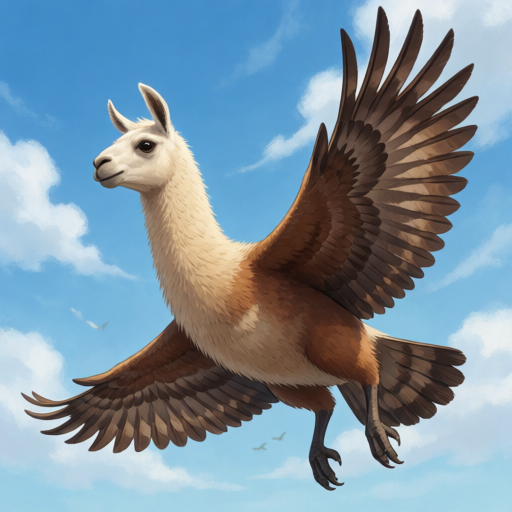 |
| 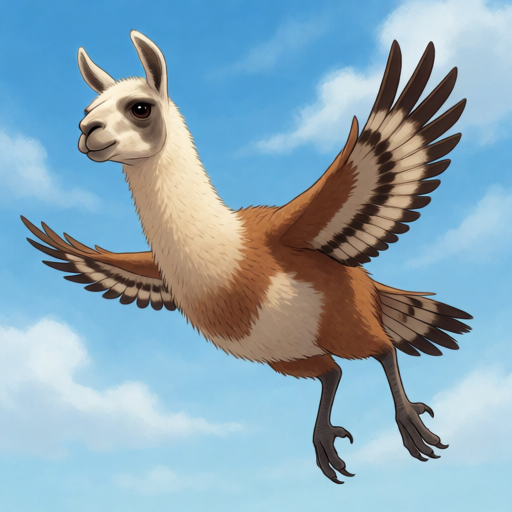 |
|
Install
Clone this repository into ComfyUI/custom_nodes, then restart ComfyUI.
Open workflows/Krea2 NAG - Raw FP8 Turbo.json.
The included workflow uses:
krea2_raw_fp8_scaled.safetensorskrea2_raw_to_turbo_r256_comfy.safetensorsqwen3vl_4b_fp8_scaled.safetensors- CFG
1.0
Put the concept to suppress in the separate NAG negative input. Defaults: phi=4.0, tau=2.5, alpha=0.25.
Krea2Edit
Install ComfyUI-Krea2Edit v1.2.5 or newer, then use the combined Krea2Edit Normalized Attention Guidance node instead of stacking two model patches.
Open workflows/Krea2Edit NAG - Raw FP8 Turbo.json and select a source image.
The workflow uses Krea2 Edit (grounded encode) for both the edit prompt and
the NAG negative prompt, with the same source image connected to each. This
matches Krea2Edit's Qwen3-VL image-grounded training path; stock
CLIPTextEncode is not appropriate for Krea2Edit instructions.
Edit prompt: Change the bird feathers to blue. Preserve the llama face and flying pose.
NAG negative: brown feathers
| Krea2Edit baseline | Krea2Edit + NAG |
| --- | --- |
| 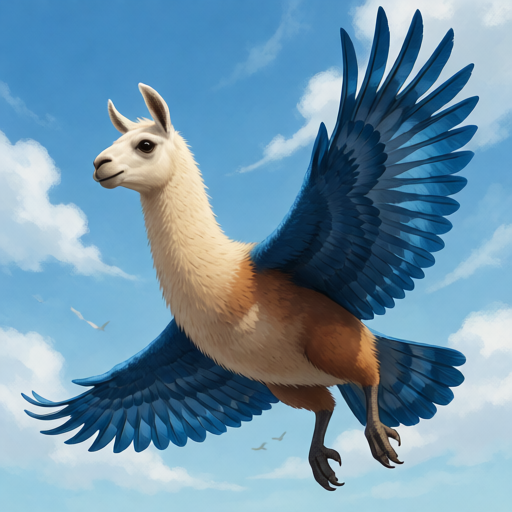 |
| 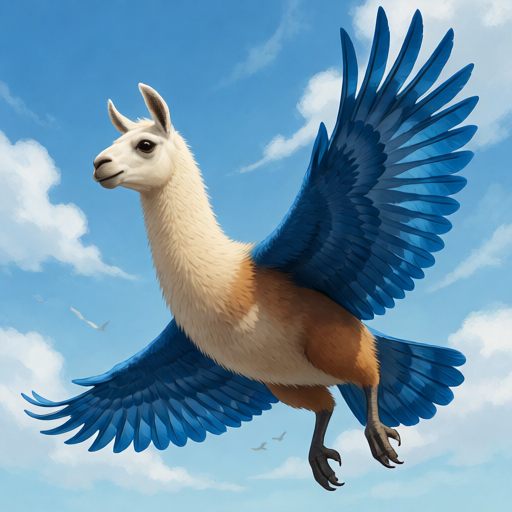 |
|
Source-reference attention stays on the positive path. NAG is applied only to target image tokens, so reference identity and pose are preserved. Regular CFG batches are not supported; use CFG 1.0.