
comfyui-missing-tool
NODES: TrimBG, TrimBG Advanced, Image Queue Loader, Load Image Alpha. A few tools for ComfyUI, perhaps it's exactly what you need.
Nodes (11)
Recolor a mask (or punch a color out) without leaving the graph
Re-render your shortlist, not your whole batch — ImageQueueLoader hands you each image's seed
The loader that keeps your transparent PNGs transparent
This LoraLoad is not the LoraLoader you already know — it's for merging, not generating
Combine two LoRAs into one file, right in the graph
Merge two LoRAs into one file and write it from inside the graph
Scale Image to Multilple Pixels doesn't scale anything — it crops, and that's the point
Turn one string into a list, and stop hand-typing every prompt
Auto-crop every image to its subject's tight bounding box
The 'cut the empty canvas' step your cutout workflow was missing
ComfyUI won't remember anything unless you give it a notepad — that's what TxtSave is for
comfyui-missed-tool
A few tools for ComfyUI, perhaps one of them is exactly what you need.
Installation
Clone the repository into ComfyUI/custom_nodes and install its dependencies:
git clone https://github.com/ifmylove2011/comfyui-missed-tool.git
cd comfyui-missed-tool
pip install -r requirements.txt
Restart ComfyUI and refresh the browser after installation or an update.
Table of contents
- XY Plot for Z-Image / Krea 2
- Image Queue Loader
- Load Image Alpha
- TrimBG
- TxtSave
- TextSplit
- ScaleMultiPixels
- LoRA Merge
- Color Image Fill/Remove
- Face Similarity Check
XY Plot for Z-Image / Krea 2
The independent XY Plot nodes are available under missed tool/XY Plot. They are designed around the standard KSampler workflow used by Z-Image and Krea 2, with optional support for custom SAMPLER and SIGMAS inputs.
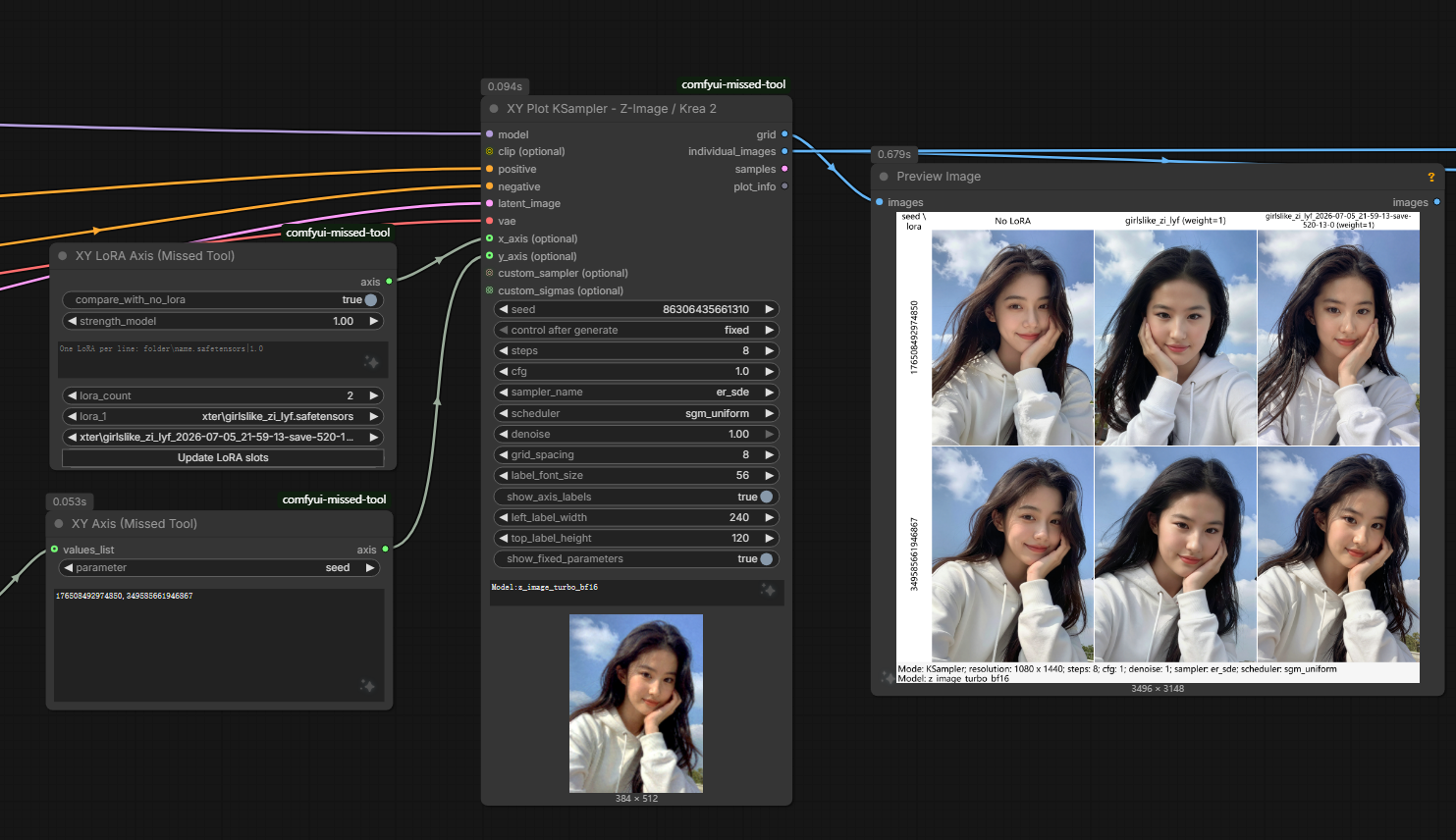
XY Plot KSampler - Z-Image / Krea 2
The main node samples every X/Y combination, decodes the results, and returns:
grid: the completed labeled grid.individual_images: decoded images in row-major order for scoring or other per-image processing.samples: the generated latent batch.plot_info: fixed sampling and display information that can be passed to the footer composer.
Connect MODEL, positive/negative conditioning, a latent, and a VAE as with a normal KSampler. clip (optional) is required only when an XY Prompt Axis is used. The x_axis, y_axis, custom_sampler, and custom_sigmas sockets are also optional. If neither axis is connected, the node produces one base image.
Z-Image and Krea 2 can both use the normal KSampler controls on the node. For a SamplerCustom-style workflow, connect both custom_sampler and custom_sigmas; sampler and scheduler axes are available only in standard KSampler mode.
Axis labels appear above and to the left of the grid. show_axis_labels hides or shows them, while top_label_height, left_label_width, and label_font_size control their layout. Long labels wrap and shrink only when they still cannot fit. extra_info is display-only text for information such as model and VAE names; separate entries with semicolons:
Model: z_image_turbo_bf16; VAE: flux-ae.safetensors; Note: comparison test
The information band also reports the decoded resolution and sampling parameters that are not controlled by an axis. Layout-only changes reuse cached samples, and changing the VAE re-decodes cached latents without sampling again.
XY Axis
XY Axis (Missed Tool) supports these parameters:
seedstepscfgdenoisesamplerscheduler
Enter multiple values on separate lines or separate them with commas or semicolons. The optional values_list socket accepts primitive values, tensors/arrays, and ComfyUI list outputs; a connected list overrides the text field.
XY Sampler Axis and XY Scheduler Axis provide dropdowns for valid ComfyUI choices plus an additional text list for exact names.
XY LoRA Axis
XY LoRA Axis compares different LoRAs. Set lora_count from 1 to 100 and click Update LoRA slots to change the number of dropdowns. Reducing the count hides surplus selectors without discarding their values. Existing workflows made with the former eight fixed selectors are migrated automatically.
strength_modelis the default strength for dropdown selections.compare_with_no_loraadds aNo LoRAcoordinate. It does not remove LoRAs already applied upstream.additional_lorasaccepts an unlimited line-based list. Append|weightto override the default strength for that entry, for examplefolder\\name.safetensors|0.8.
Axis LoRAs are applied to MODEL only. XY LoRA Weight Axis instead selects one LoRA and varies its model strength; a strength of 0 represents no LoRA from that axis.
XY Prompt Axis
XY Prompt Axis compares positive or negative prompts. Enter one prompt per line or connect a STRING list. Commas and semicolons remain part of the prompt. Connect CLIP to the main XY Plot node so each cell can be encoded independently.
XY Cell Footer Composer
This node appends an additional image below every individual XY cell and then rebuilds the labeled grid. It is useful for similarity scores, quality metrics, captions, or other rendered metadata.
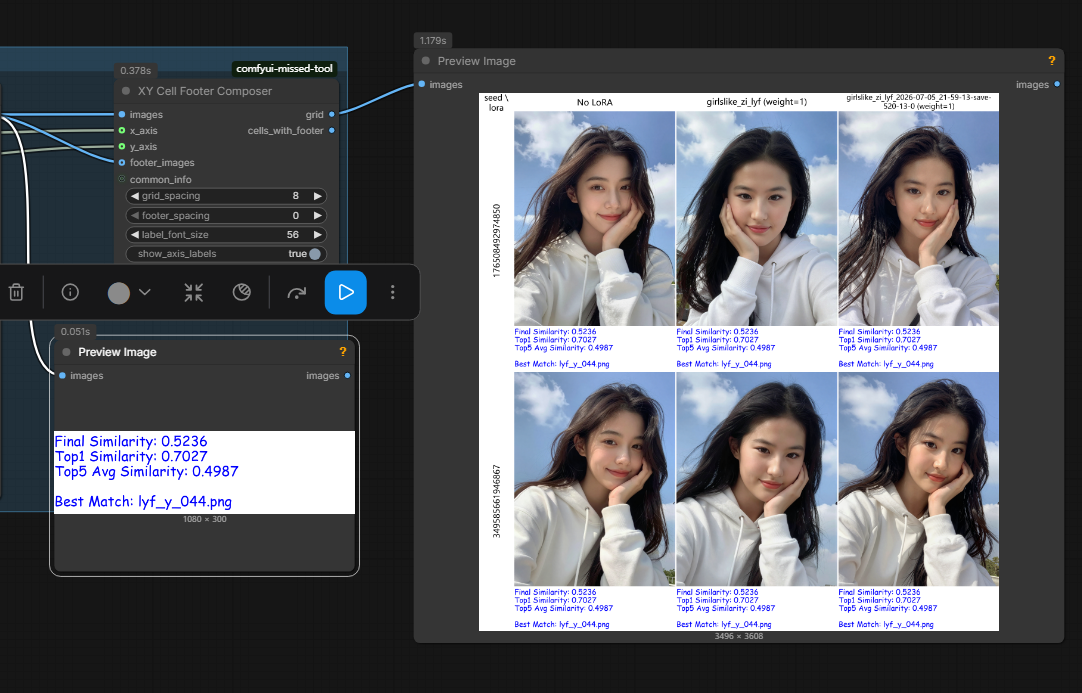
Connect the main node's individual_images to images, the rendered score/caption batch to footer_images, and the same X/Y axes to the composer. Connect plot_info to common_info if the final grid should retain the fixed-parameter band. One footer image is repeated for every cell; a footer batch is matched to cells in row-major order.
Example workflow
Download the complete Z-Image XY Plot with per-cell footer workflow.
The example compares LoRAs and seeds, evaluates each generated image, renders the report as an image, and attaches it below the corresponding cell. Replace its local model, LoRA, font, and reference-directory values with paths available in your installation. The scoring/text-rendering portion also uses nodes outside this plugin, so ComfyUI may prompt you to install those dependencies.
Other nodes
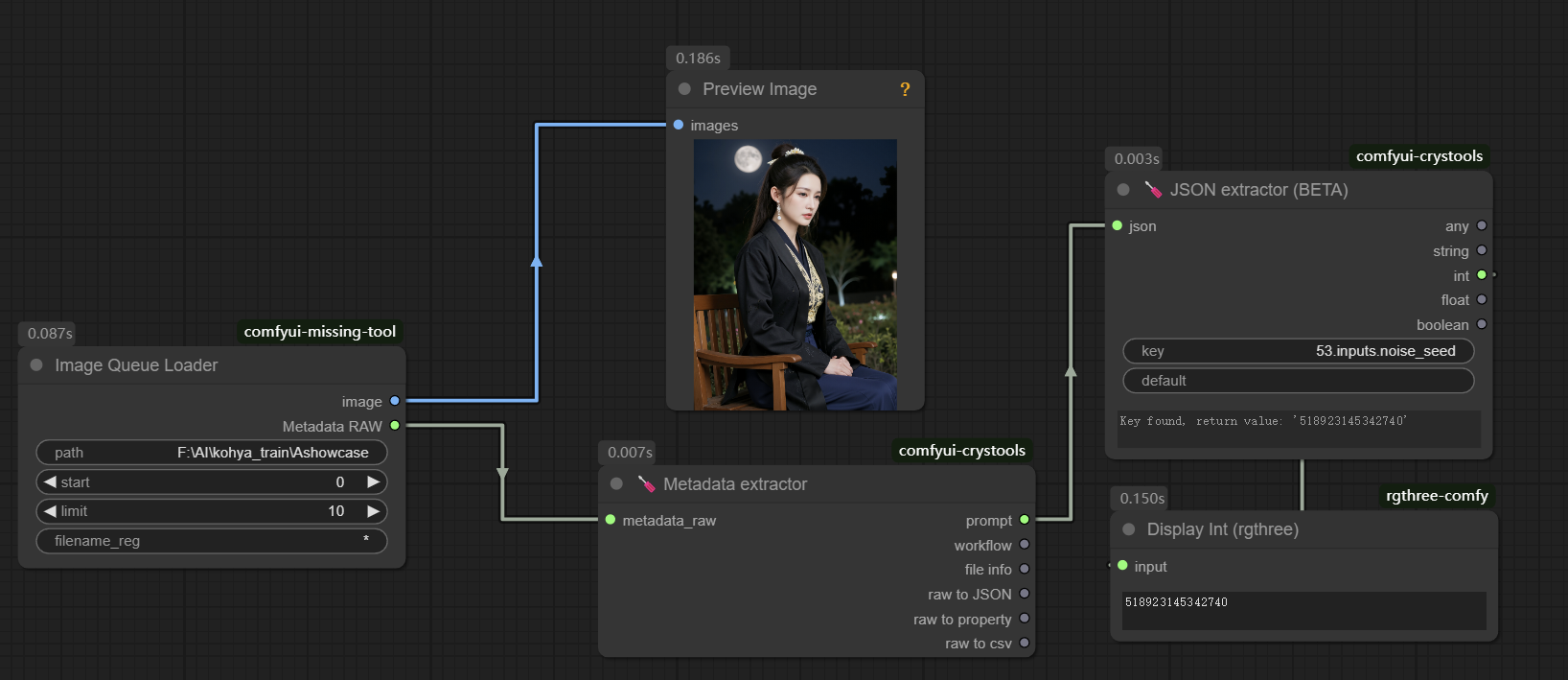
ImageQueueLoader
Load images in a queue and retrieve metadata such as the seed from generated images. Seeds can be retrieved sequentially during sequential execution.
LoadImagealpha
Load images with an alpha channel. ComfyUI's built-in Load Image node outputs RGB by default; it can also be used together with its mask output.
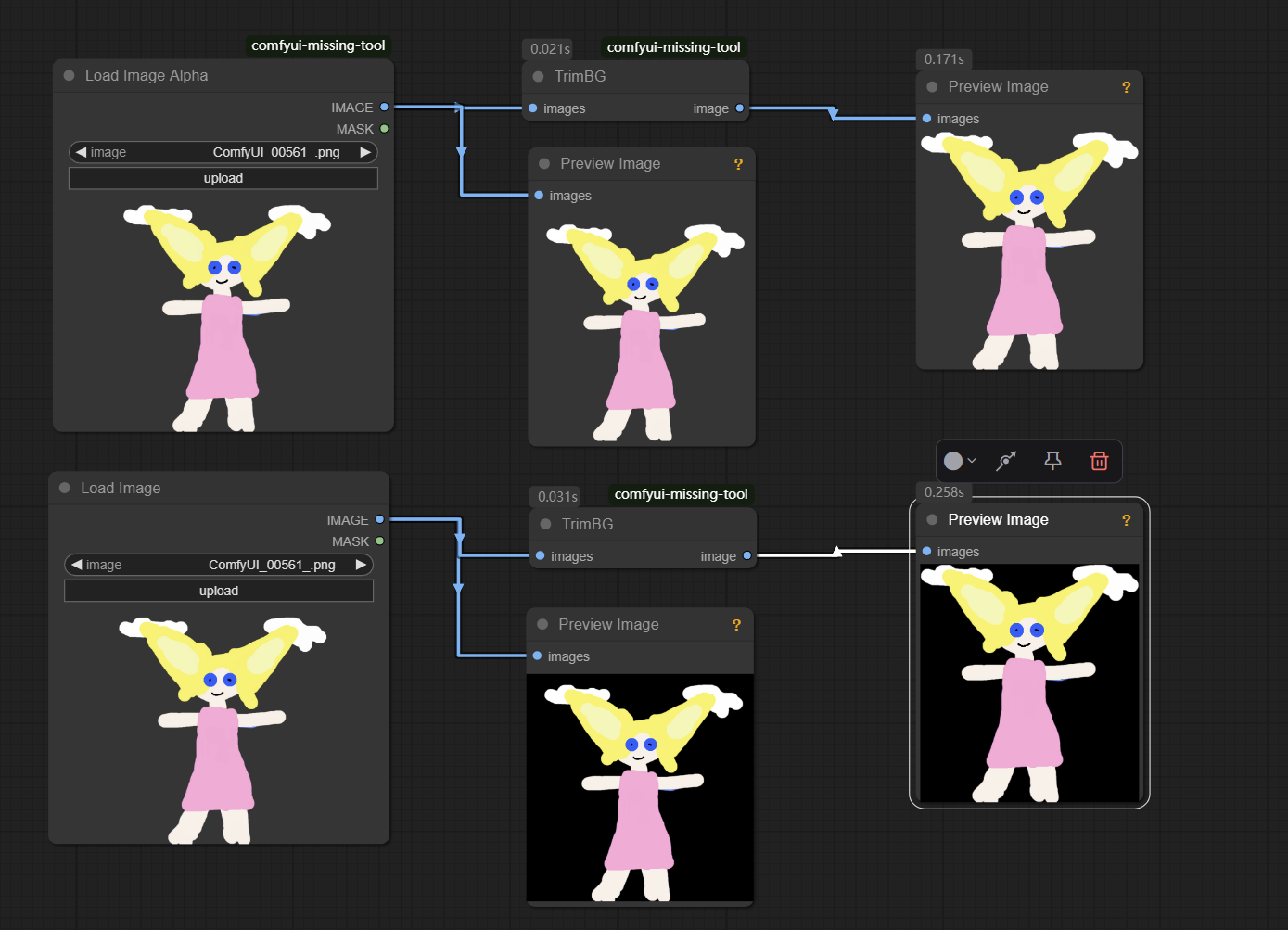
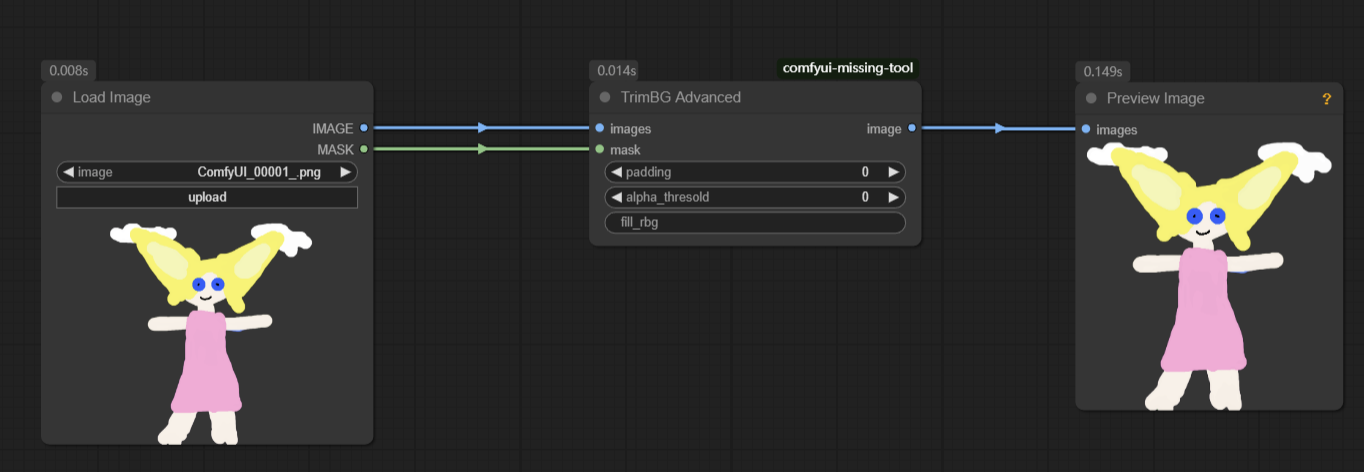
TrimBG
Batch-read and process images. It works well with Load Image List From Dir, using a list rather than a batch.
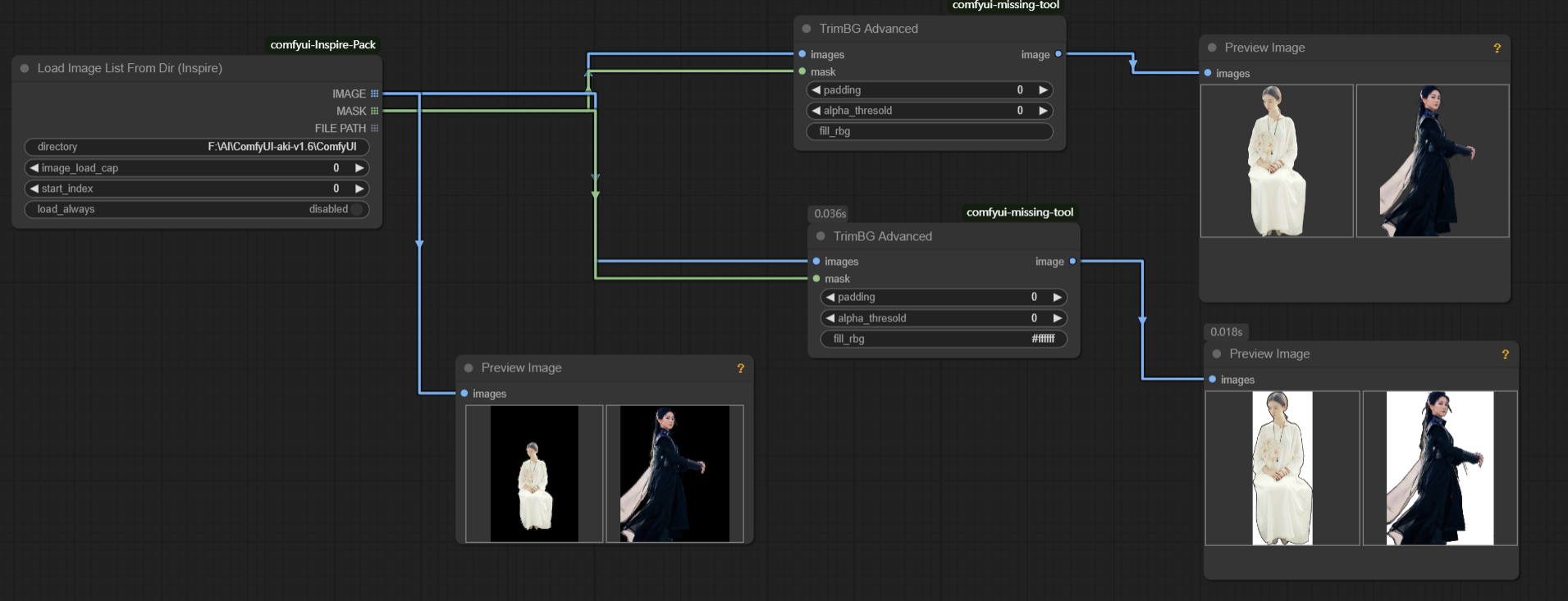
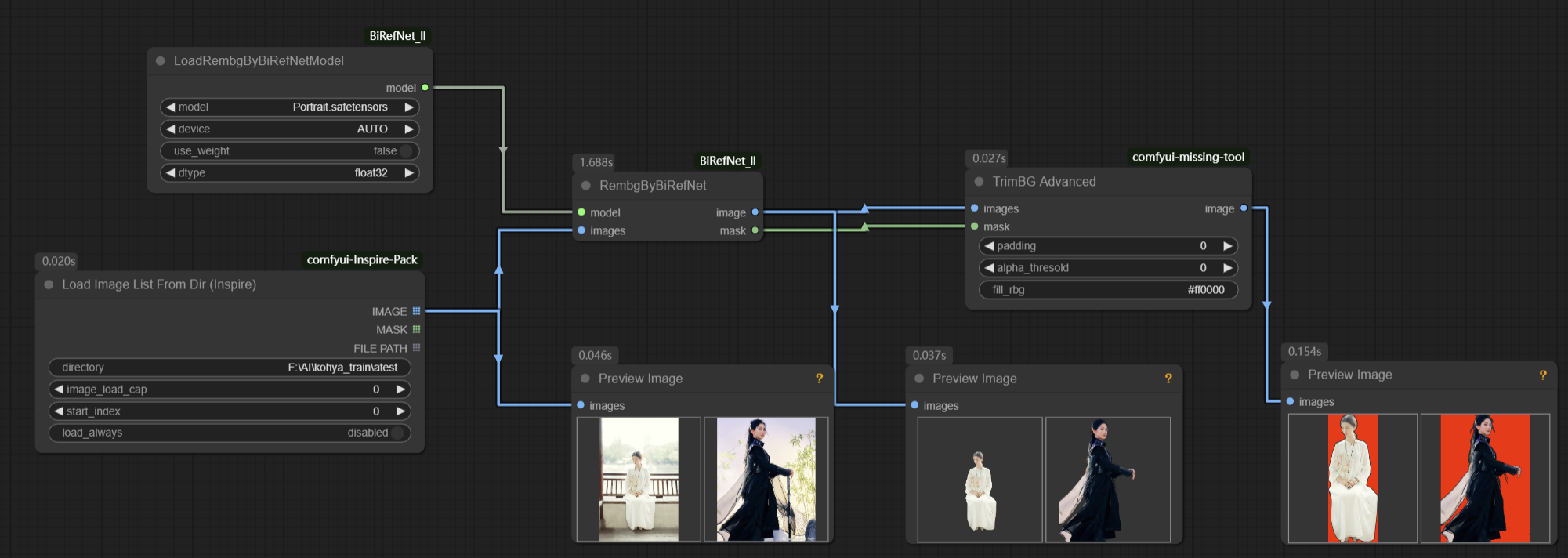
It can also be used with ComfyUI_BiRefNet_ll.
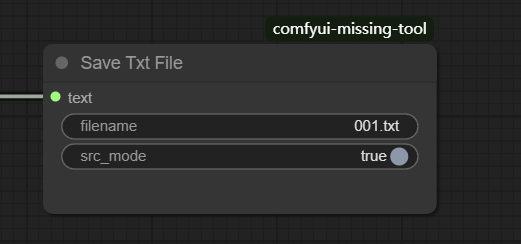
TxtSave
Save text using an input file path and name when src_mode is enabled.
TextSplitToList
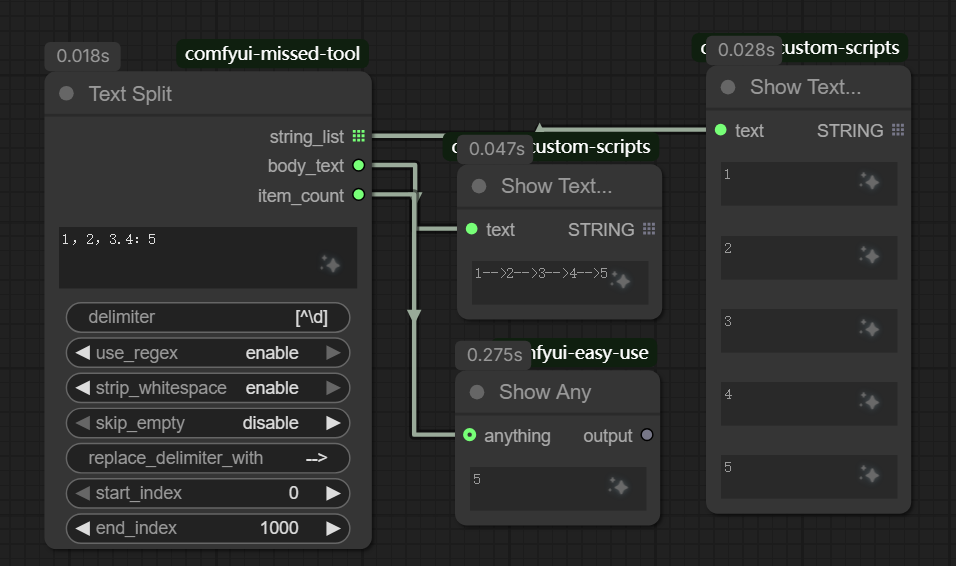
Split text into a list with a plain delimiter or regular expression, and return both the list and the text with delimiters removed.
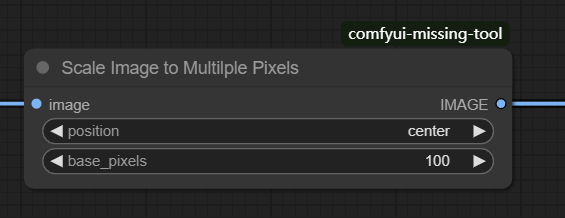
ScaleMultiPixels
Scale an image to a multiple of the selected pixel value. For example, with a 533 × 433 input and base_pixel set to 100, the output is 500 × 400.
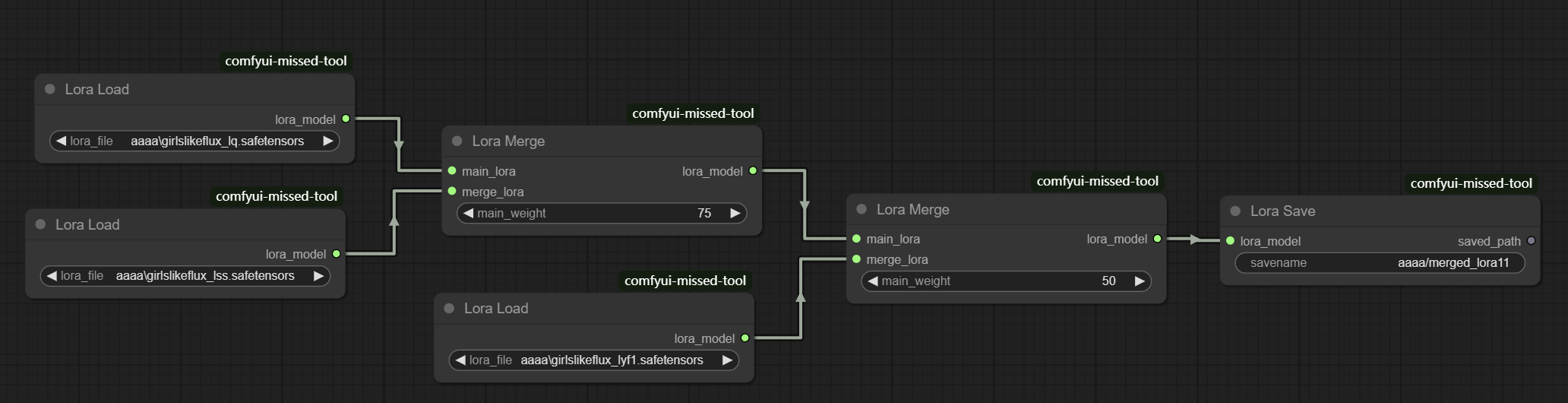
LoraMerge
Load, merge, and save LoRAs through three flexible nodes.
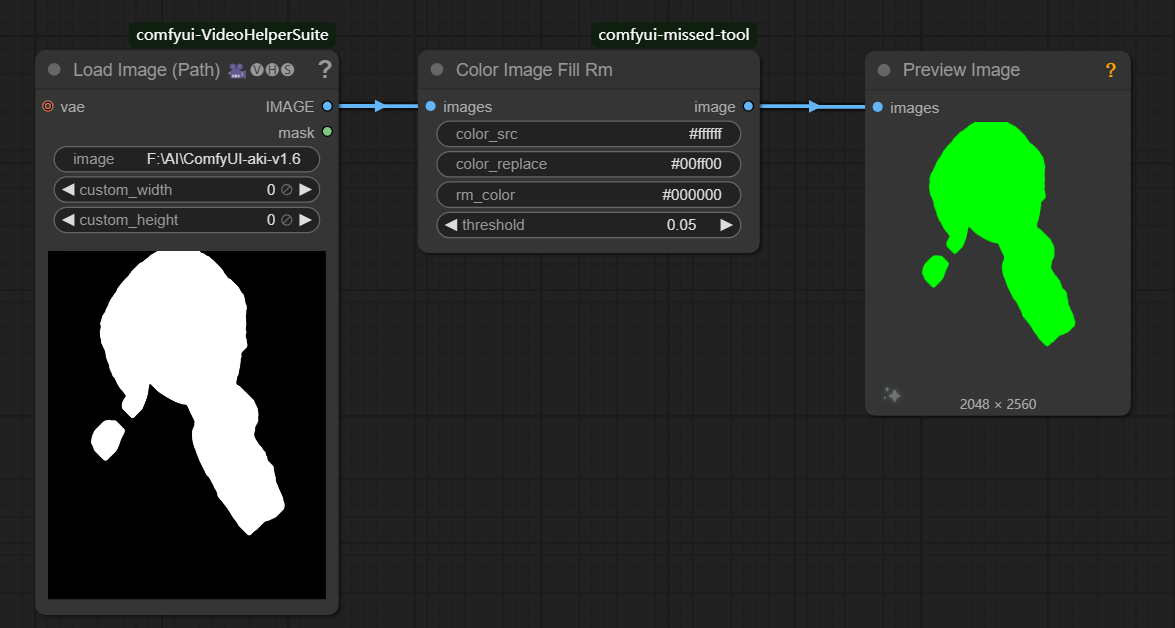
ColorImageFillRm
Replace or remove pixels of a selected color, useful when mask images are overlaid with other layers.
FaceSimilarityCheck
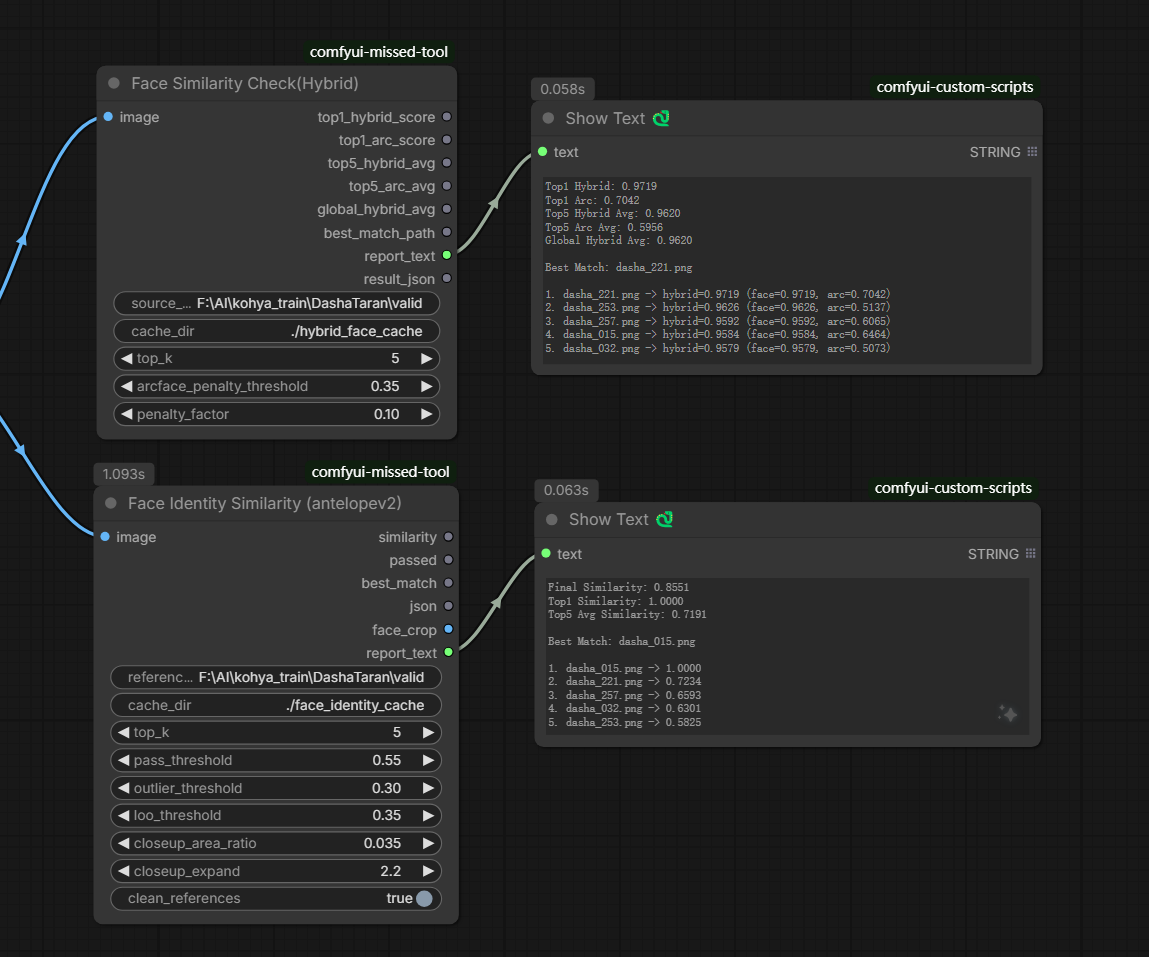
Compare an input face against images in a reference directory. The nodes return similarity scores, the best-matching filename, a readable Top-K report, and JSON results for downstream workflows. Reference embeddings are cached in cache_dir to speed up later runs.
- Face Similarity Check uses
face_recognitionembeddings and cosine similarity. - Face Similarity Check (Insight) uses the InsightFace
buffalo_lmodel. - Face Similarity Check (Hybrid) ranks with
face_recognitionsimilarity and applies an ArcFace penalty to obvious mismatches. Configurearcface_penalty_thresholdandpenalty_factorfor stricter rejection. - Face Identity Similarity (antelopev2) builds a 512-dimensional identity centroid from
reference_dir, can remove reference outliers, and returnssimilarity,passed,best_match, an aligned face crop, and a detailed report. This node requires the CUDA-enabled ONNX Runtime provider.
Set source_dir or reference_dir to a directory containing reference images. PNG, JPG, JPEG, WebP, and, where supported, BMP files are accepted. A clear, front-facing reference set generally produces the most stable results.
Contributing
Please fork the repository and create a pull request.
License
comfyui-missed-tool is licensed under the MIT License. See LICENSE for details.
Contact
For questions or feedback, please open an issue on GitHub or contact the repository owner.